These errors are usually caused by the file in question being blocked by some security setting on the server, or (rarely) by caching issues or wrong permissions.
The first step to debug this is to try to access the file directly in the browser (i.e. copy the URL and paste in the browser and press Enter).
If you see the file (that’s usually minified JS, so it is all on one line) chances are it was some sort of caching issue that is now resolved. Try using the editor again.
If you see an HTTP error (like 403 or 500) best would be to contact your web hosting company for help. In some cases deleting and re-installing the plugin may help.
Please see the new (as of version 5.2.0) advanced settings for tables. It is possible to disable use of inline styles for tables but that would make the table non-resizable in the editor. If the advanced tabs on the table, row, and column dialogs are enabled (default), it will still be possible to enter width and height values which are set as inline styles.
These styles are imported from your current theme editor-style.css file. However some themes do not have this functionality. For these themes Advanced Editor Tools has the option to let you add a customized editor-style.css and import it into the editor.
Change some buttons on one of the toolbars, save your changes, clear your browser cache, and try again. If that does not work try reloading the Edit page several times while holding down Shift. There may also be a network cache somewhere between you and your host. You may need to wait for a few hours until this cache expires.
The “Emoticons” button in TinyMCE adds the codes for the smilies. The actual images are added by WordPress when viewing the Post. Make sure the checkbox “Convert emoticons to graphics on display” in “Options – Writing” is checked.
Make sure the “Disable the visual editor when writing” checkbox under “Users – Your Profile” is not checked.
Re-save the settings or click the “Restore Default Settings” button on the plugin settings page and then set the buttons again and save.
";s:9:"changelog";s:12068:"5.9.2
- Fixed a typo in the plugin header version string.
5.9.1
- Fixed a warning in PHP 8.0 and never.
5.9.0
- Updated for WordPress 5.9 and newer.
- Removed the Inline text color and Inline text background color side-panels as this functionality is now available in the block editor.
- Removed the side-panel toolbar. The drop-down on the main rich-text toolbar serves the same purpose – to unclutter the toolbar.
- Fixed some small bugs and compatibility issues.
5.6.0
- Updated for WordPress 5.6 and TinyMCE 4.9.11.
5.5.1
- Renamed the plugin to Advanced Editor Tools to comply with trademark requirements.
5.5.0
- Updated for WordPress 5.5 and TinyMCE 4.9.10.
- Updated/renamed the subscript and superscript buttons as these are now in Gutenberg.
- Minor CSS fixes and enhancements.
5.4.0
- Updated for WordPress 5.4.
- Improved “Reset Table Size” to reset all table elements (tr, th, td, thead, tbody, tfoot).
- Improved “Remove Table Styling” to remove all current and deprecated styling attributes from all table elements.
5.3.0
- Updated for WordPress 5.3 and TinyMCE 4.9.6.
5.2.1
- Updated for WordPress 5.2.1 and TinyMCE 4.9.4.
- Fixed resetting of the advanced options on update when all were unselected.
- Fixed and improved keepig of paragraph tags in the Classic block.
5.2.0
- Updated for WordPress 5.2.
- Updated the buttons settings for the block editor toolbar. There are a few new limitations there: most buttons are now hidden in a drop-down and the users are not allowed to arrange the buttons.
- Added a new advanced settings section for tables. Makes it possible to better configure how tables are edited and whether to disable use of inline CSS styles. Note that disabling inline styles would make the tables non-resizable in the editor.
- Removed the option to enable pasting of image sources in some browsers. It was not working correctly.
- Added a new option to always keep paragraph tags in the Classic Paragraph and Classic blocks in the block editor.
- Updated exporting and importing of the settings. Now settings are exported to a (downloaded) file, and can be restored by uploading a previously exported settings file.
- Improved the block editor Clear Formatting button. If some text is selected, it only clears the styling from that text. If no selection, all styling from the paragraph is cleared.
5.0.1
- Fixed importing of backed-up settings.
- Updated the FAQ section in the readme.
5.0.0
- Added several new buttons to the rich-text toolbar in the block editor.
- Added functionality to add, remove and arrange most buttons on the rich-text toolbar in the block editor.
- Added alternative location for buttons for the rich-text component. That lets users move buttons that are not used frequently out of the way.
- Added settings for selected text color and background color.
- Improved fixes and enhancements for the Classic block.
- Improved the Classic Paragraph block and added support for converting from most blocks to classic paragraphs, and converting a classic paragraph into separate blocks.
4.8.2
- Fixes and improvements for 4.8.1.
- Added separate option to enable the Classic Paragraph block.
- Added converting of most default blocks to classic paragraphs, and from classic paragraphs to default blocks.
4.8.1
- Updated for WordPress 5.0.
- Added Hybrid Mode for the block editor. Includes a Classic Paragraph block that replaces the default Paragraph block.
- Added option to replace the block editor with the classic editor.
- Added another settings section for configuring the toolbars in the Classic block and the Classic Paragraph block.
- Added some CSS fixed for the Classic block.
- Fixed (removed) setting of inline CSS for table cells when inserting a table. Inline CSS is still added when a table is resized by dragging.
4.8.0
- Updated for WordPress 4.9.8 and TinyMCE 4.8.0.
4.7.13
- Updated the table and anchor plugins to 4.7.13 (2018-05-16). Fixes a bug in the table plugin in Edge.
4.7.11
- Updated for WordPress 4.9.6 and TinyMCE 4.7.11.
4.6.7
- Fixed compatibility with Gutenberg freeform block.
- Forced refresh of the TinyMCE plugins after activation.
- Updated for WordPress 4.9 and TinyMCE 4.6.7.
4.6.3
- Updated for WordPress 4.8 and TinyMCE 4.6.3.
4.5.6
- Updated for WordPress 4.7.4 and TinyMCE 4.5.6.
- Fixed PHP notice after importing settings.
4.4.3
- Updated for WordPress 4.7 and TinyMCE 4.4.3.
- Fixed missing “Source code” button bug.
4.4.1
- Updated for WordPress 4.6 and TinyMCE 4.4.1.
- Fixed multisite saving bug.
- Added new button in the Text editor to add or reset the line breaks. Adds line breaks only between tags. Works only when it detects that line breaks are missing so it doesn’t reformat posts with removed paragraphs.
4.3.10.1
- Fixed adding paragraph tags when loading posts that were saved before turning
wpautopoff. - Disabled the (new) inline toolbar for tables as it was overlapping the table in some cases.
4.3.10
- Updated for WordPress 4.5.1 and TinyMCE 4.3.10.
- Fixed support for adding editor-style.css to themes that don’t have it.
4.3.8
- Updated for WordPress 4.5 and TinyMCE 4.3.8.
- Separated standard options and admin options.
- Added settings that can disable the plugin for the main editor, other editors in wp-admin or editors on the front-end.
- Korean translation by Josh Kim and Greek translation by Stathis Mellios.
4.2.8
- Updated for WordPress 4.4 and TinyMCE 4.2.8.
- Japanese translation by Manabu Miwa.
4.2.5
- Updated for WordPress 4.3.1 and TinyMCE 4.2.5.
- Fixed text domain and plugin headers.
4.2.3.1
- Fix error with removing the
textpatternplugin.
4.2.3
- Updated for WordPress 4.3 and TinyMCE 4.2.3.
- Removed the
textpatternplugin as WordPress 4.3 includes similar functionality by default. - French translation by Nicolas Schneider.
4.1.9
- Updated for WordPress 4.2 and TinyMCE 4.1.9.
- Fixed bugs with showing oEmbed previews when pasting an URL.
- Fixed bugs with getting the content from TinyMCE with line breaks.
4.1.7
- Updated for WordPress 4.1 and TinyMCE 4.1.7.
- Fixed bug where consecutive caption shortcodes may be split with an empty paragraph tag.
4.1.1
- Fix bug with image captions when wpautop is disabled.
- Add translation support to the settings page. Button names/descriptions are translated from JS using the existing WordPress translation, so this part of the settings page will be translated by default. The other text still needs separate translation.
4.1
- Updated for WordPress 4.0 and TinyMCE 4.1.
- Add the
textpatternplugin that supports some of the markdown syntax while typing, (more info). - Add the updated ‘table’ plugin that supports background and border color.
4.0.2
- Fix showing of the second, third and forth button rows when the Toolbar Toggle button is not used.
- Fix adding the
directionalityplugin when RTL or LTR button is selected. - Show the ”Advanced Options” to super admins on multisite installs.
- Add the
linkplugin including link rel setting. Replaces the Insert/Edit Link dialog when enabled. - Include updated ”table” plugin that has support for vertical align for cells.
4.0.1
Fix warnings on pages other than Edit Post. Update the description.
4.0
Updated for WordPress 3.9 and TinyMCE 4.0. Refreshed the settings screen. Added support for exporting and importing of the settings.
3.5.9.1
Updated for WordPress 3.8, fixed auto-embedding of single line URLs when not removing paragraph tags.
3.5.9
Updated for WordPress 3.7 and TinyMCE 3.5.9.
3.5.8
Updated for WordPress 3.5 and TinyMCE 3.5.8.
3.4.9
Updated for WordPress 3.4 and TinyMCE 3.4.9.
3.4.5.1
Fixed a bug preventing TinyMCE from importing CSS classes from editor-style.css.
3.4.5
Updated for WordPress 3.3 or later and TinyMCE 3.4.5.
3.4.2.1
Fix the removal of the media plugin so it does not require re-saving the settings.
3.4.2
Compatibility with WordPress 3.2 and TinyMCE 3.4.2, removed the options for support for iframe and HTML 5.0 elements as they are supported by default in WordPress 3.2, removed the media plugin as it is included by default.
3.3.9.1
Added advanced options: stop removing iframes, stop removing HTML 5.0 elements, moved the support for custom editor styles to editor-style.css in the current theme.
Attention: if you have a customized tadv-mce.css file and your theme doesn’t have editor-style.css, please download tadv-mce.css, rename it to editor-style.css and upload it to your current theme directory. Alternatively you can add there the editor-style.css from the Twenty Ten theme. If your theme has editor-style.css you can add any custom styles there.
3.3.9
Compatibility with WordPress 3.1 and TinyMCE 3.3.9, improved P and BR tags option.
3.2.7
Compatibility with WordPress 2.9 and TinyMCE 3.2.7, several minor bug fixes.
3.2.4
Compatibility with WordPress 2.8 and TinyMCE 3.2.4, minor bug fixes.
3.2
Compatibility with WordPress 2.7 and TinyMCE 3.2, minor bug fixes.
3.1
Compatibility with WordPress 2.6 and TinyMCE 3.1, keeps empty paragraphs when disabling the removal of P and BR tags, the buttons for MCImageManager and MCFileManager can be arranged (if installed).
3.0.1
Compatibility with WordPress 2.5.1 and TinyMCE 3.0.7, added option to disable the removal of P and BR tags when saving and in the HTML editor (wpautop), added two more buttons to the HTML editor: wpautop and undo, fixed the removal of non-default TinyMCE buttons.
3.0
Support for WordPress 2.5 and TinyMCE 3.0.
2.2
Deactivate/Uninstall option page, font size drop-down menu and other small changes.
2.1
Improved language selection, improved compatibility with WordPress 2.3 and TinyMCE 2.1.1.1, option to override some of the imported css classes and other small improvements and bugfixes.
2.0
Includes an admin page for arranging the TinyMCE toolbar buttons, easy installation, a lot of bugfixes, customized “Smilies” plugin that uses the built-in WordPress smilies, etc. The admin page uses jQuery and jQuery UI that lets you “drag and drop” the TinyMCE buttons to arrange your own toolbars and enables/disables the corresponding plugins depending on the used buttons.
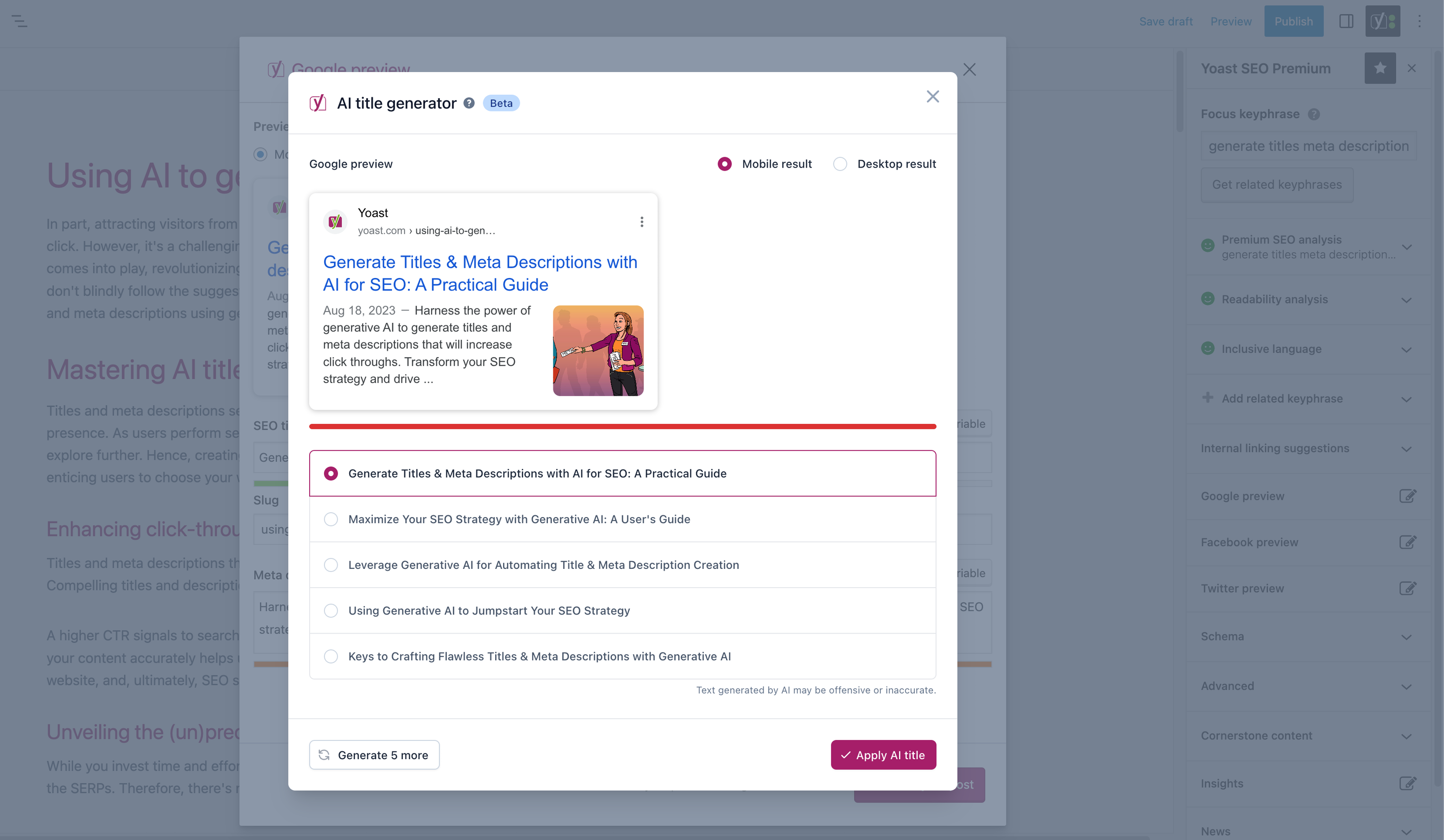
";s:11:"screenshots";s:2723:"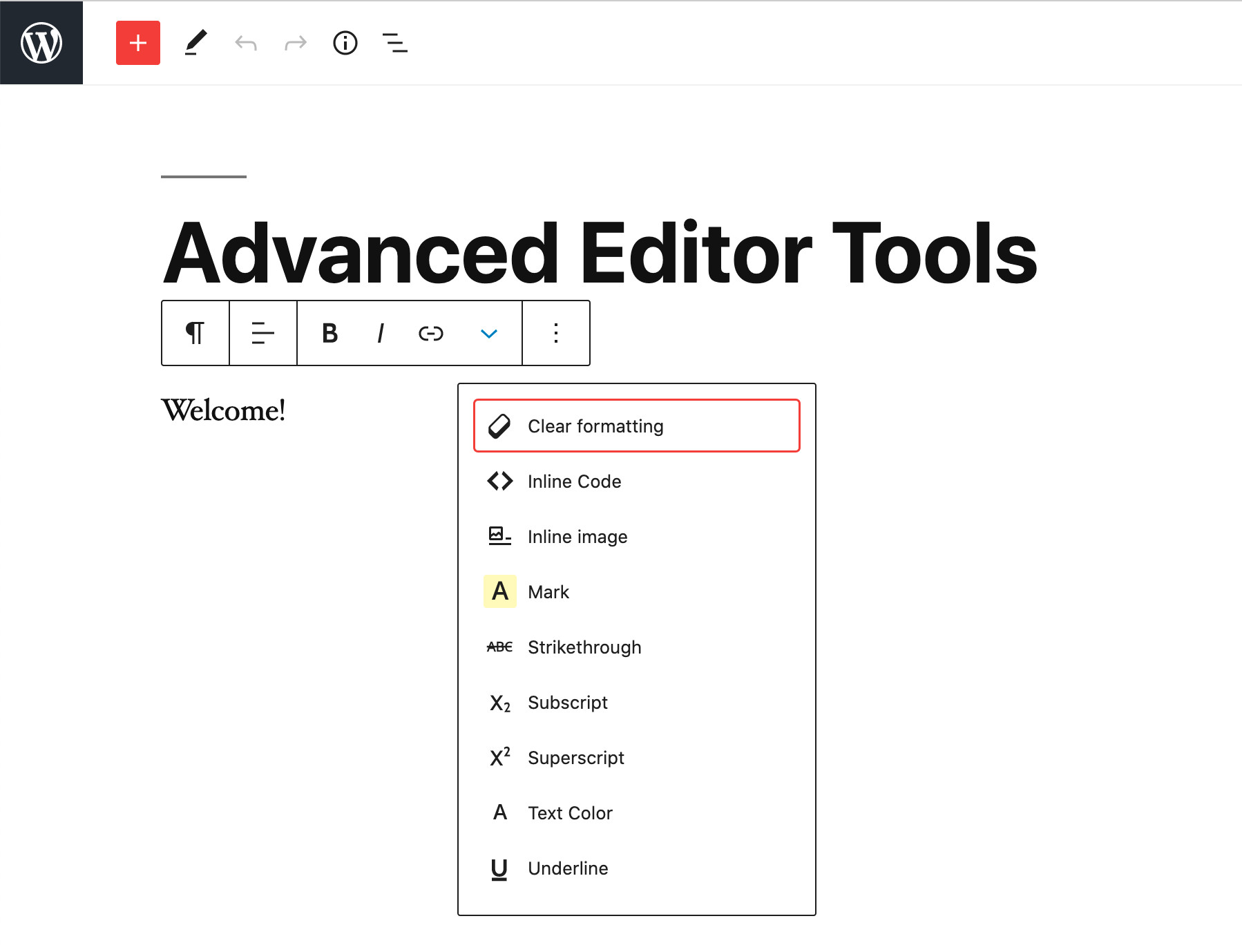
Rich-text toolbar.
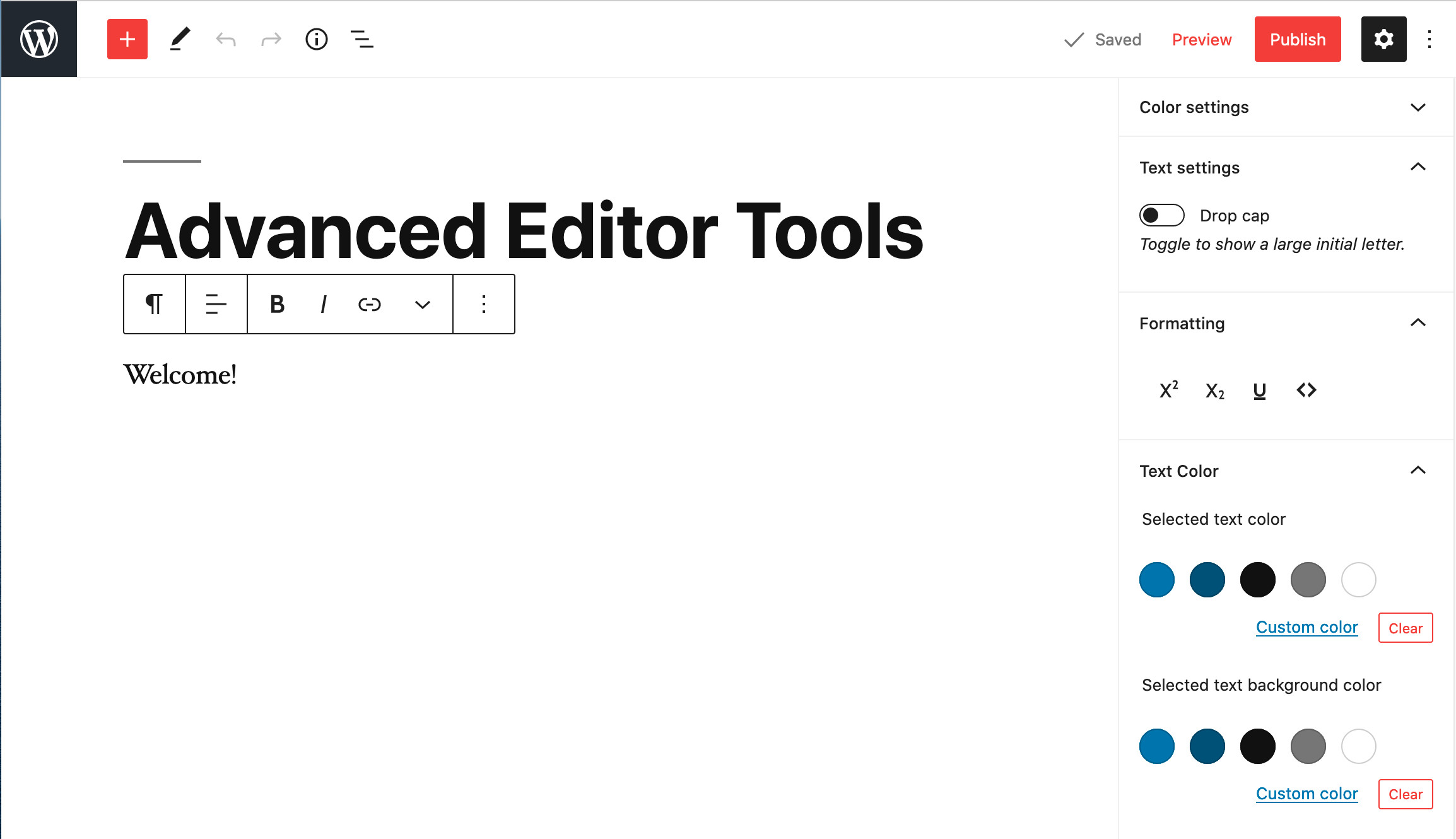
Rich-text toolbar and extra formatting buttons in the Inspector (sidebar).
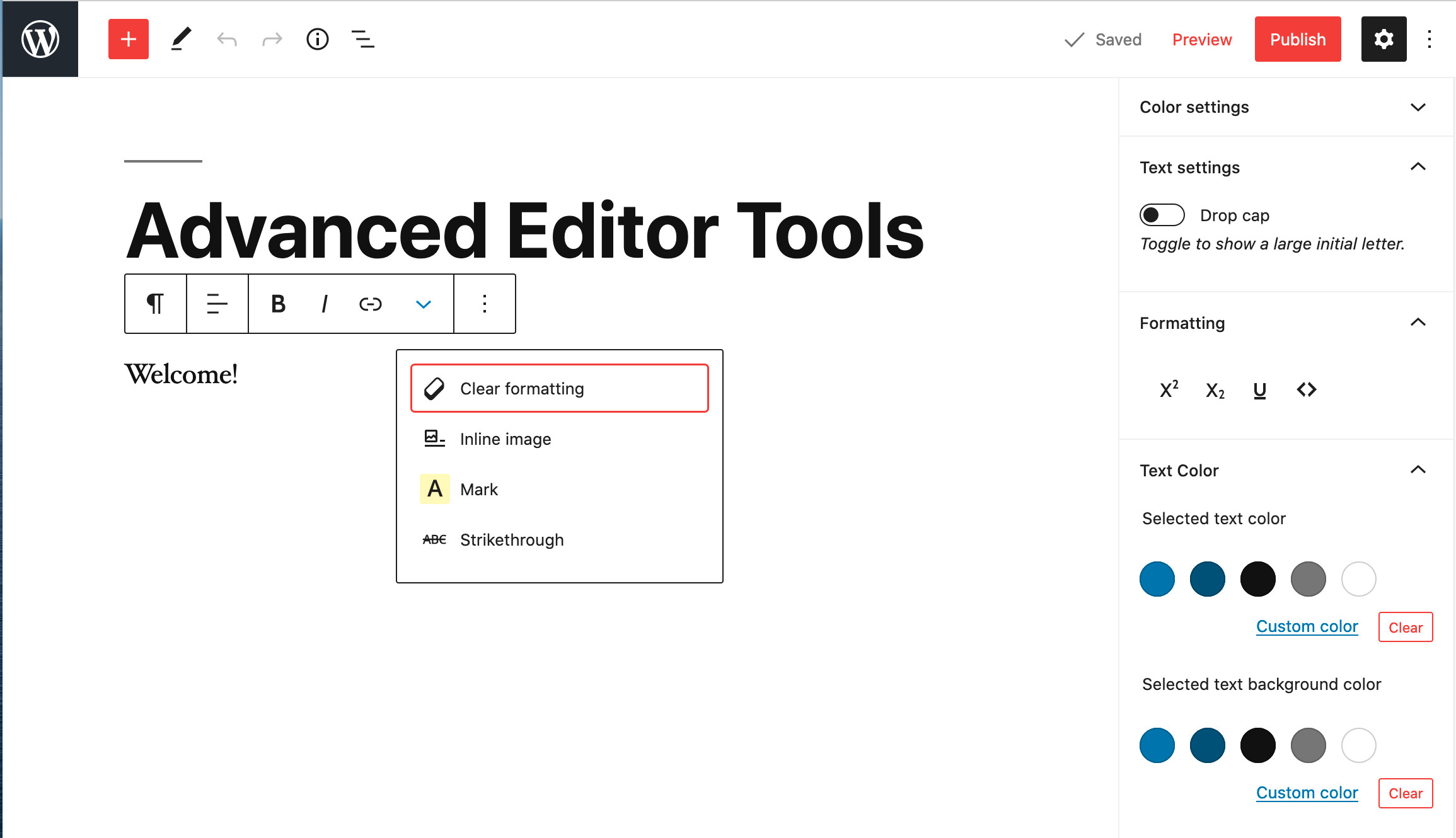
Many of the buttons can be moved to the Formatting section in the Inspector.
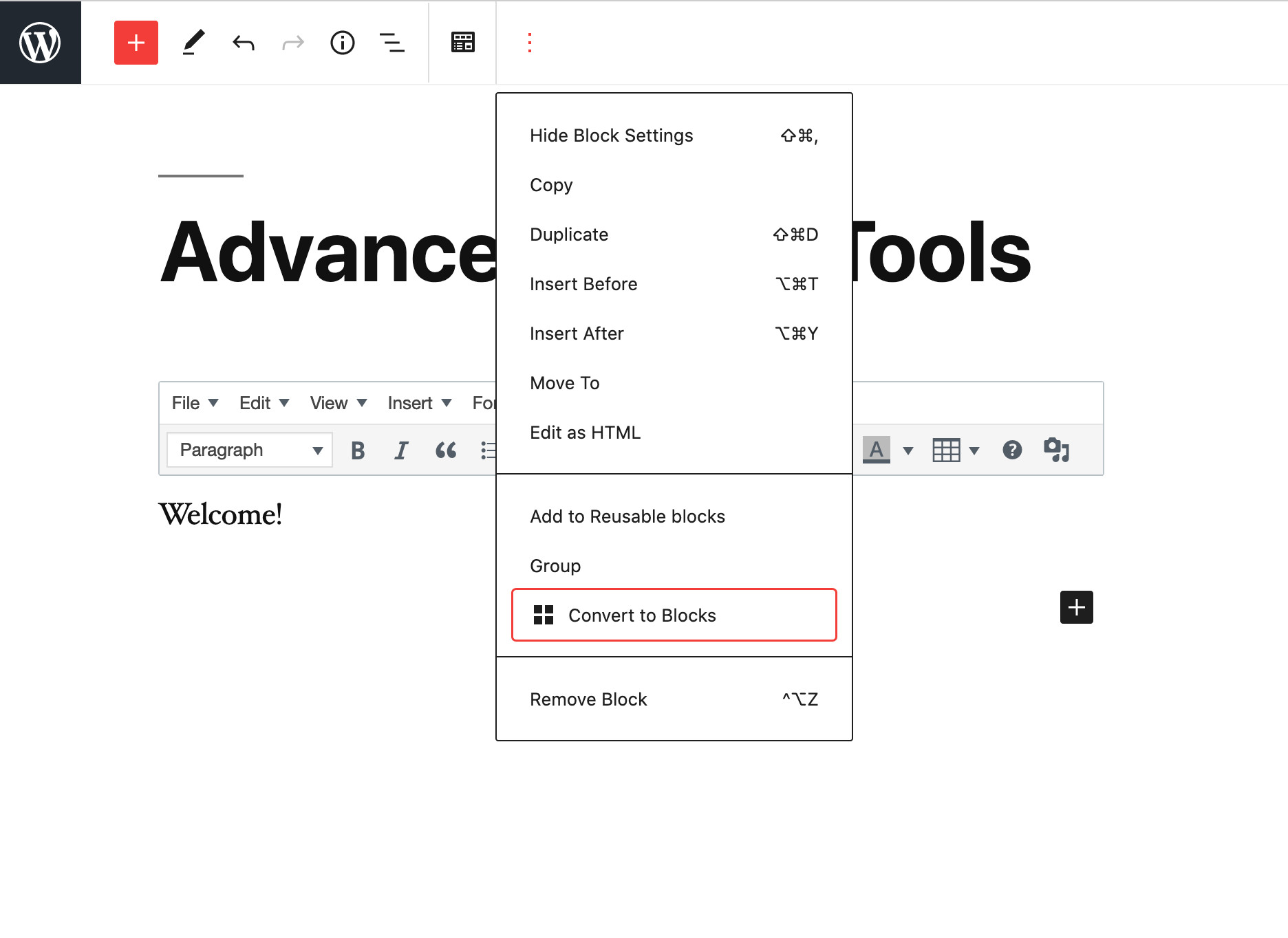
Converting the content of the Classic Paragraph block into separate blocks.
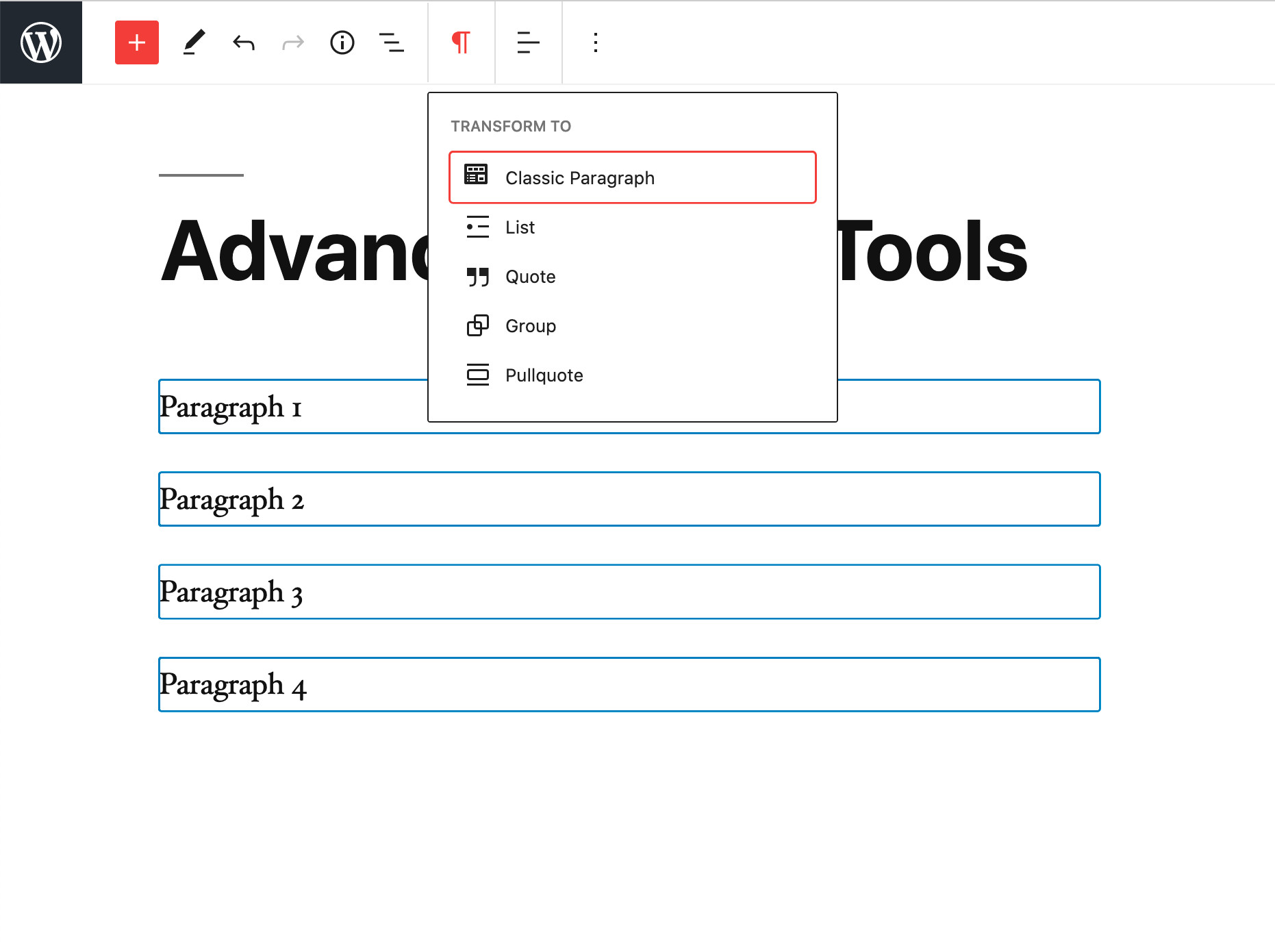
Converting several paragraph blocks into a Classic Paragraph block.
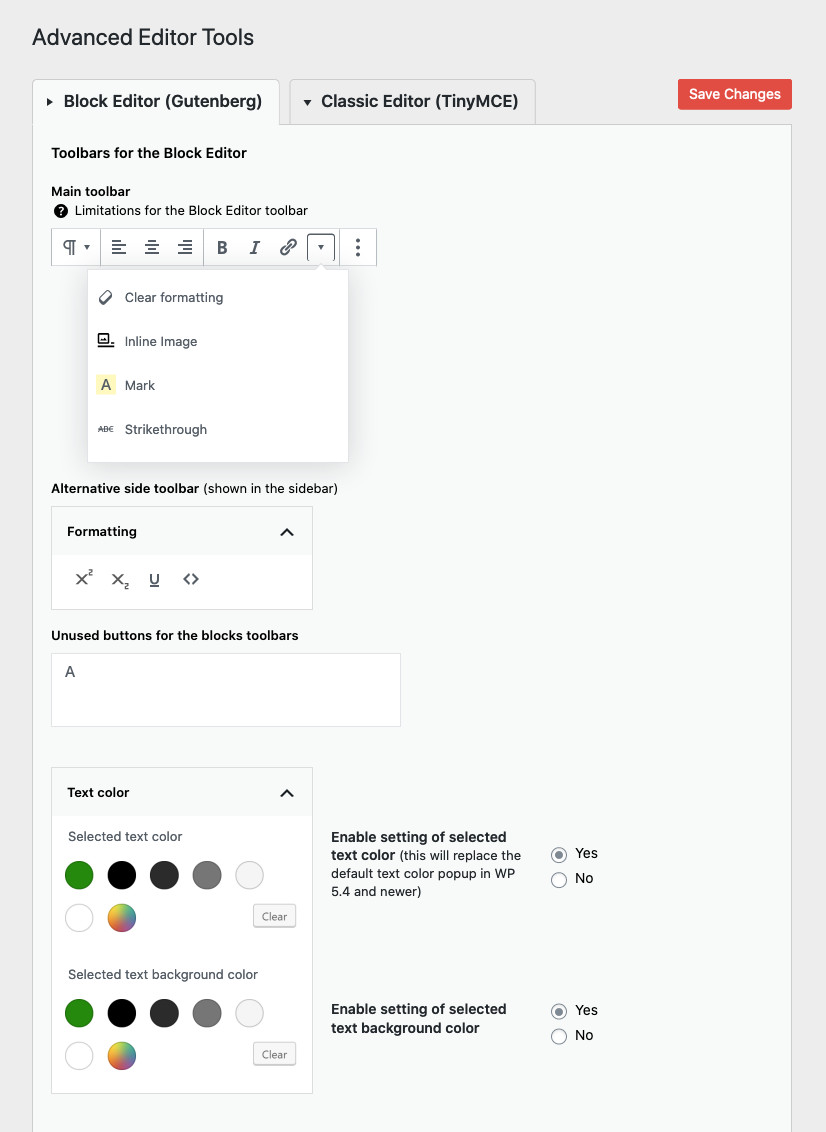
Settings for the Rich-text toolbar and the optional Formatting section in the Inspector.
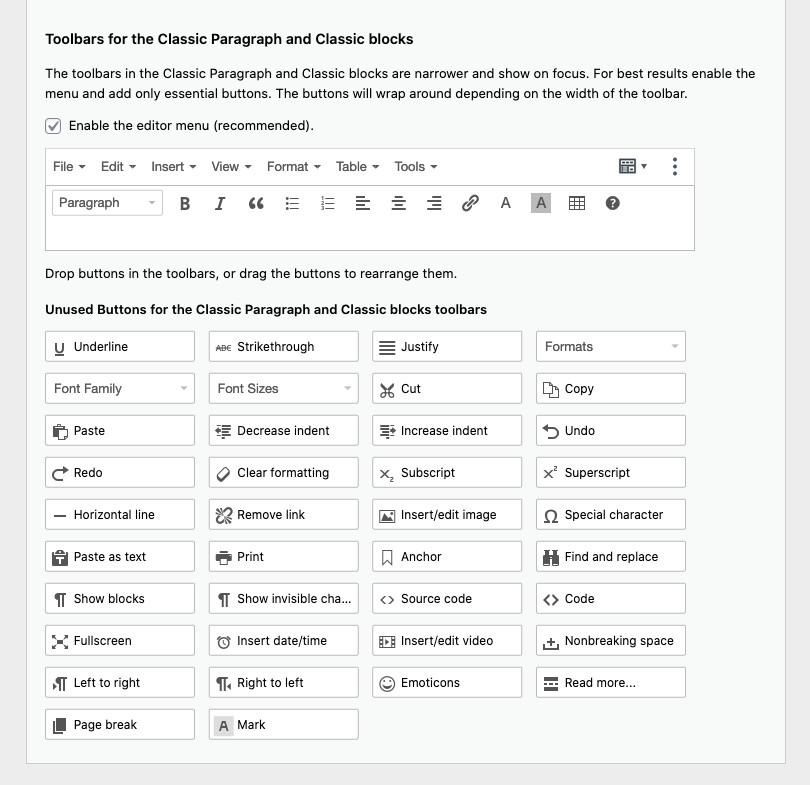
Settings for the toolbars in Classic Paragraph and Classic blocks.
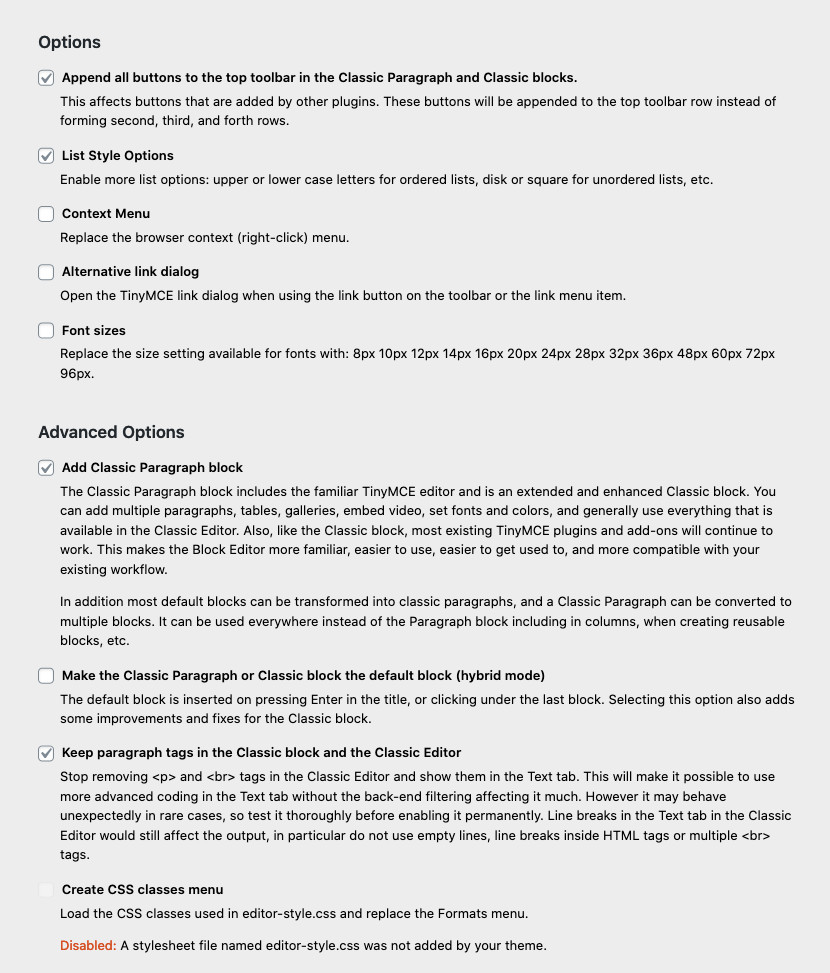
Additional options.
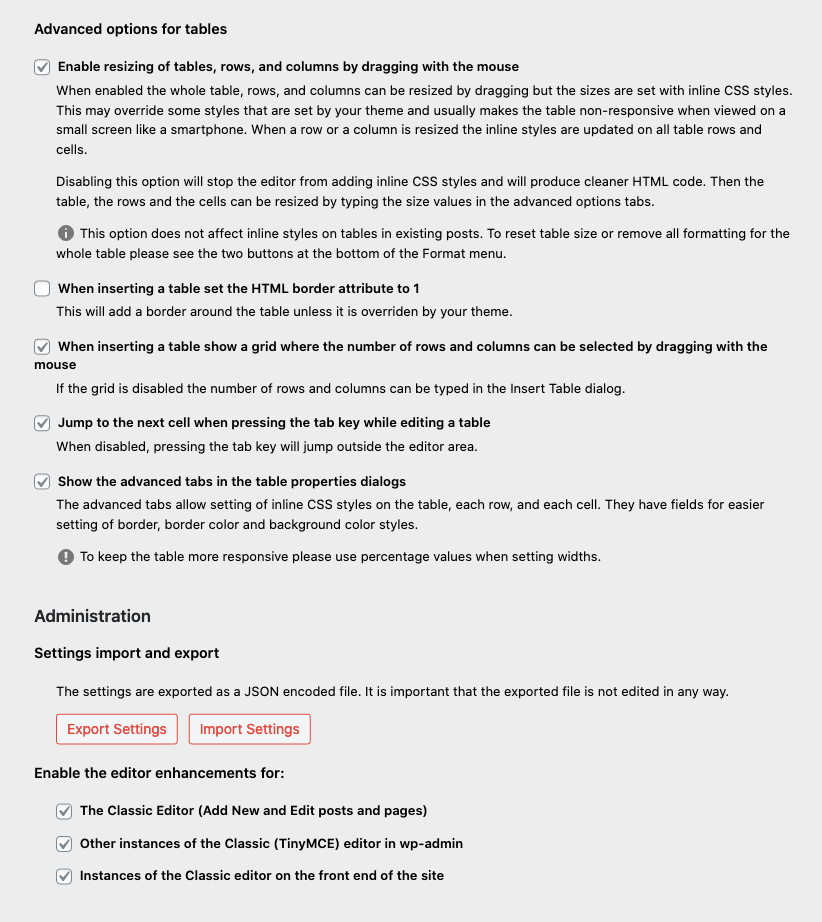
Advanced options for tables.
The ExactMetrics Google Analytics for WordPress plugin helps you properly setup all the powerful Google Analytics tracking features without writing any code or hiring a developer.
More importantly, over 1 million users love ExactMetrics because of our signature Google Analytics Dashboard that helps you view key Google Analytics stats right inside your WordPress dashboard.
Our goal at ExactMetrics is to help you grow your business faster with data-driven decisions.
This is why we built the most comprehensive Google Analytics plugin for WordPress, so you can setup all the powerful tracking features that website owners otherwise miss out on when simply pasting the analytics code in WordPress.
We go beyond the simple google analytics script and add the advanced event tracking, so you can see all important user behavior in WordPress with just a few clicks (without hiring a developer).
ExactMetrics works automatically Google Analytics 4 (GA4) so that you can your website can be prepared for the future of Google Analytics.
Basically, we made the same advanced Google analytics setup that big enterprise companies used to pay thousands of dollars for, available to every small business owner without the high costs.
This is why even the large companies like Microsoft, Quickbooks, Pizza Hut, Delta, Pepsi, Coldwell Bankers, and many others are using ExactMetrics to properly setup Google Analytics and see the custom analytics reports in WordPress.
ExactMetrics Pro
This plugin is the lite version of ExactMetrics Pro plugin that comes with all the Google analytics tracking features you will ever need including events tracking, ecommerce tracking, custom dimensions tracking, form conversion tracking, affiliate link tracking, and tons more. click here to purchase the best premium Google Analytics plugin for WordPress Now!.
We are on a mission to level the playing field for small businesses, so they can grow their business faster with data-driven decisions.
See what one business owner is saying about ExactMetrics:
This is absolutely, positively, one of the TOP plugins to install on your WP site. There is no better way to quickly gauge traffic for spikes, surges, and consistency. I installed this on over a dozen WordPress installations and counting, thank you for an outstanding app!
Daniel Monaghan
Custom Google Analytics Reports
- Overview Report – See the most important Google Analytics data in an easy to understand report, right inside your WordPress dashboard (Save 5 minutes each day).
- Publisher Report – See exactly which content gets the most visit, which affiliate links are performing the best, what new partnership opportunities you should pursue, and more.
- Ecommerce Report – See all your important online store metrics in one place such as total revenue, conversion rate, average order value, top products, top conversion sources, and more.
- Search Console Report – See how well your website is ranking in Google, so you can optimize your SEO to grow your traffic.
- Forms Report – See your conversion stats for various contact forms and lead forms on your website to improve conversions.
- Custom Dimensions Report – See useful stats like most popular authors, best publication times, popular categories, tags, Yoast focus keywords, SEO score, etc.
- Real Time Report – see who is online on your website in real-time, right inside your WordPress dashboard.
- Customizable Google Analytics Dashboard Widget – Our dashboard widget allows you to have quick access to your most important stats at the moment you login to your WordPress dashboard.
- Page Insights in Admin Bar – Easily view analytics for each individual page and post from the ExactMetrics menu in WordPress admin bar while browsing your website.
- Landing Page Report – Shows you which pages your visitors land, without needing to log into Google Analytics.
- Source and Medium Report – gives you an easy view of Google Analytics UTM tracking.
- Technology Report – See which devices and browsers use your website the most.
- Campaign Report – Shows you Google Analytics UTM tracking and key metrics.
- Pages Report – See which pages are most poplular on your website.
- Coupon Report – See which coupons are used most on your website.
- Funnel Report – See how people buy from your store.
- Email Summaries – Get the most important metrics delivered to you and/or your client’s email inboxes weekly with our brandable Email Summaries, allowing you to keep up to date on your website’s Google Analytics results even without needing to login to the Google Analytics dashboard.
- PDF Exports – Easily take your ExactMetrics reports with you or send them to clients or colleagues by exporting all ExactMetrics reports as a brandable PDF.
- Site Speed Report – helps you improve your website’s performance by displaying key metrics and actionable tips to improve those based on WordPress-specific solutions.
- Popular Posts – Display popular posts in your post content automatically or using Gutenberg blocks and shortcodes. Show off your top posts to your visitors using sidebar widgets, Gutenberg blocks or shortcodes
Integrations
- WooCommerce Google Analytics – Automatically setup Google analytics enhanced eCommerce tracking for WooCommerce and WooCommerce analytics.
- Easy Digital Downloads Google Analytics – Automatically setup Google analytics enhanced eCommerce tracking for EDD.
- MemberPress Google Analytics – Automatically setup Google analytics enhanced eCommerce tracking for MemberPress.
- WPForms Google Analytics – Automatically setup form conversion tracking for WPForms.
- Formidable Forms Google Analytics – Automatically setup form conversion tracking for Formidable Forms.
- Gravity Forms Google Analytics – Automatically setup form conversion tracking for Gravity Forms.
- YouTube Google Analytics – Automatically track video starts, stops, and watch progression of video plays of your YouTube videos.
- Vimeo Google Analytics – Automatically track video starts, stops, and watch progression of video plays of your Vimeo videos.
- HTML5 Video Google Analytics – Automatically track video starts, stops, and watch progression of video plays of your Vimeo videos.
- Exclude from Tracking Google Analytics – Disable loading of Google Analytics tracking on specific pages or posts.
- Contact Form 7 Google Analytics – Automatically setup form conversion tracking for Contact Form 7.
- Yoast Google Analytics – Automatically setup SEO score tracking for Yoast SEO with custom dimensions.
- Pretty Links Google Analytics – Automatically setup affiliate link tracking for Pretty Links.
- Thirsty Affiliates Google Analytics – Automatically setup affiliate link tracking for Thirsty Affiliates.
- AffiliateWP Google Analytics – Automatically setup affiliate link tracking for AffiliateWP.
- User Journey Orders – See which pages visit before becoming customers with WooCommerce, Easy Digital Downloads, MemberPress, LifterLMS, Restrict Content Pro, or GiveWP.
- User Feedback – Automatically track events and impressions with the popular User Feedback plugin.
- Google AdSense + Google Analytics – Automatically setup banner ads tracking for Google AdSense.
- Google Optimize + Google Analytics – Easily enable A/B testing in WordPress with Google Optimize and Google Analytics.
After reading this comprehensive feature list, you can probably imagine why over 1 million websites use ExactMetrics as their preferred Google Analytics plugin for WordPress.
Give ExactMetrics a try.
Love this plugin! It’s got powerful customization options, it’s easy to use, there’s good documentation, and if all that’s not enough, ExactMetrics is quick to provide support. Thanks for this wonderful plugin!
Julie Dupuis
Credits
This plugin is created by Chris Christoff and Syed Balkhi with sponsorship from WPBeginner.
Localization
You can translate Google Analytics Dashboard for WP by ExactMetrics on translate.wordpress.org.
";s:12:"installation";s:721:"- Install Google Analytics Dashboard for WordPress by ExactMetrics either via the WordPress.org plugin repository or by uploading the files to your server. (See instructions on how to install a WordPress plugin)
- Activate Google Analytics for WordPress by ExactMetrics.
- Navigate to the Insights tab in your WordPress admin menu and configure the plugin.
- Want more features? Purchase ExactMetrics Pro!
Yes, we fully support Google Analytics v4 (GAv4) properties .
Lite support is provided exclusively on our website.
You can submit pull requests, feature requests and bug reports on our GitHub repository.
For documentation, tutorials, FAQ and videos check out: Google Analytics Dashboard for WP by ExactMetrics documentation.
";s:9:"changelog";s:14054:"9.1.3: April 22, 2026
- Fixes: Various bug fixes and updates
9.1.2: March 31, 2026
- Fixes: Various bug fixes and updates
9.1.1: March 24, 2026
- Fixes: Various bug fixes and updates
9.1.0: March 17, 2026
- New: We completely updated our overview screen to make it easy to filter and view your stats inside your dashboard without needing to navigate away.
- New: We added support for CSV and XLSX reports
9.0.3: March 3, 2026
- Fixes: Various bug fixes and updates
9.0.2: February 9, 2026
- Fixes: Various bug fixes and updates
9.0.1: February 5, 2026
- Fixes: Various bug fixes and updates
9.0.0: February 3, 2026
- New: See your store’s performance in more detail with our 5 new reports
- Updated: Launch Google Ads campaigns from any version of ExactMetrics
- Fixes: Various bug fixes and updates
8.11.1: January 6, 2026
- Enhancements: Various Performance Improvements and Bug Fixes
8.11.0: December 17, 2025
- New: Year In Review Report
- Enhancements: Various Performance Improvements and Bug Fixes
8.10.2: December 9, 2025
- Fixed: Minor updates and bug fixes
8.10.1: November 14, 2025
- Fixed: Minor updates and bug fixes
8.10.0: November 13, 2025
- New: Sync site annotations with GA4 automatically
- New: Create custom conversions in GA and access detailed event tracking reports.
- New: Product Feeds Report for enhanced insights for AdTribes users
- Enhancements: Various performance improvements and bug fixes.
8.9.1: October 16, 2025
- Fixed: Minor updates and bug fixes
8.9.0: October 14, 2025
- New: Unlock new organic traffic insights with our completely updated Google Search Console report
- New: Automatically track eCommerce sales with LinkedIn and SnapChat PPC campaigns-
- Updated: Various bug fixes and updates
8.8.0: September 9, 2025
- New: Google Ads Integration! Set up Google Ads campaigns directly from the ExactMetrics dashboard.
- New: AI Traffic Report – see what LLMs are sending traffic to your website
- Fixed: Minor updates and bug fixes
8.7.4: August 7, 2025
- Fixed: Minor updates and bug fixes
8.7.3: August 6, 2025
- Fixed: Minor updates and bug fixes
8.7.1: July 22, 2025
- Fixed: Minor updates and bug fixes
8.7.0: July 22, 2025
- Updates: Misc bug fixes and updates
8.6.2: June 26, 2025
- Fixed: Minor updates and bug fixes
8.6.1: June 12, 2025
- Fixed: Minor updates and bug fixes
8.6.0: June 11, 2025
- Enhancement: Updated Forms Report to include more metrics and stats
- Fixed: Minor updates and bug fixes
8.5.3: May 14, 2025
- Fixed: Minor updates and bug fixes
8.5.0: April 29, 2025
- New: Support for Pinterest PPC conversion tracking
- Fixed: Minor updates and bug fixes
8.4.1: March 27, 2025
- Fixed: Minor updates and bug fixes
8.4.0: March 24, 2025
- New: Support for TikTok PPC conversion tracking
- Enhancement: Adding translatable strings throughout our plugin. More to come!
- Enhancement: Our monthly statistics emails got a fresh facelift
- Enhancement: Our plugin code now follows WP VIP standards
8.3.1: January 16, 2025
- Fixed: Minor updates and bug fixes
8.3.0: January 15, 2025
- New: Overview Report Metrics
- New: Cart Abandonment Report
- Fixed: Minor updates and bug fixes
8.2.4: December 13, 2024
- Fixed: Minor updates and bug fixes
8.2.3: December 10, 2024
- Fixed: Minor updates and bug fixes
8.2.2: November 12, 2024
- New: Our Year In Review report is here. This report will automatically show up starting on January 1
- Update: We’ll now check to ensure your website time zone matches Google Analytics
8.2.1: October 31, 2024
- Fixed: Fixed a bug in the Headline Analyzer tool causing errors in WordPress versions lower than 6.6
8.2.0: October 22, 2024
- New: Country and region report to see where and how your visitors find your website
- New: Advanced tracking options for users of Google Tag Manager
- New: SEO & RankMath Integrations with our Custom Dimensions addon
- Fixed: Minor updates and bug fixes
8.1.0: September 19, 2024
- New: Stats at a Glance report shows you information about your website in a whole new way.
- New: Google Ads Enhanced Conversion Support & Meta Conversion API Support (CAPI) for PPC Campaigns
- Enhanced: Updated Google Analytics tag loading order to help increase Core Web Vital scores.
- Fixed: Lots of minor updates and bug fixes.
8.0.1: August 21, 2024
- Fix: We resolved an issue in the Onboarding Recommended Addons page.
8.0.0: July 25, 2024
- New: Conversations AI – chat with your website’s analytics without any need to read reports
- New: AI Insights – Get automated insights about your website with the power of AI
- Fix: We fixed a PHP error occurring inside our Forms reports
7.28.0: July 08, 2024
-New: Date Comparisons – Now you can easily compare your stats on any chart or graph.
-Enhancement: We updated the look and feel of things to make it a bit easier to navigate.
-Enhancement: We updated tooltips to make it easier to understand some options.
7.27.0: May 29, 2024
- New: Site Notes Automations addon.
- Fix: We fixed an issue related to eCommerce abandoned checkouts.
- Fix: We fixed an issue related to UserJourney report pages.
- Enhancement: We improved the notification system.
7.26.0: April 15, 2024
- New: Added new Exceptions Report
- New: Added new Google Consent support.
- Enhancement: We improved the country list in the Funnel Report.
- Fix: We solved an issue occurring in the plugin onboarding process.
- Fix: We solved a style issue related to abandoned checkouts in reports.
7.25.0: March 05, 2024
- Enhancement: Improved Site Speed report.
- Fix: We solved an issue related to flag icons.
- Fix: We solved some JavaScript errors occurring with third-party plugins.
7.24.4: February 19, 2024
- Fix: We solved an issue occurring with CloudFlare’s CDN.
7.24.3: February 16, 2024
- Fix: We solved an issue occurring with some JavaScript files being prevented from loading.
7.24.2: February 15, 2024
- Fix: We solved a JavaScript issue occurring with third-party plugins.
7.24.1: February 12, 2024
- Fix: We solved an issue occurring with WPBakery.
7.24.0: February 08, 2024
- New: Site Insights Gutenberg block. Easily share website stats with your visitors.
- New: PrivacyGuard Feature – Proactively block PII (Personally Identifiable Information) from ever making it to Google Analytics
- New: EEA Checker tool for Google Ads / Analytics Requirements
- Fix: We solved an issue occurring in the Weekly/Monthly Email reports.
- Fix: We solved an issue occurring with Popular Posts.
- Fix: We solved an issue occurring with Tracking Video Title in Divi theme.
7.23.1: December 18, 2023
- Fix: We fixed an issue related to All in One SEO plugin.
7.23.0: December 14, 2023
- New: Our Year In Review report is here. This report will automatically show up starting in January 1 until Jan 14 2024.
- Fix: We fixed an issue occurring with Site Notes.
- Fix: We fixed minor issues in the Gutenberg blocks.
- Fix: We added support for WooCommerce custom order status.
7.22.0: November 29, 2023
- Enhancement: Improved Social Media report.
- Fix: We fixed the View More link in the Email Summaries.
- Fix: We fixed a Vue warning in Site Notes.
- Fix: We fixed the sporadic Error 429 from Google Analytics API.
- Fix: We fixed a duplicate error message in the Setup Checklist.
7.21.0: November 13, 2023
- New: Social Media report.
- New: Exclude query parameters from GA4 data stream.
- Enhancement: Improved compatibility towards WordPress 6.4.1.
- Fix: We fixed an issue that occurred with Pretty Links.
7.20.2: November 01, 2023
- Fix: Popular posts, we fixed a bug occurring in curated popular posts.
7.20.1: October 09, 2023
- Fix: We updated our lite emails to render better inside multiple mail clients. We also changed the emails to send out monthly instead of weekly. To disable emails go to Settings -> Advanced – Toggle the “Enable Email Summaries.
7.20: October 02, 2023
- New: Google Analytics and eCommerce support for WishList Member
- New: Google Analytics and eCommerce support for WPCharitable
- Enhanced: Improved support for PHP 8.2.
- Enhanced: Improved Site Health compatibility.
- Fixed: Restrict Content Pro, we fixed the refund event in GoogleAnalytics when order status is failed or abandoned.
- Fixed: We fixed some minor bugs related to notifications.
- Fixed: Popular posts, we fixed a bug occurring in curated popular posts.
- Fixed: We fixed some minor bugs related to User Journey.
7.19: August 22, 2023
- New: Ecommerce funnel report for WooCommerce and Easy Digital Downloads.
- New: Setup checklist to get up and running faster
- Enhanced: Improved support for PHP 8.2.
- Fixed: We fixed a bug that occurred with Yoast SEO Scores.
- Fixed: We fixed a bug in the Pretty Links integration.
7.18.1: July 24, 2023
- Update: We improved the GoogleAnalytics 4 reports.
7.18: July 20, 2023
- New: Added 6 Completely New Pro Reports to bring the power of Google Analytics into your WordPress dashboard.
- Fixed: We fixed an issue that prevented tracking with WPML.
- Fixed: We fixed an issue that prevented tracking the User Journey with MemberPress.
7.17: June 29, 2023
- Updated: Removed dual tracking panel and limit reporting to GA4 only properties.
- Fixed: We fixed a bug in the WPForms integration.
- Fixed: We fixed a bug in the AffiliateWP integration.
7.16: June 15, 2023
- New: User Journey report now available! See all of your website’s purchases in one screen.
- Update: We updated the Popular Posts to support themes that allow widgets.
- Fixed: We fixed some layout issues in exported PDF reports.
- Fixed: We fixed the deprecated YOAST function WPSEO_Utils::translate_score().
- Fixed: We fixed a bug occurring while downloading files having the file download tracking enabled.
7.15.3: May 08, 2023
- Enhancement: We updated and tweaked some settings with our Site Notes feature.
7.15.2: May 03, 2023
- New: Site Notes allows you to record important website events right inside your WordPress dashboard.
- Update: Fix EDD integration.
- Update: Mobile screen optimizations.
7.15.1: May 02, 2023
- Fix: Fixed a critical error.
7.15: May 02, 2023
- New: Site Notes allows you to record important website events right inside your WordPress dashboard.
- Update: Fix EDD integration.
- Update: Mobile screen optimizations.
7.14.2: Apr 11, 2023
- Fixed: We fixed a PHP warning error and added additional security hardening.
7.14.1: Mar 29, 2023
- Fixed: We fixed the Addons page UI.
7.14.0: Mar 27, 2023
- New: Our New PPC Tracking addon allows you to effortlessly track sales inside Google Ads, Microsoft Ads, and Meta.
- Enhancement: We updated and tweaked lots elements to make our dashboard easier to use
7.13.1: Mar 21, 2023
- Fixed: We fixed the admin menu text.
7.13.0: Mar 13, 2023
- Enhancement: We enhanced the notifications user experience.
- Fixed: We fixed the PDF reports header.
- Update: We applied additional security hardening.
7.12.1: Jan 12, 2023
- Fix: We made updates to authentication
7.12.0: Jan 12, 2023
- Enhancement: We updated and fixed some UI/UX elements to make ExactMetrics easier to use
- Enhancement: We optimized our Javascript code to work better with minification plugins
- Enhancement: We optimized our Javascript code to work better with minification plugins
- Enhancement: We optimized the Javascript code to work nicely with minification plugins
- Enhancement: We optimized our code to work better with PHP8
See our changelog for previous releases.
";s:11:"screenshots";s:1577:"
Google Analytics Dashboard for WP Dashboard Widget (shown in small mode, can be configured to full size or hidden; can also customize reports shown)
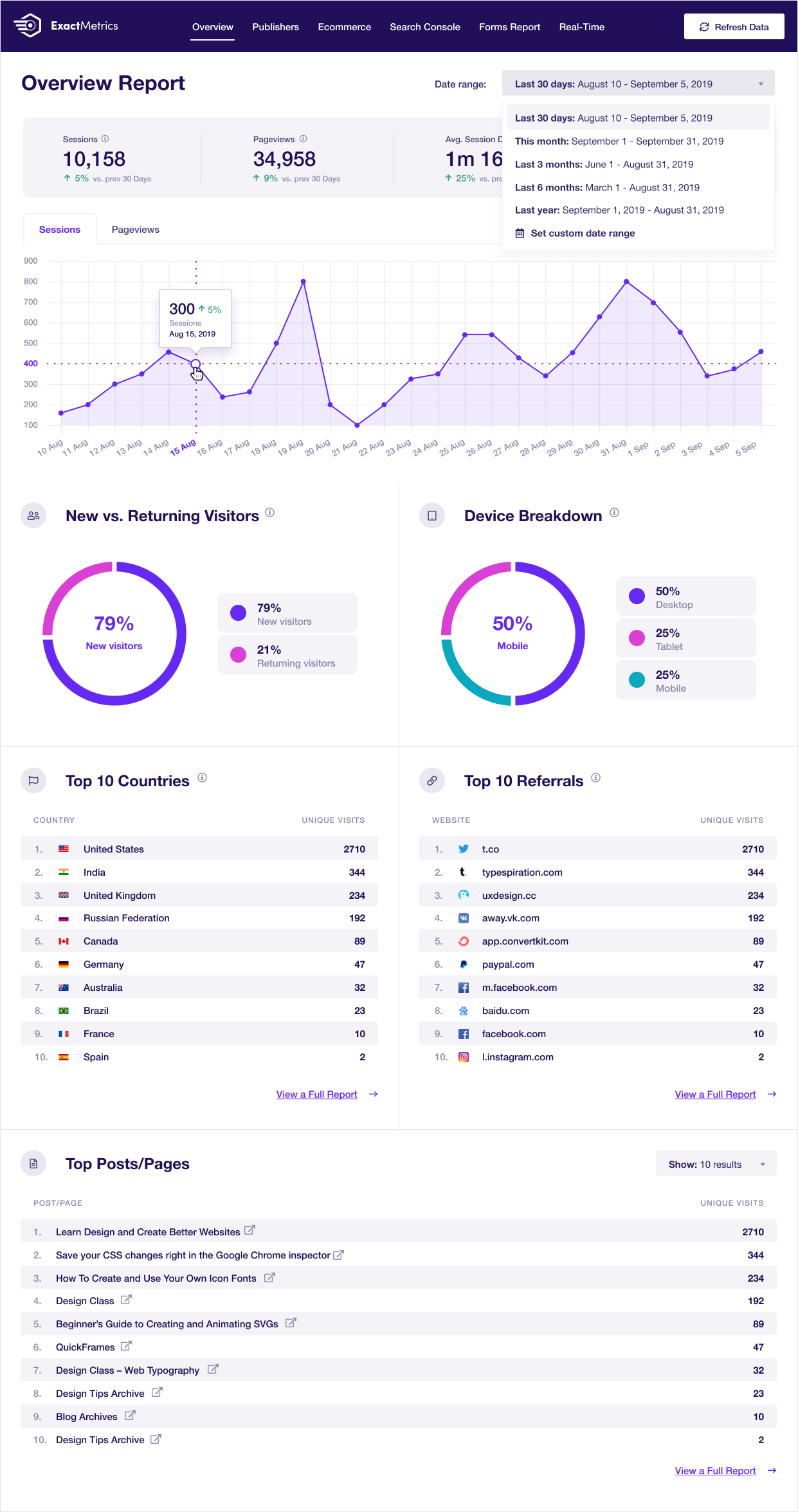
Google Analytics Dashboard for WP Overview Report

Google Analytics Dashboard for WP eCommerce Report

Google Analytics Dashboard for WP Settings Page (super simple to use and configure as needed)
UPDATE1: For the admin user the plugin it’s not active.
UPDATE2: Added Ip Range feature for ip list.
IP Ban is a security plugin, protects your site accessing from unwanted ip addresses or user agents. You can add ip addresses or user agents creating your own black list.
It also good to protect your site from unwanted crawlers, which uses your resource and bandwidth. Just add an ip address or user agent and things will happened.
After the plugin activation, in the SETTINGS menu you’ll see the Simple IP BAN submenu. Here you have 3 textareas:
-
Add ip address or range here.
-
Add user agents here.
-
Define external url . All spammers will be redirected to this url.
- Install IP BAN either via the WordPress.org plugin directory, or by uploading the files to your server
- Activate the plugin through the ‘Plugins’ menu in WordPress
- That’s it. You’re ready to go!
No FAQ.
Installation Instructions
- Install IP BAN either via the WordPress.org plugin directory, or by uploading the files to your server
- Activate the plugin through the ‘Plugins’ menu in WordPress
- That’s it. You’re ready to go!
1.3.0
- [Test] WordPress 4.7
- [Fix] Plugin may not ban well on all hosting providers and on wide ranges of IP
(like 125.80.0.0 125.87.255.255), due to the fact that ip2long can return negative values in some cases.
(Reported by Fernando) - [Test] WordPress 4.4.1
1.2.6
- [Test] WordPress 4.3.2
- [Test] WordPress 4.3.1
- [Test] WordPress 4.3.0
- [Test] WordPress 4.2.1
1.2.5
- Fix: Warning: Missing argument 2 for wp_kses() error message (2 posts) – https://wordpress.org/support/topic/warning-missing-argument-2-for-wp_kses-error-message
1.2.4
- Add CSRF protection and sanitize user input
- [Test] WordPress 4.0.1
1.2.3
- [Test] WordPress 4.0
1.2.2
- [Test] WordPress 3.9.1
1.2.1
- Fix: Notice: Undefined index: submit in ip-ban.php on line 37 – https://wordpress.org/support/topic/notice-undefined-index-submit-in-ip-banphp-on-line-37
- Tested with 3.8.1
1.2.0
- Fix: Too many redirects – https://wordpress.org/support/topic/too-many-redirects-22
1.1.8
- Update for WordPress 3.8
1.1.1
- Update for WordPress 3.5.1
1.1.
- Add IP Range to the banned IPs list. ex: 82.11.22.100-82.11.22-177
- For Admin user it’s not active
- Added checkbox: enable / disable redirection for logged in users ( others than admin )
1.0.1
- Update readme.txt.
1.0
- First version.
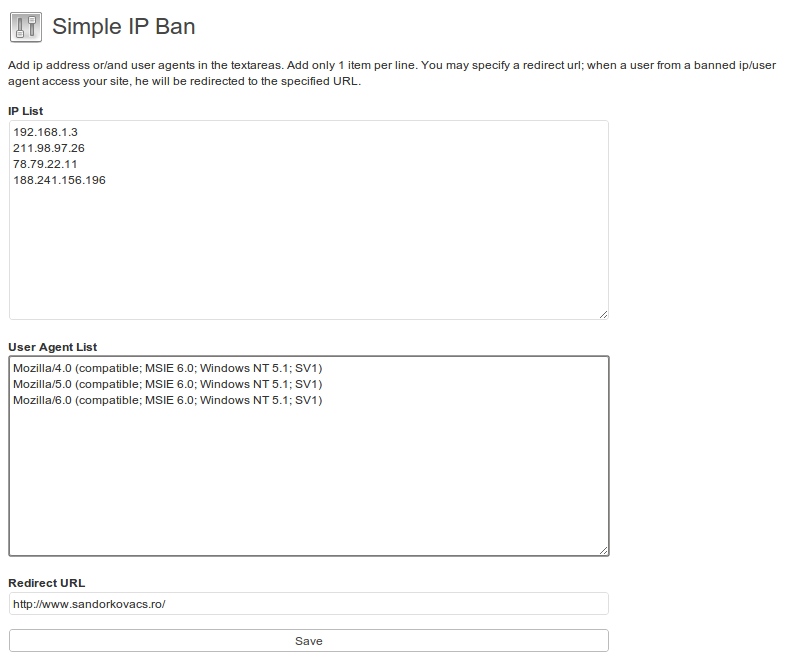
Settings page.
Clean up your WordPress website’s HTTPS insecure content and mixed content warnings. Installing the SSL Insecure Content Fixer plugin will solve most insecure content warnings with little or no effort. The remainder can be diagnosed with a few simple tools.
When you install SSL Insecure Content Fixer, its default settings are activated and it will automatically perform some basic fixes on your website using the Simple fix level. You can select more comprehensive fix levels as needed by your website.
WordPress Multisite gets a network settings page. This can be used to set default settings for all sites within a network, so that network administrators only need to specify settings on sites that have requirements differing from the network defaults.
See the SSL Insecure Content Fixer website for more details.
Translations
Many thanks to the generous efforts of our translators:
- Bulgarian (bg_BG) — the Bulgarian translation team
- Chinese simplified (zh_CN) — the Chinese translation team
- English (en_CA) — the English (Canadian) translation team
- English (en_GB) — the English (British) translation team
- English (en_ZA) — the English (South African) translation team
- Dutch (nl_NL) — the Dutch translation team
- German (de_DE) — the German translation team
- French (fr_FR) — the French translation team
- Italian (it_IT) — the Italian translation team
- Japanese (ja) — the Japanese translation team
- Russian (ru_RU) — the Russian translation team
- Spanish (es_ES) — the Spanish translation team
If you’d like to help out by translating this plugin, please sign up for an account and dig in.
Privacy
SSL Insecure Content Fixer does not collect any personally identifying information, and does not set any cookies.
";s:12:"installation";s:605:"- Either install automatically through the WordPress admin, or download the .zip file, unzip to a folder, and upload the folder to your /wp-content/plugins/ directory. Read Installing Plugins in the WordPress Codex for details.
- Activate the plugin through the ‘Plugins’ menu in WordPress.
If your browser still reports insecure/mixed content, have a read of the Cleaning Up page.
";s:3:"faq";s:4446:"
Look in your web browser’s error console.
- Google Chrome has a JavaScript Console in its developer tools
- FireFox has the Web Console or Firebug
- Internet Explorer has the F12 Tools Console
- Safari has the Error Console
NB: after you open your browser’s console, refresh your page so that it tries to load the insecure content again and logs warnings to the error console.
Why No Padlock? has a really good online test tool for diagnosing HTTPS problems.
You are probably loading content (such as images) with a URL that starts with “http:”. Take that bit away, but leave the slashes, e.g. //www.example.com/image.png; your browser will load the content, using HTTPS when your page uses it. Better still, replace “http:” with “https:” so that it always uses https to load images, e.g. https://www.example.com/image.png.
If your page can be used outside a web browser, e.g. in emails or other non-web documents, then you should always use a protocol and it should probably be “https:” (since you have an SSL certificate). See Cleaning up content for more details.
If your website is behind a load balancer or other reverse proxy, and WordPress doesn’t know when HTTPS is being used, you will need to select the appropriate HTTPS detection settings. See my blog post, WordPress is_ssl() doesn’t work behind some load balancers, for some details.
You are probably behind a reverse proxy — see the FAQ above about load balancers / reverse proxies, and run the SSL Tests from the WordPress admin Tools menu.
You probably have a conflict with another plugin that is also trying to fix HTTPS detection. Add this line to your wp-config.php file, above the lines about ABSPATH. You can then change this plugin back to default settings before proceeding.
define('SSLFIX_PLUGIN_NO_HTTPS_DETECT', true);
Post about it to the support forum, and be sure to include a link to the page. Posts without working links will probably be ignored.
Great! Tell me which plugin is yours and how to check for your new version, and I’ll drop the “fix” from my next release.
";s:9:"changelog";s:330:"The full changelog can be found on GitHub. Recent entries:
2.7.2
Released 2018-12-04
- fixed: some hard-coded link elements (e.g. stylesheets) when href is the first attribute
WP Database Backup plugin helps you to create Database Backup and Restore Database Backup easily on single click. Manual or Automated Database Backups And also store database backup on safe place- Dropbox,FTP,Email,Google drive, Amazon S3
Features
- Create Database Backup
WP Database Backup plugin helps you to create Database Backup easily on single click. - Auto Backup – Backup automatically on a repeating schedule
- Website Migration – Migration Your Site with Just One Click!
- Download backup file direct from your WordPress dashboard
- Easy To Install(Very easy to use)
WP Database Backup is super easy to install. - Simple to configure(very less configuration), less than a minute.
- Restore Database Backup
WP Database Backup plugin helps you to Restore Database Backup easily on single click. - Multiple storage destinations
- Store database backup on safe place- Dropbox, Google drive, Amazon s3, FTP, sFTP, Backblaze, Email
- Reporting- Sends emailed backups and backup reports to any email addresses
- Exclude Table
- Database backup list pagination
- Search and Replace in database backup file.
- Search backup from list(Date/ Database Size)
- Sort backup list (Date/ Database Size)
- Save database backup file in zip format on local server And Send database backup file to destination in zip format
- Documentation
Subscribe to Backup for WP Cloudstorage
- We are excited to introduce a new feature for the Backup for WP plugin , our Backup For WP Cloudstorage.
- Affordable Pricing: Only $1 per 50GB of storage per website per month, with a flexible pay-as-you-go model.
- 14-Day Free Trial: Start with a 14-day free trial to experience the benefits of cloud storage without any upfront cost.
- Scalable Storage: Easily adjusts to your storage needs, providing as much space as required for your backups.
- Secure Cloud Storage: All backups are stored securely in the cloud, protecting your data from unauthorized access
Support
We try our best to provide support on WordPress.org forums. However, We have a special team support where you can ask us questions and get help. Delivering a good user experience means a lot to us and so we try our best to reply each and every question that gets asked.
Bug Reports
Bug reports for WP Database Backup are welcomed on GitHub. Please note GitHub is not a support forum, and issues that aren’t properly qualified as bugs will be closed.
Credits
This plugin uses the following third-party libraries:
-
Google APIs Client Library for PHP
- Author: Google
- URL: https://github.com/googleapis/google-api-php-client
- License: Apache License, Version 2.0 (the “License”)
- License URL: http://www.apache.org/licenses/LICENSE-2.0
-
PHP Secure Communications Library
- Author: phpseclib
- URL:https://github.com/phpseclib/phpseclib
- License: MIT License (or any other applicable license)
- License URL: http://opensource.org/licenses/MIT
-
PhpConcept Library – Zip Module
- Author: Vincent Blavet
- URL:http://www.phpconcept.net
- License: License GNU/LGPL
-
phpFileTree
- Author: Cory S.N. LaViska’s
- URL: https://www.abeautifulsite.net/blog/2007/06/php-file-tree/
- Download the plugin file, unzip and place it in your wp-content/plugins/ folder. You can alternatively upload it via the WordPress plugin backend.
- Activate the plugin through the ‘Plugins’ menu in WordPress.
- WP Database Backup menu will appear in Dashboard->Backups. Click on it & get started to use.
Follow the steps listed below to Create Database Backup
Create Backup:
1) Click on Create New Database Backup
2) Download Database Backup file.
Restore Backup:
Click on Restore Database Backup
OR
1)Login to phpMyAdmin
2)Click Databases and select the database that you will be importing your data into.
3)Across the top of the screen will be a row of tabs. Click the Import tab.
4)On the next screen will be a location of text file box, and next to that a button named Browse.
5)Click Browse. Locate the backup file stored on your computer.
6)Click the Go button
This is generally caused by an access denied problem.
You don’t have permission to write in the wp-content/uploads.
Please check if you have the read write permission on the folder.
if the site is very large, it takes time to create the database backup. And if the server execution time is set to low value, you get go to blank page.
There may be chance your server max execution time is 30 second. Please check debug log file.
You will need to ask your hosting services to increase the execution time and the plugin will work fine for large data.
You can also try to increase execution time. Please make below changes – Add below line
php.ini
max_execution_time = 180 ;
Also Please make sure that you have write permission to Backup folder and also check your log file.
If you want more features then please contact us at
";s:9:"changelog";s:4775:"7.10
- 17-03-2026
- Fix: Backup list shows wrong or duplicated destinations #138
- Fix: Fatal error – Call to a member function db_connect() on null on restoring backup #140
- Improvement: Improvement in tabs #139
7.9
- 22-01-2026
- Fix: Conflict issue with PHP 5.6 version. #129
- Fix: 0 bytes showing in the website list #122
- Test: Proper Testing of cloud backup #119
7.8
- 15-12-2025
- New: Support for Generic S3 API connections #48
- Improvement: Make includes absolute/relative #111
- Improvement: Performance improvements #131
- Fix: Setting ‘Local Backup Path’ has no effect #132
- Test: Tested upto WordPress 6.9
7.7
- 24-07-2025
- Fix: Receiving Backup Completion Emails Despite Email Notifications Not Being Configured #118
- Fix: Notification e-mails – URL of website is not clickable #124
- Fix: Notification e-mails – Website information is formatted with escaped HTML tags #125
- Fix: Log files are not created #128
- Improvement: Performance improvements #131
- Compatibility: PHP warning in PHP 8+ #130
7.6
- 09-05-2025
- Test: Tested upto WP 6.8
- New: Added Premium Plugin option
7.5
- 18-03-2025
- New: Feature of Website Migration
7.4
- 17-12-2024
- Improvement: Improve UX #97
- Improvement: Modify the UI of the “Access your Data” button under the Cloud Backup section #105
- Improvement: Change tag on wordpress plugin page #107
- Improvement: Code Improvement Part 3 #108
- Security Fix: Unauthenticated BackUp Exposure disclosed by Noah Stead (TurtleBurg)
- Test: Tested upto WP 6.7
7.3
- 26-09-2024
- Improvement: DB Incremental Backup improvements.
- Fix: Promo Notification dismiss issue #103
7.2
- 20-09-2024
- Fix: Backup stuck on DB Backed up when using Incremental backup.
- Improvement: Added resume capability to DB backup for Incremental backup.
7.1
- 09-09-2024
- Fix: Timeout and Write Failures Due to Large Database #96
- Improvement: Incremental backup for Backblaze #85
7.0.1
- 28-08-2024
- Fix: Backup not starting after update 7.0
7.0
- 27-08-2024
- New: Data Anonymization
- New: Backup time and scheduling
- New: BackupforWP Cloud Storage Service
- New: Incremental backup for Backblaze
6.12.1
- 27-07-2024
- Fixed: Fatal error on PHP 7.2 and below after updating to version 6.12 #89
6.12
- 24-07-2024
- Improvement: Code & Performance Improvement according to Plugin check #90
- Compatibility: Tested with WordPress version 6.6
- Fixed: Multiple backups are getting created #89
6.11
- 13-06-2024
- Improvement: Added support for backblaze. #85
6.10
- 24-05-2024
- Improvement: Unable to translate the language using Loco Traslate #31
6.9
- 08-04-2024
- Improvement: Make an option to delete all plugin data on uninstall #77
- Improvement: Wrong polish encoding #83
- Compatibility : Tested with WordPress 6.5 #82
6.8
- 17-02-2024
- Fixed: Setting in the email notification is not being saved. #78
- Improvement: PHP version compatibility and other readme changes #76
6.7
- 07-12-2023
- Added: Option to delete all the Backup lists at once #70
- Added: Support for database backup using SFTP #64
- Fixed: 1-click unsubscribe for email notification #24
- Compatibility: Tested with WordPress 6.4 #72
- Fixed: Auto Backup is not working for DropBox #58
- Fixed: Plugin is not being deactivated in multisite #74
- Improvement: readme txt improvements #22 #28
6.6
- 22-09-2023
- Added: Support for background backup for plain permalink structure #67
- Improvement: DB backup leads to fatal error for large tables #68
- Added: Button to stop the background backups process. #62
- Fixed: Error in php log and console #66
- Compatibility: Tested with WordPress 6.3 #61
Full changelog available at changelog.txt
";s:11:"screenshots";s:1515:"
Database and full backup history with options to download, restore, or remove backups.
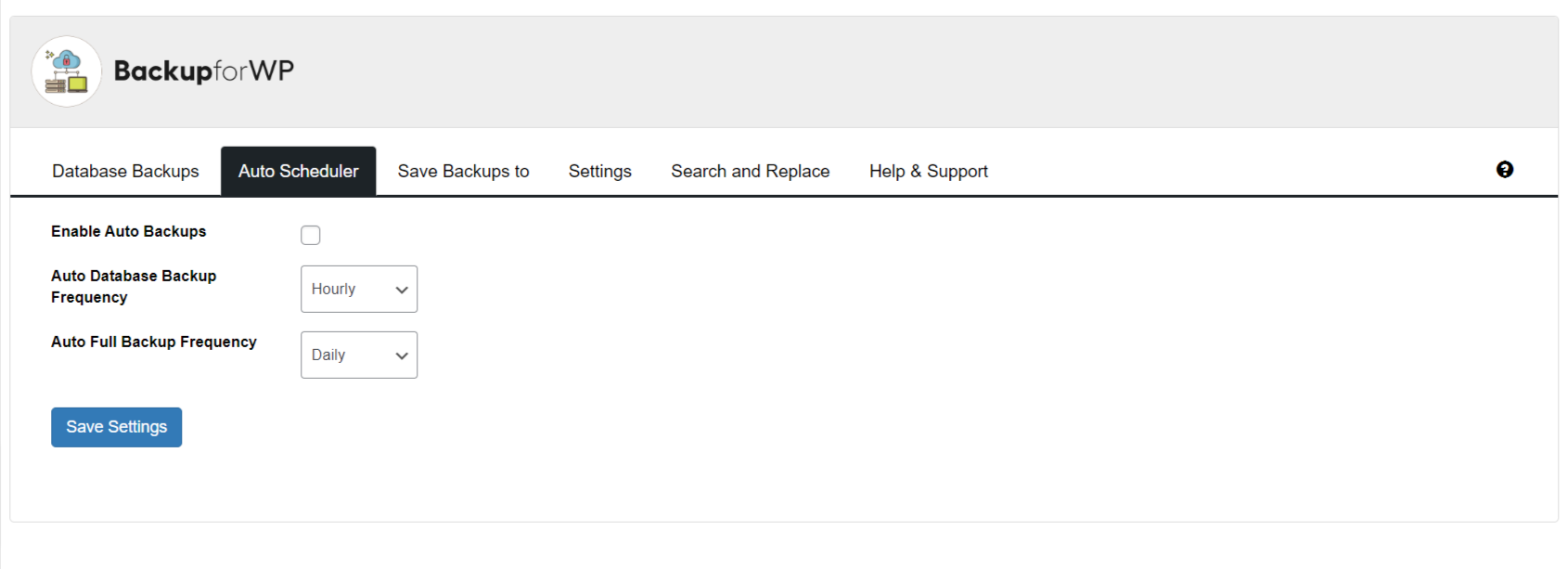
Auto scheduler settings with options to enable automatic backups and set database or full backup frequency.

Configure options for FTP, local backup, and email, with Google Drive, Amazon S3, and Dropbox.
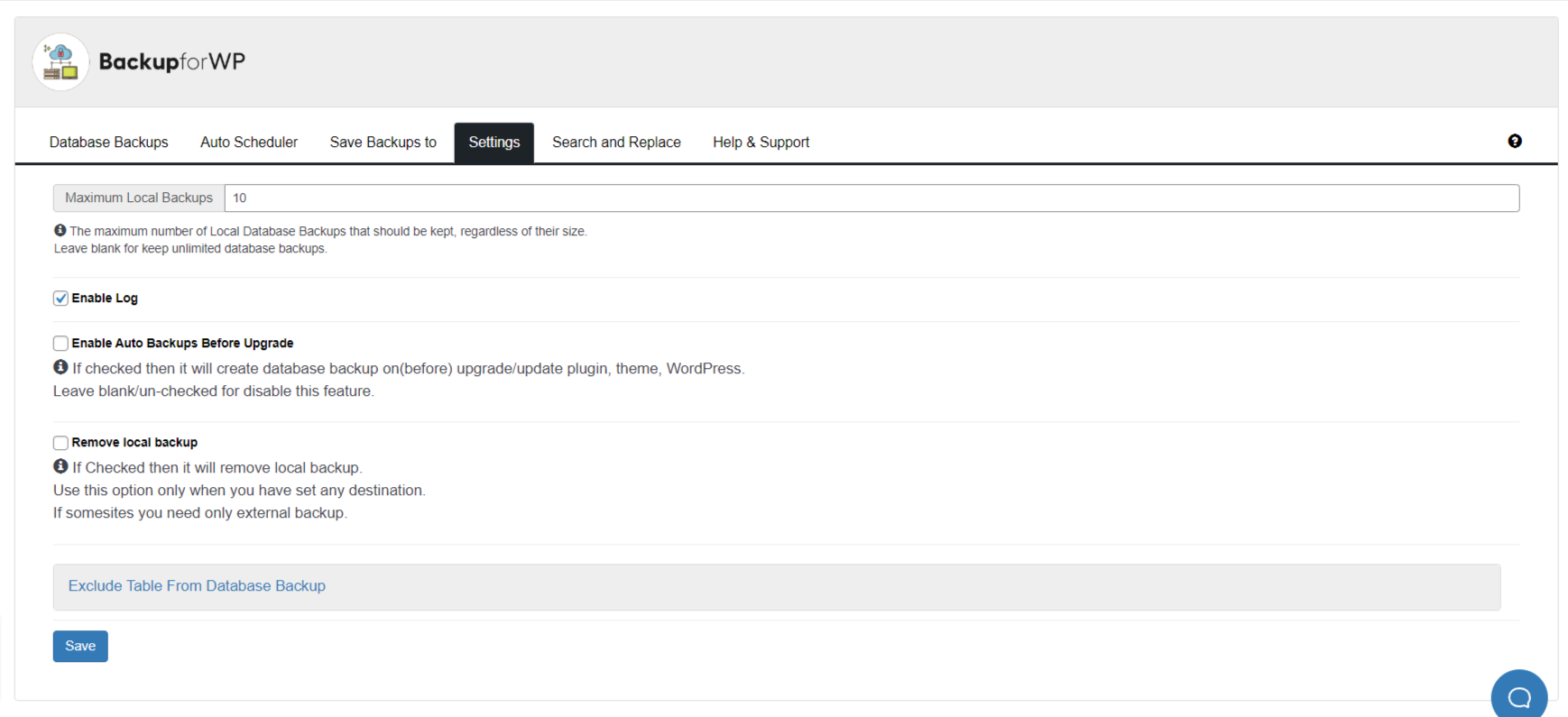
Backup for WP plugin settings screen showing backup and log configuration options.
THE TOP RATED WORDPRESS SECURITY AND FIREWALL PLUGIN
All-in-One Security (AIOS) is a WordPress security plugin from the same, trusted team that brought you UpdraftPlus.
It’s called ‘All-In-One’ because it’s packed full of ways to keep your WordPress website(s) safe and secure.
It includes:
Login security features keep bots at bay. Lock out users based on a configurable number of login attempts, get two-factor authentication and more.
File and database security. Get notified of file changes that occur outside of normal operations. Block access to key files and scan files and folders to spot insecure permissions.
Firewall. Get PHP, .htaccess and 6G firewall rules courtesy of Perishable Press. Spot and block fake Google Bots and more!
Spam prevention. Prevent annoying spam comments and reduce unnecessary load on the server. Automatically and permanently block IP addresses that exceed a set number of spam comments.
Audit log. View events happening on your WordPress website. Find out if a plugin or theme has been added, removed, updated and more.
WHY ALL-IN-ONE SECURITY?
AIOS has a near-perfect 4.7 / 5-star user rating across more than 1 million installs.
Great for beginners and experts alike. AIOS guides you logically and clearly through each of its features which are all clearly explained. Security features are marked as basic, intermediate and advanced. Each step increases your security score. Turn them on and watch your protection grow!
We have a large support team of software developers. That means we have the availability and the skillset to help you with the trickiest of queries.
We comb the WordPress plugin directory for support tickets daily – most queries are responded to within 24 hours.
Excellent plugin with numerous well-thought-out options for making a website more secure. I have been using it for years and am very happy with it. I recently had a small problem setting up a website and – even as a non-premium user – I received support very quickly. Highly recommended!
For even more ways to stay safe and secure, upgrade to AIOS Premium – it packs a punch security-wise, whilst being extremely cost-competitive.
LOGIN SECURITY
Two-factor authentication (TFA) – Require TFA for specific user roles. Supports Google Authenticator, Microsoft Authenticator, Authy, and many more.
Detect and manage ‘admin’ usernames – Identify default ‘admin’ usernames and guide users to change them to protect against brute force attacks.
Identify and correct identical login and display names – Detect cases where the display name matches the username and provide guidance to improve login security.
Prevent user enumeration – Block unauthorised access to URLs that can reveal sensitive information such as usernames or other details.
Control login attempts – Prevent brute force attacks by limiting the number of failed login attempts. Choose how many login attempts are allowed, set lockout durations, and more.
Force user logout – Automatically log out users after a specified period of time. Unattended sessions are closed, reducing the risk of unauthorised access.
Manually approve new registrations – Review and approve new user registrations to prevent spam and fake sign-ups.
Enhance WordPress salt security – Adds 64 extra characters to WordPress salts, rotating them weekly. Makes cracking passwords virtually impossible, even if your database is stolen.
Plugin Support
- If you have a question or problem with the All-In-One Security plugin, post it on the support forum and we will help you. Premium customers can log queries directly with the team via https://teamupdraft.com/all-in-one-security/
Monitor and manage active sessions – If a user is logged in who shouldn’t be, log them out or add them to a blacklist.
SPAM PREVENTION
Block spam coming from bots – Reduce the load on your server and improve the user experience by automatically blocking spam comments from bots.
Monitor spam IP addresses – Monitor the IP addresses of people or bots leaving spam comments. Choose which ones to block based on a configurable number of comments left.
FILE / DATABASE Security
Scan and fix file permissions – Scan for insecure file permissions. Click once to fix issues and safeguard critical files and folders.
Disable PHP file editing – Disable editing of PHP files (such as plugins and themes) via the dashboard. It’s often the first tool that attackers use as it allows for code execution.
Protect sensitive files – Prevent access to files like readme.html that might reveal information about your WordPress installation.
File change scanner – Get notified of any file changes which occur on your system. Exclude files and folders which change as part of normal operations.
Prevent image hotlinking – Prevent other websites from displaying your images via hotlinking and protect server bandwidth.
Secure database backups – Perform a database backup via UpdraftPlus from AIOS. Change the default ‘wp_’ prefix to hide your WordPress database from hackers.
FIREWALL
Get .htaccess firewall rules – Deny access to the .htaccess and wp-config.php files. Disable the server signature and limit file uploads to a configurable size.**
Block access to the debug.log file and prevent Apache servers from listing the contents of a directory when an index.php file is not present
Get PHP firewall rules – PHP firewall rules prevent malicious users from exploiting well-known vulnerabilities in XML-RPC. Safeguard your content by disabling RSS and Atom feeds and avoid cross-site scripting (XSS) attacks.
Block fake Google bots and POST requests made by bots – Block fake Google bots and stop bots from making POST requests by blocking IP addresses where the user-agent and referrer fields are blank.
Utilise 6G firewall rules – Employ flexible blacklist rules to reduce the number of malicious URL requests that hit your website (courtesy of Perishable Press).
And more – Blacklist (and whitelist) IP ranges and user agents and block unauthorized access to data by disabling REST API access for non-logged-in requests.
TWO-FACTOR AUTHENTICATION ENHANCED [Premium]
Two-factor authentication is included in the free plugin. Upgrade to Premium if you’d like to:
Require TFA after a set time period – Mandate TFA for all admins or other roles after their accounts reach a specified age.
Control how often TFA is required – Set TFA to be required after a certain number of days on trusted devices instead of every login.
Customise design layout – Adjust the TFA design to match your website’s existing layout and branding.
Emergency codes – Generate one-time use emergency codes to regain access if you lose your TFA device.
WordPress Multisite Compatible – Ensure compatibility with WordPress multisite networks and their sub-sites for consistent TFA application.
Integration with login forms – Integrate TFA with various login forms, including WooCommerce, Affiliates-WP, Elementor Pro, bbPress, and ‘Theme My Login’ without additional coding.
SMART 404 BLOCKING [Premium]
Block IPs based on 404 errors – Detect hackers probing your URLs via script and bots by the 404 errors they leave behind.
Smart 404 Configuration – Set a figure for the maximum number of 404 events allowed before an IP address is blocked. Choose a time period within which the 404 events must occur (e.g., 10 errors within 10 minutes).
Smart 404 block by URL string – Instantly block an IP address if a 404 event includes a specific URL string.
Smart 404 whitelisting – Prevent particular IP addresses from being permanently blocked due to 404 events.
COUNTRY BLOCKING [Premium]
Block traffic to the entire site or to specific pages or posts – Useful if you’re an e-commerce site and you want to block sales to some countries for shipping or tax reasons.
Whitelist some users from blocked countries – Whitelist IP addresses or IP ranges even if they are part of a blocked country.
MALWARE SCANNING [Premium]
Automatic malware scanning – Detect and protect against the latest malware, trojans, and spyware.
Alerts you to blacklisting by search engines – Monitor your site for blacklisting by search engines due to malicious code.
Response time monitoring – Keep track of your website’s response time to identify and address any performance issues.
Uptime monitoring – Checks your website’s uptime every 5 minutes and alerts you immediately if your site or server goes down.
Advice and malware removal – Need hands-on advice and support for malware removal? Our team of genuine cybersecurity experts is here to help.
Notification if something’s amiss – Receive notifications about any issues with your site so you can address problems before they escalate.
Plugin Support
If you have a question or problem with the All-In-One Security plugin, post it on the support forum and we will help you. Premium customers can log queries directly with the team via https://teamupdraft.com/all-in-one-security
Developers
- If you are a developer and you need some extra hooks or filters for this plugin then let us know.
Translations
- All-In-One Security plugin can be translated to any language.
Currently available translations:
- English
- German
- Spanish
- French
- Hungarian
- Italian
- Swedish
- Russian
- Chinese
- Portuguese (Brazil)
- Persian
Privacy Policy
This plugin may collect IP addresses for security reasons such as mitigating brute force login threats and malicious activity.
The collected information is stored on your server. No information is transmitted to third parties or remote server locations.
Usage
Go to the settings menu after you activate the plugin and follow the instructions.
Usage
Go to the settings menu after you activate the plugin and follow the instructions.
";s:12:"installation";s:399:"To begin making your WordPress site more secure:
- Upload the ‘all-in-one-wp-security.zip’ file from the Plugins->Add New page in the WordPress administration panel.
- Activate the plugin through the ‘Plugins’ menu in WordPress
- Go to Settings menu under ‘AIOS’ and start activating the security features of the plugin.
Customers of ‘Free’ AIOS can get support from this very webpage. Select ‘Support’ from the tabs above and post a topic. We aim to respond to all support requests within 24 hours during the working week.
Yes. AIOS works smoothly with most popular WordPress plugins.
Yes. WordPress Security is something that evolves over time. We update AIOS with new security features (and fixes if required) on a regular basis so you can be assured that your site will keep benefitting from new security protection techniques for as long as you need them.
No.
The decision is yours to make. ‘Free’ AIOS incorporates a web application firewall, comprehensive login security tools including two-factor authentication and all the latest recommended WordPress security practices and techniques.
But if your WordPress site is a business website, if it showcases what you do, or who you are, we generally recommend AIOS Premium. Prices start from as little as $70 for the year.
AIOS Premium scans your WordPress website for malware whilst also monitoring your site’s response time and uptime, notifying you of any issues within 24 hours, AIOS Premium customers also benefit from hands-on ticketed support via email (rather than via WP Support forums).
Additional security tools include Country Blocking, Smart 404 Error Blocking and Advanced Two Factor Authentication.
More information is available from our All-In-One Security website
More information is available from our All-In-One Security website
In the web shop, purchase your preferred subscription. After completing the purchase, you will be emailed a link to download the plugin. You can also access the link through your “My Account” page.
After downloading the zip file, install and activate the plugin through WP Admin->Plugins->Add New->Upload Plugin.
The premium extends the free version. Therefore you should keep the free version installed and active. You will also be prompted to enter your AIOS username and password to connect your site to licenses. This will allow the plugin to receive updates.
Yes, you need to have the free version of the plugin installed and activated before installing Premium. Premium plugin is an add-on that requires the free version to be present.
Yes, AIOS Premium is compatible with WordPress multisites. For multisite networks, the protection will apply to the network as a whole, and the dashboard and options will be available on the main site of the WordPress multisite.
There is no 100% guarantee that a security plugin will be able to protect against all attacks, as there is always the possibility of unknown WordPress vulnerabilities or other unexpected factors, and attackers are always seeking to develop new ways around protections. However, All-In-One Security gives good protection against known attack methods, and is under continuous development to monitor and improve protections.
AIOS should be compatible with most hosts, unless the host has specifically restricted the use of security plugins. Similarly, certain features may not work on some servers, especially Windows/IIS platforms. Features that use the ‘.htaccess’ file will not apply on a Windows IIS server or NGINX server (but development is ongoing to port those protections to all servers).
Development and test sites require their own licence if updates to the plugin are needed.
However, these sites can be disconnected from the licence when they have served their purpose. You can disconnect the licence via the site’s WP Admin->Plugins page, and it will be available to be reassigned to a different site.
Please read more about GDPR compliance here: https://teamupdraft.com/privacy/ .
Please read more about GDPR compliance here: https://www.teamupdraft.com/privacy?utm_source=aios-wp-dir&utm_medium=referral&utm_campaign=plugin-dir&utm_content=gdpr&utm_creative_format=faq.
5.4.6 – 27/Jan/2026
- FIX: PHP Fatal error: Uncaught Error: Call to a member function get_user_otp_algorithm() on null.
- FIX: Prevent redirection to settings when AIOS is installed through the onboarding wizard of another plugin.
5.4.5 – 05/Jan/2026
- FEATURE: Added onboarding wizard on activation of the plugin.
- FEATURE: Added reports function for UDC.
- FEATURE: Added additional commands for interoperability with UDC
- FIX: Logged in users table not correctly tracking multiple sessions.
- FIX: Removed scrolling from the PHP Rules tab so that Internet Bot settings, WP REST API, and other options are visible.
- FIX: Exempt UDC commands from brute force prevention.
- FIX: Login lockout save command for UDC.
- FIX: Update needed in spam protection command for UDC.
- FIX: Resolved incorrectly displayed some privileges in the debugging report for database information.
- TWEAK: Updated the rename login page URL parser to prevent a deprecated error caused by passing null to the rtrim() function.
- TWEAK: Update scanner command to output last scan time at end of scan for UDC.
5.4.4 – 5/Nov/2025
- FEATURE: Added new and improved existing modules for UpdraftCentral.
- FIX: The theme’s custom 404 page does not parse and instead displays the shortcodes for wp-login.php, due to the login page having been renamed.
- FIX: 404 detection was not working when using a custom 404 template page.
- FIX: PHP Strict Standards warning for AIOWPSecurity_Base_Tasks::run_for_a_site()
- FIX: Changed slider control class name from
slidertoaiowps_sliderand updated CSS to prevent conflict with other plugins. - FIX: Resolved deprecated error in fputcsv() by providing the required $escape parameter when exporting CSV files.
5.4.3 – 8/Sep/2025
- FEATURE: Added a feature to enforce the use of strong passwords by users
- FIX: Bypass Cookie based brute force prevention using AJAX request.
- FIX: PHP notice – the translation load text domain was called incorrectly.
- FIX: Resolved call to undefined function disk_total_space in wp-security-debug.php when the hosting provider has disabled this PHP function.
- FIX: Fatal error when accessing an array query parameter when the login page has been renamed.
- FIX: Chrome console error where the maths captcha referencing a missing input ‘id’, causing autofill and accessibility issues.
- FIX: The AIOS translation .pot file does not include TFA labels.
- FIX: When a user profile is updated, HIBP’s ‘Enforce on profile update’ setting incorrectly triggers an error if the password has not been changed.
- TWEAK: Added ‘aios_blocked_request_redirect_url’ filter to allow permanently blocked IPs to be redirected to a custom URL rather than 127.0.0.1.
- TWEAK: Create new AIOS tables and update current AIOS tables to use the InnoDB engine.
- TWEAK: Moved the ‘6G firewall rules’ feature to the PHP rules tab
- TWEAK: Moved the ‘Internet bots’ tab into the PHP rules tab
- TWEAK: Resolved issue where IP detection status was always off for Debugging tab.
- TWEAK: The Manually approve registered users list should display the error message “You cannot block your own IP address”.
5.4.2 – 15/Jul/2025
- FEATURE: Ability to enforce checking passwords against the HIBP API when updating user profiles and resetting passwords.
- FEATURE: Add ability to upgrade all unsafe http calls on the site.
- FIX: Disabled application password link doesn’t go back to the correct place.
- FIX: Fatal in the firewall’s message store.
- FIX: Malformed URLs in User accounts tab.
- FIX: Users are logged out on Contact Form 7 submit if salt postfix enabled
- FIX: The ‘Set Password’ page does not load for the user when cookie-based brute-force protection is enabled.
- FIX: Disallow unauthorized REST request is enabled, but the /wp-json/ shows the rest routes and rest api details
- TWEAK: Add AJAX message store helper
- TWEAK: Disable user enumeration error; aios_user_lists_forbidden should return a 403 response code instead of a 500.
- TWEAK: Rename the WP Admin menu item from ‘WP Security’ to ‘AIOS’ and update the icon to current version.
- TWEAK: Show AJAX table action response in popup modal
- TWEAK: Make the plugin more PCP compliant
- TWEAK: Add a notice for PHP 5.6 end of support.
- TWEAK: Change url from twitter.com to x.com
- TWEAK: Made changes to the advert links in the thank you dashboard notice.
5.4.1 – 21/May/2025
- FIX: Call to undefined function AIOWPS\Firewall\sanitize_text_field() fatal error solved.
- FIX: Resolved an issue where some information in the debugging report email was inconsistent with the information shown at Dashboard > Debugging
- FIX: Fixed a “call to undefined function wp_strip_tags” error in wp-security-user-login.php
- FIX: Resolved an issue where raw HTML was displaying in the info box under User Security > User Accounts > User Display Name
- FIX: Renamed the login page when it was exposed via auth_redirect by other plugins (e.g., Gravity Forms preview)
- FIX: Fixed an issue where the password reset functionality did not work with the renamed login page feature
- FIX: Resolved missing translations on the login page after enabling the “Rename login page” feature
- FIX: Updated the custom login page layout to match the new default WordPress login page design
- FIX: Fixed the redirection issue occurring after plugin reactivation when the cookie brute force options are saved in the database
- FIX: Fixed the undefined variable $error in wp-security-user-security-commands.php
- FIX: Fixed the login lockout request issue
- FIX: Bulk “Delete selected” action in the Audit Log list was not working
- FIX: Corrected AIOWSPEC prefixes to AIOWPSEC
- FIX: The 5G Firewall switch is behaving inversely, enabling it removes .htaccess rules, while disabling adds them.
- FIX: Fixed the HTML code shown incorrectly on the .htaccess tab
- TWEAK: Updated links to point to our new website
5.4.0 – 27/Mar/2025
- FIX: Replaced firewall URI parsers with non-WordPress methods
- FIX: Resolved PHP 5.6 compatibility issue caused by the ?? operator in 5.3.10
5.3.10 – 26/Mar/2025
- FEATURE: Added commenting capability to IP whitelists
- FEATURE: Added diagnostics reporting
- FEATURE: Added a whitelist and user role-based access limit to the REST API firewall
- FIX: “Undefined index: path” error when front-end HTTP Authentication is enabled.
- FIX: Resolved dashboard translation issue where text lacked whitespace and was not properly translated
- TWEAK: Remove uses of unserialize without restriction of allowed_classes
- TWEAK: Refactored IP commands class to use response helper
- TWEAK: Removed WP REST API tab
- TWEAK: Switched “Critical Feature Status” toggle buttons on the dashboard to a status light system
- TWEAK: Updated the security strength meter on the dashboard
- TWEAK: Improved the dashboard widget to display a chart showing the number of logins over the last 7 days
- TWEAK: Enhanced the maintenance mode switch on the dashboard for consistency with the rest of the plugin
- TWEAK: Converted Brute Force menu actions to use AJAX
- TWEAK: Updated seasonal notices
5.3.8 – 16/Dec/2024
- FIX: Updated the plugin notices to fix translation related fatal errors.
5.3.7 – 5/Dec/2024
- TWEAK: Change response code for blocked unauthorized REST requests to 403.
- TWEAK: Temporarily removed firewall logging
5.3.6 – 3/Dec/2024
- FIX: Resolved an issue with the AIOS_Firewall_Resource class
5.3.5 – 24/Nov/2024
- FIX: Custom .htaccess rules are now properly escaped, with backslashes removed.
- FIX: Import settings failed when visitor lockout messages had text alignment or other formatting applied
- FIX: The audit log filter for event type now works correctly, even when the event type is translated into languages other than English
- FIX: Resolved text overflow in the blue box on the Settings > WP Version Info page
- FIX: Some user meta keys were not being removed after uninstalling the plugin
- FIX: Subsites no longer incorrectly detect the Database Prefix feature as active
- FIX: Prevented fatal errors from missing firewall resources, replacing them with debug log entries
- FIX: WordPress database error: BLOB, TEXT, GEOMETRY, or JSON columns cannot have a default value set
- FIX: The load_plugin_textdomain function is called during the init action, and translations are applied afterward
- FIX: Renamed login page is now using the WordPress translations
- TWEAK: Added a filter for PHP firewall rules templates
- TWEAK: Updated the country code field for audit logs to be based on the IP address (Premium)
- TWEAK: Improved the text in the 404 detection tab
- TWEAK: Moved the allowlist into the blacklist tab, and renamed it to “Block & Allow Lists”
- TWEAK: Moved the WP REST API feature to the PHP rules tab
- TWEAK: Refactored multiple command classes to use the new AJAX response helper method: Tools, File scan, Files, Settings, and Log commands classes
- TWEAK: Updated the UI for the .htaccess rules, Captcha settings and file protection tabs
- TWEAK: Added a note in Settings > Delete plugin settings tab
- TWEAK: Early calls to get_plugin_data() no longer require translations
- TWEAK: Refactored the firewall command class to use the response helper method
- TWEAK: Added a constant AIOS_DISABLE_HTTP_AUTHENTICATION. Define this in your wp-config.php to disable HTTP authentication
5.3.4 – 21/Oct/2024
- FEATURE: Added a HTTP authentication feature that allows protecting the site with a username/password login.
- FIX: Added a new method to reset the firewall rules under general settings
- FIX: Resolved the issue with post cache which caused an issue with comment spam prevention
- TWEAK: Added a helper class for API requests
- TWEAK: Removed whitespaces at end of sentences
5.3.3 – 16/Sep/2024
- FEATURE: Added captcha option for WooCommerce classic guest checkout page.
- FIX: Fixed responsive layout issues with dashboard notice logo on mobile devices.
- FIX: Turnstile captcha widget showing multiple times
- FIX: Solved memory issue for reading larger host system log file
- FIX: Removed .htaccess options from the Settings menu on Nginx, IIS and unsupported web servers
- FIX: Resolved UX popup issue and firewall allowlist sanitization
- FIX: Resolved an issue where bulk table actions were still executed even if the confirmation dialog was canceled.
- FIX: Added a null check to prevent PHP warnings in firewall rules
- TWEAK: Ajaxified the actions in the settings, filesystem security, spam prevention and user security menu
- TWEAK: Added Ajax support to list tables and the audit log
- TWEAK: Added CAPTCHA field to MemberPress forgot password and registration forms
- TWEAK: Excluded .htaccess tabs from settings if the server is not supported
- TWEAK: Updated the firewall rules UI and malware scanner description
- TWEAK: Tweaked the htaccess backup method to generate the random filename
- TWEAK: Removed ‘prevent access to default WP files’ from .htaccess and added ‘license.txt’ to deletion list.
5.3.2 – 06/Aug/2024
- FIX: Bug that allowed subsite admins to delete audit logs of other subsites
- FIX: Disabled blacklisting on subsites because the PHP-based firewall currently applies to the entire multisite
- FIX: An issue with getting the google bot ip ranges
- TWEAK: Added extra protections in place before modifying the .htaccess file
- TWEAK: Actions in the tools, firewall and scanner menu are now processed via AJAX
- TWEAK: Trimmed leading and trailing whitespace from inputs in the WHOIS lookup tab
- TWEAK: Added a confirmation pop-up when users clear records in the Debug Logs table
- TWEAK: Added captcha support for the MemberPress plugin
- TWEAK: Improved the UX of the WP REST API options
- TWEAK: Internal code improvements to improve maintainability
- TWEAK: Updated the feature manager to improve performance
- TWEAK: Fixed the issue of blank tables on mobile view
5.3.1 – 26/Jun/2024
- FEATURE: Added CAPTCHA to password protected pages/posts
- FIX: Captcha not showing on the BuddyPress registration page
- FIX: WooCommerce logout issue when the renamed login page and login whitelist features are both enabled
- FIX: Missing CAPTCHAs when multiple WooCommerce login and register forms are on the same page
- FIX: Fixed an issue with the 404 detection actions
- FIX: A UI issue with the 2FA QR code image
- TWEAK: Added the attribute data-cfasync=”false” to the default captcha url to allow loading on Cloudflare Rocket Loader
- TWEAK: Purge login lockdown table records after 90 days to restrict size. The AIOS_PURGE_LOGIN_LOCKOUT_RECORDS_AFTER_DAYS constant has been added to change the default.
- TWEAK: Updated the malware scanner frequency text from daily to weekly
- TWEAK: Updated the password strength meter UI for the password tool
- TWEAK: Add a ‘Lock IP’ and ‘Blacklist IP’ link to the IP column of the audit log.
- TWEAK: Enhance fake Googlebot detection. In the case where gethostbyaddr fails, the firewall will fallback to checking against known Googlebot IP ranges
- TWEAK: Updated the column header for the “Permanent Blocked IP Addresses” table to be consistent with other tables
- TWEAK: Prevent warning when DISALLOW_FILE_EDIT has already been defined
- TWEAK: Fix instances of one translation function being used for multiple sentences
- TWEAK: Improved the UX during AJAX calls
- TWEAK: Removed Trash spam comments duplicated description
5.3.0 – 01/May/2024
- FEATURE: Added bulk force logout features for logged in users
- FIX: An issue with the WooCommerce my account page logout function when the cookie based brute force feature is turned on
- FIX: Warning undefined array key SCRIPT_FILENAME
- FIX: Custom redirection after login not working if url contains the redirect_to parameter
- FIX: List of administrator accounts not showing on the user security page
- FIX: Issue with cookie based bruteforce prevention solved if salt postfix feature is on.
- FIX: Fixed country field not showing in the 404 event logs (Premium)
- FIX: Fixed country field not showing in the smart 404 blocked IP log (Premium)
- TWEAK: Fixed translation issue not showing as per admin user set language instead of site settings
- TWEAK: Firewall upgrade changes are applied without access to the admin interface
- TWEAK: Change the labels for the switches to a more appropriate wording
- TWEAK: In the file scanner results show the file sizes in a human readable format
- TWEAK: Updated the default message for attempts to access wp-admin
- TWEAK: Internal refactor of the update code to improve code clarity.
- TWEAK: Port the ‘Block fake Googlebots’ feature to the PHP-based firewall
- TWEAK: Remove requirement for at least one IP for ‘Blacklist’, ‘Login whitelist’ and ‘Login lockout IP whitelist’ to be enabled.
- TWEAK: Added error message when a user tries to block their own IP on registration approval
- TWEAK: Added method to update badge on AJAX call
- TWEAK: internal refactor of the AIOWPSecurity_Utility_File class to improve code clarity
- TWEAK: Seasonal notice content update for 2024
5.2.9 – 06/Mar/2024
- FIX: Remove call to update_event_table_column_to_timestamp in update routine
- FIX: Remove call to wp_timezone() which is only available in WP 5.3+
5.2.8 – 05/Mar/2024
- FIX: The user check that affects the Duo authentication plugin
- FIX: Database update routine is now run without needing to visit the admin interface or each individual site in a multisite
- FIX: Some settings in the firewall menu not resetting after deactivating and reactivating the plugin.
- TWEAK: Audit log and 404 events CSV export file date time column is now in a human readable format not unix timestamp
- TWEAK: Debug log table existing datetime field converted to timestamp to be timezone independent
- TWEAK: Global meta table existing datetime field converted to timestamp to be timezone independent
- TWEAK: Permanent block table existing datetime field converted to timestamp to be timezone independent
- TWEAK: Refactor list item actions to further improve code clarity
- TWEAK: Removed blacklist admin menu as previously announced
- TWEAK: Removed miscellaneous admin menu as previously announced
- TWEAK: Removed various admin menu tabs as previously announced
- TWEAK: Store IP lookup result for other types of entries in the login lockdown table
- TWEAK: Update the footer review prompt
- TWEAK: Max file upload size limit to 250 MB by aiowps_max_allowed_upload_config filter removed
- TWEAK: Improve comment spam detection to not interfere with other forms
5.2.7 – 06/Feb/2024
- SECURITY: Added nonce checks to various list table actions to prevent a CSRF vulnerability. Thanks to dhakal_ananda for disclosing this defect. This would allow an attacker who persuaded a logged-in administrator to visit a specially crafted link to perform actions on the 404 event records.
5.2.6 – 06/Feb/2024
- SECURITY: Removed unnecessary use of the “tab” query parameter on various admin menu pages to prevent a non-persistent XSS vulnerability. Thanks to Matthew Rollings for disclosing this defect. (This would allow an attacker who deliberately targets you whilst logged in as an administrator and persuades you to visit a link he controls to inject unwanted scripts on a single visit to your AIOS admin page).
- FEATURE: Added logout event to the audit logs
- FEATURE: Add ability to delete the default readme.html file and wp-config-sample.php file
- FIX: Correct some translation calls that were using the wrong text domain
- FIX: PHP notice caused by the file scanner being unable to read its data file
- FIX: Unlock request button was not showing and redirects to 127.0.0.1
- FIX: Database errors for the aiowps_login_lockdown table during plugin installation
- TWEAK: Refactor the 6G UI
- TWEAK: Added an option to set the Cloudflare Turnstile CAPTCHA theme
- TWEAK: Added CSS styling for audit log details column
- TWEAK: Dashboard critical feature status links fixed and only show features that can be enabled in a multisite subsite
- TWEAK: Deactivating the plugin now removes stored login info so on the next activation users are not force logged out
- TWEAK: Display json string instead of null if json_decode does not work for audit log details
- TWEAK: Event table existing datetime field converted to timestamp to be timezone independent
- TWEAK: Various tweaks to get codebase up to coding standards
- TWEAK: Various tweaks to ensure multiple sentences are not passed to a single translation function
- TWEAK: Fix the broken UI for RSS and Atom firewall settings and added a more info box
- TWEAK: Fix the issue of unique ID in DOM
- TWEAK: Merge Username and Display Name tabs in User Security Settings
- TWEAK: Moved the ‘404 detection’ tab to the ‘Brute force’ admin menu
- TWEAK: Moved the ‘PHP file editing’ tab into ‘File Protection’ tab
- TWEAK: Moved the ‘User enumeration’ tab into the ‘User accounts’ tab in the User Security Menu
- TWEAK: Moved the ‘WP Rest API’ tab into the Firewall Menu
- TWEAK: Moved the ‘Copy protection’ and ‘Frames’ tab into the Filesystem security menu
- TWEAK: Moved the ‘Salt’ tab into the User security menu
- TWEAK: Moved ‘Blacklist Manager’ tab into the Firewall menu.
- TWEAK: Password resets, removed and deleted users are now recorded in the audit log
- TWEAK: Stop 404 IP from being locked if there’s a current lock on that IP
- TWEAK: Unify date and time conversion with users timezone support
- TWEAK: Changed how empty data in ip lookup result is stored in the database
- TWEAK: Rework Firewall Menu page to have two tabs for PHP and .htaccess rules
- TWEAK: Add captcha support for Contact Form 7
- TWEAK: Added a AJAX save settings and get features details badge function as part of ongoing work to add AJAX support to the plugin settings
- TWEAK: Enhance reset password email by adding IP info
- TWEAK: Remove defunct imagetoolbar meta tag
- TWEAK: Login lockout tables existing datetime field converted to timestamp to be timezone independent
- TWEAK: Code improvements – utilising WP_Error objects instead of arrays
5.2.5 – 25/Oct/2023
- SECURITY: On a multisite install, if using the AIOS feature for renaming and hiding the login page, a route existed for an attacker to discover the hidden login page, thus negating the usefulness of the feature. Thanks to Naveen Muthusamy for disclosing this defect.
- FEATURE: Block POST requests that have a blank user-agent and referer
- FEATURE: Added reverse IP Lookup data to the login lockdown notification email
- FIX: Prevent a fatal error when setting up the firewall if the host has disabled the function parse_ini_file
- FIX: Prevent the firewall message store from filling up with unused entries
- FIX: Prevent legitimate Googlebot traffic being blocked on sites where the gethostbyaddr function fails or is disabled
- FIX: An issue that prevented MainWP updates from being performed correctly
- FIX: Prevent user enumeration via the REST API and oEmbed protocol
- FIX: User agent blacklist not matching all strings correctly
- FIX: Logged in user table not showing the correct information
- TWEAK: Improve comment spam detection by using hidden fields and cookies
- TWEAK: Login whitelist suggests both IPv4 and IPv6 addresses to whitelist
- TWEAK: The menu actions in the dashboard admin menu are now processed via AJAX
- TWEAK: Converted checkboxes in the admin menu pages to switches
- TWEAK: Add network_id and site_id column to debug logs table for differentiating logs between sites on multisite
- TWEAK: Combined various user admin menus into a new ‘User Security’ admin menu
- TWEAK: Export configuration filename now reflects the local timezone.
- TWEAK: Improve the UI/UX of the file scanner making way for future improvements
- TWEAK: Redesign the feature manager badges
- TWEAK: Removed various admin menu tabs as previously announced
- TWEAK: Add features that depend on other plugins to the feature manager conditionally
- TWEAK: Added a null check to function that removes wp meta info from scripts and styles src to prevent a PHP deprecation warning
- TWEAK: Audit log date and time are now displayed in the sites timezone
- TWEAK: PHP warning undefined array key REQUEST_METHOD in rule-proxy-comment-posting.php
- TWEAK: When TranslatePress is active, logging out via WooCommerce should not show a 404 page if the “rename login page” setting is on.
5.2.4 – 16/Aug/2023
- FIX: Ported firewall settings from disabling on upgrade
5.2.3 – 09/Aug/2023
- FIX: Fatal error “set_value() on null” when the firewall config is missing
- FIX: PHP notices when running under cron
- FIX: Revert change that caused the Brute force login whitelist to show the server IPs and not the users
- TWEAK: Add communication mechanism so that firewall can send data to WordPress
- TWEAK: Remove incorrect mentions of the .htaccess file on PHP Firewall rules
5.2.2 – 04/Aug/2023
- FEATURE: An allow list of IP addresses which bypass the firewall rules
- FIX: Fix get_class() on null fatal error when updating via ManageWP
- FIX: No such file or directory notice generated by the firewall’s config file
- FIX: Only send the upgrade email if one or more of the ported rules had been enabled
- FIX: Fake Google bots are now blocked if bot server IP address does not resolve to a hostname
- FIX: Google reCaptcha now appears correctly on the WooCommerce checkout page
- FIX: Prevent Woocommerce auto login if manual registration approval is turned on
- FIX: Premium upgrade tab UI overlapping issue.
- FIX: Allow maintenance mode to be controlled via WP-CLI (Premium)
- FIX: Use the correct site id for login success events added to audit log table on Multisite
- FIX: Added missing features to the feature manager list
- FIX: A warning when using the update all command via WP-CLI
- TWEAK: AIOS settings based IP address is now used instead of the REMOTE_ADDR server variable for multiple wrong 2FA code notification
- TWEAK: Added ‘aios_audit_log_record_event’ filter to allow events to not be recorded
- TWEAK: Improve the feature item manager code structure making way for future improvements
- TWEAK: Login whitelist suggests both IPv4 and IPv6 addresses to whitelist.
- TWEAK: Move the ‘Custom rules’ tab from the ‘Firewall’ section to its own tab in the ‘Tools’ section
- TWEAK: Move the ‘Prevent hotlinking’ tab to the ‘File protection’ tab in the ‘Filesystem Security’ menu
- TWEAK: Moved all CAPTCHA settings to the ‘CAPTCHA settings’ tab in the ‘Brute Force’ menu
- TWEAK: Moved the ‘Password tool’ tab to the ‘Tools’ admin menu
- TWEAK: Moved the ‘Visitor lockout’ tab to the ‘Tools’ admin menu
- TWEAK: Moved the ‘User registration honeypot’ tab to the ‘Brute force’ admin menu
- TWEAK: Remove ‘Account activity table’ as these entries are also recorded in the audit log
- TWEAK: Removed the ‘Failed login records’ tab as previously announced, these are now recorded in the audit log
- TWEAK: Improve list table code performance
- TWEAK: Removed use of $_GET, $_POST, $_REQUEST from all template files making way for future improvements
5.2.1 – 12/Jul/2023
- FIX: Include helper class file from loader
- TWEAK: Conditionally load TFA block JavaScript
5.2.0 – 10/Jul/2023
- SECURITY: Remove authentication data from the stacktrace before saving to the database. This defect meant that a site administrator had the potential, between releases 5.1.9 to 5.2.0 (which purges the existing data), to know what site users’ passwords are. This information has limited value (an admin can already reset anyone’s password) except insofar as the passwords may be re-used by users on other sites. In that “hostile admin” scenario, your site has other problems (since the hostile admin has a whole raft of equivalent ways of causing mischief to users, especially if not on multisite where a site admin is potentially not a super admin and may not be able to install or configure plugins). This changelog has been expanded in response to incorrect reports which suggested a wider problem (for example, they did not mention that the attacker needs to already be logged in as an admin to read the log, or that upgrading to 5.2.0 deletes the affected data).
- SECURITY: Set tighter restrictions on what subsite admins can do in a multisite.
- FIX: After editing a file reset permissions back to the original permissions
- FIX: Corrected some broken links in the plugin
- FIX: Fatal error: cannot declare class
- FIX: Normalise all arguments in the stacktrace
- FIX: Wrong login entries added to login activity table on multisite when user logs into subsite they don’t belong to.
- FIX: Too many redirects error for forced logout users solved
- TWEAK: For Cronjob, WP CLI and AIOS_DISABLE_EXTERNAL_IP_ADDR defined constant do not use external services for user IP addresses. Silenced api.ipify.org request failed warning.
- TWEAK: Reset password page missing translation and generate password button added for renamed login page
- TWEAK: Added ‘aios_audit_log_event_user_ip’ filter to allow filtering of IP addresses in the audit log
- TWEAK: Added action hook “aios_reset_all_settings” for reset all settings.
- TWEAK: Renamed login page to have language change dropdown and other tweaks as per the WordPress 6.2
5.1.9 – 09/May/2023
- FEATURE: IP addresses – Blacklist manager functionality based on PHP instead of .htaccess rules. Added AIOS_DISABLE_BLACKLIST_IP_MANAGER constant, Define it in your wp-config.php to disable IP Blacklist manager.
- FEATURE: Detect spambots posting comments and discard it completely or mark as spam.
- FEATURE: Encrypt TFA secret keys that are stored in the database (extra protection in case of your database being hacked)
- FEATURE: Added a “Delete all” and “Delete filtered” bulk action to the audit log table
- FIX: Prevent Cloudflare Turnstile being added to login forms when no credentials where set
- FIX: Change where the audit log event handler is loaded to prevent an error on plugin deletion
- FIX: Fix context class checks to support cli
- TWEAK: Multisite super admin can access the subsite dashboard without login again if salt postfix enabled
- TWEAK: Captcha JavaScript file is unnecessarily loaded on some site pages if comment captcha or custom login captcha enabled
- TWEAK: Change some nonce checks to use our internal function to check user capability and nonces
- TWEAK: User registrations and successful logins are now recorded in the audit log
- TWEAK: Added a commands class and refactored AJAX handlers
- TWEAK: Captcha verification to prevent conflicts with some plugins that recall the WordPress authentication code
- TWEAK: Improve database table prefix feature UI.
- TWEAK: WordPress core updates are now recorded in the audit log
- TWEAK: Translation updates are now recorded in the audit log
- TWEAK: Add an entity changed event to the audit log when upgrader information is not available
- TWEAK: Automated emails sent by AIOS that failed to send due to from address
5.1.8 – 11/April/2023
- FIX: 404 detection – Individual record blacklisting, delete, temp block actions stopped working in 5.1.7
- FIX: Uncaught fatal error on null ‘set_value’
- FIX: Remove audit log event handler actions on plugin deletion to prevent an error
- FIX: Remove some audit log event handler on plugin deletion to prevent an error
- FIX: Get correct wp-config path when installed in a subdirectory
- TWEAK: AIOS_Helper::request_remote timed out exception ignored.
- TWEAK: Requests_IPv6 class name deprecated in WordPress 6.2.
- TWEAK: Failed login attempts are now recorded in the audit log
5.1.7 – 24/March/2023
- FIX: Prevent fatal error when calling get_server_detected_user_ip_address() when the firewall is not setup
- TWEAK: Clarify dashboard notice title and change image.
5.1.6 – 21/March/2023
- FEATURE: Added an audit log
- FEATURE: Add salt postfix option to improve your site’s security
- FEATURE: Shared library that can be used from the firewall.
- FIX: Rename login slug used like wp-login-RANDOM_SUFFIX showing 404 page issue solved and code clean up for multisite activation.
- FIX: Divi child theme conflict – Call to undefined function et_builder_get_fonts() in functions.php on line 208 solved.
- FIX: Captcha settings tab in multisite installation for subsites not showing
- FIX: Cron reschedule event error for hook aios_15_minutes_cron_event if plugin …
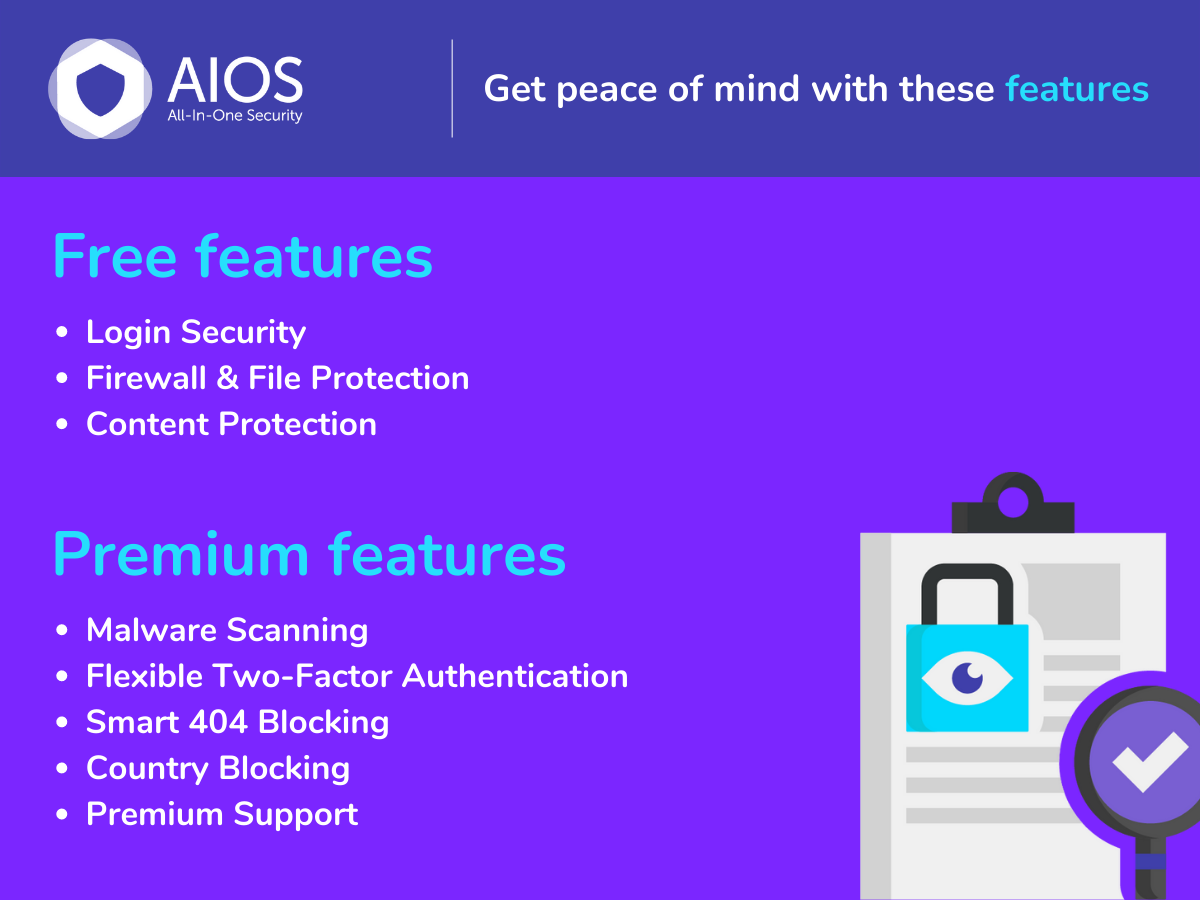
Features list.
Automatically monitor your WordPress site for broken links and missing images, so you can fix them proactively and protect your SEO.
Broken links aren’t just annoying for your visitors, they negatively impact your rankings and make your site look outdated and untrustworthy. But manually checking hundreds of links? Ain’t nobody got time for that!
Broken Link Checker detects issues 20x faster and more accurately than other plugins, thanks to cloud-based link checking. This powerful plugin scans your pages, posts, comments and custom fields, spotting broken or redirected URLs and giving you a quick way to fix them all from one centralized dashboard.
With over 17 million downloads and 50,000+ broken links found daily, Broken Link Checker leaves no URL behind. You can even receive email alerts when something breaks, so you’re never caught off guard.
TL;DR: Broken Link Checker’s Key Features at a Glance
– Automatic Link Monitoring: Scans your posts, pages, comments, and more.
– Comprehensive Reports: Get breakdowns of broken links, with search and filtering options.
– Quick Fixes: Edit, unlink, or ignore your broken links in seconds.
– Cloud & Local Options: Choose cloud-based scans or use your server.
– Custom Filters: Exclude post types, categories, and domains.
– Crawl Everything: Pages, posts, even images and redirects. No URL is missed.
– Broken Image Alerts: Catch missing visuals before anyone notices.
– Multisite Support: Perfect for agencies managing multiple sites.
Why Broken Link Checker?
Every broken link is a strike against your credibility, and your SEO score. But staying on top of them can feel like fighting a never-ending battle. Broken Link Checker gives you an easy way to scan your content and fix issues before anyone notices.
Whether you’re maintaining a personal blog, a client-heavy agency setup, or a content-rich eCommerce site, this plugin saves hours of manual work and helps you keep things tidy.
Real-Time Link Monitoring
Scan everything, automatically.
Broken Link Checker scans your site deeply and frequently, to make sure no broken links are missed. The plugin will scan every inch of your sites, including within posts, pages, custom post types, comments and even embedded media, to ensure your site’s SEO and user experience are not compromised in any way.
Email Alerts & Dashboard Notifications
Never get blindsided by a broken link again.
Choose how and when you want to be notified about broken links. You can receive instant email alerts, get a summary in your WordPress dashboard, and stay in control with flexible scan settings that meet your needs.
Advanced Search Filtering
Tailor your search to your workflow.
Broken Link Checker makes it easy to fine-tune your scan settings, with search and filtering tools that help you check what really matters. Look for specific URLs, or filter by status or error type.
Two Link Checking Engines
Choose the right option for your site.
Broken Link Checker gives you the option of using two unique engines based on your needs. Scan your content locally, or opt for the cloud-based checker for better performance and reduced server load.
Fix Links Without Leaving the Page
Manage broken links efficiently.
No need to dig through old posts. Broken Link Checker lets you resolve all detected links right from your BLC dashboard. Bulk action means you can clean up dozens of links from the plugin interface with just a few clicks.
Multisite & Agency Ready
One plugin to manage them all.
Handle broken links across multiple sites – not just one! Perfect for if you’re running a multisite network or managing multiple client installs.
Broken Link Checker: Choose The Right Link Checking Engine for Your Needs
With Broken Link Checker, you’ll have the flexibility to choose between a fast, cloud-based engine or a reliable, local solution. You can scan your site either way, and even switch between them without losing your saved settings.
Not sure which one is right for you? Here’s a quick breakdown to help you decide:
Cloud-Based Engine:
– 20x faster scans with zero server strain
– Unlimited page & URL checks, perfect for large or multiple sites
– Fewer errors and less chance of being blocked by external sites
– Crawls everything: posts, pages, menus, categories, and more
– Manage broken links across all your sites in one place
– Edit and unlink broken links from your dashboard
Local Engine:
– Runs directly on your server, no external connection needed
– Scans internal & external links in posts, pages, comments, and more
– Edit links inline and get dashboard//email notifications
– Customize how broken links appear and control SEO behavior
– Filter and search links by URL, anchor text, and other fields
What Users are Saying About Broken Link Checker
★★★★★
“One of my must-haves. It does a great job checking and classifying all the links on your site and making them searchable and easily editable. I particularly like that it can update redirected links, check the Wayback Machine for missing ones, and makes it easy to update one at a time or in bulk.” – kelson
★★★★★
“My site has thousands of links. This plugin ensures the site doesn’t go stale. The tools for URL updating are clever and well-designed.” – Flaneuring
★★★★★
“This plugin did exactly what I needed. I had a big problem with image links becoming broken on my site. With this plugin, I was able to see the list of broken image links and, without knowing this was a feature, I was able to fix the links! This was more than I could have asked for and it worked perfectly.” – Rectorsquidd
A Note from Broken Link Checker
Hey there! I’m Broken Link Checker, your trusty tool for keeping your WordPress site clean, polished, and error-free. I scan your site for broken links, missing images, and redirects, so your visitors (and search engines) always get the best experience.
Whether you’re managing one site or many, I make it easy to catch link issues early, fix them fast, and keep your content in top shape. You can even choose between my cloud-based and local engines depending on your needs.
Like my fellow plugin heroes, I’m part of the WPMU DEV family, home to some of the most powerful site management tools in the WordPress world:
– Smush: Image compression & optimization
– Forminator: Forms, polls, quizzes & surveys
– Hummingbird: Page speed & performance booster
– Hustle: Pop-ups, slide-ins & email opt-ins
– Defender: Security, monitoring & hack protection
– SmartCrawl: SEO checker, analyzer & optimizer
Want to level up your WordPress skills? Dive into the WPMU DEV Blog for expert tutorials, tips, and inspiration.
Thanks for checking me out. I’m here to help you build a stronger, smoother, more professional website.
-Broken Link Checker
Broken Link Checker: Use Cases
✔ You’re a content creator who wants to protect SEO rankings
✔ You run a blog with hundreds of posts and external links
✔ You manage client websites and want a clean, reliable backend
✔ You’re an agency looking to scale QA across multiple sites
✔ You want to automate error detection and save time
Installation: Get Started in 5 Minutes
Broken Link Checker is super simple to set up.
Install the plugin from the WordPress Plugin Directory or upload it manually.
-
Activate it through the ‘Plugins’ menu in WordPress
-
Choose between cloud or local mode in the settings
-
Start scanning, and fix broken links right from your dashboard
Need help? Check out the full documentation on wpmudev.com.
About Us
At WPMU DEV, we’re dedicated to helping WordPress users build faster, smarter, more secure websites with our suite of powerful plugins, site tools, and expert support.
Join our community of developers, designers, and site owners at wpmudev.com, your all-in-one destination for WordPress success.
Want to sharpen your skills and stay on top of the latest tips and trends? The WPMU DEV Blog is your go-to source for top-tier tutorials, updates, and insights.
And hey, thanks for using our free plugins! We’ve loved building them for you, and we’re excited to see what you create with them.
Ready to banish broken links for good?
Download Broken Link Checker and keep your site sharp, speedy, and SEO-friendly, no manual checking required.
";s:3:"faq";s:1860:"
Yes! The plugin is completely free and includes all the core scanning features. The plugin works either locally on your own server, or 20x faster, better and more accurately on WPMU DEV cloud servers. The Local version only works in your site admin, while the Cloud version works in both your site admin and in your Hub.
The cloud version requires a connection to WPMU DEV to access its API. However, you don’t need to be a premium WPMU DEV member to access the cloud version! You can create a free Hub account (with some restrictions) directly in the plugin while settings things up.
Absolutely. You can scan everything from custom fields to WooCommerce product links.
Yes, Broken Link Checker supports WordPress Multisite and gives you full flexibility.
Nope. The plugin doesn’t modify your content. It just finds the broken links and gives you options to manage them.
We take plugin security incredibly seriously; if you have a bug or vulnerability to report, you can do so through the Patchstack Vulnerability Disclosure Program. It’s fast, easy, and you will be notified when the issue is fixed. Report a vulnerability.
";s:9:"changelog";s:35866:"2.4.8
- Fix: Patched a vulnerability issue.
2.4.7
- Fix: Removed Edit and Unlink Banner actions from the Local Scanner page.
- Fix: Updated webhook parse_request handler to use add_action instead of add_filter.
- Fix: Prevented broken links from being highlighted for non-logged-in users.
- Fix: Updated email reports to use public post links.
- Enhance: Added the blc_allow_subsites_email_notification filter to control sending email notifications from subsites in multisite installations.
- Fix: Updated React JS files to properly support translations.
- Fix: Removed type attributes from inline styles.
- Fix: Updated user-count logic in the Schedule Scan modal to correctly handle changes in user numbers.
- Enhance: Improved keyboard accessibility for the Search Users field in the Schedule Scan modal.
- Fix: Miscellaneousness improvements
2.4.6
- Fix: Patched a vulnerability issue.
2.4.5
- Fix: Patched a vulnerability issue.
2.4.4
- Fix: Resolved issue where editing a link would get stuck in the Hub.
- Fix: Updated the Hub link to correctly point to the BLC page within the Hub.
2.4.3
- Enhance: PHP 8.4 compatibility.
- Enhance: Compatibility with WordPress 6.8.
- Enhance: Add a new menu item to help you discover other free plugins by WPMU DEV and more
2.4.2
- Fix: Patched a vulnerability issue.
- Fix: Notice about _load_textdomain_just_in_time.
2.4.1
- Security Fix: Cross-Site Scripting (XSS) vulnerability.
2.4.0
- Enhance: Improved editing and unlinking of URLs with query parameters.
- Fix: Resolved issue with implicit conversion from float to int in YouTube links.
2.3.0
- New: Connect to the Cloud Engine API directly without installing the Dashboard plugin.
- Fix: PHP8 Deprecation message.
- Fix: Recipient confirmation link from scheduled scan email not working.
- Fix: User role conflict with Solidwp
2.2.4
- Enhance: Code stability improvements.
2.2.3
- Enhance: Optimize local db tables.
- Fix: Rare but possible Fatal error when unlinking a link.
- Fix: Removed deprecated Defender hooks.
2.2.2
- Fix: Exclusions list spacing in Local settings.
- Fix: Database error Illegal mix of collations.
- Enhance: Use WP_HTML_Tag_Processor and DOMDocument instead of regex in Cloud Edit/Unlink.
2.2.1
- Fix: Youtube playlist show as not found (Local engine).
- Fix: In Scheduled scan, users can be added twice in list.
- Fix: PHP8 Deprecation messages.
- Fix: Callback missing from Local cron jobs.
- Enhance: Added BLC bot UA in Defender’s bot allowlist.
2.2.0
- New: Edit and Unlink broken links in Cloud Engine.
- Fix: Editor access blocked in Local Engine.
- Enhance: PHP 8.1 and 8.2 compatibility.
2.1.0
- Improved admin menus, so they are separated to Cloud and Local Engine.
- Fix multiple emails issue.
- Fix Dashboard fonts.
- Fix insisting line-through text decoration on links in front end.
2.0.0
- Version 2 release
- Added connection to free Hub features for cloud based Broken Link Checker.
1.11.21
- Fix strict comparison causing db queries
1.11.20
- Fix XSS vulnerability
1.11.19
- Enhance compatibility with WordPress 6.1
- Fix deprecated sanitization filter FILTER_SANITIZE_STRING
1.11.18
- Updated UA string
1.11.16
- Enhance compatibility with PHP 8
- Enhance compatibility with WordPress 5.8
- Remove donation links and adds
1.11.15
- Added integration with WP External Links plugin
1.11.14
- Added compatibility for WP 5.5.
1.11.13
- Added filter for disabling email notifications.
- Added filter to use GET requests. (Thanks to Stian Lund)
- Added option to disable last updated time on post types.
- Added option to check post excerpts.
- Added a confirmation box when unlinking.
- Added basic multisite support.
- Added proper error messages on YouTube video errors.
- Fixed bulk recheck option.
- Fixed minor database errors.
- Improved performance.
- Removed default YouTube API key.
- Removed usage of depricated WP Snoopy.
1.11.12
- Added an interface to use personal YouTube API Key
- Fixed database errors on installation for some hosts.
- Fixed link editor not working with elementor.
- Fixed custom field key with multiple keys not rendering.
- Fixed compatibility issues with Business Directory plugin.
- Fixed bulk actions not working properly for some actions.
- Updated the owner on repository.
1.11.11
- Fixed SQL errors caused on some hosts.
- Fixed search filters & pagination.
- Fixed link table design in mobile devices.
- Fixed deprecated functions on PHP 7.4
- Fixed filter_var deprecated notices.
- Improved code with WPCS.
- Added a new API key for the YouTube API.
1.11.10
- Fixed create_function deprecated notices.
- Fixed missing license information.
- Fixed table prefix on delete post action (Thanks to Guillaume Boudreau)
- Merges cron schedules into 1 hook (Thanks to Der Mundschenk & Compagnie)
- Add escaping to search params.
- Tested up to WordPress 5.3
- Updated laguage files
1.11.9
- Fixed Reflected XSS (Thanks to Tobias Fink for the report)
- Fixed param escaping to avoid possible XSS attack.
1.11.8
- Various fixes.
1.11.7
- Fixed a PHP 7.2 compatibility issue
1.11.6
- Fixed link check not saving
1.11.5
- Fixed a PHP 5.2 compatibility issue
1.11.4
- Fixed a few more PHP 7.x/5.6 compatibility issues
1.11.3
- Updated plugin information
1.11.2
- Fixed a compatibility issue
1.11.1
- Major performance improvement. Database queries reduced up to 10x in some cases.
- Feel free to contribute to the plugin on GitHub. Pull requests welcome!
1.10.11
- Fixed the issue with HTTPS (Thanks to gmcinnes)
- Broken Link Checker is now on GitHub. Pull Requests welcome.
1.10.10
- New plugin image that was long overdue.
1.10.9
- Fixed a security vulnerability where part of the log data visibile in the “Details” view was not properly sanitized.
- Updated French translation.
- Updated Portuguese translation.
- Removed an advertising banner.
1.10.8
- Added a Swedish translation.
- Fixed an encoding-related bug that caused some translated text on the “Broken Links” page to show up as gibberish.
- Fixed a potential security vulnerability where the “Final URL” field was not sanitized.
- Fixed link text being truncated to 250 characters.
- Fixed the “Edit URL” function updating the link text even when the user left that field unchanged.
- Tested up to 4.2.1.
1.10.7
- Tested up to WordPress 4.2.
1.10.6
- Fixed a serious CSRF/XSS vulnerability.
- Switched to YouTube API v3. The old API version will be shut down on April 20, so the plugin needs to be updated to continue checking links to YouTube videos.
- Fixed long URLs overflowing into adjacent table columns.
- Fixed a few minor PHP strict-mode notices.
- Added database character set to the “Show debug info” table.
1.10.5
- Security: Fixed an XSS vulnerability that could be used by Editors and Administrators to inject arbitrary HTML/JS code in the “Tools -> Broken Links” page.
- Other minor security fixes.
- Tested on WordPress 4.2 beta.
1.10.4
- Tested on WordPress 4.1.
- Fixed a “Use of undefined constant ENT_HTML401” notice showing up on sites running PHP 5.3 or older.
- Fixed a double-escaping bug that could cause some link URLs to be displayed incorrectly.
- Updated French translation.
- Updated Dutch translation.
1.10.3
- Security: Filter link URLs before displaying them on the “Broken Links” page.
- Security: Prevent Editors and Administrators who don’t have the “unfiltered_html” capability from creating “javascript:” URLs by editing existing links.
1.10.2
- Fixed an XSS vulnerability on the link checker settings page.
- Fixed old YouTube embed code parsing – now it should pick up self-closing embed tags without an
<object>wrapper. - Updated German translation.
- Updated Simplified Chinese translation.
- Link actions will now wrap properly on small screens.
1.10.1
- Fixed a database versioning issue that would cause multiple errors when upgrading from 1.9.5 to 1.10.
1.10
- Added a way to hide individual link actions like “Dismiss” and “Unlink”.
- Added a “Fix redirect” link action. It replaces a redirect with a direct link. It is hidden by default and can be enabled through the settings page.
- Added a “Recheck” link action. Unlike the bulk action by the same name, it checks a link immediately and displays the results without having to refresh the page.
- Added a “Dismiss” bulk action.
- Added a note below the “link tweaks” settings explaining that they only apply to the contents of posts (and pages, and CPTs), not comments or custom fields.
- Made the “Redirect URL” column sortable.
- Added a “Details” link to the “Status” column.
- Added a “Warnings” section to Tools -> Broken Links. It shows problems that might be temporary or false positives. Warnings can be disabled through the settings page.
- Fixed a conflict with plugins that use PHP sessions.
- Fixed the “post statuses” option. Now disabling a post status (e.g. “Draft”) should take effect immediately.
- Fixed the Mediafire link checker.
- Fixed the text in the “Status” column being slightly offset vertically when compared to other columns.
- Fixed search box position in WP 4.1-alpha.
- Added a few workarounds for situations where a custom post type is removed without first removing the posts.
- Removed the screen icon. WordPress has deprecated it.
- Other minor fixes.
1.9.5
- Fixed missing YouTube videos not being detected when the video URL starts with https instead of http.
- Enabled the YouTube video checker by default on new installations.
- Made the “dismiss link” option more permanent. Instead of restoring a dismissed link if the redirect URL changes even a little bit, the plugin will now ignore query string changes. This should fix many of the reports about dismissed links reappearing for no apparent reason.
- Updated Portuguese, German and Dutch translations.
- Other minor fixes.
1.9.4.2
- Updated Dutch translation again.
- Removed Bulgarian translation because it was poor quality and outdated.
1.9.4.1
- Updated Dutch translation.
- Updated POT file.
1.9.4
- Tested on WP 4.0 beta.
- Added a Serbo-Croatian translation.
- Added a Slovakian translation.
- Replaced the old Japanese translation with a new and more up-to-date version from a different translator.
- Updated Dutch, German, Polish, Hebrew and other translations.
- Fixed a notice about undefined index “status_text”.
- Fixed a “doing it wrong” warning related to screen options.
- Fixed spurious false positives on links copied from Word or similar editors.
- Fixed view switcher appearance in WP 4.0.
- Replaced the deprecated like_esc() function with $wpdb->esc_like() where available.
- Fixed plaintext URLs not being detected if they’re the very first thing in a post.
- Fixed a bug that caused quotes and other special characters in the broken link CSS and removed link CSS fields to be auto-escaped with a slash, potentially breaking the CSS.
- Fixed a bug that caused the “check custom fields” feature work inconsistently or not at all on custom post types.
- Fixed duplicate custom field links showing up when the user creates a revision with different field values.
- Fixed a specific type of false positive where some links would get flagged as “Unknown Error” and the log message would be “Empty reply from server”.
- Fixed a bug where only the first enabled post type would be resynchronized during plugin activation.
- Added more logging.
- Removed Megavideo and MegaUpload modules. These sites no longer exist.
1.9.3
- Tested on WP 3.8.1 and WP 3.9-beta2.
- Added an option to sort links by link text. May produce unexpected results for links that have multiple copies with different anchor text.
- Added a Vietnamese translation.
- Added file-based logging for debugging purposes. Logging can be enabled in the “Advanced” section of the plugin settings page.
- Added a “Auto-Submitted: auto-generated” header to notification emails sent by the plugin. This should prevent “out-of-office” auto-responders and similar software from responding to these emails.
- Added domain-based rate limiting to the HTTP checker module.
- Throttled background parsing by about 40% to reduce overall resource usage.
- Fixed (probably) a long-standing bug related to encoding international characters in link URLs.
- Fixed a typo in the Polish translation.
- Made the error message that’s displayed when trying to network-activate the plugin more useful.
1.9.2
- Fixed several UI/layout issues related to the new WP 3.8 admin style.
- Fixed HTML entity codes showing up in confirmation messages in when running a localized version of WP (only affects some languages).
- Fixed the “dismiss this notice” link URL not being HTML-escaped.
- Fixed a couple of cross-site scripting vulnerabilities related to the sort direction query argument not being properly validated and the bulk action form not escaping the current URL.
- Updated Hebrew translation.
- Updated French translation.
- When you dismiss a link, the dismissed link counter is now updated right away instead of on page reload.
1.9.1
- Updated Dutch, German, Chinese and Portuguese translations.
- Fixed suggestions not working on sites that force HTTPS in the WordPress admin.
- Tested on WordPress 3.7.
1.9
- Added the ability to edit link text from inside the plugin. This features is only available for certain types of links.
- Added a “suggestions” feature. When you go to edit a broken link, the plugin will now suggest replacing it with an archived page from the Wayback Machine (if available). You can disable suggestions in Settings -> Link Checker -> General.
- Added a Hebrew translation.
- Added support for HTML code in custom fields. To make the plugin treat a field as HTML, prefix its name with “html:” in BLC settings. For example, if you have a custom field named “foo” that contains HTML, enter it as “html:foo”.
- Fixed: The “Status” column is now properly updated when editing a link.
- Fixed: Visual feedback when a link is successfully edited. Basically, it briefly changes the row background to green.
- Fixed: Email notifications will only include the “see all broken links here” link if the recipient can actually access that link.
- Fixed some UI labels not being localizable.
- The “Undismiss” action is now displayed in all views instead of only the “Dismissed” view. This way you can tell if a broken link has been dismissed without having to search the “Dismissed” list.
- Added information about the last email notification sent to debug info. It’s accessible by clicking “show debug info” on the plugin settings page.
1.8.3
- Added a Hungarian translation.
- Fixed a bunch of “deprecated function” notices that showed up due to wpdb::escape() becoming deprecated in WP 3.6.
- Fixed a vulnerability that would allow users with the ability to bulk-edit links to execute arbitrary PHP code by using a specially crafted regex as the search string.
- Updated German translation.
- Replaced the old Dutch translation with a new and more complete translation by Robin Roelofsen.
1.8.2
- Removed one of the translator credits links because Google flagged it as “suspicious”.
- Updated French translation.
- Updated Polish translation.
- Fixed several field size and layout issues that made the search form display incorrectly in Firefox.
1.8.1
- Updated the Polish and Simplified Chinese translations.
- Updated the German translation.
- Added translation strings for two modules that were missing them.
- Replaced a number of icons with GPL-compatible alternatives from Font Awesome.
- Removed some unused images.
1.8
- Added an option to only show the dashboard widget for users with the Administrator role, or to disable it completely.
- Added a way to change the notification email address.
- Added support for Smart YouTube “httpv://” links.
- Added support for protocol-relative URLs (for example, “//example.com/”).
- Added support for checking YouTube playlists.
- Added a Brazilian Portuguese (pt-BR) translation.
- Updated Chinese (Traditional) translation.
- Switched over to storing plugin settings as JSON instead of serialized PHP arrays.
- Improved error reporting in situations where the plugin can not load settings from the database.
- Fixed: Display a more specific error message than just “update failed” when the plugin fails to modify a post. This only applies to WP 3.5+.
- Fixed: Display the right URL for embedded YouTube playlists. Previously the plugin would show the same (incorrect) URL for all playlists.
1.7.1
- Added an Arabic translation.
- Updated Portuguese translation.
- Updated French translation.
- Fixed MySQL errors caused by the plugin converting table names to lowercase.
- Fixed a bug where the plugin would sometimes report broken Twitter links as working.
- Fixed the plugin author URL.
1.7
- Added support for youtu.be shortlinks.
- Added a Finnish translation.
- Fixed a graphical bug where the currently selected settings tab would not be highlighted in WordPress 3.5.
- Removed the “Blogroll items” module from the list of link containers enabled by default. The WordPress developer team is planning to remove Link Manager from core, and the “Links” menu will be hidden by default in new WP 3.5 installs.
- Removed the Admin Menu Editor Pro ad from the “Settings -> Link Checker” and the “Tools -> Broken Links” pages.
- Disabled the news link (if any) for users who have donated.
- Removed support for pre-WP 2.9 post meta actions.
- Minor styling changes of screen meta links.
- Updated Danish, Germa, Italian, French and Simplified Chinese translations.
- Tested on WordPress 3.5.
1.6.2
- Another attempt to fix the “database not up to date” that some users are still experiencing even with 1.6.1.
1.6.1
- Fixed the “database not up to date” bug. Now the plugin should properly upgrade the DB.
1.6
- Added a way to dismiss links. Dismissed links don’t show up in the “Broken” and “Redirects” lists, but are still checked as normal and get the normal link styles (e.g. strike-through for broken links). Useful if you want to, for example, acknowledge that a link is broken and leave it be.
- Added a “Redirect URL” column. For redirects this will display the URL that the link redirects to. For normal, non-redirected links, it will be empty. This column is hidden by default. You can enable it in the “Screen Options” panel.
- Updated French translation.
- Tested on WP 3.4.1.
- Replace the “More plugins…” link on the “Broken Links” page with a link to the Admin Menu Editor page. This link will be hidden for users who have donated.
- A number of minor fixes.
1.5.5
- Fix broken image on the settings page.
1.5.3
- Fixed a bug that would cause the donation flag to be recorded incorrectly. Apologies to everyone who donated.
1.5.2
- A few minor comment fixes.
- Move certain styles to a separate CSS file, which is where they belong.
- Replace the ThemeFuse banner with one from ManageWP (will go live on June 5).
- Instead of displaying several plugins in the “More plugins by Janis Elsts” box, sometimes display just one plugin (AME).
1.5.1
- Updated Portuguese translation.
- Updated German translation.
- Fixed the donation link to properly return to the Dashboard upon completion.
- Do not display ads to users who have donated.
1.5
- Added a FileServe checker.
- Added Turkish translation.
- Added GoogleVideo and Megavideo embed support.
- Fixed Megaupload links being reported with an “Unknown error” message when it should be “Not found”.
- Fixed a couple of bugs in the Rapidshare and MediaFire checkers.
- Updated German translation.
- Updated Italian translation.
- Updated Portuguese translation.
- The explanatory text for the broken link CSS and removed link CSS inputs can now be translated.
- Tested on WP 3.4-alpha-20291.
1.4
- Added an option to send post authors notifications about broken links in their posts.
- Added the ability to sort links by URL (click the column header).
- Added YouTube API throttling to avoid going over the request quota, which could result in false positives on blogs with lots of YouTube videos.
- Added a Bulgarian translation.
- Updated Italian, German and Persian translations.
- Fixed a bug where the “Feedback” and other screen meta links wouldn’t show up in WP 3.3.
- Fixed the tab CSS for the plugin settings page. Now they should be the right size and look the same in all modern browsers (tested in IE, Firefox, Chrome and Opera).
- Fixed drop-down arrows showing up on meta links that don’t actually have dropdowns.
- Tested on WP 3.3 (RC2).
1.3.1
- Added support for the new YouTube embed code style. It needs to be explicitly enabled in options.
- Added credits link for the Persian language translator.
- Updated Portuguese translation.
- Updated German translation.
- Partial fix for Mediafire checker failing with a fatal error in some situations.
1.3
- Dropped PHP 4 support.
- Fixed a whole lot of PHP 5 related notices and strict-mode warnings.
- Fixed some inconsistent method declarations.
- Fixed a long-standing bug in the ver. 0.9.5 upgrade routine.
- Fixed the look and behavior of the “Feedback” and “Go to Broken Links/Go to Settings” links to be consistent with other WP screen meta links.
- Updated Chinese (TW) translation.
- Updated Portuguese translation.
- Updated Italian translation (minor fix).
- Replaced the link to FindBroken with a short list of (some of) my other plugins.
1.2.5
- Added Irish translation.
- Added Persian translation.
- Added Korean translation.
- Added Chinese Traditional translation.
- Updated German translation.
- Fixed (probably) missing diacritics in the Romanian translation.
- Fixed a crash bug caused by class-json.php no longer being present in the latest WP. Luckily, the plugin only really needed that class for backwards compatibility.
- Made the “database not up to date” error message a bit more helpful.
- Shortcodes in image URLs should work now.
- The Dashboard widget is no longer visible to non-privileged users.
- Replaced multiple instances of get_option(‘home’) and get_option(‘siteurl’) – both now deprecated – with home_url().
1.2.4
- Fixed a very stupid bug where links would be checked very slowly or not at all.
- Fixed the display of the news link.
- Updated Italian translation.
1.2.3
- Updated Portuguese translation.
- Updated German translation.
- Switched to a simpler, MySQL-based locking mechanism. Note: This may cause trouble for people who’ve hacked their WP install to use persistent database connections.
- Added a poll asking for feedback on a new BLC-related web application idea.
- Minor wording change in the debug info table.
1.2.2
- All Pro features now included in the free version!
- Updated Japanese translation.
- Updated Polish translation.
- Updated Portuguese translation.
- Added Romanian translation.
- Fixed a tab layout bug in IE 7.
- Fixed UTF-8 characters outside the domain name being encoded incorrectly (may only work with Curl).
- Fixed a missing translation in email notifications.
- Fixed a rare “only variables can be returned by reference” notice.
- Added a donation button and a MaxCDN ad to the Settings page.
- Added a “Go to Settings” button to the Broken Links page, and a “Go to Broken Links” button to the Settings page.
- Settings page now looks better on small screens.
- Email notifications are now enabled by default.
- “Link status” in the search form no longer defaults to the currently displayed filter/view.
- Made the “installation failed” message a bit more helpful.
0.9.7.2
- Added Polish translation.
- Updated Danish translation.
- Updated Italian translation.
- Fixed an uncommon “Cannot break/continue 1 level” error.
- Added a new user feedback survey (the link only shows up after you’ve used this version for at least two weeks).
0.9.7.1
- Updated German translation and fixed the corresponding credits link.
0.9.7
- Allow custom field names with spaces.
- Updated German translation.
- Updated Portuguese translation
- Made the “Current load” label localizeable.
- Fixed a translation-related bug where the various checkboxes in the “Link types” and “Look for links in” sections would appear in English even when a valid translation was available.
- Fixed non-ASCII URLs being mangled when links are automatically marked with the “broken_link” CSS class.
- Fixed blog names that include quotes being displayed incorrectly in email notifications.
- When removing a link via the “Unlink” action, add the old URL as the title attribute of the now-unlinked anchor text.
- When resolving relative URLs posted in comments, use the comment’s permalink as the base (previously the blog’s homepage URL was used).
0.9.6
- Updated Danish translation.
- Updated Italian translation.
- Updated Portuguese translation
- Fixed incorrect parsing of relative URLs that consist solely of a query string or #fragment.
- Fixed superfluous resynchronization requests being issued when the plugin is re-activated.
- Fixed only one of character set and collation being specified for the plugin’s tables.
- Added default status text for HTTP codes 509 and 510.
- Added the installation log to debug info output.
- Added lots of logging to routines called on activation.
- Added an “Upgrade to Pro” button to the plugin’s pages.
- Removed the highlight on the “Feedback” button.
- Fail fast if trying to activate on an unsupported version of WordPress.
- Ensure PHP and browser timeouts don’t prematurely terminate the installation/upgrade script.
- Plugin JavaScript and CSS files are now loaded using HTTPS when FORCE_ADMIN_SSL is on.
0.9.5
- Added the ability to check scheduled, draft and private posts.
- Added a way to individually enable/disable the monitoring of posts, pages, comments, the blogroll, and so on.
- New “Status” column in the “Broken Links” table.
- Visible table columns and the number of links per page can now be selected in the “Screen Options” panel.
- Replaced the “Delete sources” action with “Move sources to Trash” (except on blogs where Trash is disabled).
- New URL editor interface, now more consistent with the look-n-feel of the inline editor for posts.
- New status icon to help distinguish “maybe broken” and “definitely broken” links.
- Tweaked table layout – links first, posts/etc last.
- Added “Compact” and “Detailed” table views (for now, the differences are quite minor).
- Split the settings page into several tabs.
- Removed the “Details” links as redundant. To display link details, click the contents of the “Status” or “Link text” columns instead.
- Added a way to individually enable/disable the monitoring of various link types, e.g. HTML links, images, etc.
0.9.4.4
- Fixed “Edit URL” and “Unlink” not working on PHP4 servers.
0.9.4.3
- Another PHP 4 fix. Considering dropping support for PHP4 in light of the counterintuitive workarounds required to make perfectly valid PHP5 code work in that ghastly thing.
- Added a partial workaround for sites that have use strange DB_CHARSET settings.
0.9.4.2
- Added more debugging data to the “Show debug info” table.
- Added missing indexes to the instance table.
- Yet more PHP4 compatibility fixes.
- Added a notification bubble with the current number of broken links to the Tools -> Broken Links menu item.
0.9.4.1
- Fixed PHP 4 incompatibilities introduced in the previous release.
- Fixed bulk unlink.
- Updated Italian translation.
- Updated Danish translation.
0.9.4
- Fixed missing post and comment edit links in email notifications.
- Updated Danish translation.
- Added Japanese translation.
- Added a Hindi translation.
- Added a Portuguese translation.
- Slightly improved DB error reporting.
- Added the ability to disable comment link checking.
- Fixed a couple of minor bugs that made some of the UI text impossible to translate.
- The plugin’s tables are now created with the same character set and collation settings as native WP tables (previously they used the database defaults instead).
- Automatically clean up and optimize the plugin’s tables twice per month.
- Instead of displaying a zero response time for timed out links, now it shows how long the plugin waited before assuming that the link has timed out.
- Added the default PHP script execution time limit to the “Debug info” table.
- Added a “Mark as not broken” bulk action.
- Links that make the plugin crash are no longer assumed to be broken.
0.9.3
- Fixed a JS error that only happened in IE by removing a superfluous comma from an object literal.
- Fixed load limiting not being completely disabled on servers that don’t support it.
- Fixed a mishandling of new comments that would occur when CAPTCHA verification was enabled and someone entered an incorrect code.
- Added installation/update logging.
- Fixed a crash that would occur when the user tried to permanently delete a trashed post that has comments.
0.9.2
- In Tools -> Broken Links, highlight links that have been broken for a long time (off by default).
- Fixed an invalid parameter bug in the HTTP link checking routine.
- Added nofollow to broken links (optional, only works for links in posts).
- Fixed some PHP notices and a bunch of deprecated function calls.
- Fixed “Trash” links for comments.
0.9.1
- Fixed the “syntax error: unexpected $end” problem caused by a unintentional PHP shorttag.
- Eliminated a bunch of false positives by adding a workaround for buggy …
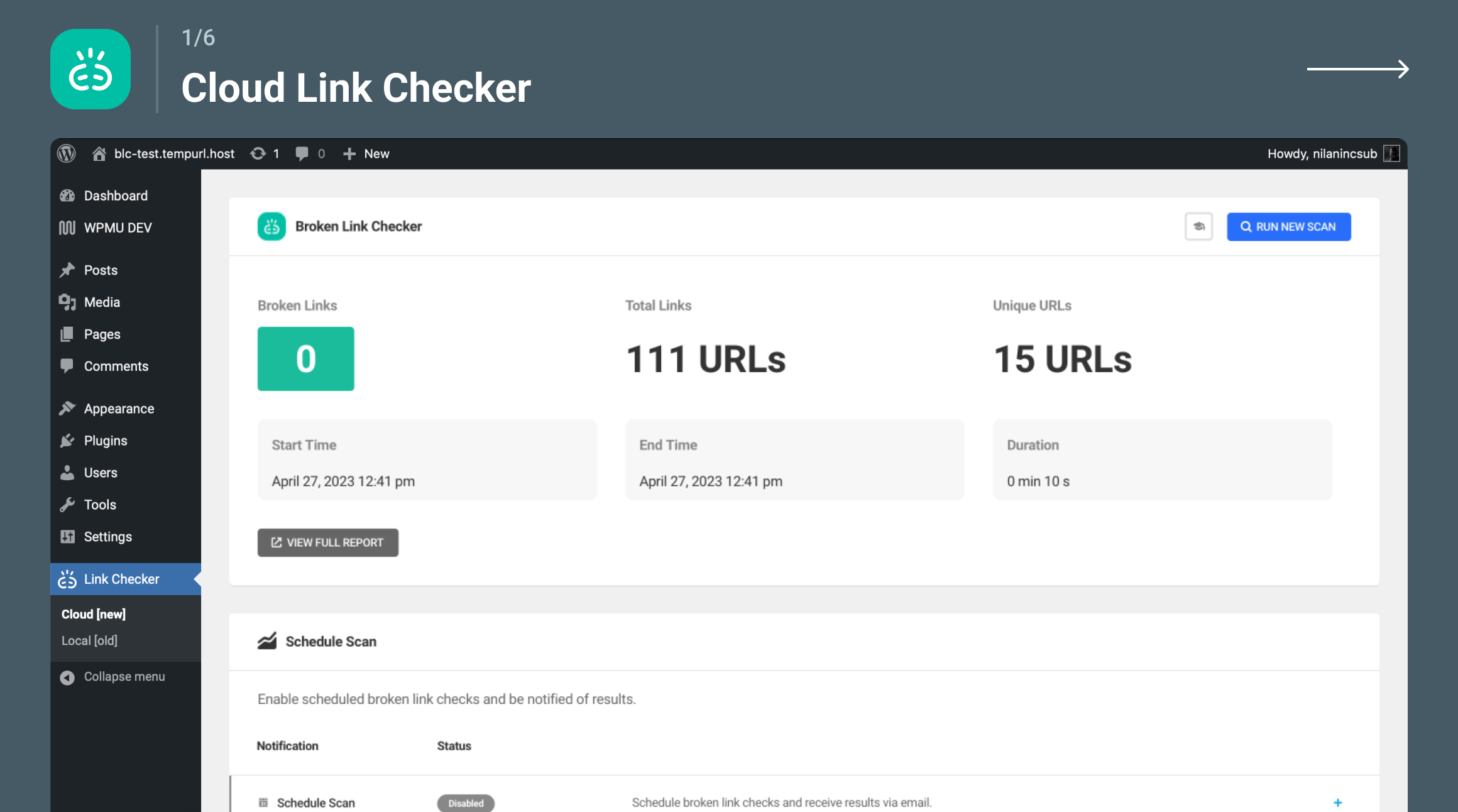
Cloud Broken Link Checker
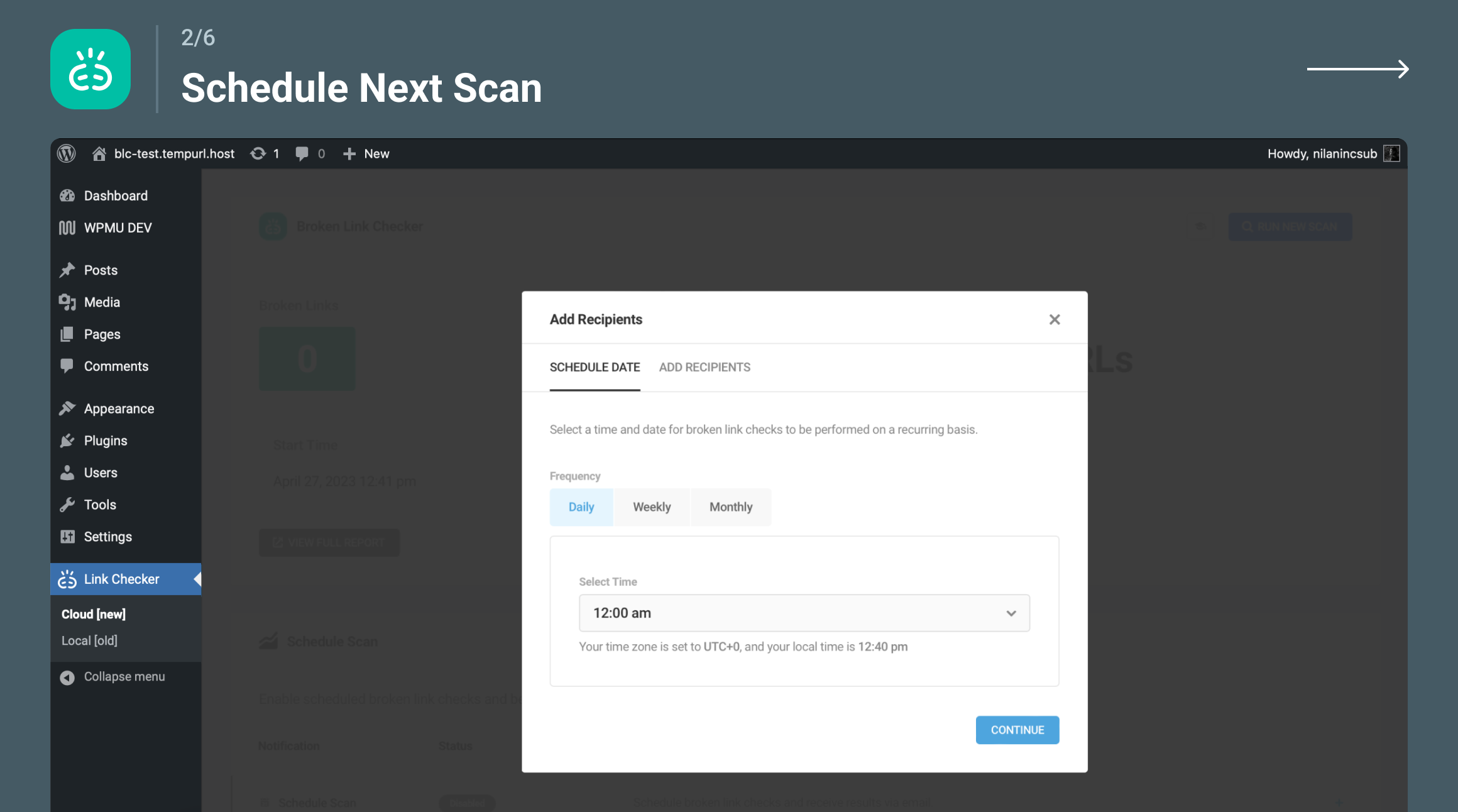
Scheduled Broken Link Checker Scanning
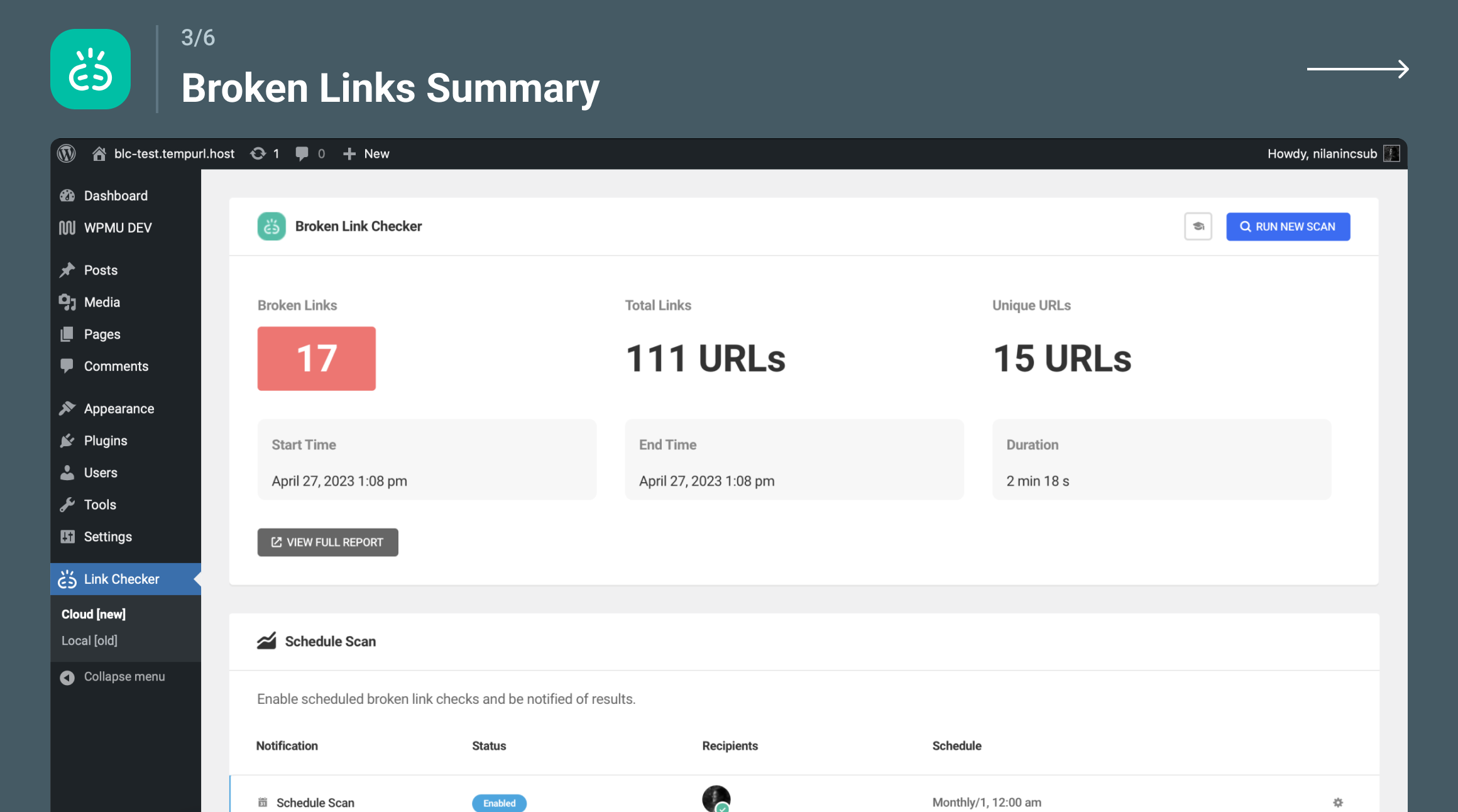
In plugin broken links summary dashboard
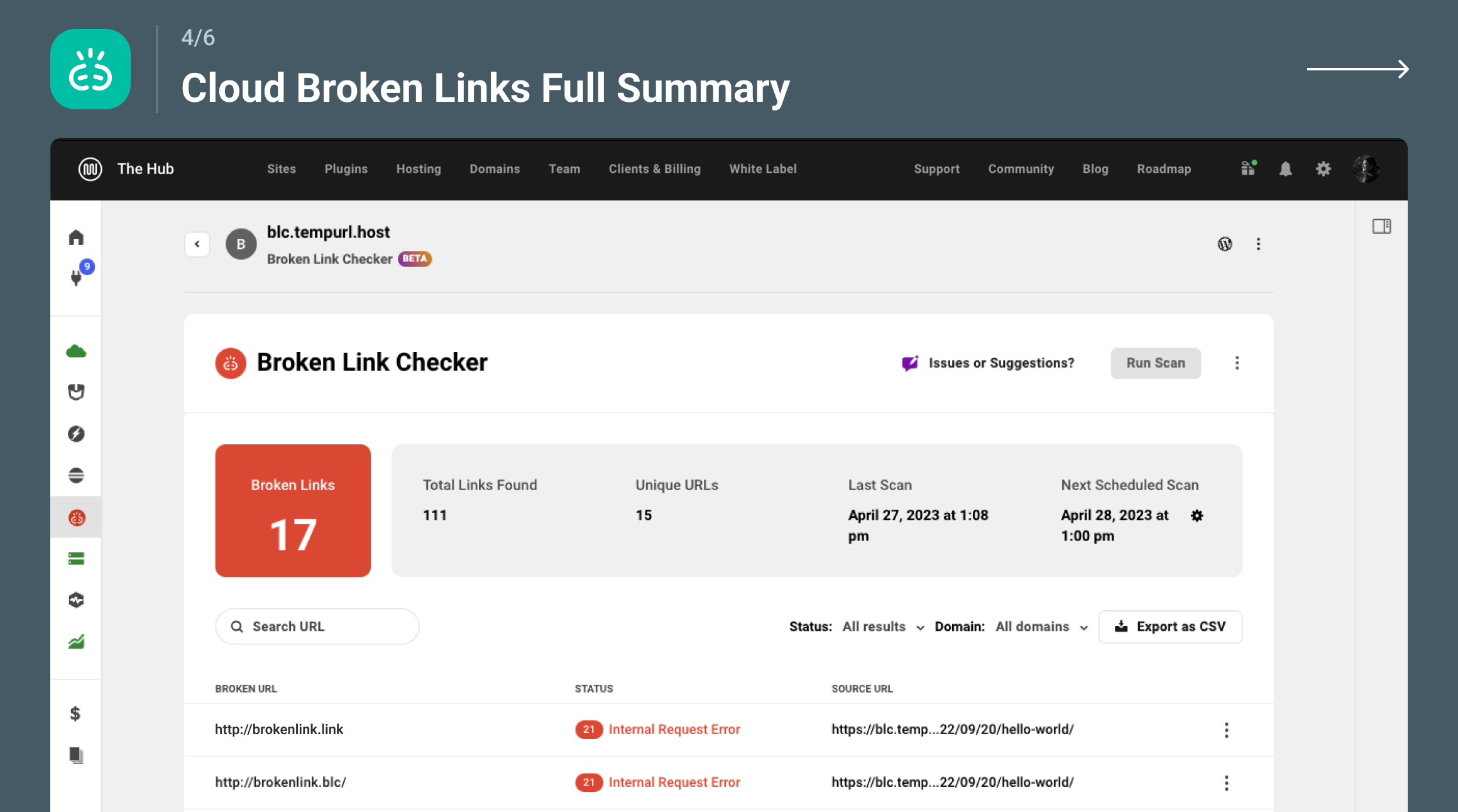
Cloud Broken Link Checker Full Dashboard
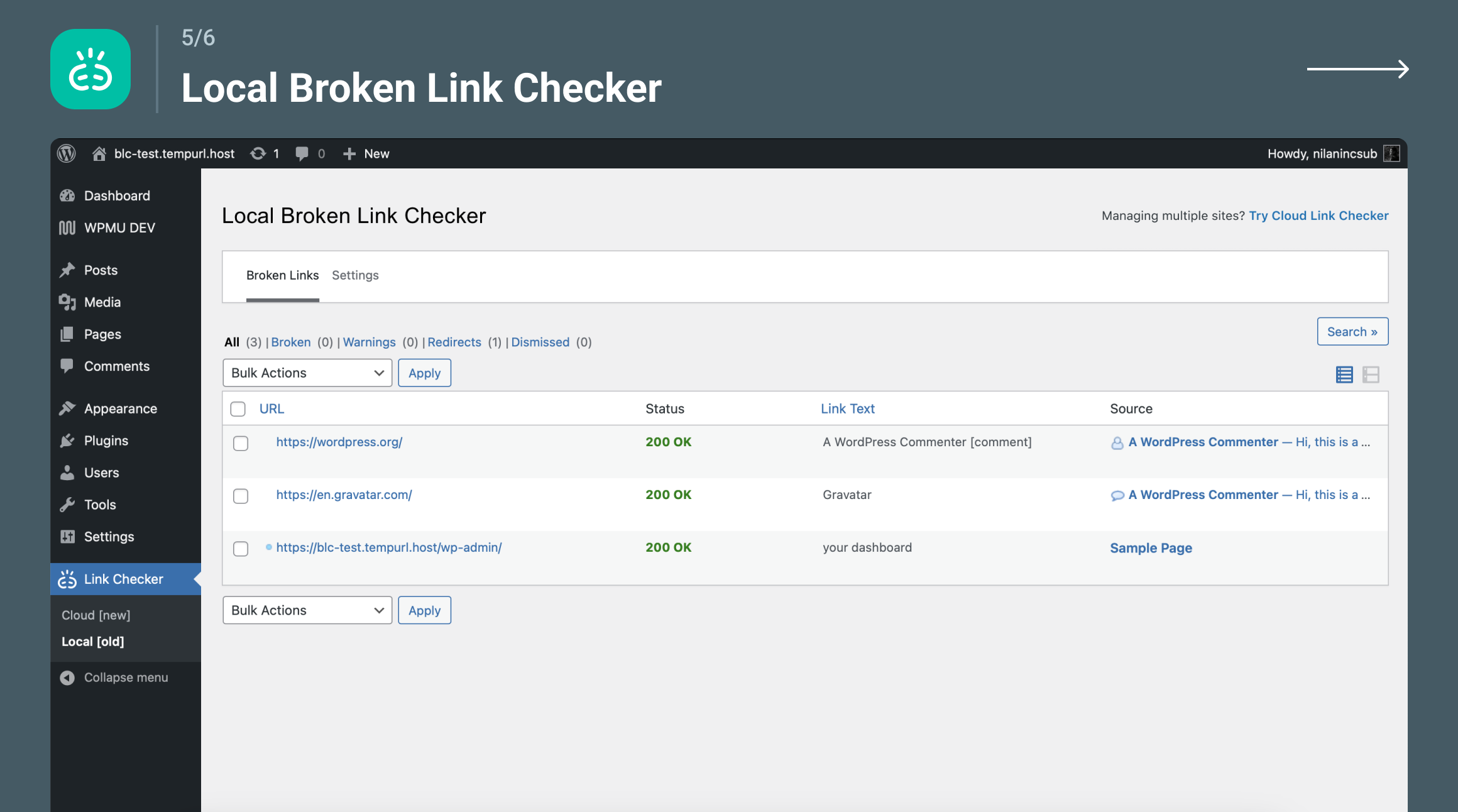
Local Broken Link Checker engine
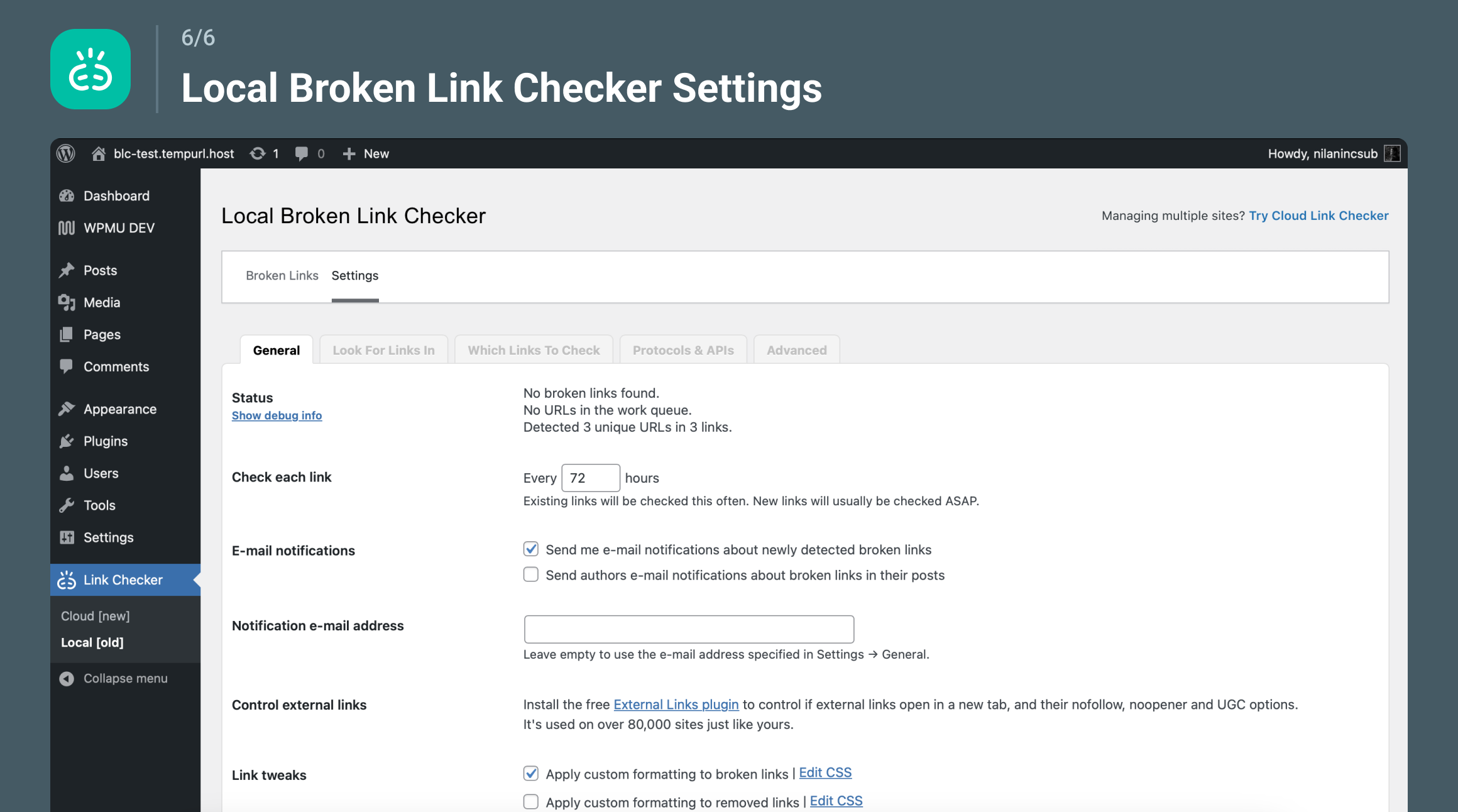
Local Broken Link Checker engine settings
Contact Form 7 is a plugin designed to be a practical tool for all WordPress users who embrace the philosophy of free and open source software. It employs sophisticatedly modularized architecture and its original Schema-Woven Validation technology.
Docs and support
You can find docs, FAQ and more detailed information about Contact Form 7 on contactform7.com. When you cannot find the answer to your question on the FAQ or in any of the documentation, check the support forum on WordPress.org. If you cannot locate any topics that pertain to your particular issue, post a new topic for it.
Contact Form 7 needs your support
It is hard to continue to maintain this plugin without support from users like you. There are several ways for you to contribute to the project: testing, coding, translating it into your local languages, helping other users, financial donations, etc, etc. We equally welcome you regardless of the way you contribute.
Privacy notices
With the default configuration, this plugin, in itself, does not:
- track users by stealth;
- write any user personal data to the database;
- send any data to external servers;
- use cookies.
If you activate certain features in this plugin, the contact form submitter’s personal data, including their IP address, may be sent to the service provider. Thus, confirming the provider’s privacy policy is recommended. These features include:
- reCAPTCHA (Google)
- Akismet (Automattic)
- Constant Contact
- Brevo
- Stripe
- Turnstile (Cloudflare)
- Upload the entire
contact-form-7folder to the/wp-content/plugins/directory. - Activate the plugin through the Plugins screen (Plugins > Installed Plugins).
You will find Contact menu in your WordPress admin screen.
For basic usage, have a look at the plugin’s website.
";s:3:"faq";s:449:"Do you have questions or issues with Contact Form 7? Use these support channels appropriately.
";s:9:"changelog";s:1916:"For more information, see Releases.
6.1.5
https://contactform7.com/contact-form-7-615/
6.1.4
https://contactform7.com/contact-form-7-614/
6.1.3
https://contactform7.com/contact-form-7-613/
6.1.2
https://contactform7.com/contact-form-7-612/
6.1.1
https://contactform7.com/contact-form-7-611/
6.1
https://contactform7.com/contact-form-7-61/
6.0.5
https://contactform7.com/contact-form-7-605/
6.0.4
https://contactform7.com/contact-form-7-604/
6.0.3
- Updates the copyright year to 2025.
- Updates the “Contact Form 7 needs your support” message content.
- Updates the Constant Contact deprecation warning.
6.0.2
- Removes unnecessary type declaration from nullable arguments to avoid deprecation warnings in PHP 8.4.
6.0.1
https://contactform7.com/contact-form-7-601/
6.0
https://contactform7.com/contact-form-7-60/
";s:11:"screenshots";s:225:"
screenshot-1.png
Compliance by Hu-manity.co (formerly known as Cookie Notice) provides a simple, customizable website banner that can be used to help your website comply with cookie consent requirements under the EU GDPR, CCPA, and other data privacy laws — with seamless integration with Cookie Compliance to help your site comply with the latest updates to existing consent laws.
Cookie Compliance is a fully featured Consent Management Platform (CMP) that provides automated compliance features and enhanced design controls in a state-of-the-art web application. Cookie Compliance enables websites to take a proactive approach to data protection and consent laws. It is the first solution to offer Intentional Consent, a new consent framework that incorporates the latest guidelines from over 100+ countries, and emerging standards from leading international organizations like the IEEE and European Center for Digital Rights (noyb.eu). Cookie Compliance provides a beautiful, multi-level experience and includes new choices and controls for site visitors to better understand and engage in data privacy decisions.
Our Cookie Compliance web application introduces a more ethical, proactive way to capture and manage consent. This early version of the emerging Intentional Consent framework is a result of Hu-manity.co’s ongoing work with top Fortune 500 companies, governments, and standards organizations, who believe that the imbalanced relationship between consumers and corporations is unsustainable when it comes to data privacy and consent online. We are making it available for all website owners and operators who share this belief and support our mission to eliminate the dark patterns in online consent.
Matt Sinderbrand – Chief Platform Officer, Hu-manity.co
Compliance (plugin only)
Compliance by Hu-manity.co provides a simple, customizable website banner to help your website comply with certain cookie consent requirements.
Banner features:
- Customizable notice message
- Consent on click, scroll or close
- Multiple cookie expiry options
- Link to Privacy Policy page
- WordPress Privacy Policy page synchronization
- WPML and Polylang compatible
- SEO friendly
Cookie Compliance (plugin + web application)
Cookie Compliance gives you access to the most up-to-date formatting guidelines and technical compliance requirements for over 100 countries and legal jurisdictions.
Banner features:
- Intentional Consent provides 3 equal buttons to give site visitors the ability to accept none, some, or all cookies through packaged choices called Data Access Levels. Data Access Levels improve consent conversion and eliminate the dark pattern of deceptive, non-equal choices in the first layer. Complies with equal choice principle prescribed under GDPR and other data protection laws.
- Consent duration selector gives visitor control over how long their consent remains valid for your site. Enables your site to align with recent guidelines from EU Data Protection Authorities, which state that cookie consent should be valid for no longer than a period of 6 months.
- Cookie purpose categories make it easy for website visitors to customize their consent by category. Complies with affirmative, opt-in consent requirements prescribed under GDPR and other data protection laws.
- Consent metrics displays the visitor’s consent record and a list of blocked / allowed 3rd parties directly in the expanded level of the banner. Complies with latest guidance from EU Data Protection Authorities like CNIL (France) and ICO (UK).
- Customizable Privacy Paper provides helpful information to improve visitor comprehension and understanding of the data sharing risks and benefits. Allows you to summarize core components of your sites privacy notice and aligns with the informed principle prescribed by GDPR rules for valid consent capture.
- Configurable Privacy Contact allows you to provide contact information for a business’ data privacy admin, as well as helpful links to data subject request forms and other data privacy resources. Aligns with the informed principle prescribed by GDPR rules for valid consent capture.
Web Application features:
- Consent analytics dashboard shows event data for number of visits and provides a “trust score” to help you track how site visitors are setting their consent. Make adjustments to your banner to improve your cookie acceptance rate and monitor progress via the consent activity graph.
- Default configurations for GDPR, CCPA and more help to remove dark patterns and allow for quick and easy deployment of the consent banner without any guesswork. Customize the design of any default configuration to match the look and feel of your site.
- Automatic script blocking blocks all non-essential cookie scripts and iFrames by default and complies with valid consent rules under GDPR and other data protection laws; in order to be compliant, your site must record visitor consent before setting or sending cookies.
- Google Consent Mode ensures that your website can still gather valuable insights and perform effectively while respecting users’ privacy preferences by dynamically adjusting the behavior of Google services according to user consent.
- Facebook Consent Mode allows your website to measure the impact of your ads on Facebook, track website activities and conversions and automatically deliver ads to Facebook if the user has agreed to.
- Consent record storage automatically stores a record of each consent and makes these records available for export. Complies with proof-of-consent requirements prescribed under GDPR and other data protection laws.
- Multilingual support automatically translates all banner text strings and allows you to provide custom translations for every text field to ensure visitors get a consistent consent experience.
- Multidomain management allows you to manage additional Free or Professional domains under a single account and enables you to customize banner configuration and design for each domain independently.
Cookie Compliance proactive approach:
For all businesses, the resources required to stay ahead of the latest regulations increases with the passage of each new law. With enforcement of compliance violations increasing daily, we believe it is critical for us as a trusted consent vendor to do everything in our power to help you stay ahead of these laws and remove the risk to your business
Cookie Compliance covers all current and upcoming regulations:
- GDPR (EU)
- ePrivacy Directive (EU)
- ePrivacy Regulation (EU)
- PECR (UK)
- LGPD (Brazil)
- PIPEDA (Canada)
- PDPB (India)
- CCPA (California, US)
- VCDPA (Virginia, US)
- Colorado Privacy Act (US)
- CPRA (California, US)
Cookie Compliance incorporates all recent formatting guidance:
- European Data Protection Supervisor (EDPS)
- ICO (United Kingdom)
- CNIL (France)
- GPDP (Italy)
- BfDl (Germany)
- AEPD (Spain)
- European Center for Digital Rights (noyb.eu)
Cookie Compliance targets dark patterns
Dark Patterns are user interface (UI) techniques that push site visitors to make decisions (such as agreeing to the installation of cookies on their devices) that they might not otherwise make. The most common Dark Pattern is the lack of an equal “reject all” button on the first layer of the consent notice. Dark Patterns are explicitly banned under GDPR and other data protection laws.
As a part of our proactive approach, Cookie Compliance is configured by default to prevent Dark Patterns through our unique Intentional Consent design.
";s:12:"installation";s:532:"- Install Compliance by Hu-manity.co either via the WordPress.org plugin directory, or by uploading the files to your server
- Activate the plugin through the ‘Plugins’ menu in WordPress
- Go to the Compliance settings and set your options.
- Click “Add Compliance features” button to start Cookie Compliance integration.
- Create Cookie Compliance account and select plan.
- Log in to Cookie Compliance web application anytime to customize the settings.
Yes! Compliance by Hu-manity.co is free software.
Yes, but with limits. Cookie Compliance includes both free and paid plans to choose from depending on your needs and your website traffic.
No. The plugin-only version DOES NOT include technical compliance features such as automatic script blocking, consent purpose categories, or consent record storage. These features are only available through the Cookie Compliance integration.
Yes! The plugin + web appliaction version includes technical compliance features to meet requirements for over 100 countries and legal jurisdictions.
";s:9:"changelog";s:21754:"3.0.2
- Fix: Decouple Autoblocking from privacy law selection in React and legacy settings — the toggle now appears for connected users regardless of whether laws are configured, and is no longer mislabeled as a Pro-only feature in the legacy UI.
- Fix: Preserve boolean types when caching Designer, Account, and Analytics API responses — compliance flags such as gpcSupportMode, doNotTrackMode, onScroll, onClick, uiBlocking, revokeConsent and nested regulations were being silently coerced to strings, which risks breaking strict type checks downstream.
3.0.1
- Fix: Resolved missing file error preventing plugin activation for some users who updated during the initial 3.0.0 release
3.0.0
- Rebrand: Plugin renamed from “Cookie Notice & Compliance for GDPR / CCPA” to “Compliance by Hu-manity.co”. WordPress admin sidebar now reads “Compliance” with Settings and Audit Trail submenus. All internal option keys and slugs remain unchanged — no action required for existing installs.
- New: Modern React-based admin dashboard replaces the legacy PHP settings pages. Three main tabs — Protection, Settings, and Audit Trail — with a polished, card-based interface.
- New: Guided setup wizard with banner template picker (6 presets), setup checklist, and quick-start configuration for new installs.
- New: Welcome Modal with in-plugin account creation, plan selection, and Braintree payment — complete the signup flow without leaving WordPress.
- New: Protection Chooser — redesigned tier selection (Basic, Professional, Business) with feature comparison cards.
- New: 5-position banner placement selector (top, bottom, floating left, floating right, floating center) with fixed/floating toggle. Dismiss animation controls added to Banner Design settings.
- New: Law Selector with geo-aware regulation display and compliance context for GDPR, CCPA, and 100+ jurisdictions.
- New: Consent Modes panel — configure Google Consent Mode v2, Facebook, and Microsoft consent toggles directly from the plugin.
- New: Audit Trail tab — view consent log records pulled live, with dynamic consent level labels.
- New: Conditional Display rule builder — control when and where the consent banner appears.
- New: Excluded Script Handles setting — exclude specific scripts from autoblocking by handle name.
- New: Centralized notification system with contextual calls-to-action based on your setup status and subscription tier.
- New: Portal deep links — jump directly from the plugin to the relevant page in the Cookie Compliance web application.
- New: Live configuration sync — admin pages pull fresh banner configuration from the platform on load.
- New: React ErrorBoundary prevents white-screen crashes — admin gracefully recovers from unexpected errors.
- Improvement: Pro feature indicators show locked features with upgrade prompts for free-tier users.
- Improvement: Usage dashboard shows near-limit nudge at 70%+ of cycle usage.
- Improvement: Email-exists recovery flow guides users who try to register with an existing account.
- Fix: Domain URL normalization on login prevents duplicate app registrations.
2.5.16
- Fix: Multisite with global override now correctly reads blocking data and cache-purge transients from network storage
- Fix: Custom patterns and providers are now always included in huOptions regardless of autoblocking state
2.5.15
- Fix: Multisite with global override now correctly loads custom blocking patterns and providers on the frontend
2.5.12
- New: Added pull configuration option to sync on demand instead of waiting for cron
2.5.11
- Security: Enforce TLS verification for platform API requests.
- Security: Require capability + nonce for cache purge and privacy consent/conditional rule AJAX handlers.
- Tweak: Switch admin notice JS to vanilla to avoid jQuery conflicts and ensure notices can be closed.
2.5.10
- Fix: Make close icon keyboard-focusable (Enter/Space handler, tabindex, focus outline)
- Fix: Ensure policy link uses href/target and data attrs so “Message” position opens correctly
- Fix: Enqueue frontend JS when [cookies_revoke] shortcode is present to allow reopen links for logged-in sessions
- Fix: Guard legacy options fallback to avoid PHP 8 fatal on non-array settings
2.5.9
- Security: Fixed Stored XSS vulnerability in [cookies_accepted] shortcode via HTML entity resurrection
- New: Easy Digital Downloads privacy consent support
- Fix: Improved bot detection and object cache compatibility
2.5.8
- New: Microsoft Clarity Consent API v2 support
- Fix: Prevent loading banner in Beaver Builder
- Fix: Improved bot detection and object cache compatibility
- Fix: Close icon accessibility by switching to button
2.5.7
- New: Microsoft Consent Mode support
- Tweak: Convert banner links to buttons (for accessibility)
- Tweak: Improved compatibility with caching plugins
- Fix: Displaying cookie notice in admin
2.5.6
- New: Added Form and Source columns to Privacy Consents table
- Fix: WooCommerce render block issue
- Tweak: Updated WooCommerce Blocks Checkout handling
- Tweak: Disable Privacy Consent cupport when there are no forms available
- Tweak: Updated Chart.js to 4.4.8
2.5.5
- New: Added Privacy Consent activity chart
- Fix: Hummingbird caching plugin compatibility
2.5.4
- New: Option to handle all or selected forms in Privacy Consent
- Fix: Undefined array key “form_type” when switching WooCommerce forms
2.5.3
- Fix: Undefined huOptions variable
- Fix: Prevent loading Privacy Consent modules without Cookie Compliance
- Tweak: Updated Chart.js to 4.4.6
2.5.2
- Fix: Fatal error on pages with embedded contact form 7 forms
2.5.1
- Fix: Missing one of the plugin files
2.5.0
- New: Introducing Privacy Consent
- Tweak: UI updates for the Consent Logs page
- Tweak: Onboarding screen UI improvements
- Tweak: Switch from local to GMT time for consent logs display
- Tweak: Admin menu reorganization
2.4.18
- Fix: Potential security issue with escaping textarea fields
- Fix: Saving link target for Privacy Policy page
- Fix: Force protocol for widget URL
2.4.17
- New: SpeedyCache caching plugin compatibility
- New: Breeze caching plugin compatibility
- Fix: Improved WP Rocket plugin compatibility
- Fix: Improved Speed Optimize plugin compatibility
- Fix: Network settings override switching
- Tweak: Chart.js updated to 4.4.3
2.4.16
- New: Option to enable/disable bot detection
- Fix: Typo in wp_die() function calls
- Tweak: Improved escaping text strings
2.4.15
- New: Passing Google Consent default parameters (Cookie Compliance only)
- Fix: Invalid Norwegian language locale code
2.4.14
- New: Google Consent V2 support (Cookie Compliance only)
- New: Added scripts option to Compliance Settings
2.4.13
- Fix: Removed unneeded parameter from WP Fastest Cache compatibility fix
2.4.12
- New: WP Optimize caching plugin compatibility
- Fix: WP Fastest Cache plugin compatibility
2.4.11
- New: Dedicated Consent Logs page
- New: Google AMP support for Cookie Compliance
- New: Settings navigation through tabs and menu items
- Fix: Saving App ID/Key not working in edge cases
- Tweak: Chart.js updated to 4.4.0
2.4.10
- New: Option to enable/disable caching compatibility
- New: WP Fastest Cache plugin compatibility
- Fix: Potential security issue with purging cache
- Fix: Improved refreshing Compliance analytics data
- Tweak: Chart.js updated to 4.3.2
2.4.9
- New: WP Rocket plugin compatibility
- New: LiteSpeed Cache plugin compatibility
- New: Google Consent Mode support (Cookie Compliance only)
- New: Facebook Pixel Consent Mode support (Cookie Compliance only)
2.4.8
- New: Added Pages to Conditional display
- Fix: Homepage display issue
- Fix: Background color issue
- Tweak: Improved WP Rocket support
- Tweak: Improved SG Optimizer support
2.4.7
- New: Conditional display of the banner
- Tweak: Improved sanitization and validation of data
- Tweak: PHP 8.1 and 8.2 compatibility
- Tweak: Added async attribute when autoblocking is disabled
2.4.6
- Fix: Cookie Compliance inactive status issue
2.4.5
- Tweak: Remove the notice from the Elementor page builder
- Tweak: Remove the notice from widgets screen
- Fix: Improved Contact Form 7 reCaptcha compatibility
2.4.4
- Fix: Undefined index: status and subscription
2.4.3
- Fix: Deprecated preg_replace() notice in PHP 8.1
2.4.2
- New: Compatibility with Autoptimize plugin
- Fix: Improved Contact Form 7 reCaptcha support
- Fix: Fixed non-static method cookies_set()
2.4.1
- New: Contact Form 7 reCaptcha support
- Tweak: Switched health status from critical to recommended when Cookie Compliance is not integrated
- Tweak: Add SimeSite=Lax for created cookies
2.4.0
- New: Advanced Multisite support
- Fix: Polylang translation not working for shortcode
- Fix: Parse error: syntax error, unexpected ‘[‘
2.3.1
- New: Option to run consent banner in debug mode
- Fix: Invalid validation of dismissable notices
2.3.0
- New: Compliance Multi-license pricing options
- Tweak: WordPress 6.0 compatibility
2.2.3
- Fix: Undefined notice in WP dashboard
- Fix: Close icon event not firing
- Tweak: Remove aria-label from the close icon
- Tweak: CSS tweaks in the admin
2.2.2
- Fix: Uncrawlable close notice link
- Tweak: WordPress 5.9 compatibility
- Tweak: Prevent displaying the notice in an iframe
- Tweak: Send site language to a web app on signup
2.2.1
- Fix: Missing variable definition in frontend
2.2.0
- New: Option to hide banner for logged in users (Compliance only)
2.1.5
- Tweak: Additional sanitization applied
2.1.4
- Fix: WordPress 5.8 widgets compatibility
2.1.3
- Fix: HTML attributes removed from text strings
- Tweak: Improved sanitization of options
2.1.2
- Tweak: Improved escaping of button labels
2.1.1
- Fix: Security bug related to compliance caching
2.1.0
- New: Introducing Cookie Compliance Free plan
2.0.4
- Fix: Undefined constant HOURS_IN_SECONDS
- Fix: Button style none adding CSS classes “cn-set-cookie cn-button”
- Tweak: Switched the behavior of close icon from accept to reject
- Tweak: Minified frontend and admin js files
2.0.3
- Fix: Cookies accepted function issue when Compliance activated
2.0.2
- Tweak: UI/UX improvements
2.0.1
- Fix: Pending Compliance update blocking the notice
- Fix: PHP Warning: Cannot modify header information
- Tweak: UI/UX fixes for the settings screen
2.0.0
- New: Introducing Cookie Compliance for GDPR/CCPA
1.3.2
- Tweak: Speed up Corona Banner loading by moving JS file to footer with async parameter
- Tweak: Improve buttons CSS padding
- Tweak: Accessibility improvements on links
1.3.1
- Fix: Unable to select Privacy policy link
- Fix: Blank Cookies policy link in a message
- Fix: Undefined index: on_click
- Tweak: Adjusted default opacity back to 100
1.3.0
- New: Introducing Corona Banner that displays data about Coronavirus pandemia and five steps recommended by the WHO (World Health Organization)
- New: Option to set bar opacity
- New: Accept the notice with close icon
- Fix: Policy link added to message without policy option enabled
1.2.51
- Fix: Problems with iOS and OK/Reject button
- Tweak: Added Separate cookie expiry for Reject, props Carlos Buchart
1.2.50
- Fix: The body css class always set to “cookies-refused”
- Tweak: Improve IE & Safari CustomEvent and ClassList support
- Tweak: Change the plugin js init event
1.2.49
- New: Option to accept the notice with any page click
- Tweak: Remove jQuery dependency
- Tweak: Swtich from jQuery to CSS3 animations
- Tweak: Improve the CSS and HTML structure
1.2.48
- Fix: HTML tags stripped from cookie message
- Fix: Link target not accepted in inline privacy link
1.2.47
- New: Option to select the privacy policy link position
- Tweak: Do not relad the page on refuse button click
- Tweak: Added aria-label attribute to cookie notice container
1.2.46
- Tweak: Remove WP Super Cache cookie on deactivation
- Tweak: Remove plugin version from the db on deactivation
1.2.45
- Tweak: Improved WP Super Cache support
- Tweak: CSS container style issue and media query for mobile
1.2.44
- Fix: The text of the revoke button ignored in shortcode
- Fix: Revoke consent button not displayed automatically in top position
- Tweak: Add shortcode parsing for content of [cookies_accepted], thanks to dsturm
1.2.43
- New: Option to revoke the user consent
- New: Script blocking extended to header and footer
- New: Synchronization with WordPress 4.9.6 Privacy Policy page
- New: Custom button class option
- Tweak: Added 1 hour cookie expiry option
1.2.42
- New: Introducing [cookies_accepted][/cookies_accepted] shortcode
- Fix: Infinite cookie expiry issue
1.2.41
- Fix: Infinite redirection loop with scroll enabled
1.2.40
- Fix: Div align center on some themes
- Tweak: Extended list of allowed HTML tags in refuse code
- Tweak: Minified CSS and JS
1.2.39
- New: Option to reload the page after cookies are accepted
1.2.38
- Tweak: Move frontend cookie js functions before the document ready call, thanks to fgreinus
- Tweak: Adjust functional javascript code handling
- Fix: Chhromium infinity expiration date not valid
- Fix: Remove deprecated screen_icon() function
1.2.37
- Tweak: Add aria landmark role=”banner”
- Tweak: Extend cn_cookie_notice_args with button class
1.2.36.1
- Fix: Repository upload issue with 1.2.36
1.2.36
- Fix: String translation support for WMPL 3.2+
- Fix: Global var possible conflict with other plugins
- Tweak: Add $options array to “cn_cookie_notice_output” filter, thanks to chesio.
- Tweak: Removed local translation files in favor of WP repository translations.
1.2.35
- Tweak: Use html_entity_decode on non-functional code block
- Tweak: get_pages() function placement optimization
- Tweak: Filterable manage cookie notice capability
1.2.34
- Fix: Empty href in links HTML validation issue
1.2.33
- New: Greek translation thanks to Elias Stefanidis
1.2.32
- Fix: Accept cookie button hidden on acceptance instead of the cookie message container
1.2.31
- New: Non functional Javascript code field
- Fix: Minified Javascript caching issue
1.2.30
- Fix: jQuery error after accepting cookies
1.2.29
- Tweak: Add class to body element when displayed
- Tweak: Italian translation update
1.2.28
- New: Option to set on scroll offset
1.2.27
- Tweak: Correctly remove scroll event, limit possible conflicts
- Tweak: Italian translation update
1.2.26
- Fix: Accept cookies on scroll option working unchecked.
- Fix: call_user_func() warning on lower version of WP
1.2.25
- New: Option to accept cookies on scroll, thanks to Cristian Pascottini
1.2.24
- New: Option to refuse to accept cookies
- New: setCookieNotice custom jQuery event
- Tweak: Italian translation updated, thanks to Luca Speranza
1.2.23
- New: Finnish translation, thanks to Daniel Storgards
1.2.22
- Tweak: Swedish translation updated, thx to Ove Kaufeldt
1.2.21
- New: Plugin development moved to dFactory GitHub Repository
- Tweak: Code cleanup
1.2.20
- New: Option to select scripts placement, header or footer
1.2.19
- New: Danish translation, thanks to Lui Wallentin Gottler
1.2.18.1
- Fix: Quick fix for 1.2.18 print_r in code
1.2.18
- New: More info link target option
- Tweak: Additional HTML ids, for more flexible customization
1.2.17
- New: Hebrew translation, thanks to Ahrale Shrem
1.2.16
- Tweak: Dutch translation missing due to a typo
1.2.15
- New: Danish translation, thanks to Hans C. Jorgensen
- Fix: Notice bar not visible if no animation selected
1.2.14
- New: Hungarian translation, thanks to Surbma
1.2.13
- New: Croatian translation, thanks to Marko Beus
1.2.12
- New: Slovenian translation, thanks to Thomas Cuk
1.2.11
- New: Swedish translation, thanks to Daniel Storgards
1.2.10
- New: Italian translation, thanks to Luca
- Tweak: Confirmed WP 4.0 compatibility
1.2.9.1
- Tweak: Enable HTML in cookie message text
- New: Option to donate this plugin 🙂
1.2.8
- New: Czech translation, thanks to Adam Laita
1.2.7
- New: French translation, thanks to Laura Orsal
- New: Deleting plugin settings on deactivation as an option
1.2.6
- New: German translation, thanks to Alex Ernst
1.2.5
- New: Spanish translation, thanks to Fernando Blasco
1.2.4
- New: Added filter hooks to customize where and how display the cookie notice
1.2.3
- New: Portuguese translation, thanks to Luis Maia
1.2.2
- Fix: Read more linking to default site language in WPML & Polylang
1.2.1
- Tweak: UI improvements for WP 3.8
1.2.0
- Fix: Cookie not saving in IE
- Fix: Notice hidden under Admin bar bug
- Tweak: Improved WPML & Polylang compatibility
1.1.0
- New: Rewritten cookie setting method to pure JS
- Fix: Compatibility with WP Super Cache and other caching plugins
1.0.2
- New: Dutch translation, thanks to Heleen van den Bos
1.0.1
- Tweak: Changed setting cookie mode from AJAX to JS driven
1.0.0
Initial release
";s:11:"screenshots";s:1173:"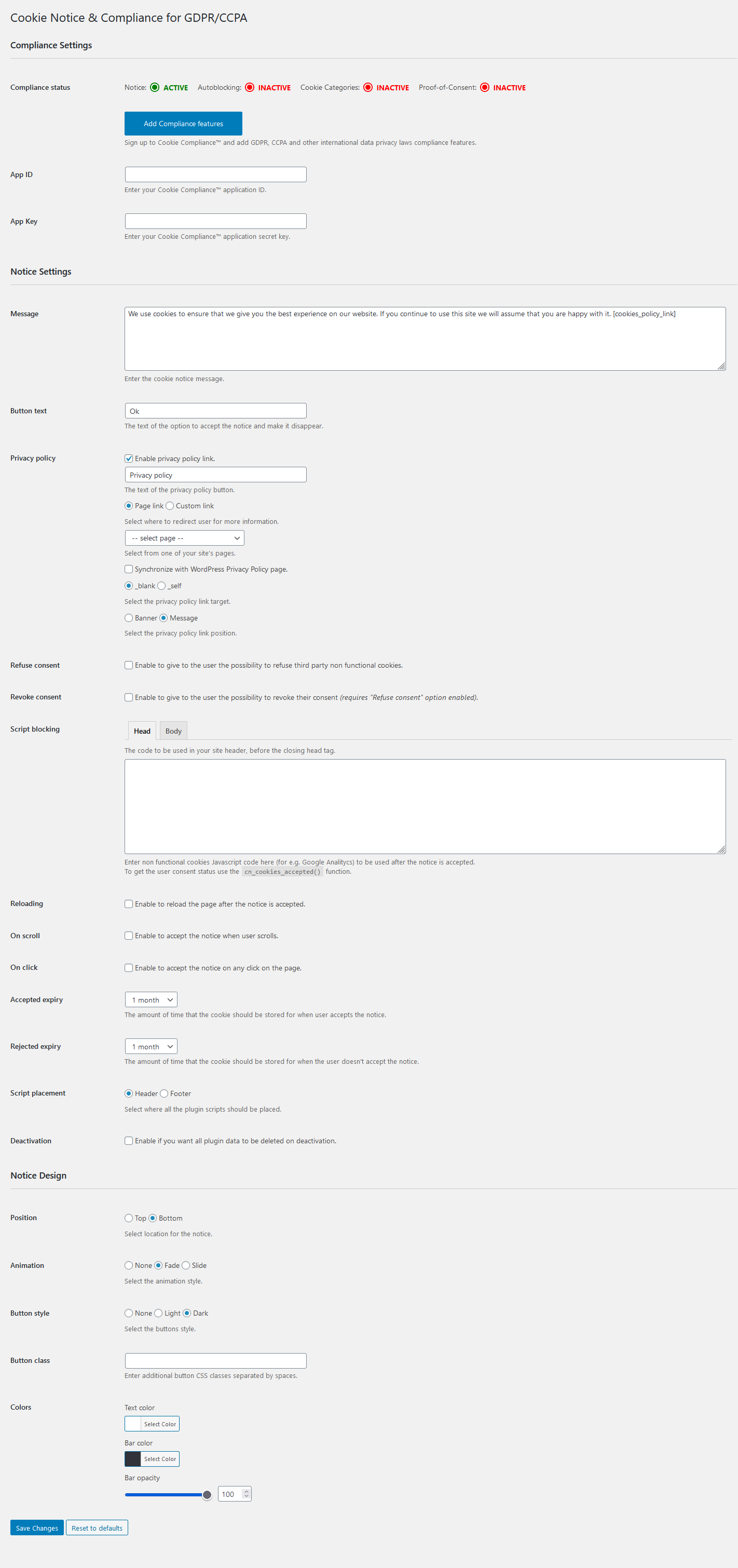
Compliance by Hu-manity.co — Notice settings, Compliance integration inactive
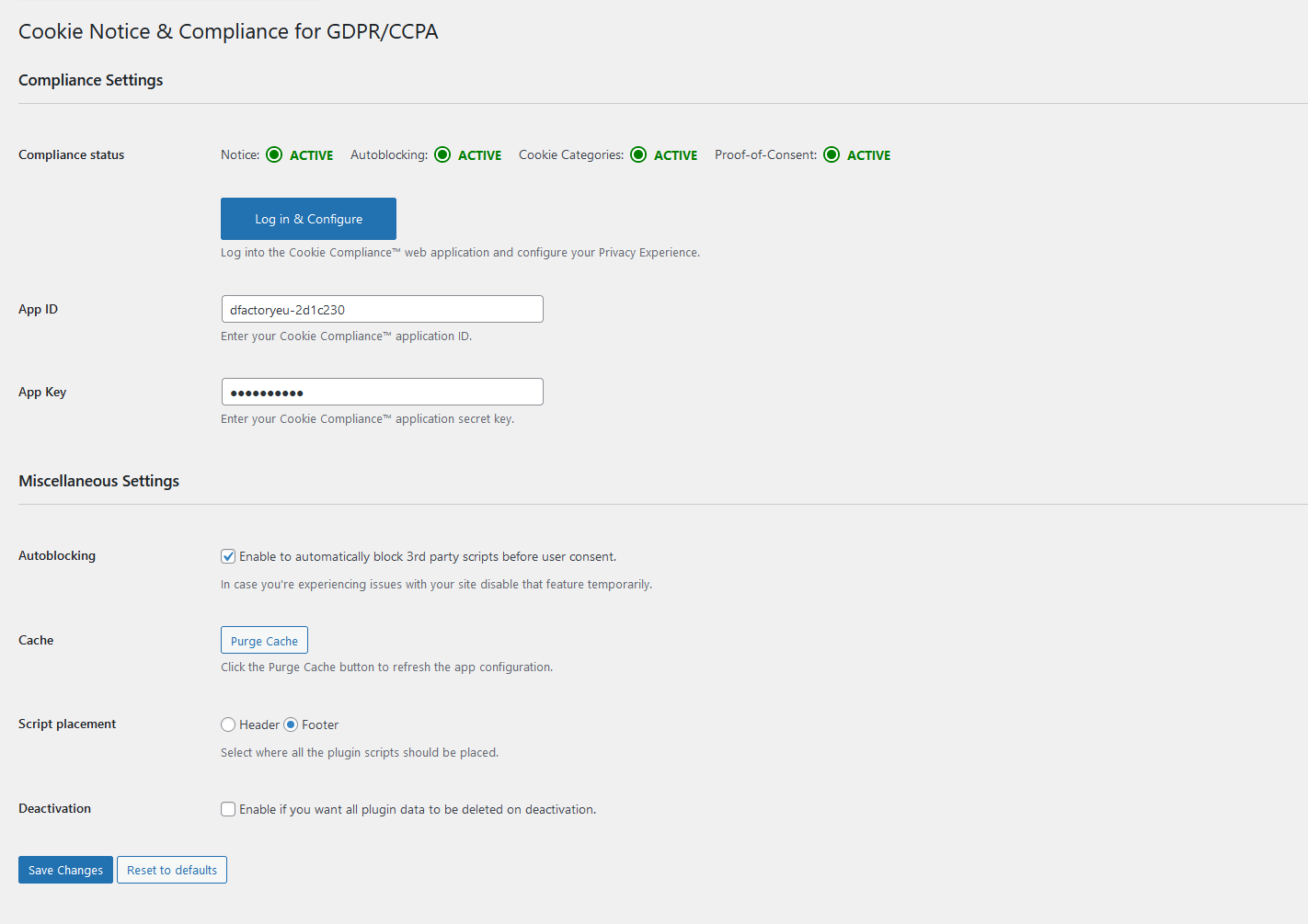
Compliance by Hu-manity.co — Notice settings, Compliance integration active
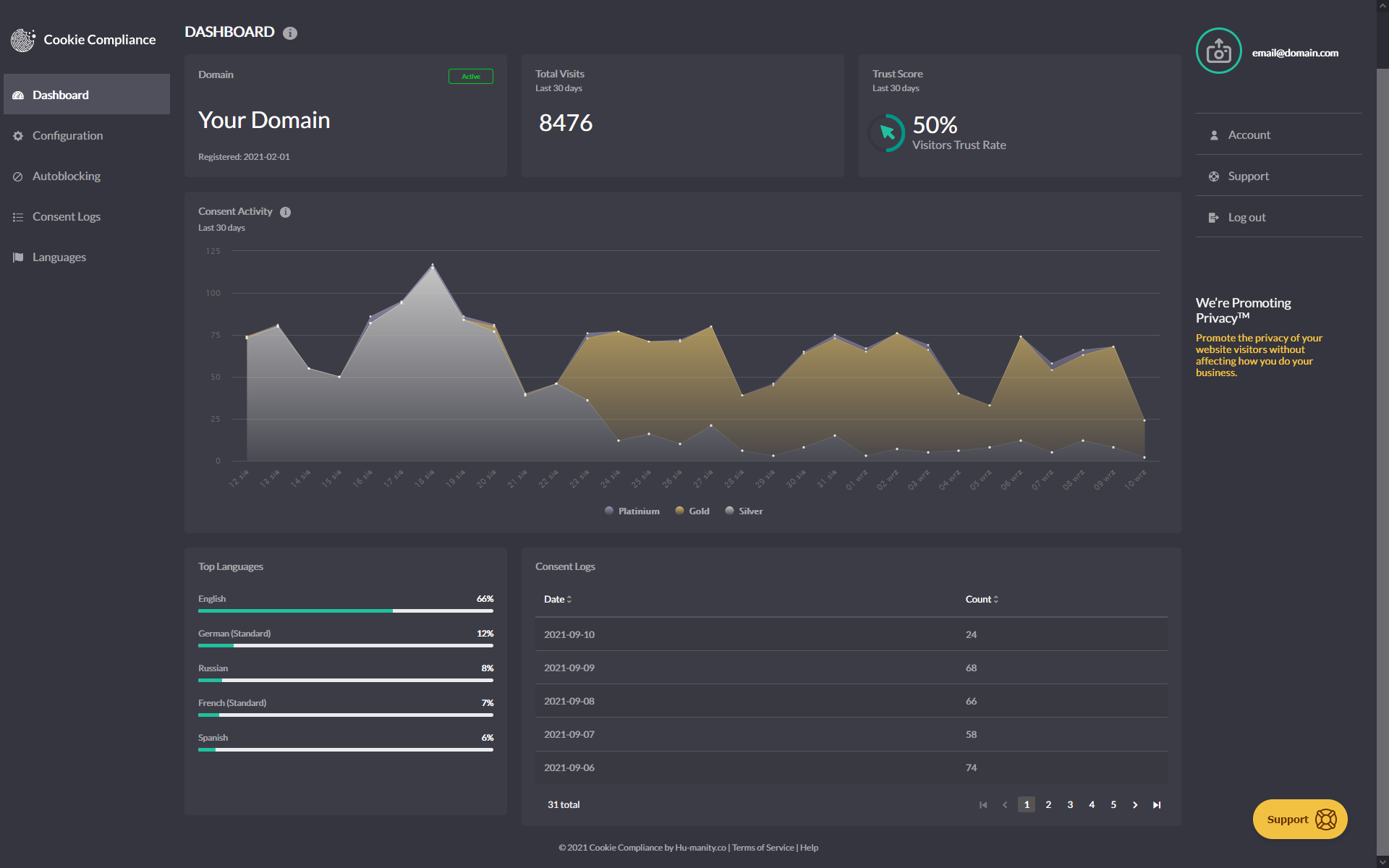
Cookie Compliance dashboard overview
Cookie Compliance settings
Image Widget is a simple plugin that uses the native WordPress media manager to add image widgets to your site.
Image Widget Features
- Responsive
- MU Compatible
- Handles image resizing and alignment
- Link the image
- Add title and description
- Versatile – all fields are optional
- Upload, link to external image, or select an image from your media collection
- Customize the look & feel with filter hooks or theme overrides
Quality You Can Trust
Image Widget is developed and maintained by The Events Calendar, the same folks behind The Events Calendar, Event Tickets, and a full suite of premium plugins.
This plugin is actively supported by our team and contributions from community members. If you see a question in the forum you can help with or have a great idea and want to code it up or submit a patch, that would be awesome! Not only will we shower you with praise and thanks, it’s also a good way to get to know us and lead into options for paid work if you freelance.
Pull Requests & Translations
Check us out on GitHub to pull request changes.
Translations can be submitted here on WordPress.org.
Documentation
The built in template can be overridden by files within your template.
Default vs. Custom Templates
The Image Widget comes with a default template for the widget output. If you would like to alter the widget display code, create a new folder called “image-widget” in your template directory and copy over the “views/widget.php” file.
Edit the new file to your hearts content. Please do not edit the one in the plugin folder as that will cause conflicts when you update the plugin to the latest release.
New in 3.2: You may now also use the “sp_template_image-widget_widget.php” filter to override the default template behavior for .php template files. Eg: if you wanted widget.php to reside in a folder called my-custom-templates/ and wanted it to be called my-custom-name.php:
add_filter('sp_template_image-widget_widget.php', 'my_template_filter');
function my_template_filter($template) {
    return get_template_directory() . '/my-custom-templates/my-custom-name.php';
}
Filters
There are a number of filters in the code that will allow you to override data as you see fit. The best way to learn what filters are available is always by simply searching the code for ‘apply_filters’. But all the same, here are a few of the more essential filters:
widget_title
This is actually a pretty typical filter in widgets and is applied to the widget title.
widget_text
Another very typical widget filter that is applied to the description body text. This filter also takes 2 additional arguments for $args and $instance so that you can learn more about the specific widget instance in the process of filtering the content.
image_widget_image_attachment_id
Filters the attachment id of the image.
Accepts additional $args and $instance arguments.
image_widget_image_url
Filters the url of the image displayed in the widget.
Accepts additional $args and $instance arguments.
THIS IS DEPRECATED AND WILL EVENTUALLY BE DELETED
image_widget_image_width
Filters the display width of the image.
Accepts additional $args and $instance arguments.
image_widget_image_height
Filters the display height of the image.
Accepts additional $args and $instance arguments.
image_widget_image_maxwidth
Filters the inline max-width style of the image. Hint: override this to use this in responsive designs 🙂
Accepts additional $args and $instance arguments.
Return null to remove this css from the image output (defaults to ‘100%’).
image_widget_image_maxheight
Filters the inline max-height style of the image.
Accepts additional $args and $instance arguments.
Return null to remove this css from the image output (defaults to null)
image_widget_image_size
Filters the selected image ‘size’ corresponding to WordPress registered sizes.
If this is set to ‘tribe_image_widget_custom’ then the width and height are used instead.
Accepts additional $args and $instance arguments.
image_widget_image_align
Filters the display alignment of the image.
Accepts additional $args and $instance arguments.
image_widget_image_alt
Filters the alt text of the image.
Accepts additional $args and $instance arguments.
image_widget_image_link
Filters the url that the image links to.
Accepts additional $args and $instance arguments.
image_widget_image_link_target
Filters the link target of the image link.
Accepts additional $args and $instance arguments.
image_widget_image_attributes
Filters a list of image attributes used in the image output. Similar to ‘wp_get_attachment_image_attributes’
Accepts $instance arguments
image_widget_link_attributes
Filters a list of attributes used in the image link. Similar to ‘wp_get_attachment_image_attributes’
Accepts $instance arguments
Have You Supported the Image Widget?
If so, then THANK YOU! Also, feel free to add this line to your wp-config.php file to prevent the image widget from displaying a message after upgrades.
define( ‘I_HAVE_SUPPORTED_THE_IMAGE_WIDGET’, true );
For more info on the philosophy here, check out our blog post
";s:12:"installation";s:541:"Install
Getting started with Image Widget is a breeze!
- Download and install the Image Widget plugin
- From your WordPress admin screen, select Plugins from the menu
- Activate the Image Widget plugin
- Go to Appearance > Widget to place the widget in your sidebar in the Design
If you run into any questions or have suggestions, please visit the forum to post questions or comments.
Requirements
- PHP 5.2 or above
- WordPress 3.5 or above
Visit the WordPress codex for help with login troubles.
Yes you can, however, this is not controlled through the Image Widget plugin directly – it is usually managed through a page-specific sidebar display.
There are several solutions available to accomplish this. A quick search for “WordPress page-specific sidebar display” can help you find the best option for your site.
Though we do not have a demo available, we do have screenshots available here.
These features are part of our Image Widget Plus plugin. You can learn more about Image Widget Plus on our website.
Please visit the forum to post questions or comments.
Make sure you are reporting in a safe and responsible way. We take security very seriously. If you discover a security issue, please bring it to our attention right away! Below you will find all the methods to report security vulnerabilities:
- Report security bugs through the Patchstack Vulnerability Disclosure Program
- Check our Bug Bounty Program
- Reach out directly to us on
security [at] stellarwp.com.
[4.4.12] 2026-04-20
- Security – Add escaping to image attributes.
[4.4.11] 2024-11-20
- Security – Prevent old Image URL from being misused for XSS attacks.
[4.4.10] 2023-05-30
- Fix – Prevent weird bugs around
widget_titlenot having all the expected arguments. - Tweak – Add documentation for a few filters.
[4.4.9] 2022-06-05
- Tweak – Updating WordPress compatibility, tested up to 6.6.2.
- Tweak – Remove references to Image Widget Plus and Notices.
[4.4.8] 2022-05-06
- Tweak – Updating WordPress compatibility.
[4.4.7] 2017-11-02
- Feature – Added new Link Title field and filter to improve tooltip (previously used alt text) (thanks @marklcm) [89993]
- Tweak – Added new
image_widget_option_defaultshook to improve customizability (props @svandragt) [#91225]
[4.4.6] 2017-09-12
- New – Added new filter
tribe_image_widget_instance_descriptionfor more control over how the description field is handled. - Fix – Prevent broken HTML in the “description” field that sometimes arose with certain user roles. Props to users @bridgetashley and @JoshRoy spotting this one!
[4.4.5] 2017-06-14
- Fix issue with image URLs in the widget admin interface [80659]
[4.4.4] 2017-06-01
- Tweak – Improve upsell notices display logic [78676]
4.4.3
- Fix – Fixed bug where selecting an image failed to trigger a Save & Publish in the Customizer (props to dsaric-dev for the fix)
- Tweak – Roll-back to sidebar_admin_setup to enqueue resources for optimal plugin compatibility (props to megamenu for the heads up)
4.4.2
- Fix – fixed compatibility with WordPress versions prior to 4.4
- Fix – proportional scaling of image within the widget editor
- Fix – fix validation by avoiding empty attributes and only specifying sizes with srcset (thanks Zodiak1978)
4.4.1
- Fix – fixed some broken links
4.4
- Feature – Add srcset and size attribute support (props @philwp)
- Tweak – Readme adjustments
- Tweak – Additional refinements to notice code.
4.3.1
- Tweak – Upgrade admin notice code
4.3
- Translations – fixed compatibility with translate.wordpress.org
- Translations – restored the pot file for easier community translations
- Tweak – fixed a typo
- Tweak – Minor code cleanup
4.2.2
- Feature – Include registered image sizes in the list of selectable items (props to aaemnnosttv for the pull request!)
4.2.1
- Feature – Removing Freemius. Interesting experiment, but ultimately, not our cup of tea. Thanks for sticking with us!
4.2
- Security – Prevent direct access to directories (thank you @ramiy)
- Translations – Remove po/mo files, migrate to translate.wordpress.org language packs
- Feature – Add support for the rel attribute
- Feature – Adding an opt-in integration with Freemius
4.1.2
- Tweak – Added support for an id attribute on links (Props to amyh for the work on this!)
4.1.1
- Tweak – Retiring the use of PHP 4 style constructors
4.1
- Remove accidentally deployed image size update.
4.0.9
- Fix image stretching bug in admin (Thanks @kyleunzicker)
- Add polish translation (thank you @difreo)
- Add hebrew translation (thank you Ariel Klikstein)
- Add german translation (thank you Daniel Schmidt)
- Fix “Alt” text in the widget source to use actual “Alt” text (thanks @adoliver and @Degas)
4.0.8
- Responsive support in honor of Josh Broton’s WordCamp SF talk about responsive design. max-width now defaults to 100%;
4.0.7
- Add Spanish translation (thank you @mzaweb)
4.0.6
- Rename all language files and implement a couple more minor language bug fixes a la @understandard
- Added support for the constant ‘I_HAVE_SUPPORTED_THE_IMAGE_WIDGET’ to turn off the message that appears after upgrading. (@crienoloog, i hope this puts a smile on your face.)
4.0.5
- Added Japanese (and fixed a minor language string bug – thank you @understandard)
- Added Arabic (thank you @modmenpc)
4.0.4
Super minor fix to enable saving of a blank caption. (thanks @crdunst)
4.0.3
Fixed javascript bug caused by log message.
4.0.2
Fix oversized screenshot.
4.0.1
Language updates:
- Brazilian Portuguese (Thank you @guhemama)
- Spanish (Thank you @javiandgo)
4.0
- Significant upgrades to support the new WordPress media manager (Thank you @kyleunzicker, @dancameron, @dudekpj, @JakePT)
- Significant improvements the administrative user interface.
- Abstracted support for older versions of WordPress so that that we don’t break old versions with this upgrade (Though there’s no reason you should up grade this widget and NOT your WP install! You should always keep WordPress core up to date!)
- Added ‘image_widget_link_attributes’ filter to easily process link attributes and to default to having the link ‘title’ be the ‘alt’ or ‘title’ content. (Thank you @ZeroGravity, @pixelyzed, and @javiandgo)
- Updated Translations
** Swedish (Tomas Lindhoff tomas@xhost.se)
** Dutch (Presis contact@presis.nl)
** Italian (@maxgx)
3.3.8
- Added italian translations courtesy of @maxgx
3.3.7
- Add filters so that people can more easily adjust the output of the widget as per @TCBarrett’s request.
3.3.6
- Czech translation courtesy of Vladislav Musilek at blogísek (http://blog.musilda.cz).
3.3.5
- Fix filtered media library inserts thanks to @miraclemaker as well as @oxyc, @BjornW and innumerable others in the support forum (https://wordpress.org/support/topic/plugin-image-widget-add-image-upload-an-image-select-insert-into-widget-no-image-is-shown)
- Adjusted HTTPS/SSL handling so that it’s only applied in the view. ( thanks @TheFluffyDoneky and @aerobrent )
- Added a filter for the image url: ‘image_widget_image_url’
- Add Dutch language translation ( thank you Carsten Alsemgeest – presis.nl )
- Rename all language files to lowercase image_widget to match the localization string.
3.3.4
- Fix javascript bugs in the widget admin UI. ( thanks for filing this @joo-joo )
- Fix notices in php error log.
- Add widget description filter $args and $instance ( thanks @jeffreyzinn )
- Fixed localization and renamed key to ‘image-widget’
3.3.3
- Romanian translation courtesy of Alexander Ovsov at Web Geek Science (http://webhostinggeeks.com).
3.3.2
- Remove extra esc_attr() from the $title display. (Thank you @romaspit)
3.3.1
- Add minor security updates.
- Update readme, thumbnails and other minor descriptors.
3.3
- Fix to allow the widget to work in the non-async (browser) uploader. Props Bjorn Wijers
3.2.11
- Yet another minor JS fix to hopefully address issues of lightbox not working
3.2.10
- Fix JS typo.
3.2.9
- Minor JS fix to hopefully address issues of lightbox not working
- Use new the new jQuery.fn.on method for forward compatibility.
3.2.8
- Minor bugfix courtesy of Takayuki Miyauchi (@miya0001)
- Polish translation courtesy of Łukasz Kliś
3.2.7
- Update javascript to work with the new version of WordPress (thanks Matt Wiebe!!! @mattwiebe)
- Added Japanese translation courtesy of Takayuki Miyauchi (@miya0001)
3.2.6
- Add HTTPS support courtesy of David Paul Ellenwood (DPE@SGS)
3.2.5
- Added Swedish translation courtesy of Tomas Lindhoff (@Tomas)
3.2.4
- Added javascript conflict prevention code thanks to @rcain.
3.2.3
- Added French translation courtesy of Dominique Corbex (@Domcox)
3.2.2
- Added Portuguese translation courtesy of Gustavo Machado
3.2.1
- Fix image widget public declaration bug.
3.2
- Abstract views for widget output and widget admin.
- Support theme override of the widget output! Now you can layout the widget however you’d like.
- Added filter to override template call.
3.1.6
- Fixed WordPress 3.0 bugs. (Thanks @kenvunz)
3.1.5
Fixed PHP 5 bug. Removed ‘public’ declaration. https://wordpress.org/support/topic/362167 Thanks @mpwalsh8, @jleuze, @PoLaR5, @NancyA and @phoney36
3.1.4
- Added support for ALT tags. If no alt tag is entered the title is used.
3.1.3
- Added German language support (Thank you Rüdiger Weiß!!!)
3.1.2
- Fix bug: XHTML Compliance (thanks HGU for offering a patch and thanks @webmasterlistingarts for filing the bug)
- Replaced
<p>with<div>in description to also improve XHTML compliance.
3.1.1
- Fix bug: php4 reported error: PHP Parse error: syntax error, unexpected T_STRING, expecting T_OLD_FUNCTION or T_FUNCTION or T_VAR or ‘}’ (thanks @natashaelaine and @massimopaolini)
3.0.10
- Fix bug: improve tab filters.
3.0.9
- Fix bug: update tabs filter to not kill tabs if upload window is for non widget uses.
3.0.8
- Remove the “From URL” tab since it isn’t supported.
- Replace “Insert into Post” with “Insert into Widget” in thickbox.
3.0.7
- Fix Dean’s Fcuk editor conflict. (Thanks for the report Laurie @L_T_G)
- Fix IE8 bug (Remove extra comma from line 66 of js – thanks for the report @reface)
- Update functions and enqueued scripts to only trigger on widget page.
3.0.6
- Fix crash on insert into post.
3.0.5
Thank you @smurkas, @squigie and @laurie!!! Special thanks to Cameron Clark from http://prolifique.com a.k.a @capnhairdo for contributing invaluable javascript debugging skills and throwing together some great code.
- PHP4 compatibility
- Tighter integration with the thickbok uploader attributes including caption, description, alignment, and link
- Tighter image resize preview
- Add Image link becomes “Change Image” once image has been added
3.0.4
- Minor description changes
3.0.3
- Fixed the broken “Add Image” link (THANK YOU @SMURKAS!!!)
3.0.2
- Added PHPDoc comments
- Temporarily fixed install bug where no image is saved if resize is not working. (thank you Paul Kaiser from Champaign, Il for your helpful QA support)
3.0.1
- Added ‘sp_image_widget’ domain for language support.
3.0
- Completely remodeled the plugin to use the native WordPress uploader and be compatible with WordPress 2.8 plugin architecture.
- Removed externalized widget admin.
2.2.2
- Update
- to be $before_widget and $after_widget (Thanks again to Lois Turley)
2.2.1
- Update
<div>to be<li>(Thanks to Lois Turley)
2.2
- Fixed missing DIV close tag (Thank you Jesper Goos)
- Updated all short tags to proper php tags (Thank you Jonathan Volks from Mannix Marketing)
2.1
- Link Target
2.0
- Multi widget support
- WP 2.7.1 Compatibility
- Class encapsulation
Image Widget admin screen.
Media manager integration.
Image Widget on the front of a plain WordPress install.
Loco Translate provides in-browser editing of WordPress translation files and integration with automatic translation services.
It also provides Gettext/localization tools for developers, such as extracting strings and generating templates.
Features include:
- Built-in translation editor within WordPress admin
- Integration with translation APIs including DeepL, Google, Lecto, Microsoft and OpenAI.
- Create and update language files directly in your theme or plugin
- Extraction of translatable strings from your source code
- Native MO file compilation without the need for Gettext on your system
- JSON (Jed) file compilation compatible with WordPress script localization
- Support for standard PO features including comments, references and plural forms
- PO source view with clickable source code references
- Protected language directory for saving custom translations
- Configurable PO file backups with diff and restore capability
- Built-in WordPress locale codes
Official Loco WordPress plugin by Tim Whitlock.
For more information please visit our plugin page.
Keyboard shortcuts
The PO file editor supports the following keyboard shortcuts for faster translating:
- Done and Next:
Ctrl ↵ - Next string:
Ctrl - Previous string:
Ctrl - Next untranslated:
Shift Ctrl - Previous untranslated:
Shift Ctrl - Copy from source text:
Ctrl B - Clear translation:
Ctrl K - Toggle Fuzzy:
Ctrl U - Save PO / compile MO:
Ctrl S - Toggle invisibles:
Shift Ctrl I - Suggest translation:
Ctrl J
Mac users can use ⌘ Cmd instead of Ctrl.
";s:12:"installation";s:1481:"Basic usage:
Translators: To translate a theme into your language, follow these steps:
- Create the protected languages directory at
wp-content/languages/loco/themes - Ensure this directory writeable by the web server
- Find your theme in the list at Loco Translate > Themes
- Click
+ New languageand follow the on-screen prompts.
Developers: To translate your own theme or plugin for distribution, follow these steps:
- Create a
languagessubdirectory in your bundle’s root directory - Ensure this directory writeable by the web server
- Find the bundle at either Loco Translate > Themes or Loco Translate > Plugins
- Click
+ Create templateand follow the on-screen prompts to extract your strings. - Click
+ New languageand follow the on-screen prompts to add your own translations.
Installing manually:
- Unzip all files to the
wp-content/plugins/loco-translatedirectory - Log into WordPress admin and activate the ‘Loco Translate’ plugin through the ‘Plugins’ menu
- Go to Loco Translate > Home in the left-hand menu to start translating
More information on using the plugin is available here.
";s:3:"faq";s:1439:"Please visit the FAQs page on our website for the most common issues.
Try our Guides and Tutorials.
If you have a problem using Loco Translate, please try our help pages.
There’s a lot of information there to help you understand how it works and the most common pitfalls to avoid.
To report a bug please start a new topic in the support forum,
but please check the FAQs for similar issues first.
If you decide to submit a bug report please post enough relevant detail for us to reproduce your issue.
We don’t collect your data or track you. See the plugin privacy notice.
";s:9:"changelog";s:21542:"2.8.3
- Bumped WordPress compatibility to 6.9.4
- Additional restrictions on viewing source code refs
- Fix for CVE-2026-4146: Thanks Jack Pas (Dark.)
2.8.2
- Fix for LLMs retaining escaped forward slashes
- Bumped WordPress compatibility to 6.9.1
- New security features for viewing source code refs:
-
- Access permission via
code_viewsetting
- Access permission via
-
- JSON schemas must validate as blocks|theme.json
-
- PHP/JS sources must contain extractable strings
2.8.1
- DeepL uses
quality_optimizedwithloco_deepl_modelfilter - DeepL beta languages enabled when next-gen model is used
http_request_timeoutfilter returns maximum value- Splitting chat completion jobs into maximum 5KB batches
- Added support for other chat completion APIs via
vendorconfig field - Fixed single colon usage bug during chat completions
- Autoloader no longer throws when Loco_ class not found
- Refreshing Ajax nonces on WordPress heartbeat
- Bumped WordPress compatibility to 6.9
2.8.0
- Bugfix for PHP 8.0 compatibility
- Dropped support for PHP < 7.4
2.7.3
- PHP 8.4 compatibility
- Bumped WordPress compatibility to 6.8.1
2.7.2
- DeepL client moved to back end, because CORS
- Rolled in support for OpenAI / ChatGPT translation
- Workaround for JSON file references with no line number
- Bumped WordPress compatibility to 6.7.2
2.7.1
- Debug logging of unloaded domains reduced to a summary
2.7.0
- Raised minimum requirements to WordPress 6.6
- Minimum PHP version becomes 7.2.24 as per WordPress 6.6
- Locale-filtered bundle list now searches for base language
- Loading helper forcefully removes prematurely loaded text domains
- Machine translation hooks now have access to message context
- Persistent UI state for code view and invisible character modes
2.6.14
- Critical fix: A relative path passed to
load_textdomainno longer throws exception.
2.6.13
- Fix for direct calls to load_textdomain with custom paths
- This resolves a regression in 2.6.12
2.6.12
- Major fix to custom load_textdomain loader. Works when original file is absent
- Fixed bug in template comparison when JSON files need to be merged
- CSS fixes including reinstating of unsaved “star” icon
- Domain listener fixed for JIT loading
- Bumped WordPress compatibility to 6.7
2.6.11
- Removed accidental console trace
- Bumped WordPress compatibility to 6.6.0
- Added lang_dir_for_domain fix to handle system file absence
2.6.10
- Added loco_api_provider_{id} filter
- JSON compiler observes configured .js aliases
- Fixed a missing security check – thanks Nosa Shandy
- Added .blade.php tokenizer hack
- Bumped WordPress compatibility to 6.5.4
2.6.9
- Rolled back load helper changes
- Moved debug messages to action hooks
- String debugger improvements
2.6.8
- Added string debugger
- Added Zip download button instead of MO
- Added debug messages about premature domain loading
- Added warning when system translations not installed
- Compiler avoids writing empty JSON translation files
- UI promotes PO copy over msginit/xgettext routes
- Populating msginit fields when copying a PO
- Bumped WordPress compatibility to 6.5.3
2.6.7
- WordPress 6.5.0 compatible
- Support for performant translation files in PHP format
- Added block.json and theme.json extraction
- Added theme pattern files to php string extractor
- Fixed a bug where unused plural forms were counted as untranslated
- Replaced CSS .notice with .panel to mitigate nag-blocker problems
- Removed bundle debug screen (deprecated since 2.6.5)
- Workaround for absent “source” references in JED files
- Extension polyfills now restricted to Loco admin screens.
2.6.6
- Replaced open_basedir check with error capturing
2.6.5
- Added syntax checking function
- Removed deepl_api_url config. Free API detected from :fx key suffix.
- Fixed bug in relative path calculations
- Fixed API suggestions for plural forms
- Fixed bug clearing unsaved state icons
- Added total strings count to PO file tables
- Sharper flags and spinners (@x2 pixel support)
- Handling upload_tmp_dir values outside of open_basedir
- Suppressing E_WARNING when testing file is_readable
- Bundle debug screen is deprecated (moving into Setup)
- Showing System Diagnostics when debug is off
- Bumped WordPress compatibility to 6.3.1
2.6.4
- Bumped WordPress version to 6.1.1
- Dropped support for Internet Explorer
- Updated JavaScript to ECMAScript 6
- Added
loco_bundle_configuredhook - Fixed error icon not clearing after correction
2.6.3
- Fixed bug in plural forms comparison
- Fixed bug generating author theme jsons
- Fixed errors in bundle debugger
- Extended cli type argument to filter specific bundle
- Bumped WordPress version to 6.0.3
2.6.2
- Bumped WordPress version to 6.0.0
- Better labelling of reverse-engineered plural forms
- Removed undocumented loco_locale_plurals filter; use loco_po_headers
- Added PO folder location indicator in breadcrumb
- Added syntax validation for formatted strings
2.6.1
- Bumped WordPress version to 5.9.2
- Fix for CVE-2022-0765 reported by Taurus Omar via wpscan
2.6.0
- Dropped support for WordPress < 5.2
- Code upgrades for >= PHP 5.6.20
- Bumped WordPress version to 5.9.1
- Removed Yandex API integration
- Added loco_compile_script_reference filter
- Plural-Forms retained when copying PO to same language
2.5.8
- Compatible with PHP 8.1
- Bumped WordPress version to 5.9
- Added deprecation warning prior to v2.6
2.5.7
- Fixed bug in 2.5.6 where remote APIs could not be used in batch mode
- Enforcing 10k character limit per request for Microsoft and Yandex Translators
- Style fix for revision/diff table under restore tab
2.5.6
- Added loco_api_provider_source filter
- Fixed bug loading user preferences saved in older version
- Refactored file finder to avoid recursive function calls
- Fixed bug displaying two forms for zero plural languages
- Added Lecto AI to translation API providers
- Bumped WordPress version to 5.8.3
2.5.5
- Fixed double file extension vulnerability reported by WordFence
- Better performance when scanning directories for file types
2.5.4
- Fixed vulnerability reported by Tomi Ashari via wpscan
- Added filters loco_po_headers and loco_pot_headers
- Bumped WordPress version to 5.8.1
2.5.3
- Adds option to merge JSON translations when syncing from PO
- Adds screen for editing file headers and sync options
- Fix for missing responseText in failed Ajax responses
- Fix for HTML entities returned from
number_format_i18n - Localized number formatting in JavaScript
- Replaced usage of date_i18n with wp_date
- Added configurable API endpoint for DeepL
- Bumped WordPress version to 5.7.2
2.5.2
- Added implied formality and loco_locale_formality filter
- Added cli fetch command (experimental)
- Bumped WordPress version to 5.7
2.5.1
- Support for new Yandex translate API
- Support for DeepL formality parameter
- Removed literal “1” and “one” instances from singular strings
- Buffering compiled JSON to support strings from multiple sources
- Added
loco_compile_single_jsonfilter for specifying custom JSON - Added
loco_extracted_templatehook for adding custom strings - Sync no longer removes the editor’s current text filter
- Bumped WordPress version to 5.6.2
2.5.0
- PHP 8.0.0 compatibility
- Bumped WordPress version to 5.6.0
- Added JSON translation file generation
- Added custom JSON loading to LoadHelper
- Disabled emoji image replacement on our admin screens
2.4.6
- Fixed critical bug syncing PO directly to source code
- Added plugin setting for allowing/disallowing missing POT
- Fixed WP5.5 issue with multiple ID attributes on script tags
2.4.5
- Added WP-CLI sync and extract commands
- Fixed {locale} placeholder bug introduced in 2.4.4
- Improved handling of invalid character encodings
- Sync (msgmerge) moved to back end
- New fuzzy matching with fuzziness setting
- Bumped WordPress version to 5.5.3
2.4.4
- Added PO file upload feature
- Added download button to file info page
- Fix for extracting plurals also used as singulars
- Updating API keys no longer require editor page reload
- Catching fatal startup errors in loco.php
- Supporting max_php_size=0 to mean no size restriction
- Auto-update detection now checks new site options
- Bumped WordPress version to 5.5.1
2.4.3
- Improved fix for default syncing of msgstr fields
- Reverted accidental removal of js debug flag
- Minor fixes to API error messages
- Removed use of jQuery.browser
- Bugfix for new preferences in usermeta
2.4.2
- Added loco_file_written hook
- Improved script tampering warning
- Added keypress for selecting auto-suggestion
- Sync no longer copies msgstr fields by default
- Style tweaks for WordPress 5.5
2.4.1
- Fixed mapping of some API languages
- Added locale filter to user preferences
- Added debugging for credential form failures
- Fixed deprecated use of array_key_exists
- Added DeepL API service provider
- Improved script tampering detection
- Bumped WordPress version to 5.5
- Added “modern” skin styles
2.4.0
- Added support for third party translation APIs
- Added file references to editor source pane in code view
- Added fuzzy matching during editor Sync operation
- Style changes including rearrangement of editor buttons
- Elevated warnings when scripts are tampered with
- Removed remnants of legacy version 1.x
2.3.4
- Updated translatable strings
- Added missing template recommendation
- Alerting in debug mode when scripts are tampered with
- Fix for Hello Dolly being installed into a folder
- Removed translation column in POT edit mode
- Added setting to prevent ‘translating’ of POT files
- Enabled some linkable translations using wp_kses
- Bumped WordPress version to 5.4.1
2.3.3
- Fixed fatal error when class not found
2.3.2
- Removed login/email from default Last-Translator credit
- Bumped WP compatibility to 5.4
- Fixed PHP 7.4 deprecations
2.3.1
- Default POT getter now looks in “lang” directory
- Not calling deprecated magic quotes functions under PHP 7.4
- Fixed issue with conflicting page hooks
- Ajax file uploads now enabled by default
- Removed legacy option migrations from 1.x branch
- Bumped WP compatibility to 5.2.4
2.3.0
- Added experimental support for multipart uploads
- Added relocation tab for moving translation sets
- Creation of missing directories when writing new files
- Fixed duplicate file addition when iterating over symlink
- Bumped WP compatibility to 5.2.1
2.2.2
- Security fixes as per exploit-db 46619
- Fixed old PHP version error in data files
- Bumped WP compatibility to 5.1.1
2.2.1
- Fixed bug where plural tabs not displaying RTL
- Various improvements to PO parser incl. better charset handling
- Excluding node_modules and vendor directories by default
- Transients now have maximum lifespan of 10 days, refreshed after 24h
- Symlink fix for followed theme paths detected outside theme
- Deprecated config repository lookup
- Bumped WP compatibility to 5.1
2.2.0
- Fix for empty language code when getting plural rules
- Added X-Loco-Version header to generated Gettext files
- Added sanity check for mbstring.func_overload madness
- Added “Assign template” link on missing template page
- Added JavaScript string extraction (experimental)
- Editor supports sprintf-js when javascript-format tag present
- Fix for duplicate comments when end punctuation differs
- Marking msgctxt more clearly in editor views
- Added
loco_admin_shutdownaction hook - Bumped WP compatibility to 5.0 (beta)
2.1.5
- Updated locale data
- Minor fix to file reference resolution
- Fixed windows paths with trailing backslash
- Fixed ssh-keys toggling issue
- Rejigged buffer handling during Ajax
- Bumped WP compatibility to 4.9.8
2.1.4
- Bumped WP compatibility to 4.9.6
- Hooked in privacy policy suggestion
2.1.3
- Added loco_locale_name filter and updated locale data
- Fixed editor column sorting to update as values change
- Supporting RTL text in editor preview rows
- Minor refactor of debug mode routing check
- Minor PO parser improvements
- Bumped WP compatibility to 4.9.5
2.1.2
- Fixed undeclared property in admin hook
- Fixed incompatibility with older WordPress
- Fixed incorrect millisecond reporting in footer
- Removed locale progress column for en_US locale
- Tweaks to debugging and error logging
2.1.1
- Setting
Project-Id-Versionon new POT files - Added source view to quick links in file tables
- Supporting only WordPress style locale codes
- Editor screen tolerates missing PO headers
- Ajax debugging improvements for issue reporting
- Added loco_parse_locale action callback
2.1.0
- Add
fs_protectsetting to avoid overwriting system files - Fixed bug in connect dialogue where errors not redisplayed
- Minor improvements to inline notices
- Removed downgrade notice under version tab
- Fixed extraction bug where file header confused with comment
- Resolved some inconsistencies between PHP and JS utilities
- Added Restore tab with diff display
- Added
loco_settingshook - Prevented editor from changing PO document order
- Added default string sorting to extracted strings
- Added “Languages” section for grouping files by locale
- Fixed bug where translations loaded before user profile language set
- Added loco_locale_plurals filter for customising plural rules
- Allowing PO files to enforce their own Plural-Forms rules
- Added
loco_allow_remotefilter for debugging remote problems - Updated plural forms from Unicode CLDR
- PHP extractor avoids repeated comments
- Bumped WP compatibility to 4.9.4
2.0.17
- Unofficial languages showing in “Installed” dropdown
- Fixed extraction bug where comment confused with file header
- Fixed issue where src attributes requested from server during HTML strip
- Added loco_admin_init hook into ajax router for consistency
- Added warning on file info page when file is managed by WordPress
- Minor help link and layout tweaks
- Bumped WP compatibility to 4.9.1
2.0.16
- File writer observes wp_is_file_mod_allowed
- Fixed progress bug in editor for locales with nplurals=1
- Made plural form categories translatable for editor UI
- Sync-from-source raises warning when files are skipped
- Added hack for extracting from .twig as per .php
- Added warning when child themes declare parent text domain
- Added option to control PO line wrapping
- Bumped WP compatibility to 4.8.2
2.0.15
- Permanently removed legacy version 1.x
- Fixed bug where editor code view was not redrawn on resize
- Fixed bug where fuzzy flag caused format flag to be ignored
- Fixed bug where autoloader responded to very long class names
- Purging WP object cache when active plugin list changes
- Added experimental source word count into POT info tab
- Bumped WP compatibility to 4.8.1
2.0.14
- Editor improvements inc. column sorting
- Added warnings that legacy version will be removed
- Added PO source view text filtering
- Added _fs_nonce for 4.7.5 compatibility
- Migrated to canonical text domain
- Removed wp class autoloading
2.0.13
- CSS conflict fixes
- Added option for UTF-8 byte order mark
- Printf highlighting observes no-php-format flag
- Fixed issue with translator role losing “read” permission
2.0.12
- Minor fix for root path configs
- Added alternative PHP extensions setting
- Bumped WP version to 4.7.3
- LoadHelper fix for core files
- Allow revoking of permissions from translator role
- Allow network admins to deny access to site admins
2.0.11
- Extra debug logging and error diagnostics
- Forcefully clear output buffers before Ajax flush
- Bumped WordPress version to 4.7
- Experimental wildcard text domain support
2.0.10
- Allows missing domain argument in plugin_locale filter
- Reverted editor changes that disabled readonly text
- Added invisibles and coding editor switches
- Added table filtering via text query
- Added Last-Translator user preference
2.0.9
- Bumped minimum WordPress version to 4.1
- Some optimisation of transient caching
- Fixed hash table settings bug
2.0.8
- Source refs fix for files in unknown subsets
- Downgrades PO formatting exceptions to PHP warnings
- Renamed function prefixes to avoid PHP 7 warnings
- Better support for php-format and no-php-format flag
- PO source and editor UI tweaks
- Localised strings and implemented in js
2.0.7
- Fixed prototype.js conflict
- More Windows file path fixes
- Added loco_current_translator filter
- Fixed false positive in extra files test
2.0.6
- PO wrapping bugfix
- Downgraded source code bugfix
- Tolerating headerless POT files
- Core bundle metadata tweaks
2.0.5
- Deferred missing tokenizer warning
- Allows editing of files in unconfigured sets
- Added maximum PHP file size for string extraction
- Display of PHP fatal errors during Ajax
2.0.4
- Reduced session failures to debug notices
- Added wp_roles support for WP < 4.3
- Fixed domain listener bugs
2.0.3
- Added support for Windows servers
- Removed incomplete config warning on bundle overview
2.0.2
- Fixed bug when absolute path used to get plugins
- Added loco_plugins_data filter
- Added theme Template Name header extraction
- Minor copy amends
2.0.1
- Added help link in settings page
- Fixed opendir warnings in legacy code
- Catching session errors during init
- Removing meta row link when plugin not found
2.0.0
- First release of completely rebuilt version 2
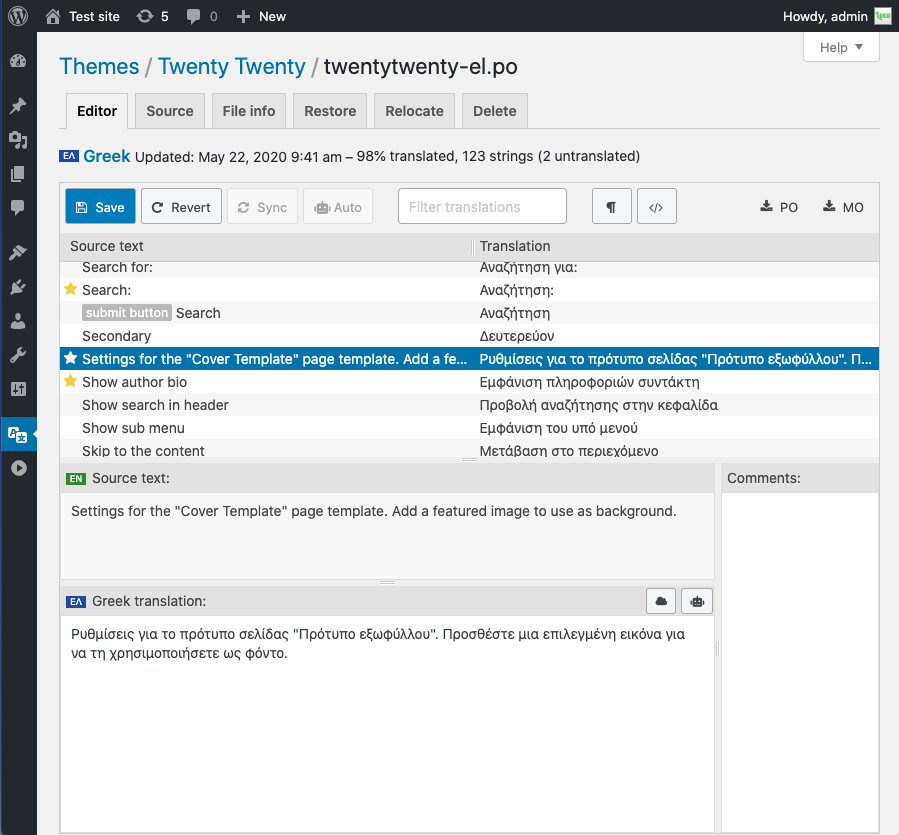
Translating strings in the browser with the Loco PO Editor
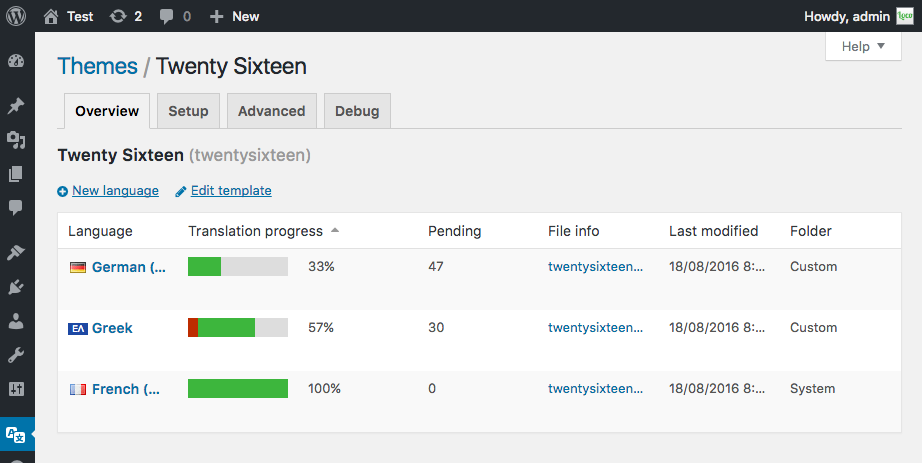
Showing translation progress for theme language files
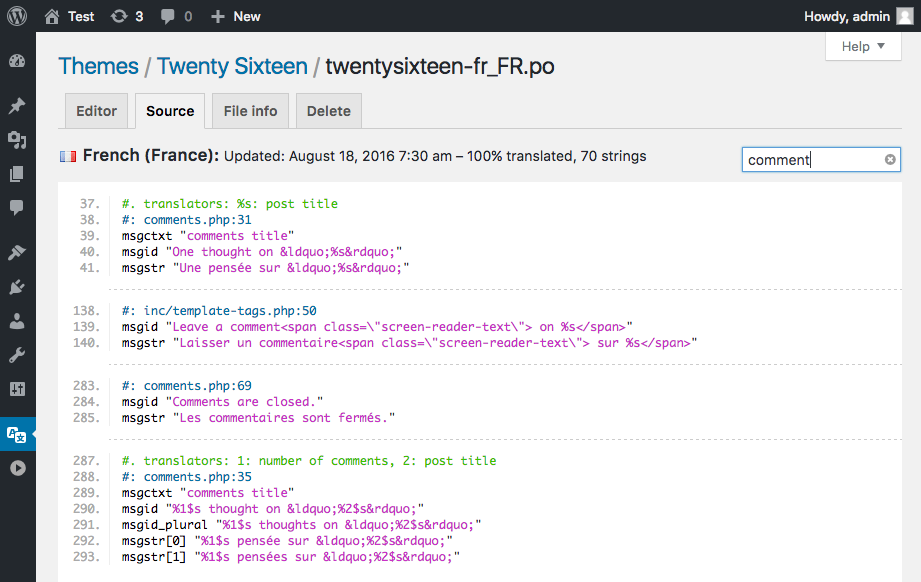
PO source view with text filter and clickable file references
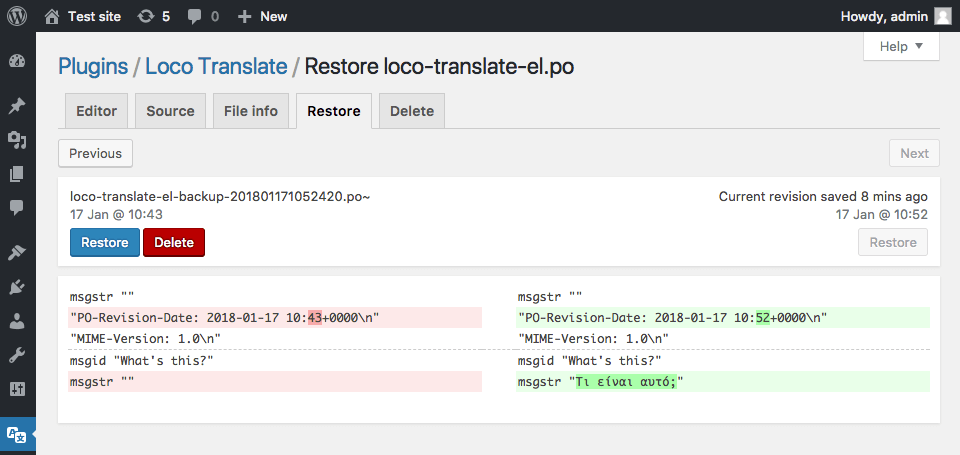
Restore tab showing PO diff view with revert function
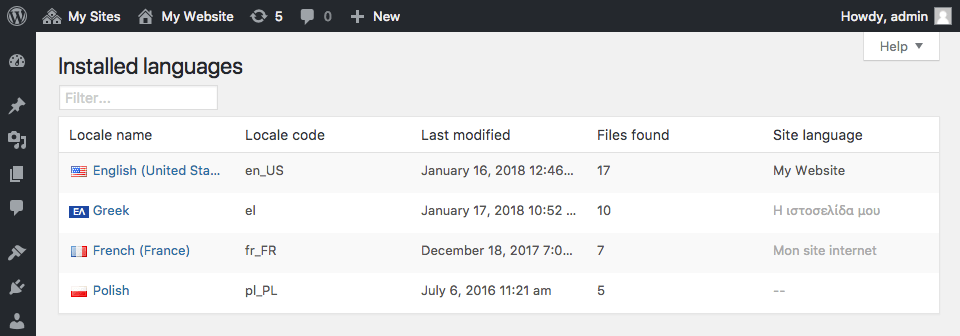
Showing access to translations by installed language
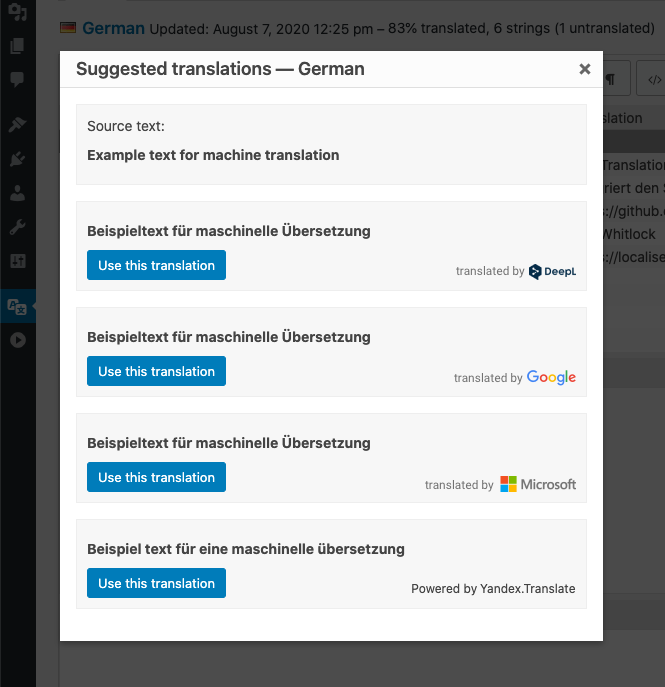
Suggestion feature showing results from several providers
With Polylang fully integrated to WordPress and using only its built-in core features (taxonomies), keep steady performances on your site and create a multilingual site featuring from just one extra language to 10 or more depending on your needs. There is no limit in the number of languages added and WordPress’ language packs are automatically downloaded when ready.
Features
Depending on the type of site you have built or are planning to build, a combination of plugins from the list below might be of interest.
All plugins include a wizard allowing to setup them in just a few clicks.
Polylang
Polylang and Polylang Pro share the same core providing features such as:
- Translating posts, pages, media, categories, post tags, custom post types and taxonomies, RSS feeds; RTL scripts are supported.
- The language is either set by the language code in URL, or you can use a different sub-domain or domain per language.
- Automatic copy of categories, post tags and other metas when creating a new post or page translation.
- Translating classic menus and classic widgets. Also accessible with Site Editor Classic Features in block themes.
- Customizable language switchers available as blocks, classic widget or classic navigation menu item.
- Compatibility with Yoast SEO.
Polylang Pro
Helps optimizing the time spent translating your site with some very useful extra features such as:
- Better integration in the new Block Editor.
- Language options available in the widget block editor.
- Template parts translatable in the site editor (FSE).
- Duplicate and/or synchronize content across post translations.
- Improved compatibility with other plugins such as ACF Pro.
- Share the same URL slug for posts or terms across languages.
- Translate URL slugs for categories, author bases, custom post types and more…
- Machine translation with DeepL.
- Export and import of content in XLIFF format for outsourced professional translation.
- Access to a Premium Support for personalized assistance.
Polylang for WooCommerce
Add-on for the compatibility with WooCommerce which provides features such as:
- Translating WooCommerce pages (shop, check-out, cart, my account), product categories and global attribute terms directly in the WooCommerce interface.
- Translating WooCommerce e-mails and sending them to customers in their language.
- Products metadata synchronization.
- Compatibility with the native WooCommerce CSV import & export tool.
- Compatibility with popular plugins such as WooCommerce Subscriptions, Product Bundles, WooCommerce Bookings, Shipment Tracking and more.
- Ability to use the WooCommerce REST API (available with Polylang Pro).
- Access to a Premium Support for personalized assistance.
Our other free plugins
- WPML to Polylang allows migrating from WPML to Polylang.
- Site Editor Classic Features allows to use classic widgets (including the Polylang language switcher) and menus in the site editor (FSE).
Credits
Thanks a lot to all translators who help translating Polylang.
Thanks a lot to Alex Lopez for the design of the logo.
Most of the flags included with Polylang are coming from famfamfam and are public domain.
Wherever third party code has been used, credit has been given in the code’s comments.
- Make sure you are using WordPress 6.5 or later and that your server is running PHP 7.4 or later (same requirement as WordPress itself).
- If you tried other multilingual plugins, deactivate them before activating Polylang, otherwise, you may get unexpected results!
- Install and activate the plugin as usual from the ‘Plugins’ menu in WordPress.
- The setup wizard is automatically launched to help you get started more easily with Polylang by configuring the main features.
- First time users should read Polylang – Getting started, which explains the basics and includes a lot of screenshots.
- Read the documentation. It includes a FAQ and the documentation for developers.
- Search the community support forum. You will probably find your answers here.
- Read the sticky posts in the community support forum.
- If you still have a problem, open a new thread in the community support forum.
- Polylang Pro and Polylang for WooCommerce users have access to our premium support through helpdesk.
- You need Polylang for WooCommerce, premium addon described above, which will make both plugins work together.
- Please report security bugs found in the source code of the Polylang plugin through the Patchstack Vulnerability Disclosure Program. The Patchstack team will assist you with verification, CVE assignment, and notify the developers of this plugin.
3.8.2 (2026-04-07)
- Pro: Fix refresh issues in block editor languages panel #2965
- Pro: Fix error when unlinking 2 translations in bkock editor #2970
- Pro: Fix fatal error when a repeater is previously created in ACF Pro but ACF is active #2972
- Fix settings redirect in Playground #1840
- Fix possible fatal error when the default language has been corrupted in DB #1843
3.8.1 (2026-03-19)
- Fix fatal error when the cache is suspended #1837 #1839
3.8 (2026-03-17)
- Requires PHP 7.4 and WP 6.5 as minimum version
- Pro: Use autonomous updater #2475
- Pro: Add capabilities allowing to control permissions per language
- Pro: Add capabilities to control access to languages and strings translations
- Pro: Allow to manage languages and settings with WP CLI #2653
- Pro: Add smart duplication in site editor #2559
- Pro: Add support for DeepL glossaries #2687
- Pro: Add locale fallback support to machine translation #2685
- Pro: Add Support encoding for block attributes in wpml-config.xml #1683, #2660
- Pro: Improve extensibility of the block editor languages panel #2553
- Pro: Add support for new blocks introduced in WP 7.0 #2933 #2941
- Pro: Hide language selector on inner blocks in Widget Block Editor #2900
- Pro: Fix page template not copied when creating a new page translation in the block editor #2581
- Pro: Fix SVG icons lost when using machine translation
- Pro: Fix a performance issue with the translation of ACF labels #2670
- Pro: Fix product status wrongly modified when updating a product with the REST API #2540
- Pro: Fix inactive languages not displayed when they should in REST API #2791
- Pro: Fix translation of ACF repeaters with pagination #2674
- Pro: Fix ACF’s layout fields instructions #2889
- Pro: Fix ACF’s taxonomy fields not synchronized #2948
- Pro: Fix event dates of The Events Calendar not duplicated #2894
- Add language switcher block and navigation language switcher block #1811
- Add support for multiple encodings in wpml-config.xml #1679, #2655
- Enforce transients in DB and in object cache are synchronized #1653, #2598
- Enforce passing all translations when saving the translations of a post or term #1690
- Hide the admin language filter when editing posts #1698
- Improve performance by preventing DB queries to fetch the language terms #1650
- Fix edge cases where the translation group could be corrupted #1690
- Fix a fatal error on multisite when saving a post after having switched to a site without Polylang #1700
- Fix a fatal error when translating a custom table #1730
- Fix warning when requesting a non-existing language #1665
- Fix strings translations import with WP Importer #1637
- Fix edge cases leading to wrong languages order #1777
- Fix a fatal error with the plugin Groups #1834
See changelog.txt for older changelog
";s:11:"screenshots";s:983:"
The Polylang languages admin panel
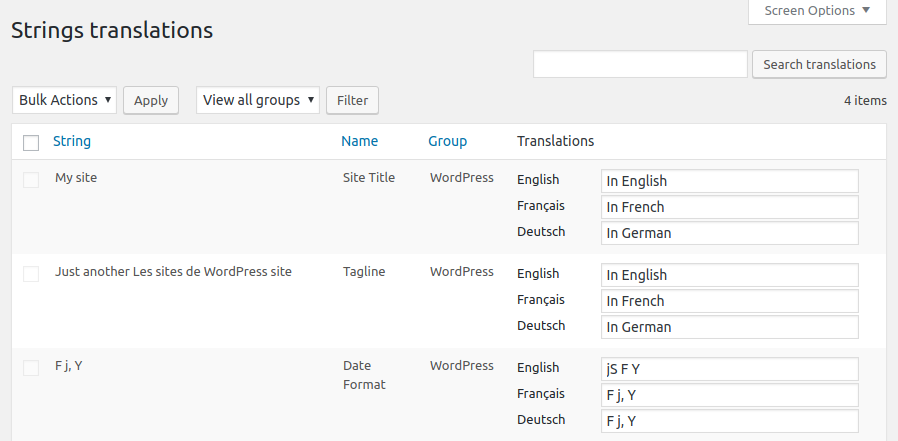
The Strings translations admin panel
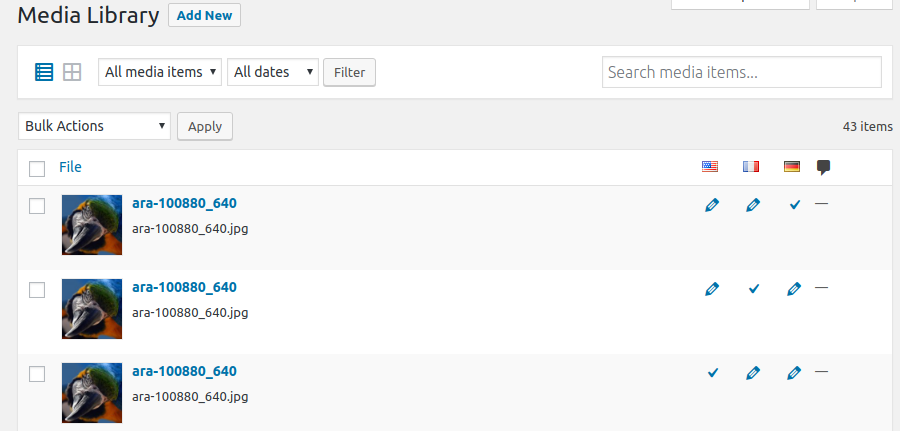
Multilingual media library
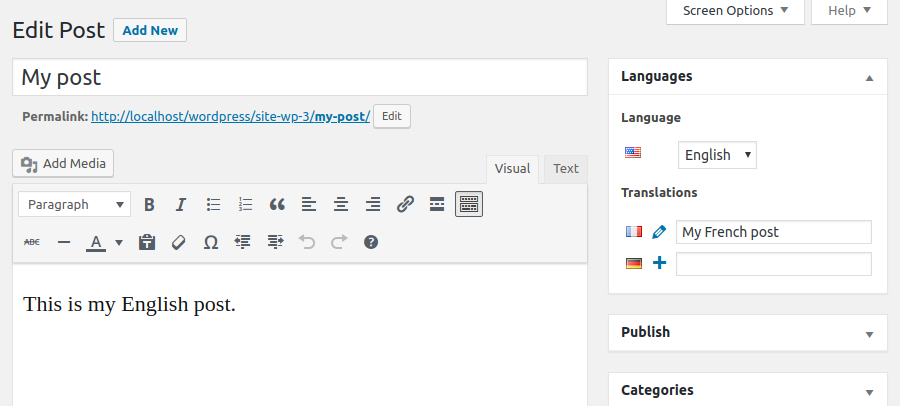
The Edit Post screen with the Languages metabox
The SiteOrigin Widgets Bundle gives you all the elements you need to build modern, responsive, and engaging website pages. Using the Widgets Bundle, you can quickly and effortlessly add buttons, sliders, heroes, maps, images, carousels, features, icons, and so much more.
SiteOrigin Widgets are ready to be used anywhere, in Page Builder by SiteOrigin, in the Block Editor or your theme’s widget areas. The Widgets Bundle is even compatible with other popular page-building plugins.
Our collection is growing, and here are some of the powerful widgets included so far:
- Accordion Efficiently display content in expandable sections, maximizing space for improved organization.
- Anything Carousel Display images, text, or any content in a highly customizable and responsive carousel slider.
- Author Box Display author information, including avatar, name, bio, and post links in a customizable box.
- Blog Showcase blog content in personalized list or grid layouts with flexible design and display settings.
- Button Create a custom button with flexible styling, icon support, and click tracking functionality.
- Button Grid Add multiple buttons in one go, customize individually, and present them in a neat grid layout.
- Contact Form Add a contact form with custom fields, design options, spam protection, and email notifications.
- Call To Action Prompt visitors to take action with a customizable title, subtitle, button, and design settings.
- Editor Insert and customize content with a rich text editor offering extensive formatting options.
- Features Showcase features with icons, titles, text, and links in a customizable grid layout.
- Google Maps Embed a customizable Google Map with markers, directions, styling options, and interactive elements.
- Headline Engage visitors with a prominent, stylish headline and optional divider and sub-headline to convey key messages.
- Hero Image Build an impressive hero image section with custom content, buttons, background image, color, and video.
- Icon Display a customizable icon with color, size, alignment, and optional link settings.
- Image Add a responsive image with custom dimensions, positioning, caption, link, and styling options.
- Image Grid Showcase images in a responsive grid layout with custom size, spacing, alignment, and captions.
- Image Slider Create a responsive slider with customizable image and video frames, navigation, and appearance settings.
- Layout Slider Design responsive slider frames with unique layouts, backgrounds, and content built with Page Builder.
- Lottie Player Bring your content to life using interactive Lottie animations with personalized settings and links.
- Post Carousel Display blog posts or custom post types in a responsive, customizable carousel layout.
- Price Table Display pricing plans in a professional table format with custom columns, features, and design.
- Recent Posts Drive traffic to your latest content with a visually appealing, fully customizable recent posts showcase.
- Simple Masonry Layout Display images in an attractive masonry grid with adjustable columns, gutters, and optional captions.
- Social Media Buttons Add social media buttons to your site with personalized icons, colors, and design settings.
- Tabs Create tabbed content panels with customizable titles, content, initial tab, and design settings.
- Taxonomy Automatically display the taxonomies of the current post with customizable labels, colors, and link settings.
- Testimonials Feature testimonials from satisfied customers with tailored layouts, images, text, colors, and mobile compatibility.
- Video Player Embed self-hosted or externally hosted videos with a customizable player, controls, and responsive sizing.
Ready to Be Used Anywhere
- Page Builder by SiteOrigin: Insert widgets in Page Builder by SiteOrigin in either the Classic Editor or Page Builder Layout Block in the Block Editor.
- Block Editor: The Widgets Bundle is 100% Block Editor compatible. Insert widgets using the SiteOrigin Widgets Block featuring a live widget search form.
- Theme and Plugin Widget Areas: Insert widgets in any theme or plugin widget area.
- In Other Popular Page Builder Plugins: Insert widgets in Elementor or Beaver Builder.
Built for Speed
We carefully built each widget for the best possible page size and load time. The Widgets Bundle is perfectly compatible with Autoptimize and all other major performance plugins.
SEO Optimized
The Widgets Bundle uses modern SEO best practices and seamlessly integrates with all major SEO plugins.
Accessibility Ready
The Widgets Bundle is accessibility-ready. Tab through all form fields and settings, make changes without using a mouse.
Actively Developed
SiteOrigin has been creating magical tools for your WordPress website since 2011. We actively develop the Widgets Bundle with updates released several times a month, including new features and fixes as required. View our Widgets Bundle work on GitHub.
Create Custom Widgets
Access a huge array of features and save time by developing custom widgets for your theme or plugin on the Widgets Bundle Framework. Read more in our extensive developer documentation.
Documentation
Documentation is available on SiteOrigin.
Support
Free support is available on the SiteOrigin support forums.
SiteOrigin Premium
SiteOrigin Premium enhances the Widgets Bundle with a vast array of additional features and settings. Take your layouts to the next level with SiteOrigin Premium addons.
SiteOrigin Premium includes access to our professional email support service, perfect for those times when you need fast and effective technical support. We’re standing by to assist you in any way we can.
";s:3:"faq";s:456:"
The Widgets Bundle global interface is available at Plugins > SiteOrigin Widgets. Widgets can be enabled or disabled as needed. If a widget offers global settings, you can access those via the Settings button next to each applicable widget.
";s:9:"changelog";s:32766:"1.72.0 – 14 April 2026
- Anything Carousel: Added bottom-right arrows navigation layout.
- Features: Linked the title when the column link overlay is enabled.
- Hero: Fixed FitText refresh on mobile devices.
- Slider: Fixed cover background tiling.
- Video: Added an option to show the cover image when a self-hosted video ends.
- General: Resolved multiple WordPress (WP) 7 admin styling issues including checkbox appearance, button sizing, preview button height, measurement select chevron, and widgets search sizing.
- General: Added custom action button styling for the widgets admin page.
- General: Included accessibility Cascading Style Sheets (CSS) in release builds.
- General: Added WordPress Multilingual (WPML) configuration entries for Widgets Bundle blocks.
1.71.0 – 13 February 2026
- Accordion: Added a heading title tag option, aligned the default with existing markup, refined title handling, and lazy-loaded embedded iframes.
- Social Media Buttons: Added the GitLab network and updated the Skype icon to Microsoft branding.
- General: Widget preview requests now verify user permissions with a shared helper and capability checks.
- General: Autocomplete fields can send additional request parameters.
- General: Repeater fields now trigger setup on all visible fields at any nesting level.
- General: Media fields now hide the image search button when users cannot upload media and skip the library check before opening the search modal.
- General: Search posts field restored the class wrapper and refined order by handling.
- General: Updated dependencies, including lodash-es 4.17.23.
1.70.4 – 07 January 2026
- Widget Block: Reworked the block editor widget block for Application Programming Interface (API) version 3 support, resolved the apiVersion notice, and added an extra site editor canvas check.
- Widget Block: Improved preview request handling to abort stale requests per block, allow simultaneous previews, fix the
ajaxurlvalue, and prevent missing preview data warnings. - Blog: Added the
siteorigin_widgets_blog_pagination_enabledfilter to allow pagination to be disabled. - General: Reinitialized media field controls after copying a repeater item to keep them usable.
- General: Updated the JSON Web Signature (JWS) dependency to 3.2.3.
1.70.3 – 04 December 2025
- General: Confirmed compatibility with WordPress 6.9.
1.70.2 – 13 November 2025
- Google Maps: Moved localization into the bundle, detected consent prompts from the rendered markup, and added a fallback no-results message so interactive and static map scripts enqueue reliably without undefined
soWidgetsGoogleMaperrors. - Image: Included filtered LESS variables when generating the style hash so cached styles refresh when filters adjust widget appearance.
- General: Normalized widget block registration for namespaced classes to eliminate invalid name warnings in the Block Editor.
- General: Passed the TinyMCE field element identifier to the
tiny_mce_pluginsfilter to prevent callbacks from triggering fatal errors.
1.70.1 – 03 November 2025
- Block Editor: Prevented editor scripts from loading on the frontend while preserving Site Editor compatibility.
1.70.0 – 31 October 2025
- Blog: Resolved potential date output format fatal error, debounced post count update, and optimized post selector count function.
- Features: Fixed icon alignment with bottom aligned more link and refined right/left alignment for bottom aligned features.
- Portfolio: Limited blog filter categories control to portfolio by default.
- Video Player: Added siteorigin_widgets_sow-video_local_video_args filter and sandbox attribute.
- General: Added extensive Site Editor support including improvements for form fields, asset cloning, and JavaScript Object Notation (JSON) handling.
- General: Fixed TypeError when widget instance is JSON string in Representational State Transfer Application Programming Interface (REST API) context.
- General: Migrated build tooling to Gulp 5.
- General: Improved Select2 handling to prevent conflicts.
- General: Replaced usage of WP_CONTENT_DIR.
- General: Improved widget timestamp handling using microtime and ensured timestamp is set when saving widgets.
- General: Adjusted field backup change detection to prevent incorrect flags and excluded builder_id from comparison.
- General: Fixed Widget Block blockName check and ensured valid block names before registering.
1.69.3 – 22 August 2025
- Block Editor: Fixed teaser styling issues.
- Features: Added link icon support when column is set to be linked.
- Features: Show more link text when column overlay enabled.
- Features: Resolved syntax error.
- Widget Block: Prevented potential widgetClass undefined array key warning.
- General: Fixed undefined array key warnings in add_defaults method.
- General: Fixed undefined array key warnings for field properties.
- General: Fixed undefined array key ‘type’ warning in add_defaults().
- General: Fixed undefined array key ‘class’ warning for widget fields.
- General: Fixed undefined array key ‘fields’ warning in enqueue_field_scripts().
1.69.2 – 19 July 2025
- Features: Fixed icon disappearing when link overlay enabled and prevented theme margin on list items.
- General: Added array type validation to get_active_widgets() method.
- General: Improved widget toolbar with WordPress standard ToolbarGroup and accessibility labels.
- General: Resolved type mismatch error in add_defaults method caused by Lightbox Addon.
1.69.1 – 05 July 2025
- Carousel, Post Carousel: Fixed animation speed and timeout to preserve zero values, updated continuous mode defaults, and improved animation speed handling.
- Features: Fixed link overlay functionality, improved feature link overlay, set feature width and tag prior to template rendering, and switched to semantic friendly list.
- Icon: Fixed icon rendering issue for sub styles.
- Multiple Media: Improved frame storage and refresh library after uploading new files.
- Simple Masonry: Fixed gutter field cascading from desktop to tablet/mobile and refactored gutter logic.
- Video Player: Added cover support for local external videos.
- General: Fixed number field sanitization to preserve zero values, renamed accessibility stylesheet to siteorigin-accessibility, added central accessibility stylesheet, improved widget form backup handling, and enhanced widget block functionality.
1.69.0 – 12 June 2025
- Hero: Added image alt support for improved accessibility.
- Layout Slider: Added image alt support and improved background image settings by hiding the settings until a background has been added.
- Slider: Added image alt support and improved URL handling with validation before setup.
- Widget Block: Replaced block editor bundle icon with Scalable Vector Graphics (SVG) implementation and updated to use inline SVG for default icon.
- General: Added new
sow_get_allowed_esc_url_protocolshelper function for enhanced URL protocol handling.
1.68.5 – 02 June 2025
- Blog: Fixed JavaScript (JS) and Cascading Style Sheets (CSS) not outputting in Block Editor preview.
- Blog Portfolio: Fixed sizing issue in Block Editor preview.
- TinyMCE Form Field: Prevented potential TypeError.
- Elementor: Improved dark mode styling, resolved misaligned checkbox checkmark placement, and fixed widget JS not being enqueued and preview not being flagged.
1.68.4 – 20 May 2025
- Blog Alternate: Fixed mobile spacing issue.
- Toggle Field: Adjusted toggle text to 11px, decreased size, and aligned toggle switch style and spacing with Page Builder (PB).
- Widget Block Icons: Refactored icon setup logic to centralize and simplify code, ensuring consistent handling of SVG and image icons.
- Widget Blocks: Added inline SVG icons.
- General: Updated Installer submodule.
1.68.3 – 11 May 2025
- Image Grid: Added gallery keyword support.
- Simple Masonry: Fixed preloader visibility, removed incorrect type, and resolved potential TypeError.
- Slider: Prevented empty overlay issues.
- Widget Blocks: Fixed icon saving and keyword support.
- General: Updated Installer submodule and performed bulk PHP CS improvements.
1.68.2 – 03 May 2025
- Icon Field: Fixed icon callback support to ensure proper rendering of custom icons.
- Posts Selector: Resolved fatal error related to date query handling.
- Price Table: Added
siteorigin_widgets_price_table_button_attributesfilter for enhanced button customization. - Video Player: Fixed self-hosted video embeds and improved FitVids integration by triggering after unblock and resize events.
- General: Updated documentation and readme files for improved clarity and consistency.
1.68.1 – 12 April 2025
- Widgets Bundle Blocks: Resolved widget migration error by improving widget registration process and maintaining widget list integrity.
1.68.0 – 10 April 2025
- Accordion: Fixed custom sized icon output to maintain correct dimensions.
- Blog: Added “Always Add Read More” setting and made it enabled by default.
- Widgets Bundle Blocks: Added SiteOrigin category with custom icon.
- Widgets Bundle Blocks: Improved block and widget registration process.
- Widgets Bundle Blocks: Enhanced font consistency and fixed widget prefix issues.
- Widgets Bundle Blocks: Added container query support for external media fields.
- Widgets Bundle Blocks: Resolved map consent preview issues.
- Widgets Bundle Blocks: Improved migration permission checks and widget existence verification.
- Contact: Removed unused form ID field.
- Features: Added title and content classes for settings.
- Features: Resolved text design settings specificity issues.
- Icon Field: Improved responsive handling.
- Icon Field: Enhanced vertical alignment.
- Icon Field: Maintained min-height and padding settings.
- Media Field: Added container query support for external fields.
- Media Field: Increased external field breakpoint.
- Media Field: Improved external handling.
- Post Carousel: Added posts_limit support.
- Posts: Added “Maximum Posts to Output” field.
- Repeater Table: Added support for SelectorArray.
- Section Form Field: Set font size to prevent override in Twenty Twenty theme.
- General: Added widget backup functionality with filter to disable.
- General: Optimized widget SVG banners.
- General: Added block editor icons.
- General: Improved Elementor guest post type handling.
1.67.2 – 20 March 2025
- Call To Action: Cleared floats to prevent content overflow.
- Contact: Fixed Really Simple Captcha functionality.
- Video Player: Improved hide controls handling, prevented self-hosted videos from not autoplaying, ensured hide controls setting doesn’t affect externally hosted videos, and fixed missing media elements in external videos.
- General: Prevented JavaScript variable declaration conflict with ‘sowb’ identifier.
1.67.1 – 18 March 2025
- Posts Query: Added no results text for improved user feedback.
- Posts Query: Enhanced autocomplete functionality to pass post ID.
- Video Player: Added click-to-play functionality for self-hosted videos.
- General: Implemented manual widget block tests.
1.67.0 – 17 March 2025
- SiteOrigin Widget Block: Transitioned from a single multi-select block to dedicated individual blocks for each widget, significantly improving the block editor experience.
- Blog: Improved author avatar sizing and prevented false positive Web Application Firewall (WAF) flags.
- Cards, Post Carousel: Enhanced resize handling after posts are loaded and fixed dot navigation.
- Google Maps: Resolved type check issues.
- Post Carousel: Implemented sizing improvements.
- Recent Posts: Prevented WAF blocking.
- General: Added more info link to legacy block and implemented preview check for widget blocks.
- Developer: Updated Google Fonts and Font Awesome libraries.
1.66.0 – 01 March 2025
- Carousel: Improved resize handling by delaying events, ensuring adaptive height application and correct breakpoints, and reorganizing layout.
- Cards Carousel, Post/Card Carousel: Maintained fixed container height after resize and fixed second dot display.
- Contact: Resolved notice for missing name field, removed additional select margin, added aria-describedby support, and moved description inside the field container.
- Contact Description: Added top margin setting.
- Editor: Removed wp_targeted_link_rel from output.
- Google Maps: Fixed MapStyles icon notice, ensured custom Map Styles JSON validation, prevented undefined Map ID issues, updated Map ID description, added Map ID setting, and restored * support for Map Styles.
- Video, Video FitVids: Improved video JS loading and skinable host detection, removed skinable host requirement, and ensured FitVids always enqueues.
- General: Added WP Optimize support, introduced siteorigin_sanitize_json helper, and resolved notice related to active widget area script detection.
1.65.1 – 05 February 2025
- Carousel: Fixed
Dynamic Navigationpotential to be applied when disabled. - Contact Form: Fixed Browser Check setting.
1.65.0 – 03 February 2025
- Blog: Added support for
siteorigin_widgets_blog_post_meta. - Blog: Added a fallback for undefined
post_typeto avoid errors. - Blog: Reset filter categories when the template doesn’t support them.
- Carousel: Improved adaptive height so the slider adjusts based on all visible items.
- Contact Form: Added a check to ensure the “To” and “From” email addresses aren’t identical, improving deliverability.
- Contact Form: Introduced settings for submit button hover/focus styling (background, border, and text colors).
- Contact Form: Added design options for success messages.
- Contact Form: Applied title case to admin labels for consistency.
- Contact Form: Improved field handling by switching to Widgets Bundle instance storage and refining form name management to prevent conflicts.
- Contact Form: Resolved warnings related to undefined array keys in the contact widget.
- Contact Form: Adjustment to always set up reCAPTCHA when in use.
- Contact Form: Improved developer email handling and layout directory email.
- Google Maps: Replaced the deprecated
google.maps.MarkerwithAdvancedMarkerElementto address deprecation notices. - Google Maps: Moved widget configuration from siteorigin-panels and updated admin texts for translation.
- Icon Field: Improved icon caching in the Block Editor to reduce redundant icon fetch requests.
- Image: Prevented empty
<img>output when no image is set. - Post Carousel: Changed autoplay to a preset field and improved continuous scrolling handling.
- Post Carousel: Added a filter for valid widget instances in Ajax handling and refactored the Ajax code.
- Taxonomy: Removed the preview button since this widget relies on the loop.
- Block Editor Select: Adjusted spacing so the text no longer touches the chevron.
- Multi-Measurement: Fixed a potential
NaNvalue issue when no value is present. - Multi-Measurement: Fixed value update issues when no state handler is present.
- Onclick: Added Popup Maker support and ensured a semicolon is appended to prevent syntax errors.
- Default Form Options: Added widget form field support so defaults are now saved correctly.
- Section Defaults: Resolved a TypeError in widget sections.
- Select2 Form Field: Moved editor CSS to the field stylesheet to prevent conflicts with other plugins.
- Select Form Field Multiple: Fixed a gap issue in the Block Editor.
- Teaser: Resolved dismiss button misalignment and improved overall structure and hover behavior.
- Widget Form: Debounce widget change backups to improve performance during rapid edits.
- WPML: Adjusted editor labels for compatibility with the upcoming WPML 4.7 release.
- Admin: Prevented the aside area from becoming stuck during resize events in the Page Builder.
- getWidgetFormValues: Improved select value performance on Apple devices.
- Added missing i18n domains and fixed non-singular string literal text issues.
- Corrected text domain mismatches.
1.64.2 – 18 December 2024
- Select: Fixed field name handling to prevent unintended array format in Widgets Bundle forms.
1.64.1 – 14 December 2024
- Post Carousel: Auto disabled navigation arrows when
Autoplay Continuous Scrollenabled. - Simple Masonry: Resolved a potenital error.
- Posts & Links Fields: Improved post and taxonomy search functionality; added user capability checks and no results handling.
- Select2: Removed
multiplerequirement for Select2 usage.
1.64.0 – 24 November 2024
- Anchor ID: Improved ID handling to better support special characters and international text.
- Author Box: Added Author Name HTML Tag setting.
- Button Grid: Renamed setting
Buttons Per LinetoButtons Per Row. - Carousels: Resolved minor Block Editor display issues.
- Post Carousel: Added Post Title Font setting.
- Simple Masonry: Improved loading.
- Widget Block: Various admin form styling fixes and improvements.
- Fixed
load_textdomainnotice. - Improved admin font field performance.
- Updated Google Fonts list.
- Updated Font Awesome from 6.6.0 to 6.7.0.
- Updated Tested up to tag.
1.63.4 – 23 October 2024
- Image Grid: Ensured the image link always covers the image.
- Simple Masonry: Removed removed transition to improve CLS.
1.63.3 – 11 October 2024
- Button: Renamed Justify alignment to Full Width.
- Button: Update to ensure Justify full-width output in conjunction with the Atom theme.
- Blog: Removed generic Read More CSS class to avoid conflicts.
- Improved field error translation handling.
1.63.2 – 23 September 2024
- Blog: Output Filtered taxonomy directly.
- Blog: Prevented multiple Blog Widgets on a page from “stacking” pagination.
- Blog: Updated styling to prevent Read More underline from themes or plugins.
- Carousel: Added
container_classes.
1.63.1 – 28 August 2024
- Blog: Resolved a potential Portfolio filtering issue.
- Post Carousel: Resolved a backtracking issue and added preloading.
- Social Media Buttons: Added Bluesky.
- SiteOrigin Widget Block: Added missing author description for Editor and Social Media Buttons.
- Updated Google Fonts.
- Updated Font Awesome from 6.5.2 to 6.6.0.
1.63.0 – 11 August 2024
- Button Grid: Update to ensure the Grid Widget doesn’t override the settings of unrelated Button Widgets.
- Blog Offset: Increased the author avatar image width.
- Blog: Added
Trim Manual Excerptsetting. Trim the excerpt even if a manual excerpt has been added. - Slider: Resolved a potential PHP 8 TypeError.
- Video: Ensured video oEmbed is able to apply full screen.
1.62.3 – 23 July 2024
- Updated Google Fonts.
- Presets: Hid empty default if
default_presetis set. - Blog: Ensured default content size outputs with
pxunit of measurement. - Developer: Posts Field: Added
show_countto optionally show the post count. - Developer: Blog: Addded
siteorigin_widgets_blog_filter_categories_output. - Developer: Blog: Added
siteorigin_widgets_blog_content_wrapper_styles.
1.62.2 – 30 June 2024
- Improved attribute name handling.
- Button Grid: Accounted for possible warnings.
- Carousel: Improved continuous scrolling behavior.
- Carousel: Update to prevent autoplay in the Block Editor preview.
- Carousel: Resolved potential PHP deprecated warning.
- Lottie Player: Fixed attribute output.
1.62.1 – 17 June 2024
- Accordion: Aligned Scroll to Offset value with Tabs.
- Button Grid: Resolved a potential layout warning.
- Contact Form: Resolved potential invalid field border.
- Updated Google Fonts.
- Updated Font Awesome.
- Updated SiteOrigin Installer.
1.62.0 – 06 June 2024
- New Widget! Button Grid: Add multiple buttons in one go, customize individually, and present them in a neat grid layout.
- Blog: Validate title HTML tag before output.
- Slider: Restored Responsive Height setting.
- Tabs: Always trigger
tab_changeevent when changing tabs. - Testimonials: Removed unused SVG.
- Links Field: Reduced width.
1.61.1 – 20 May 2024
- Button: Resolved Atom theme background error.
1.61.0 – 19 May 2024
- New Widget! Recent Posts: Drive traffic to your latest content with a visually appealing, fully customizable recent posts showcase.
- Button: Minor padding adjustments to improve alignment.
- Post Carousel: Add Animation Setting.
- Social Media Buttons: Update to ensure Atom buttons render normally if hover styles are cleared.
- Social Media Buttons: Updated Skype default colors.
- Post Selector: Corrected
date_query_relativecheck. - Resolved fallback shortcode decoding issue.
- Increased the required PHP version.
1.60.0 – 26 April 2024
- Author Box: Applied title margin directly to wrapper and adjusted alignment.
- Blog: Resolved a potential fatal
TypeError. - Blog: Resolved settings warning caused by undefined “settings” array key.
- Carousel: Added
fullnavigation output option. - Features: Improved icon position alignment on desktop and mobile.
- Headline: Resolved a translation issue related to the Tag setting.
- Post Carousel: Minor settings label adjustments.
- Post Carousel: Fixed RTL output.
- Tabs: Updated to use the Anchor ID Manager.
- Query Posts: Date Range: Changed default and minimum to
1. - Multi-Measurement Preset: Resolved an issue with saving values.
- Page Builder: Resolved missing widgets in the Add Widget modal.
- Widgets Block: Prevented empty needle warning.
- Number Field: Updated to account for potential null values to prevent deprecated notice.
- Fields: Ensured
$valueisn’t null before processing it to resolvepreg_replace()deprecated notice. - Deprecated Notices: Resolved
intvaldeprecated notice.
1.59.0 – 11 April 2024
- New Widget! Author Box: Display author information, including avatar, name, bio, and post links in a customizable box.
- Contact Form: Resolved an issue where using multibyte characters (e.g., “מייל” for Email) as field labels prevented the form from being submitted correctly.
- Social Media Buttons: Updated X network color defaults.
- Social Media Buttons: Added Snapshot Square icon.
- Social Media Buttons: Updated Wire theme border default colors.
- Improved icon and font handling.
- Updated Google Fonts list.
- Block Editor: Moved editor check to the main Widgets Bundle class.
- Developer: Added a width argument to text input fields.
- Developer: Added multi-measurement support to the presets field.
- Developer: Removed
tmp_grunion_allow_editor_view.
1.58.12 – 24 March 2024
- Post Loop: Resolved a potential
post__inerror. - Post Loop: Resolved a potential post selector
post__not_indeprecated warning.
1.58.11 – 23 March 2024
- Carousel: Resolved a potential warning.
- Features: Correct HTML tag output.
- Slider: Replaced
$.isFunctionusage. - Social Media Buttons: Updated Tripadvisor title label.
- Video Player: Resolved potential warning.
- Block Editor: Always process shortcodes.
- Color Field: Added support for color hexadecimal values with alpha channel notation (e.g., #RRGGBBAA). Enhanced validation for RGBA color values.
- Post Selector: Resolved a potential deprecated notice.
- Updated SiteOrigin Installer.
- Developer: Added new Contact Form hooks.
1.58.10 – 05 March 2024
- Enhanced the saving process and validation for widgets and blocks in the Widgets Block.
- Loaded defaults for the widget form field.
- Removed the
unfiltered_htmlcheck in the Editor Widget.
1.58.9 – 03 March 2024
- Editor: Resolved shortcode output.
1.58.8 – 02 March 2024
- Button: Resolved a potential alignment warning.
- Contact Form: Resolved a potential deprecated notice.
- Editor: Resolved a potential noreferrer empty text deprecated notice.
- Features: Prevent a potential feature width CSS miscalculation.
- Google Maps: Resolved a potential PHP 8.2+ warning.
- Sliders: Resolved a potential FitVids related error.
- Color Fields: Resolved a potential deprecated notice.
- Text Input: Resolved undesired HTML removal on multisite installations.
- Shifted control for lazy loading images to WordPress.
- Added additional data sanitization.
- Beaver Builder: Resolved an issue on save.
1.58.7 – 25 February 2024
- Anything Carousel: Corrected global responsive settings propagation.
- Blog: Removed pagination markup if pagination is disabled.
- Blog: Updated pagination screen reader text and level.
- Button: Added
Calendlyto OnClick allowed list. - Video Player: Resolved potential FitVids warning.
- Repeater Tables: Minor styling updates.
- Textarea: Update to allow line breaks.
1.58.6 – 15 February 2024
- Added recursive sanitization to fields to prevent potential errors during saving.
- Post Carousel: Prevented a potential fatal error related to the
loop_postsmigration. - Social Media Buttons: Resolved a potential warning by adjusting the conditions for color changes.
- Social Media Buttons: Removed redundant changes to the
icon_colorandicon_color_hovervalues.
1.58.5 – 12 February 2024
- Blog: Resolved a potential columns related warning.
- Block Editor: Prevented a potential text field empty value error.
1.58.4 – 10 February 2024
- Call to Action: Improved tag handling.
- Features: Fixed spacing and gap value output.
- Fields: Improved field sanitization.
- Social Media Buttons: Migrated Twitter to X.
1.58.3 – 05 February 2024
- Button: Additional improvements for OnClick handling
- Button: Added OnClick support for MailerLite.
1.58.2 – 27 January 2024
- Button: Restricted OnClick field allowed values to known services and functions.
1.58.1 – 26 January 2024
- Icon: Prevented a Potential
TypeError. - WooCommerce Shop: Check for SiteOrigin blocks within other blocks.
- Developer: Added Contact Form
siteorigin_widgets_contact_form_field_output. - Developer: Prevented a potential error when an
ItemLabelisn’t defined.
1.58.0 – 18 January 2024
- Accordion: Improved accessibility.
- Accordion: Improved the title icon vertical alignment.
- Accordion & Tabs: Adjusted the default header background colors.
- Anything Carousel: Improved cross-browser navigation display.
- Beaver Builder: Resolved SiteOrigin Slider related error.
- Carousel: Disabled the ‘previous’ navigation button on the first slide when loop functionality is disabled.
- Carousel: Resolved a potential undefined variable notice.
- Carousels: Increased
Animation Speeddefault value. - Carousels: Disabled slide transitions if browser motion is set to
Reduced. - Contact Form: Resolved potential submission form error message display.
- Features: Reset before/after spacing to prevent misalignment due to third-party global styles.
- Features: Added a
Feature Spacingsetting. - Google Maps: Resolved deprecated notice.
- Google Maps: Update to prevent potential data loss when navigating away from the page while editing.
- Layout Slider: Resolved Extra Top Padding unit of measurement output if a value other than
pxis selected. - Post Carousel: Update to display
Autoplay continuous scrollifAutoplayis enabled. - Post Carousel: Updated to prevent thumbnail from exceeding display width on mobile.
- Price Table: Added a
Sale Pricesetting. - Price Table: Added HTML support to the Title, Subtitle, Price, and Per fields.
- Price Table: Moved design related settings to a Design settings section.
- Slider: Added
loadingsupport to the widget’s background image. - Slider: Resolved a potential double-up of background images via HTML and CSS.
- Sliders: Updated to prevent loss of form field focus on input.
- Social Media Buttons: Added Viber.
- Tabs: Improved accessibility.
- Tabs: Updated deprecated KeyCode usage.
- WooCommerce: Re-render the shop page if there are any Widgets Bundle blocks present.
- Updated Google Fonts.
- Updated Font Awesome from
6.4.2to6.5.1. - Measurement Units: Minor admin styling improvements.
- Admin Radio Form Fields: Improved cross-browser display.
- Select2: Minor styling improvements.
- Developer: Added repeater table item label display option. Allows the repeater to act more like a table.
- Developer: Added
siteorigin_widgets_blog_custom_templateto the Blog Widget. Allows for custom templates to be selected from the Template select. - Developer: Added box model type indicator classes.

Manage which widgets you want to be enabled or disabled at Plugins > SiteOrigin Widgets.

SiteOrigin Widgets inserted in SiteOrigin Page Builder.
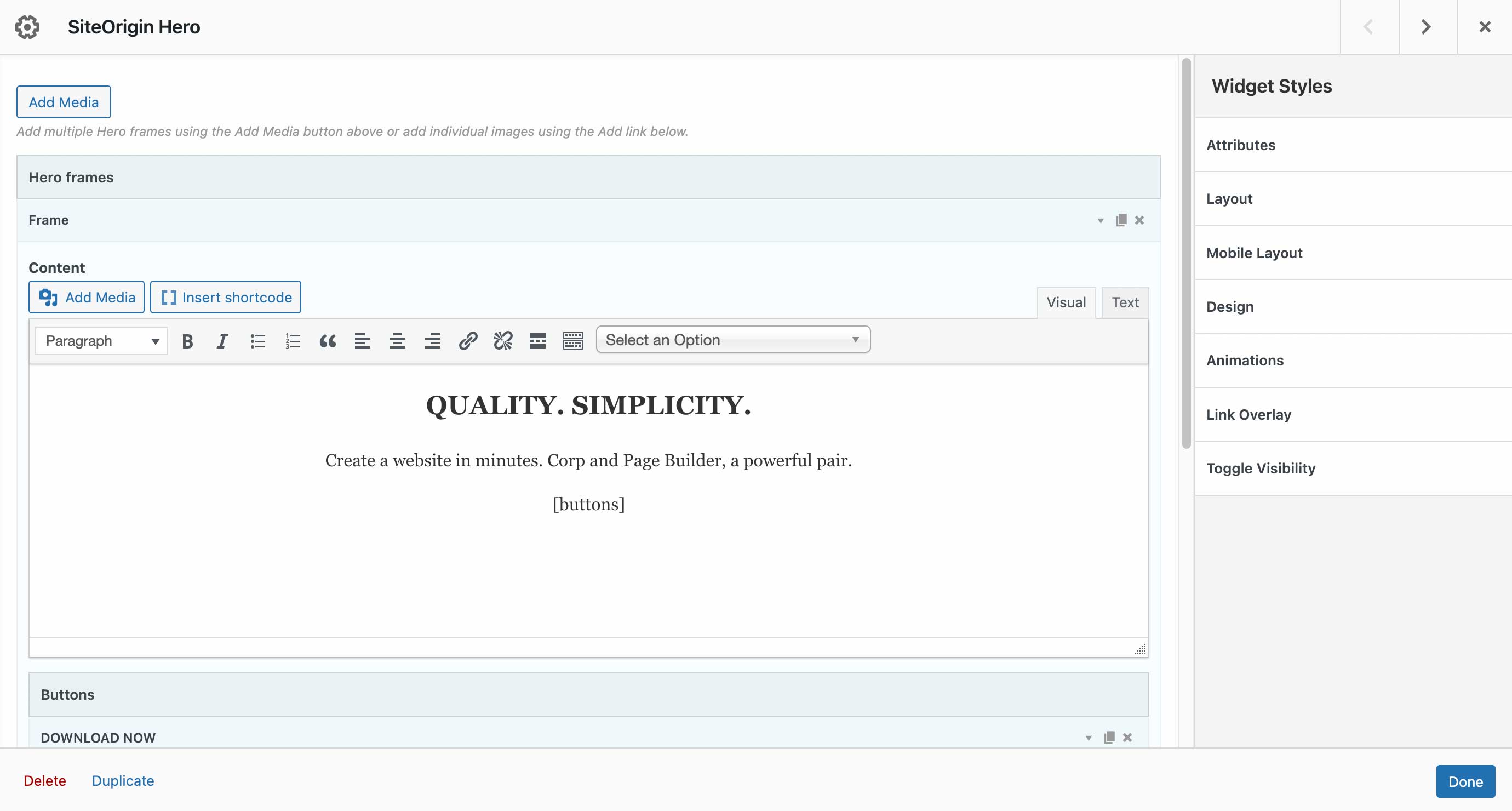
Editing a Hero in SiteOrigin Page Builder.

Inserting Tabs in the SiteOrigin Widget Block.

SiteOrigin Widgets inserted in a SiteOrigin Layout Block.

Inserting a Contact Form into a theme widget area at Appearance > Widgets.

Inserting an Accordion into a theme widget area via the block-based widget screen.
The best & easiest image compression plugin for WordPress. Speed up your website by compressing and converting your images with TinyPNG for WordPress. Improve your websites’ performance by significantly reducing file sizes without noticeable quality loss. Support for WebP, AVIF, JPG and PNG formats.
Start optimizing your images today to boost SEO, improve your PageSpeed scores, save bandwidth and enhance your website’s user experience.
Why TinyPNG?
- Next-gen format conversion, convert images to WebP and AVIF for even smaller files (NEW)
- Smart compression algorithm, reduce image file sizes without visible quality loss
- Broad format support, supports AVIF, WebP, PNG, animated PNG (APNG) and JPG.
- Automatic image compression, compresses new images on upload.
- Bulk optimization, optimize your full media library in just one click.
- Individual image control, optimize a single image straight from your media library.
- Preserve meta-data, choose to retain copyright metadata, creation date and GPS location in your original images.
- Resize large images, automatically resize huge image uploads by setting a maximum width and/or height for more reasonable browser display.
- Custom thumbnail optimization, choose which image size should be processed.
- Advanced background processing, optimization run quietly in the background to speed up your workflow.
- Multisite support, use one API key across all sites.
- Detailed statistics, see how much file size you have saved by compressing your Media Library
- George the Panda, our lovely mascot brings joy and hugs.
- and much more…
Convert to next-gen formats like AVIF and WebP
With the TinyPNG WordPress plugin, you can easily convert your images to next-gen formats like AVIF and WebP. AVIF and WebP are modern image formats designed for the web. They are often smaller in size than older formats like JPEG and PNG, while keeping excellent image quality.
- WebP images are 25–34% smaller than JPEG (lossy) according to Google.
- AVIF can reduce image size by up to 50% compared to JPEG, often even beating WebP in compression.
Google’s PageSpeed Insights and other tools strongly recommend serving images in AVIF or WebP. Most modern browsers (like Chrome, Firefox, Edge, and Safari) now fully support WebP and AVIF. That means you can safely serve these formats to most of your visitors.
With the TinyPNG WordPress plugin, your images can be automatically converted to AVIF or WebP when you upload them. No extra steps are required.
Optimizing all your images
You can bulk optimize your existing JPEG, PNG, and WebP images all at once by going to Media > Bulk TinyPNG. Clicking on the big button will start compressing and converting, when needed, all unoptimized images in your media library.
If you have more images than your free credits allow, the tool will show you an estimated cost to optimize your entire library. If you are interested, you can upgrade your account to the paid plan and optimize the full library all in one go. Prefer to stay on the free plan? No problem! The bulk optimization tool will simply process images until your free limit is reached.
Compress for performance
The Tinify optimization engine is more than just compression. It is built to deliver the best image performance for the web, without sacrificing visual quality. Here’s how it helps:
- Display JPEG images more quickly with progressive JPEG encoding.
- Color profiles are automatically translated to standard RGB color.
- Convert CMYK to RGB to save more space and add compatibility.
Compatibility
The TinyPNG plugin is fully compatible with WordPress Multisite. Next to this, TinyPNG for WordPress works smoothly with most themes and plugins. Here is a list of the popular plugins that have been tested to work smoothly with TinyPNG.
- WPML
- WooCommerce
- WP Retina 2x
- WP Offload
Getting Started
Install this plugin and follow the instructions to set up your account. No payment details are required.
Learn more about the plugin with these step-by-step tutorials:
- How to set up the TinyPNG WordPress plugin?
- How to compress existing images with the WordPress plugin?
Pricing
You get 500 credits per month at no cost.
With a regular WordPress installation, you can compress roughly 100 images per month. Please note that converting images to AVIF or WebP uses an additional credit per image size. This means with the conversion feature enabled, you can roughly compress and convert 50 images per month for free.
The exact number depends on how many thumbnail sizes are generated by your theme or plugins. You can choose which of the generated thumbnail sizes should be optimized by going to Settings > TinyPNG page. You can upgrade to a paid plan to remove the limit and compress as many images as you like.
Need more?
Upgrade to a paid plan to remove the limit and compress as many images as you want. To view the pricing details, visit: tinify.com/developers/pricing
Privacy
At Tinify, we take your privacy seriously. Only you have access to the uploaded images. All images are stored for a maximum of 48 hours, after which they will be deleted forever.
Contact us
Got questions or feedback? Let us know! Contact us at support@tinypng.com or find us on X: @tinypng.
Contributors
Want to contribute? Check out the Tinify WordPress plugin on GitHub.
";s:12:"installation";s:1633:"From your WordPress dashboard
- Visit Plugins > Add New.
- Search for ‘tinypng’ and press the ‘Install Now’ button for the plugin named ‘TinyPNG – JPEG, PNG & WebP image compression’ by ‘TinyPNG’.
- Activate the plugin from your Plugins page.
- Go to the Settings > TinyPNG page and register a new account.
- Or enter the API key you got from https://tinypng.com/developers.
- Go to Media > Bulk TinyPNG and optimize all your images!
From WordPress.org
- Download the plugin named ‘TinyPNG – JPEG, PNG & WebP image compression’ by ‘TinyPNG’.
- Upload the
tiny-compress-imagesdirectory to your/wp-content/plugins/directory, using your favorite method (ftp, sftp, scp, etc…) - Activate the plugin from your Plugins page.
- Go to the Settings > TinyPNG page and register a new account.
- Or enter the API key you got from https://tinypng.com/developers.
- Go to Media > Bulk TinyPNG and optimize all your images!
Optional configuration
The API key can also be configured in your wp-config.php file. To do this you can add the following PHP code that sets the API key.
define( 'TINY_API_KEY', 'YOUR_API_KEY_HERE' );
Once set up you will see a message on the Settings > TinyPNG page. This will work for normal and multisite WordPress installations.
";s:3:"faq";s:4790:"
A: In a default WordPress installation you can optimize around 100 images for free each month. WordPress creates different thumbnails of your images which all have to be compressed. Some plugins even add more sizes, so take a look at the Settings > TinyPNG – JPEG, PNG & WebP image compression page before you start optimization.
A: The plugin is free to use, you receive 500 free compressions each calendar month.
If you need to compress more, you can upgrade to the pay-per-compression pricing. You can view the current pricing at tinify.com.
When you use the bulk optimization tool, the plugin will first scan your media library and show you an estimated number of credits needed to optimize all uncompressed images. You can decide whether you want to upgrade your plan or stay within the free limit.
A: Just add your Payment details on your account dashboard to remove the limit. For a small fee the additional compressions above 500 will then be charged to your account at the end of each month.
A: When you remove the plugin all your optimized images will remain optimized.
A: When you upload an image to your website, WordPress will create different sized versions of it (see Settings > TinyPNG). The plugin will compress each of these sizes, so when you have 100 images and 5 different sizes you will do 500 compressions.
A: Yes, but they are very generous! The maximum file size is 500MB and the maximum canvas size is 256MP (16000px by 16000px in any ratio).
A: Yes, there are no limitations. You can add the same key everywhere.
A: Yes, you can hide your API key from the admin so other admin users will not be able to see it. To do this you should define the API key in your wp-config.php file. See the installation instructions for more information.
A: Everything will keep on working, but newly uploaded images will not be optimized. Of course we encourage everyone to switch to a paid account to cover the hosting and development costs of the service.
A: Yes! After installing the plugin, go to Media > Bulk TinyPNG, and click on the start button to optimize all unoptimized images in your media library.
A: You can upgrade to a paid account by adding your Payment details on your account dashboard. Additional compressions above 500 will then be charged at the end of each month as a one-time fee.
A: When the conversion feature is enabled (to convert images to AVIF or WebP), each image will use double the number of credits: one for compression and one for format conversion.
";s:9:"changelog";s:9894:"3.6.13
- fix: will copy sizes attribute to picture element
- fix: will no longer clear logs on each save settings
- feat: if supported, can serve modern formats like webp/avif through htacess rules
- fix: when img has no src, will not attempt to transform it to a picture element
3.6.12
- chore: updated tiny package to 1.6.4
- fix: resolved warning when img tag was missing src attribute
3.6.9
- fix: prevent picture element on product pages (WooCommerce)
3.6.8
- feat: download logs and diagnostics
- chore: updated phpcs rules and formatting
3.6.7
- Added support for WordPress 6.9
3.6.6
- fix: Improve compatibility with Avada page builder
3.6.5
- fix: prevent picture element when using a page builder
3.6.4
- added a guard to prevent bulk processing to requeue already processed images
3.6.3
- Changed the source priority for picture elements
3.6.2
- Resolved an issue where the amount of parameters were incorrect when rendering a notice.
3.6.1
- Resolved issue where a picture element would be nested within a picture element
3.6.0
- Added a link to leave a review in the bulk and settings page
- Renamed menu title for bulk to “Bulk TinyPNG”
- Renamed menu title for settings to “TinyPNG”
- Resolved warning when library was empty
- Resolved warning when resize options was empty
- New feature to enable converting images to WebP or AVIF
3.5.2
- Removed devdependencies and test files from plug-in
- Fixed a warning when library contained no images
3.5.1
- Will only check local file removal if AS3CF is active
3.5.0
- Support files uploaded through the WordPress REST API
- Removed notification on WooCommerce incompatibility
- Updated Tinify SDK from 1.5.2 to 1.6.2
- Improved support for WP Offload
3.4.6
- Error resolved where Tiny_Helpers was not available
3.4.5
- Error when mb_strimwidth is not available resolved
3.4.4
- CSRF fix, added nonce check
3.4.3
- Removed more deprecated PHP syntax that was triggering a warning message.
- Updated WordPress compatibility
3.4.2
- Removed deprecated PHP syntax that was triggering a warning message.
3.4.1
- Fixed a bug that sometimes prevented failing requests to the Tinify servers from being retried.
3.4
- Correct filesize metadata retrieval for compressed images in WordPress 6.
- Updated WordPress compatibility.
3.3
- You can now optimise WebP images, in addition to JPEG and PNG.
3.2.1
- Fixed bug that caused the original version of images that started with a special character to not be compressed.
- Updated WordPress compatibility.
3.2.0
- Support for WP Retina 2x Pro.
- More capability checks for extra security.
- Less resource intensive AJAX requests.
- Fixed CSS issues from Analytify plugin.
- Removed legacy Enhanced Media Library compatibility.
3.1.0
- Remaining free compressions shown in settings page.
- Easier way to upgrade a free account.
- WPML and WPML Media compatibility in collaboration with the authors of WPML. Make sure to upgrade WPML to version 4.1.
- Added a notice to the Bulk Optimization page for free accounts with not enough available free compressions.
- Added a new hook after compression of an image useful for CDN cache flushing.
3.0.1
- Fixed bug that caused an error when registering a new account.
- No longer use create_function, which is deprecated in PHP 7.2. The plugin no longer supports PHP 5.2.
- Rephrased incompatible plugins notice to avoid confusion.
3.0.0
- Compress new images in the background to speed up your workflow.
- Turbo-charged Bulk Optimization page with simultaneous image compression.
- Improved memory usage for installations with extreme media libraries.
- Detection of incompatible plugins.
- Fallback to fopen whenever the curl_exec function is disabled.
- Additional notices for WP Offload S3 users.
- Several minor fixes and tweaks.
2.2.6
- Fixed bug in compression of file types other than JPEG and PNG that have a thumbnail generated automatically.
2.2.5
- Fixed bug in the Bulk Optimization page that sometimes caused it to stop.
- Fixed a problem that would prevent dashboard widget from loading.
- Tweaked styling of the dashboard widget for the latest version of WordPress.
- Fixed a warning in the media library when certain plugins are used.
2.2.4
- Fixed bug with drop-down menu in the Media Library.
- Compression limit notice now links directly to your API dashboard.
- Tweaked styling of the dashboard widget.
2.2.3
- Changed links to make it easier to go directly to your API dashboard.
- Fixed a compression issue for some fopen users.
2.2.2
- Improved robustness in case an unexpected network error occurs.
- Fixed false positive warning with Sucuri scanner.
- Fixed compression issue for fopen users.
2.2.1
- Fixed an error that was introduced in v2.2.0 where all custom image sizes did not show up.
- Added support for image sizes with unspecified height or width.
2.2.0
- New dashboard widget that shows your media library savings.
- Support compressing medium_large image sizes.
2.1.0
- Compression of retina images generated by WP Retina 2x.
- Solved a bug which caused the API key to be cleared on the settings page.
- Fixed an error that occurred with some PHP 7 installations.
- Fixed an fopen error when preserving metadata.
2.0.2
- Faster Bulk Optimization page with reduced memory usage (thanks to @esmus).
- Fixed XML-RPC error (thanks @ironmanixs, @gingerdog, @quicoto and @isaumya).
2.0.1
- Fixed a bug when searching from the admin interface (thanks to @bapcsuk).
2.0.0
- Completely new Bulk Optimization page.
- Better detection of image sizes with duplicate filenames.
- Simplified account activation and API key creation.
- Fix to the bottom drop-down menu in the Media Library.
- Use the latest PHP client library for connecting to TinyJPG and TinyPNG.
- Added fallback to fopen for older systems running PHP 5.2.
1.7.2
- Show more information about compressed image sizes in details popup.
- Add compression details to image overview.
1.7.1
- Preserve GPS locations and creation dates in the original JPEG images.
- Option to preserve copyright information in your original PNG images.
- Improved detection of unsupported file types.
1.7.0
- Option to preserve copyright information in your original JPEG images.
- Added proxy support for cURL.
- Support for translate.wordpress.org plugin translations.
1.6.0
- Improved compression status in the Media Library with new details window.
- Show total compression savings on the Media Settings page.
- Moved Compress All Images from the Tools to the Media menu.
1.5.0
- Resize original images by specifying a maximum width and/or height.
- Support for the mobile WordPress app (thanks to David Goodwin).
1.4.0
- Indication of the number of images you can compress for free each month.
- Link to the Media Settings page from the plugin listing.
- Clarification that original images will be overwritten when compressed.
1.3.2
- Detect different thumbnail sizes with the same dimensions.
1.3.1
- Media library shows files that are in the process of compression.
1.3.0
- Added option to bulk compress your whole media library in one go.
- Better indication of image sizes that have been compressed.
- Detection of image sizes modified after compression by other plugins.
1.2.1
- Prevent compressing the original image if it is the only selected image size.
1.2.0
- Show if you entered a valid API key.
- Display connection status and number of compressions this month.
- Show a notice to administrators when the free compression limit is reached.
- The plugin now works when php’s parse_ini_file is disabled on your host.
- Avoid warnings when no image thumbnail sizes have been selected.
1.1.0
- The API key can now be set with the TINY_API_KEY constant in wp-config.php. This will work for normal and multisite WordPress installations.
- Enable or disable compression of the original uploaded image.
- Improved display of original sizes and compressed sizes showing the total compression size in the Media Library list view.
1.0.0
- Initial version.
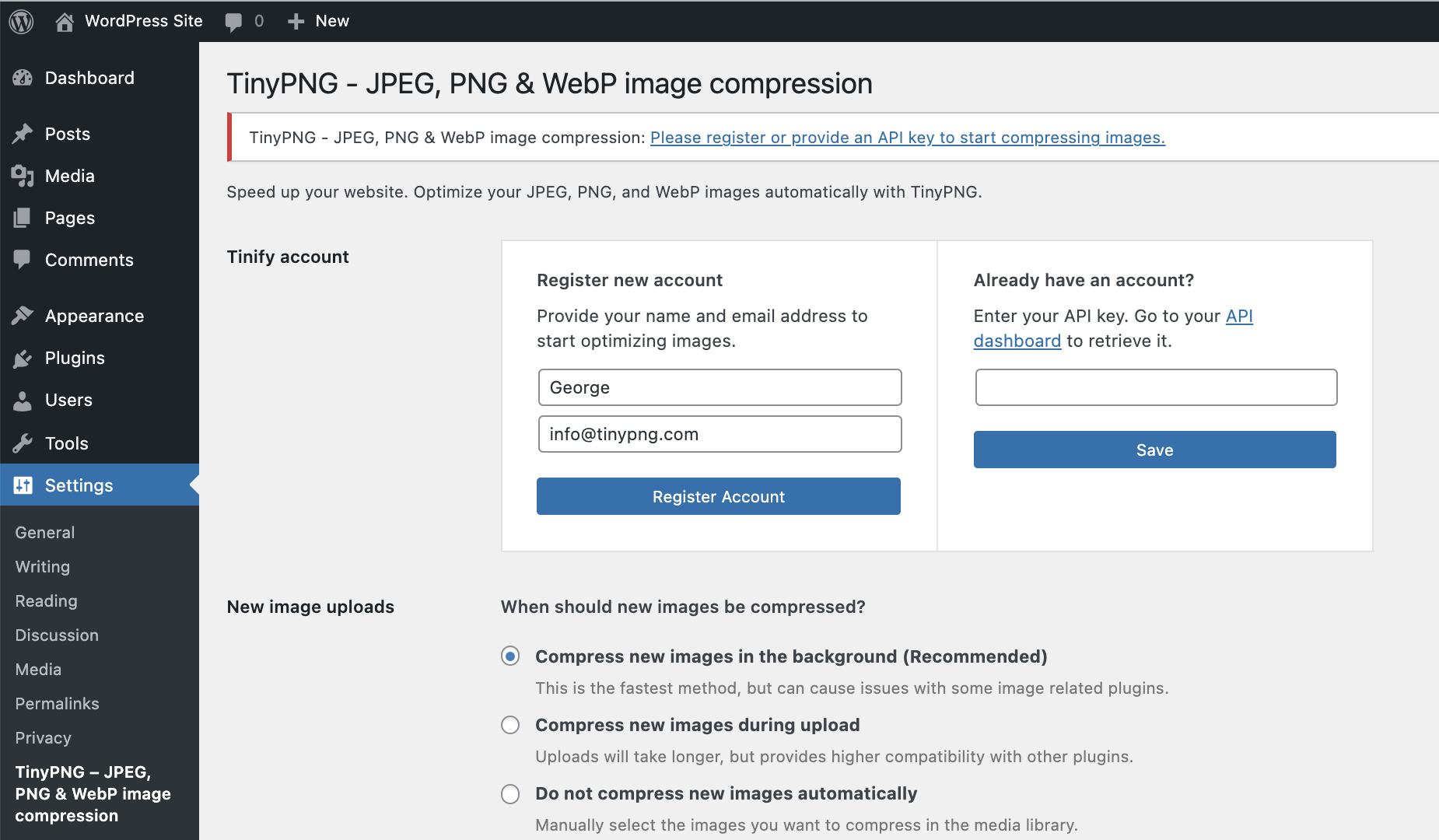
Register a new account or enter your existing API key. Then choose the image sizes to optimize and any other options like resizing and preserving metadata in your original image uploads.
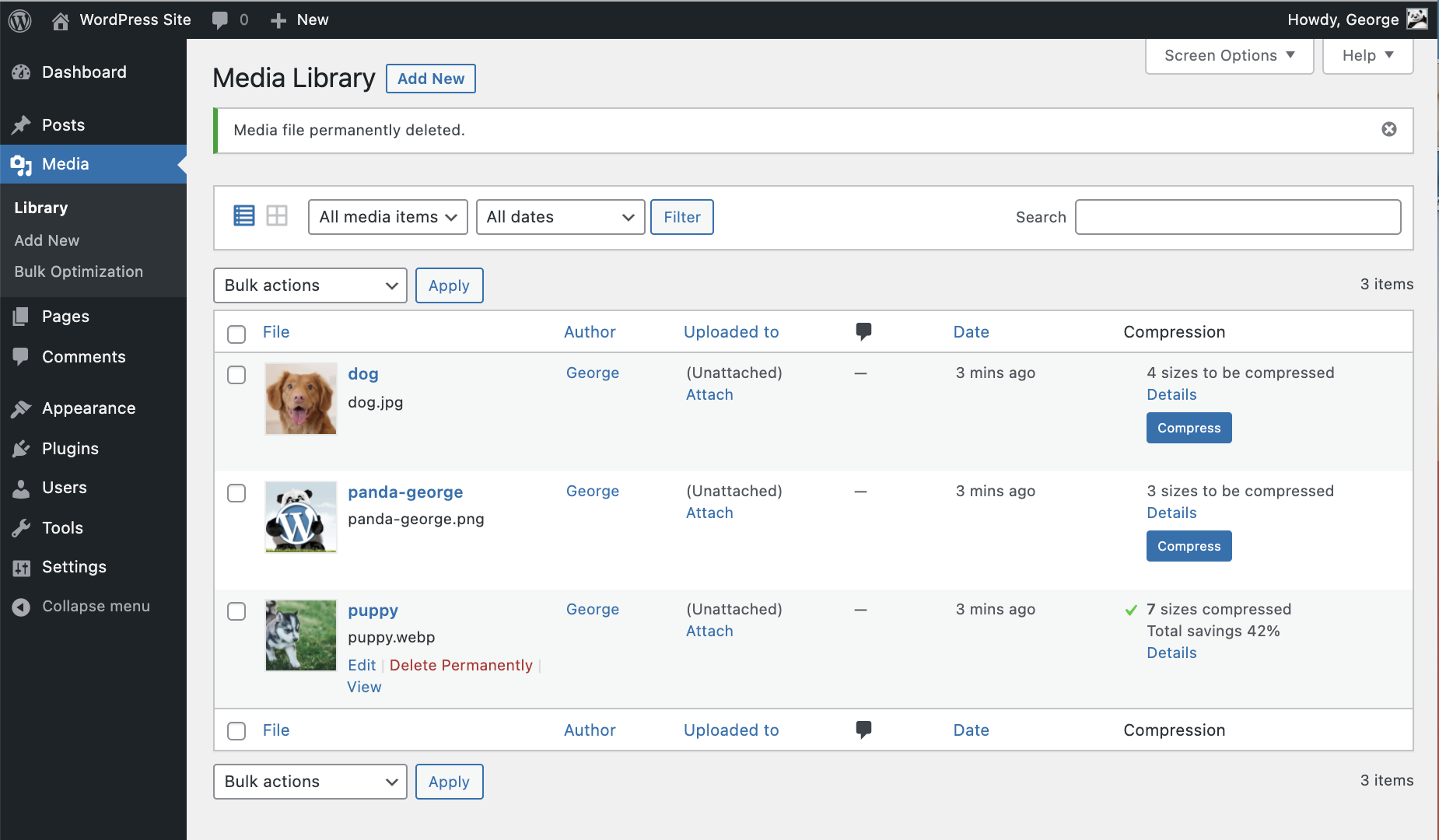
In the Media Library list view you can see the savings on your images.
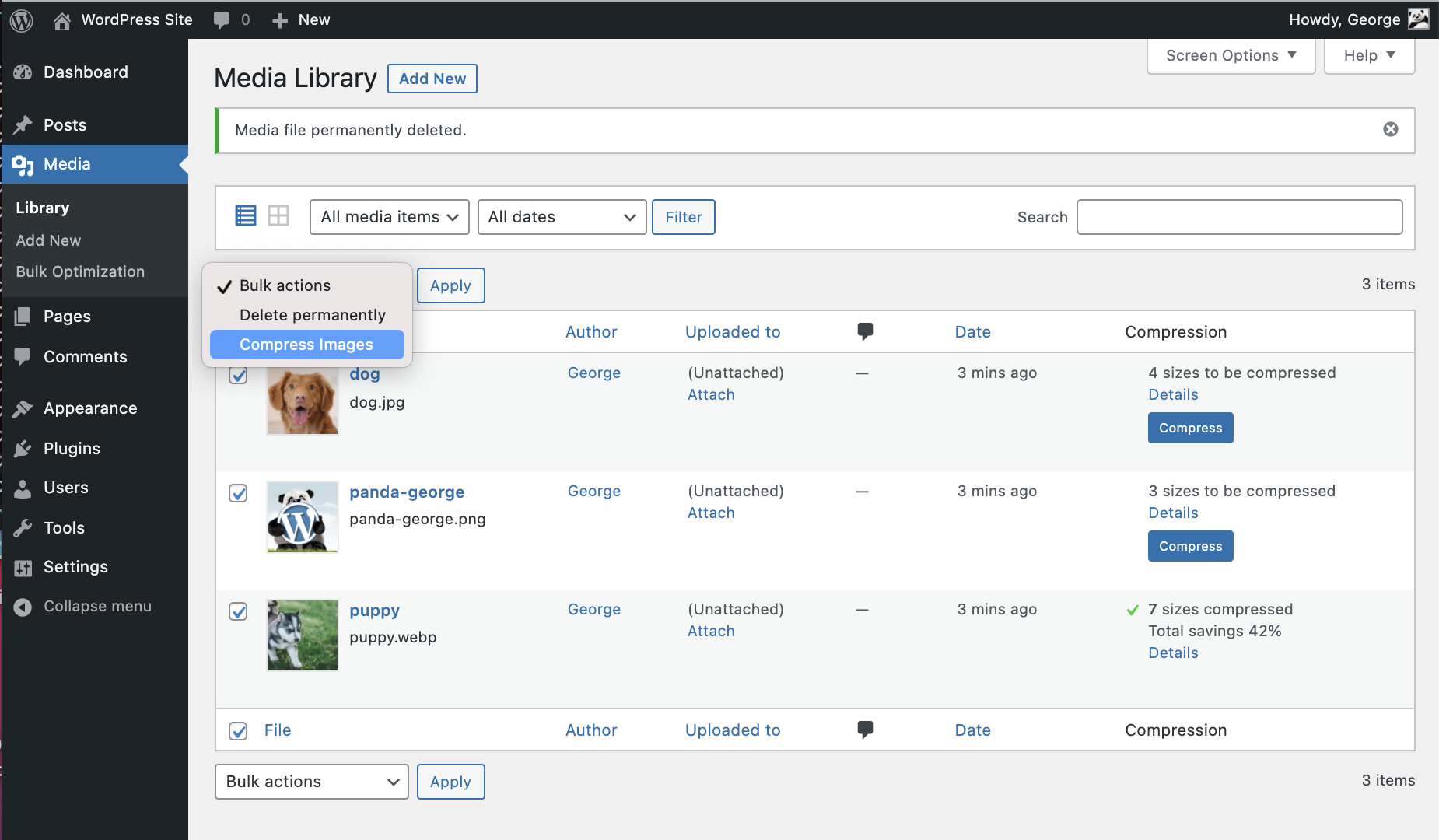
From the Media Library you can compress individual images and use the Bulk Actions drop-down to quickly optimize multiple images at once.
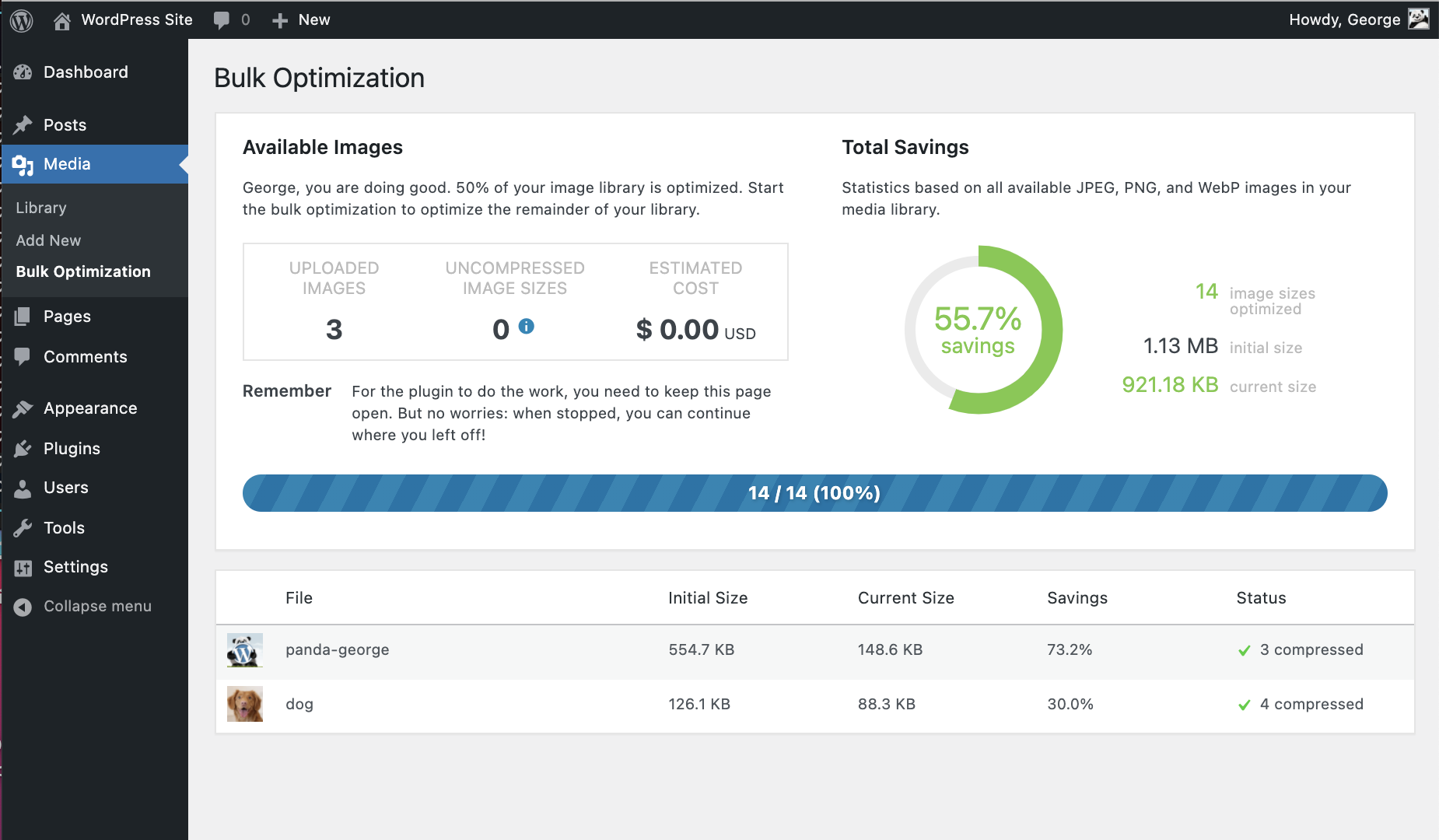
Last but not least you can also use Bulk TinyPNG to optimize your entire WordPress site.
The UpdraftPlus Backup & Migration Plugin is trusted by the WordPress community to backup, restore and migrate their WordPress websites. UpdraftPlus is actively installed on more than 3 million websites around the world.
Backup with UpdraftPlus
UpdraftPlus is the world’s highest ranking and most popular scheduled backup and migration plugin. Backup to your preferred storage location and restore in just three clicks.
Backup to Dropbox, Google Drive, Amazon S3 (or compatible), Rackspace Cloud, FTP, DreamObjects, Openstack Swift or email.
The paid version also allows you to backup to Microsoft OneDrive, Microsoft Azure, Google Cloud, Backblaze B2, SFTP, SCP, pCloud, WebDAV or UpdraftVault, our integrated storage option for UpdraftPlus.
Backup manually or schedule to run every 2, 4, 8 or 12 hours, daily, weekly, monthly or fortnightly.
Restore with UpdraftPlus
Your WordPress website is vulnerable. Your site may get hacked. Something could go wrong with an update or your server could crash. You might need to reverse a change made or a mistake caused by human error.
Whatever the reason, you can restore your WordPress website in just a few clicks with UpdraftPlus. Choose which components to restore (e.g. plugins, themes, database etc.), click again to restore, then click again to return to the main screen.
Migrate with UpdraftPlus
It’s easy to migrate your WordPress website to another web host, server or domain with this free version of UpdraftPlus.
To migrate, simply download your database, plugins, themes etc. from the source site, then upload them into your destination site.
When migrating, a built-in search-and-replace engine identifies old strings and replaces these to reflect the new location. UpdraftPlus saves you time and reduces the risk of broken links or missing files associated with manual migrations.
Why UpdraftPlus?
Writing a reliable backup and migration plugin that ‘just works’ consistently across millions of different WordPress deployments is hard. UpdraftPlus is relied upon to do exactly that. We’re trusted and actively deployed on more websites around the world than any other WordPress backup and migration plugin.
UpdraftPlus:
- Backs up, migrates and restores
- Offers a huge number of remote storage locations
- Allows you to schedule backups, so you can ‘set and forget’
- Is comprehensive and easy to use
- Is proven to work on over 3 million sites.
UpdraftPlus Premium
The free version of UpdraftPlus will back up and migrate your website perfectly well. However if you need more features and options you can purchase our Premium version.
Backup and Migrate with UpdraftPlus Premium, and:
-
Get automatic backups before updates. Restore the very latest version if a WordPress or plugin update breaks your site.
-
Backup Incrementally. Changes are added to the master, saving server resources vs repeatedly backing up in full.
-
Get more remote storage options including Microsoft OneDrive, SFTP, Microsoft Azure, WebDAV, Google Cloud, SCP, Backblaze and pCloud.
-
Get 1GB of integrated storage with UpdraftVault for 99.999% reliability, redundancy and scalability.
-
Get more control over how many backups are stored in a specified interval.
Restore from other backup plugins including BackWPup, BackupWordPress, Simple Backups and more. -
Run backups at set times e.g. during periods of low traffic.
-
Backup to more than one location for added protection.
-
Get detailed reports. Includes cryptographic checksums so you can verify the integrity of the backup files and more.
-
Get Premium migration. Migrating to the destination site is more direct and can be done from the source site.
-
Get Multisite / multi-network compatibility.
-
Backup non-WP files and databases e.g. tables belonging to your e-commerce store or customisations to WordPress core.
-
Get database encryption.
-
Manage your backups and migrations from the WP-CLI.
-
Get Premium Support.
Find out more on our comparison page. UpdraftPlus Premium is available for purchase here.
Managing multiple websites?
UpdraftCentral is a powerful remote control dashboard for WordPress that allows you to manage your backups, as well as updates, users, pages, posts, plugins and themes from one central location. Choose between:
- UpdraftCentral (free, self-hosted)
- UpdraftCentral Premium (paid-for, self-hosted)
- UpdraftCentral Cloud (paid-for, fully-hosted)
Optimize your sites centrally by combining the power of WP-Optimize and UpdraftCentral or manage your backups centrally by combining the power of UpdraftPlus with UpdraftCentral.
Need to create a temporary clone of your site?
UpdraftClone makes it quick and easy to create a temporary sandbox for changes you want to try out. Simply select the versions of WordPress and PHP that you want, and we’ll do the rest. More about UpdraftClone
The full suite of plugins from Team Updraft and friends
-
UpdraftPlus.
Backup, migrate and restore. Rated 5* on the plugin directory and trusted by more than 3 million WordPress website owner -
WP-Optimize.
Clean the database, compress images and caching. Optimize your WordPress website. 5* user rating. 1 million + active installs. -
All-In-One Security (AIOS).
Secure your WordPress website. Comprehensive, feature rich and easy to use. 5* user rating and 1 million + active installs. -
WP Overnight.
Quality Extensions for your WooCommerce store. 5* rated invoicing, order and product management, customer management solutions and more. -
Easy Updates Manager.
Take control of updates. Lots of features for free, and a Premium version with even more – over 300,000 users. -
Internal Link Juicer.Boost your SEO. Automate internal links within your WordPress website. Save time and rank higher in the search engines.
For other useful, free plugins see our lead developer’s profile, here.
Are you multilingual? Can you translate?
Do you want to help people that speak your language to backup, migrate and restore their WordPress websites?
The UpdraftPlus backup, migration and restoration plugin is ready and waiting. The translation process is easy, and web-based – please go here for instructions: https://updraftplus.com/translate/.
Or, if you’re already an expert WordPress translator, just pick out the .pot file from the wp-content/plugins/updraftplus/languages/ directory – if you scan for translatable strings manually, then you need to get these functions: _x(), __(), _e(), _ex(), log_e().
Many thanks to our existing translators.
License
Copyright 2011-24 David Anderson

This program is free software; you can redistribute it and/or modify
it under the terms of the GNU General Public License as published by
the Free Software Foundation; either version 3 of the License, or
(at your option) any later version.

This program is distributed in the hope that it will be useful,
but WITHOUT ANY WARRANTY; without even the implied warranty of
MERCHANTABILITY or FITNESS FOR A PARTICULAR PURPOSE.  See the
GNU General Public License for more details.

You should have received a copy of the GNU General Public License
along with this program; if not, write to the Free Software
Foundation, Inc., 51 Franklin St, Fifth Floor, Boston, MA  02110-1301  USA
Non-English translators are provided by volunteers, and wordpress.org does not give plugin developers control over their translations; thus relying on them is at your own risk; UpdraftPlus cannot guarantee that translations from the original English are accurate.
We recognise and thank those mentioned at https://updraftplus.com/acknowledgements/ for code and/or libraries used and/or modified under the terms of their open source licences.
";s:3:"faq";s:4091:"
Here are the installation guidelines from our YouTube channel or from our website.
If you’re struggling to backup, migrate or restore there’s help available.
Search existing topics on the WordPress support forum or post a new one. Our support and development teams check and respond to queries everyday.
UpdraftPlus Premium customers can log a ticket directly with our support and development teams via the UpdraftPlus support hub.
Before you get in touch, please ensure that you have read through our FAQs and that you’ve updated to the latest release of our plugin.
It helps greatly if you can include the backup log and as much other information as possible in your report, for example the PHP version, your website, the error description, how you got to the page that caused it, any other relevant plugins you have installed, plus any other information that might be of use.
To find the backup log: there are links to download the logs on the UpdraftPlus settings page in the plugin – or you may be emailed it. Failing that, FTP into the directory wp-content/updraft and look for it there.
If you know how, please send your PHP error logs – just the few lines that appear when you run a backup, often the file called error_log, possibly in your wp-admin directory which you can check via FTP. If you’re a programmer that can debug and send a patch, that’s even better.
Migrating in the free plugin involves downloading the backups from the source site then uploading these to the destination site.
To find the backup log: there are links to download the logs on the UpdraftPlus settings page- or you may be emailed it. Failing that, FTP into the directory wp-content/updraft and look for it there.
Both free and Premium plugins include a built-in search-and-replace engine to replace old strings with the new location.
If migration is all you require, and for simple single site migrations the free plugin will likely be enough to meet your needs. If you have additional needs around backups e.g. the ability to backup before updates, if you require more remote storage locations or if you have a WordPress multisite then we recommend UpdraftPlus Premium for the additional benefits that it brings.
This problem is probably caused by your account being starved of resources by your (cheap) web host provider. This is far from ideal; although UpdraftPlus supports resuming backup runs right from the beginning to avoid everything having to be done at once, it has its limits. The best thing is to choose a more reputable web host. Failing this, try going into the “Expert settings” and reducing the size at which zip files are split. UpdraftPlus is known to successfully backup websites that run into the multiple-gigabytes on web servers that are not resource-starved.
";s:9:"changelog";s:35488:"The UpdraftPlus backup blog is the best place to learn in more detail about any important changes.
N.B. Paid versions of UpdraftPlus Backup / Restore have a version number which is 1 higher in the first digit, and has an extra component on the end, but the changelog below still applies. i.e. changes listed for 1.16.32.x of the free version correspond to changes made in 2.16.32.x of the paid version.
1.26.3 – 23/Apr/2026
- FEATURE: Implemented enhanced streaming extraction for large files during restoration to handle cases where the file size exceeds the PHP memory limit.
- FIX: Fixed backup failures on tables with invisible columns and large data volumes.
- FIX: Unable to uncheck all categories on post in UDC dashboard
- TWEAK: Added a new internal command to get given plugins’ installation info.
- TWEAK: Ensure autobackup notice is always a string to prevent PHP 8.1+ deprecation in wp_kses()
- TWEAK: Fix the JS errors that occur when deleting the last generated UDC keys.
- TWEAK: Implemented adjustments for UI misalignment issues caused by the WordPress 7 visual design refresh across the admin dashboard. The plugin’s interface now aligns correctly with the updated design standards.
- TWEAK: Prevent broken settings pages in other plugins in multisite when UpdraftPlus is active due to modified menu URLs.
- TWEAK: Update all links in the addons folder to use teamupdraft.com instead of updraftplus.com.
- TWEAK: Replaced esc_html_e() with esc_html__() where string concatenation was silently discarding the colon separator in SFTP connection failure message and noscript JavaScript warning notice
- TWEAK: Switched to native phpseclib API/function for Dropbox token decryption, replacing deprecated mcrypt_decrypt since PHP 7.1 and removed in PHP 7.2.
- TWEAK: Clear out PHP “Undefined offset” notice that occurred while restoring a backup of single site to multisite. It happened during the search-replace operation due to the absence of the users and usermeta tables.
- TWEAK: Enhance the unzip file function to handle more folder inclusion/exclusion
- TWEAK: Update all links in the methods folder to use teamupdraft.com instead of updraftplus.com.
- TWEAK: Add post status and date fields to get_posts API response for UDC
1.26.2 – 03/Mar/2026
- TWEAK: Added PHP 8.5 support to UpdraftClone
- TWEAK: Fix deprecation warnings in PHP 8.4 for the Dropbox integration
- TWEAK: Make abort backup warning icon responsive with percentage-based sizing
- TWEAK: Prevent the suppressed PHP warnings from being output in the backup and restore log on PHP 8.0+
- TWEAK: On a site where the site owner has restricted (super-)administrators (so that they can’t restore backups), require a constant to first be set to use the HTTP debug tool for internal IP addresses.
- TWEAK: Update all links in the settings folder to use teamupdraft.com instead of updraftplus.com.
- TWEAK: When deleting backup sets created through a direct site-to-site migration, the ‘Also delete from remote storage’ checkbox is unnecessary.
1.26.1 – 19/Jan/2026
- FIX: Google Drive chunked uploads didn’t resume from where it left off but started from the beginning resulting in file duplicates
- TWEAK: Add a WP-CLI command to register a product key (premium)
- TWEAK: Add product registration link on the premium version
- TWEAK: Fix JS error on UpdraftCentral Cloud connect modal.
- TWEAK: Fix grammatical error in the low disk space admin notice.
- TWEAK: Update links for better user experience
- TWEAK: Update the premium links on the settings page
- TWEAK: Update all links in the includes/notices/central folders to use teamupdraft.com instead of updraftplus.com.
- TWEAK: Upgrade the common-libs tag version
1.25.9 – 12/Nov/2025
- FIX: A regression that resulted in the list of tables within the “Database size” tools not being displayed, due to code refactoring implemented in version 1.25.8.
- TWEAK: Add function for returning Advanced Tools menu data in a structured format.
- TWEAK: Resolve regression in 1.25.2 which caused the admin notice “Not yet connected to licence” was linking to teamupdraft.com instead of the UpdraftPlus Premium/Extensions tab.
- TWEAK: Refactoring connection keys data function to deduplicate and read from a single source
- TWEAK: Restored the missing backup confirmation pop-up icon for older WordPress versions.
- TWEAK: Stripped unwanted HTML from the plain-text notice and added new lines after each sentences in the sale offer message.
- TWEAK: Update Black Friday seasonal sale URL/link
- TWEAK: Updated “Check our premium” and “Back up non-WP tables and external databases” URL links to avoid HTTP 404 (not found) errors.
- TWEAK: Update database charset detection to support both CHARSET= and CHARACTER SET syntax in SQL dumps
- TWEAK: Replaced deprecated (boolean) casting
1.25.8 – 07/Oct/2025
- FIX: A fatal error in UpdraftCentral when trying to manage posts when no posts exist.
- FIX: During a failure in the file copy process while restoring, a directory was created with the same name as the file, and the restoration process persisted when it ought to have been stopped
- FIX: PHP fatal error in WP CLI commands for listing or scanning existing backups on PHP 8.0+ after a rescan
- TWEAK: Add UpdraftCentral support to import_settings function with return values
- TWEAK: Add support for new Amazon AWS S3 regions
- TWEAK: Added Burst Statistics to the family plugin list
- TWEAK: Adjust the backup logic to recognize invisible columns, and when that occurs, use a query that explicitly specifies the required columns instead of relying on “SELECT *”.
- TWEAK: Ensure the restore process terminates with an error when file copying/moving fails
- TWEAK: Improve the backup email report to better reflect the backup types and status.
- TWEAK: New endpoint for getting locked settings data for UpdraftCentral
- TWEAK: Perform a search and replace on __PHP_Incomplete_Class to make it work with unserialize() when object deserialization is not allowed.
- TWEAK: Refactoring site info section to deduplicate and read from single source
- TWEAK: Resolved a PHP warning triggered when uploading the plugin via the WP Plugins page — caused by translation functions (e.g. __()) being called too early.
- TWEAK: Some text was left out of the translation POT file, which meant that certain translator plugins and libraries could not find the text, making it impossible to translate.
- TWEAK: Update the db_size function to allow returning either data or html, depending on the argument that is passed in.
1.25.7 – 07/Aug/2025
- FIX: A regression for verifying the presence of old folders in the backup directory; old folders created during the restoration of the “Others” entity were not detected correctly.
- FIX: The per-backup lock entries were not removed, resulting in an accumulation of these entries in the database over time. (Includes clean-up of old entries).
- TWEAK: Add IDrive e2 and MEGA to the S3-Compatible storage list
- TWEAK: Internal function call to prevent a PHP 8.1 deprecation notice on fresh WP installs
- TWEAK: Add wp-staging to the default uploads exclusion list
- TWEAK: Add UpdraftCentral handler for site icon upload request.
- TWEAK: Added support for the database view dashicon in WordPress versions prior to 5.5.
- TWEAK: Include site icon information in the ‘get_site_icon’ response of the UpdraftCentral core module.
- TWEAK: Resolve the empty list issue on the backup email reports created by the UpdraftPlus free version
- TWEAK: The “Get every feature of UpdraftPlus Premium” box shouldn’t be displayed after purchases got claimed/activated
- TWEAK: Remove seasonal (new year, summer, spring and plugin collection) sale notices
- TWEAK: Handle unsupported character set defined for table fields during database pre-restoration.
- TWEAK: Updated links in the Premium Extensions tab of the plugin’s admin menu page.
1.25.6 – 27/May/2025
- FIX: A regression that prevented the remote storage label from being updated
- FIX: A regression that could cause unintended behaviour when restoring special files
- FIX: A fatal error when executing a standalone php backup script with “do_action(‘updraft_backup_all’)”.
- FIX: Regression that caused certain features (e.g. PHP Info) to break due to a missing HTML attribute on the triggering element
- FIX: An issue that caused migration failure for sites using the Performance Lab plugin or other plugins implementing an object cache drop-in
- TWEAK: handle non fatal file rename failure during restore
- TWEAK: The automatic backup feature is now disabled by default on new installs
- TWEAK: return post status and formatted date from UDC post API
- TWEAK: Replace a call to unserialize() in the Dropbox storage library
- TWEAK: Validate the DreamObjects endpoint to ensure only expected DreamObjects enpoint formats can pass through.
- TWEAK: Position the “includes all tables not listed below” option at the beginning of the first known table in the DB restoration widget.
- TWEAK: Add a new default endpoint in DreamObjects along with UI to allow users to add custom endpoint in the format “s3..dream.io”.
- TWEAK: The Azure Storage Service add-on now requires PHP 5.6 or higher to support the mandatory use of TLS 1.2, which will be enforced starting August 31, 2025.
1.25.5 – 17/Apr/2025
- FIX: A bug that prevented the Rackspace “Create new API user and container” dialog from opening.
- TWEAK: An HTTP header intended to terminate the browser’s connection was incorrectly assigned a value that the header does not support.
- TWEAK: Ability to automatically choose the proper checkout page when the user is about to buy TeamUpdraft products from within the plugin
- TWEAK: Clear Divi theme CSS cache at the end of the restoration process
- TWEAK: Resolve PHP warning in pCloud addon when upgrading from free to premium version.
- TWEAK: Update error messages when the user fails to connect to their TeamUpdraft account on the ‘Premium/Extensions’ tab.
1.25.4 – 24/Mar/2025
- FIX: Regression in 1.25.3 – missing database encryption input field due to the use of the “wp_kses_post” function that doesn’t allow “” tag to be rendered
- TWEAK: Add new fields to UpdraftCentral handler
1.25.3 – 21/Mar/2025
- FIX: An issue that prevented an UpdraftClone backup from sending when attempting to boot an UpdraftClone from WP_CLI
- FIX: An issue that prevented changing the default UpdraftClone region when attempting to boot an UpdraftClone from WP_CLI
- TWEAK: The “x-amz-content-sha256” request header is now signed and included in the S3 signature version 4. Some S3-based providers mandate the signing of this header for accurate signature calculation.
- TWEAK: Introduce a new constant named “UPDRAFTPLUS_S3_EXCLUDE_SIGV4_CONTENT_SHA256_HEADER”. This constant allows for the exclusion of the “x-amz-content-sha256” headers from being signed if desired; it accepts a boolean value, defaulting to false.
- TWEAK: Add ‘noopener, noreferrer’ window features to the Javascript’s window.open() call to prevent the target page from changing content of the original page
- TWEAK: Favicon fetching feature for UpdraftCentral
- TWEAK: Minor tweak to “updates” module to include icons to plugin and screenshot url to theme update items
- TWEAK: New UpdraftCentral module for background fetching
- TWEAK: Revise the wording found in the expert settings regarding the deletion of local backup files
- TWEAK: Update seasonal notices
- TWEAK: Enhance the notifications to signify the introduction of other plugins that belong to the same plugin family
- TWEAK: To avoid CORS issues and ensure the UpdraftPlus plugin is functional and accessible via the UpdraftCentral dashboard, the hostname and/or domain origin is changed from updraftplus.com to teamupdraft.com.
- COMPATIBILITY: Resolved PHP deprecation warnings in lockadmin.php by eliminating the use of dynamic properties
1.25.2 – 26/Feb/2025
- FEATURE: Added a “Cron events” tab in the Advanced Tools section to check for the presence of the UpdraftPlus cron job.
- FIX: Resolve the issue of uploads to pCloud failing after a folder name change by resetting the “folderid” whenever the folder name is updated.
- TWEAK: Add site information for WooCommerce and HPOS support to the database backup header.
- TWEAK: Create a log entry when a bot verification page appears during the file upload in the migration procedure.
- TWEAK: Improve error message clarity for failed connection tests in migration.
- TWEAK: Include details in the backup log file about the status and availability of the proxy configured in the system.
- TWEAK: Update the Google library to support the WP_PROXY_HOST and WP_PROXY_PORT constants.
- TWEAK: Update the link for Onedrive and Azure app creation
- COMPATIBILITY: Got rid of PHP 8.4 deprecation messages caused by the E_STRICT constant usage
1.25.1 – 11/Jan/2025
- SECURITY: Fix a non-persistent reflected XSS vulnerability due to a missing nonce combined with missing sanitisation. This could allow an attacker, who persuaded you to click a personally-crafted link to your site’s dashboard whilst you were logged in, to once run JavaScript code in your dashboard. Thanks to Asaf Mozes for finding and responsibly disclosing this issue.
- FIX: Prevent the restoration from failing when there is a ‘sync-xhr=()’ permission policy on the response header.
- FIX: Improve the approach of acquiring a suggested region for Amazon AWS S3 if a failure arises during the getBucketLocation() call, particularly when the XML response fails to provide a field for the suggested region – this resolves issues with regions (e.g. us-east-2) which recently changed their response behaviour
- TWEAK: Broaden the support to incorporate the “ap-southeast-4” region of Amazon AWS S3 and additional recently updated regions
- TWEAK: A regression in the paid version update checker to version 4.13.2, resulting in non-appearance of notices concerning subscription status or WP version compatibility.
1.24.12 – 23/Dec/2024
- FIX: The pre-restoration stage failed to properly address the tables that were to be excluded, which caused a logical error that misread the checked “include all tables not listed” option as an instruction to restore every table
- FIX: Update PHPSecLib library to version 2.0.48 which has the fixes for the “gmp_pow(): base and exponent overflow” on certain PHP versions and could cause backups to fail on the SFTP remote storage
- TWEAK: Complete the review and removal of calls to the unserialize() PHP function allowing class instantiation begun in 1.24.7. (The final removal involved a theoretical security defect, if your development site allowed an attacker to post content to it which you migrated to another site, and which contained customised code that could perform destructive actions which the attacker knew about, prior to you then cloning the site. The result of this removal is that some search-replaces, highly unlikely to be encountered in practice, will be skipped).
- TWEAK: Drop search and replace feature for PHP 5.2 users (to fulfil the preceding item)
- TWEAK: Tweak UpdraftCentral media module to add “has_image_editor” property to each media item
- TWEAK: On the restoration screen in a multisite configuration, the dropdown labeled “which site to restore” was covering other HTML elements, which caused some buttons to be positioned at the bottom instead of at the top
- TWEAK: Avoid deregistering jQuery-UI CSS if already printed by other plugins to prevent compatibility issues
- TWEAK: In the context of database restoration, the execution of LOCK and/or ALTER SQL statements must be avoided for any tables that are part of the “skipped tables” list
- TWEAK: openssl_free_key() is only needed on PHP < 8
- TWEAK: Various coding style changes to comply with “Plugin Check” rules
1.24.11 – 15/Nov/2024
- TWEAK: Do not request drive.readonly scope on Google Drive connections, due to Google’s app permissions review (unannounced and requires us to create a Youtube video for their review process) – this means that (until the review completes) new connections to Google Drive can only access backups created by UpdraftPlus directly, and not backups which you manually upload to Google Drive. This restores the ability to make new connections to Google Drive.
- TWEAK: Adjustment of the UpdraftPlus_S3_Compat class to preserve compatibility with the external UpdraftPlus AWS SDK plugin (https://github.com/DavidAnderson684/updraftplus-aws-sdk).
1.24.9 – 14/Nov/2024
- FIX: A regression in 1.24.8 when handling restoration of wp-config.php
- TWEAK: The changes in handling of loading text domains in 1.24.8 did not cover most cases
- TWEAK: Introduce the “updraftplus_use_builtin_wpcore_restoration” filter which can be used to restore WP-Core entity using a different WP-Core restoration mechanism especially in a case that the admin-ajax.php file couldn’t be deleted during the restoration
1.24.8 – 13/Nov/2024
- TWEAK: Add descriptions for the ‘Clone Package’ dropdown when creating a clone.
- TWEAK: Move the “load_plugin_textdomain” call from being called through “plugins_loaded” action to being called via “init” action
- TWEAK: Update the log message to specify that backup files are marked as “processed” when no remote storage is selected, and as “uploaded” when remote storage is selected.
- TWEAK: Some code tidying in the restore class
1.24.7 – 04/Nov/2024
- TWEAK: Include the .part file extension into the cleanup list, guaranteeing that files associated with this extension are regularly deleted from the backup directory
- TWEAK: The update functionalities in the WordPress plugin information box (6.5 and later) have been adjusted to stop updates from taking place in the same window, ensuring that the “auto-backup before update” dialog appears as intended
- TWEAK: Add customized “unserialized” method into the UpdraftPlus class which can handle the use of the “options” argument or its absence when running across different PHP versions
- TWEAK: Add the UPDRAFTPLUS_SEND_UNWRITABLE_BACKUP_DIRECTORY_EMAIL constant to disable the sending of unwritable backup directory emails to users.
- TWEAK: Clearer notifications to users regarding unconfigured remote storage settings and/or the selection of remote storage that are not part of their UpdraftPlus version
- TWEAK: During the resumption of OneDrive’s chunk uploads, the authorisation header and bearer token should not be included as it may lead to an unauthenticated error due to a different upload URL.
- TWEAK: Implement code to enable automatic activation of the UpdraftPlus plugin during the migration process from a multisite setup to a standalone site
- TWEAK: In a multisite environment, ensure that users can access the UpdraftPlus plugin page even in the absence of the WP_ALLOW_MULTISITE constant
- TWEAK: UpdraftClone now supports PHP 8.4
- TWEAK: Prevent a potential PHP deprecation notice when zip creation fails
1.24.6 – 25/Sep/2024
- TWEAK: In 1.24.5, the browser title wrongly displayed as “UpdraftPlus” when accessing an unrelated plugin page using the main menu.
1.24.5 – 24/Sep/2024
- FIX: Incorrect regular expression for DigitalOcean Spaces endpoint
- FIX: CSS conflicts with the LearnDash LMS Instructor Role Add-on plugin which caused some UI elements to disappear
- TWEAK: Reorganize UpdraftPlus in left-hand menu and rename it to “UpdraftPlus”; to disable it, follow this guide: https://updraftplus.com/new-location-of-updraftplus-in-the-wordpress-dashboard/
- TWEAK: Add span wrapper to UpdraftCentral connection failed message
- TWEAK: Add the “Go here to complete your settings” link into the appropriate admin notice that when clicked will jump to the UpdraftVault configuration if no settings are specified.
- TWEAK: Adjust regex patterns that didn’t match some temporary files, causing them to not be automatically removed
- TWEAK: After a restoration, clicking “Delete old folders” will also remove the wp-config-pre-ud-restore-backup.php file
- TWEAK: On the settings page/tab; prevent the floating “Save changes” button from getting clicked multiple times and/or sending multiple AJAX requests
- TWEAK: Remove pCloud from the add-ons list on the “Premium / Extensions” tab (there is no change in its availability)
- TWEAK: Renamed wp-config-backup.php to wp-config-pre-ud-restore-backup.php to clarify its purpose as a backup file created before restoring WordPress core entities, and it will only be generated if the user does not select the “Over-write wp-config.php” option during restoration, as the previous name was too generic and could cause confusion
- TWEAK: The popup modal for automatic plugin updates fails to retain the backup checkbox selection when the “remember” option is enabled in a Multisite environment.
- TWEAK: Updated autobackup selector to resolve issues caused by the missing “update-link” class in WPForms Pro plugin
1.24.4 – 2/Jul/2024
- FIX: Case-sensitive issue of bit field type names in a table.
- FIX: Resolved issue where backup files could not be deleted from remote storage when either the root directory was active or no directory was specified in the OneDrive configuration form.
- FIX: When users attempt to update a plugin using the “View Version x.x.x Details” link instead of choosing “Update Now,” the plugin is successfully updated; however, the UI incorrectly displays an “Update Failed” message
- FIX: Conflict with the Gravity Forms plugin when there was an older version of jQuery UI presented on the “Installed Plugins” page.
- TWEAK: Ensure compliance with Google Granular Consent and check for required permissions during storage access authorisation of Google Drive and Google Cloud
- TWEAK: Prevent PHP warning and deprecation messages after completing access authorisation to Google Drive storage.
- TWEAK: Prevent PHP warning when Dropbox remote storage has been authenticated and the page is refreshed.
- TWEAK: Added filter updraftplus_working_dir_localpath to allow temporary unzip path to be modified by developers
- TWEAK: Modify the displayed title of the plugin from “WordPress Backup & Migration Plugin” to “WP Backup & Migration Plugin” as required by the plugin directory team
- TWEAK: Parse certain php events and log proper error messages
1.24.3 – 30/Apr/2024
- FIX: Regression in 1.23.16 for improving logs which then caused incorrect_offset error reported by Dropbox wasn’t properly handled.
- TWEAK: The UpdraftVault remote storage can handle Wasabi as well as Amazon S3 storage in the background.
- TWEAK: Fix WP_Theme_JSON_Resolver::theme_has_support deprecation warning for UpdraftCentral
- TWEAK: Prevent “PHP Warning: Undefined property: UpdraftPlus_BackupModule_pcloud::$description” during rescan remote storage.
- TWEAK: Prevent PHP deprecation warnings during database backups when encountering null values in bit field types.
- TWEAK: Show a warning message when the WP_ACCESSIBLE_HOSTS constant is defined and updraftplus.com is not permitted by its value
- TWEAK: Update notices
- TWEAK: Split multiple sentences into separate translation function calls.
- TWEAK: Trim spaces from S3-Compatible (Generic) endpoint.
1.24.2 – 26/Mar/2024
- FIX: The “Continue restoration” and “Dismiss” buttons on the unfinished restoration dialog were not responsive to being pressed due to a recent regression
- FIX: Conflict with other plugins due to different version of third party library (Guzzle) and the composer autoload.php was called too early
- FIX: Undefined “NET_SCP_LOCAL_FILE” constant when SCP was in use for the SFTP/SCP remote storage
- TWEAK: Add compatibility fields when returning plugins and themes to UpdraftCentral
- TWEAK: Due to issues in some cURL versions 7.x in handling HTTP/2 connections, all HTTP connections to the OneDrive API are now forced to use HTTP/1.1 version, on cURL versions after 7.61 and before 8.0. Also, a constant named UPDRAFTPLUS_ONEDRIVE_CURL_HTTP_VERSION can be set in the wp-config.php file to change the default HTTP version to another preferred version
- TWEAK: Adjust margin to fix broken UI for the ‘View logs’ button on backups.
- TWEAK: Ensure all “SET SQL_MODE” statements in the database backup file are internally handled and are subjected only to a restoration outside UpdraftPlus plugin
- TWEAK: Prevent PHP 8.2 coding style deprecation notices in the autobackup addon
- TWEAK: In the context of OneDrive’s chunk upload, authorisation header and bearer token should not be included during upload session as it may lead to 401 HTTP status due to different upload URL
- TWEAK: Remove default value for updraftplus_https_to_http_additional_warning and updraftplus_http_to_https_additional_warning filters.
- TWEAK: Set the SQL_MODE to ‘NO_AUTO_VALUE_ON_ZERO’ in the database backup file.
- TWEAK: Seasonal notice content update for 2024
- TWEAK: During the operations that require phpseclib, include the composer autoload.php only when the phpseclib is really needed
1.24.1 – 21/Feb/2024
- FEATURE: Implement Backblaze Object Lock support (Premium version)
- FIX: The email backup and basic report setting didn’t work causing notification email confirming backup status couldn’t be delivered to admin’s email address (free version)
- FIX: Fix WP-Optimize premium discovery for UpdraftCentral
- FIX: Regression in 1.23.16 for correcting calls to translation functions which then caused some HTML attributes to be empty
- FIX: Restoring backup sets via Migrate/Clone tab had caused all associated backup entities being downloaded immediately ignoring user preferences about the entities they wanted to restore
- FIX: Third-party library conflict (phpseclib) with WP All Import Pro and AIO WP Migration plugins that caused failure in testing SFTP credentials and backing up to the SFTP remote storage
- FIX: Restore compatibility with WordPress multisite running on versions < 4.9 caused by use of function not present before then
- TWEAK: Add new translation entries for UpdraftCentral
- TWEAK: Got rid of PHP 8.2 deprecation messages caused by a null value being passed to the htmlspecialchars() function and creation of dynamic property
- TWEAK: Got rid of PHP 8.3 deprecation messages caused by calling get_class() without arguments.
- TWEAK: Refactor methods in UpdraftPlus_Database_Utility class
- TWEAK: Send an email if the backup directory is not writable.
- TWEAK: Add and set the
filename_onlyparameter to reduce search times when looking for specific backup files in Dropbox. - TWEAK: Autoload PHP secure communication library (phpseclib) in a better way that would prevent already-loaded phpseclib classes (by other plugin) from being used in certain operations
- TWEAK: Add updraftplus_backup_db_header_append filter to allow site owners to include arbitrary content in their database backup header
1.23.16 – 23/Dec/2023
- TWEAK: Added demo link for the family plugin in advertisement
- TWEAK: Removed https / http prefix from s3generic endpoints
- TWEAK: Resolve PHP 8.0 compatibility with ob_implicit_flush function
- TWEAK: Dropbox error logs improvement
- TWEAK: As required by the wordpress.org plugin team, all UpdraftPlus news is forbidden to be displayed in the “WordPress News” section of the dashboard for users of the free plugin even if consent is first given.
- TWEAK: Fix some incorrect calls to translation functions
1.23.14 – 30/Nov/2023
- FIX: Resolved Google Cloud remote storage authentication flow
- TWEAK: Changed updraftvault links functionality to open in different tab
- TWEAK: Clarify significance of warnings in report emails
- TWEAK: Make the news-consent’s layer fit with the confirmation text thus removing empty space that can reveal some of the UpdraftPlus news
- TWEAK: Declare a shim “php_uname” function when it’s found to be undefined to prevent a fatal error in the phpseclib library (which calls it)
1.23.13 – 22/Nov/2023
- FIX: An issue that prevented incremental backups from running via WP-CLI or Cron when the option to backup mu-plugins was enabled but no mu-plugins existed
- FIX: OneDrive remote storage authentication was giving the error “Invalid input.”
- FIX: The option to back up additional, user-chosen files (i.e. the morefiles entity) was no longer present in the UI
- TWEAK: Remove unused “migrator-lite.php” string during search and replace operations
- TWEAK: Replace remaining hardcoded text domain with UPDRAFTCENTRAL_TEXT_DOMAIN placeholder within the central folder
- TWEAK: LiteSpeed admin dashboard warning is now displayed upon completion of migration on the destination site, even after dismissing the message on the source site.
- TWEAK: Do not show UpdraftPlus news in the WordPress events and news widget section without first gaining user consent
- TWEAK: Change order of checks when seeing if cPanel is present/accessible for asking about disk quota in order to prevent unwanted an PHP notice when safe_mode is active
- TWEAK: Prevent potential fatal error if something has modified an updates check’s ‘translation’ property to be invalid before passing on to UpdraftPlus
- TWEAK: Update bundled cacert.pem file
1.23.12 – 08/Nov/2023
- FIX: Issue that prevented some database restores from completing due to a change in wpdb in WordPress 6.4
- TWEAK: Replace Javascript onchange event with oninput event to detect changes made for HTML tags on the settings page, also to add to the event handler so that unsaved changes can be detected
1.23.11 – 03/Nov/2023
- SECURITY: Fix a vulnerability which could, if you had Google Drive storage enabled, and if an attacker targetted a logged-in administrator on your site and persuaded them to access a specific URL that the attacker creates, add the attacker’s own Google Drive account to the saved storage methods. Thanks to Nicolas Decayeux of Patrowl for finding and disclosing this issue.
- FEATURE: Add JSTree for Google Drive to select existing folder
- FEATURE: The “Must-use plugins” backup entity can be backed up and restored separately in a normal WordPress site
- FIX: OneDrive folder case sensitivity issue (successfully uploaded backup files to the remote storage but failed in pruning old backup files due to different letter capitalisation; also happened in manual deletions)
- FIX: When two instances of WebDav remote storage were sequentially added in the Premium version, filling some fields of the latest instance would break the WebDav URL of the previous instance
- TWEAK: Update phpseclib library from version 1 to 2. As previously advised, this also means that these features (Database Encryption, Dropbox & SFTP/SCP remote storage, and UpdraftCentral key creations) will no longer be available and can cause a fatal error when running on PHP 5.2
- TWEAK: Add a link to Trustpilot in the review prompt
- TWEAK: Added a warning message when the WP_HTTP_BLOCK_EXTERNAL is defined and set to true
- TWEAK: Added the “Copy to clipboard” button under the self-hosted central option
- TWEAK: File size is shown when pressing on the backup entity
- TWEAK: Fix the restore dialog to not display “plugins” checkbox when only there’s “mu-plugins” entity
- TWEAK: Fixed PHP 8.2 deprecation messages caused by a null value being passed to the rtrim() function
- TWEAK: Resolve PHP deprecations for the dynamic property access by declaring the variables in the class
- TWEAK: Includes the plugin.php file path if “get_mu_plugins” function does not exist.
- TWEAK: Provide default options for function UpdraftPlus::backup_all()
- TWEAK: Add and call the
litespeed_finish_request()function to ensure the HTTP connection made from the browser gets closed immediately without having to wait the process to complete thus leaving it run in the background - TWEAK: Ensure no PHP “Class not found” is showing up during credentials testing
- TWEAK: Add type checking in UpdraftPlus::handle_url_actions() to prevent plugin conflicts causing PHP errors …

Main dashboard - screenshots are from UpdraftPlus Premium, so may reference some features that are not part of the free version
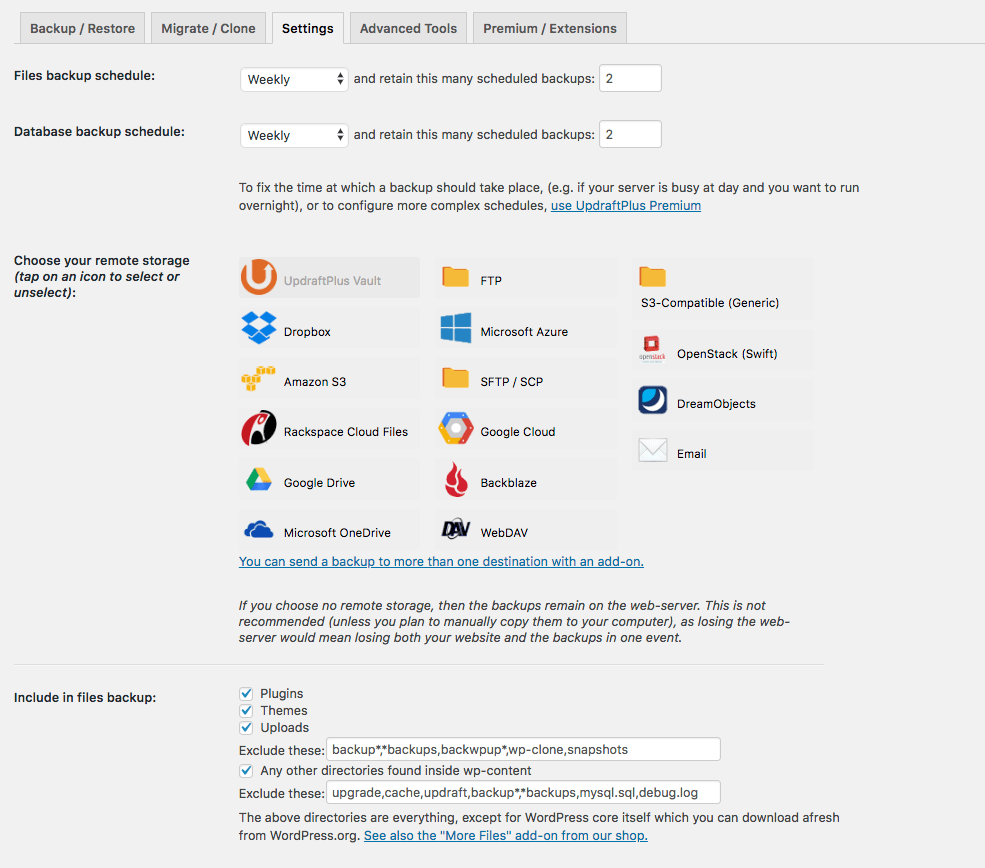
Configuring your backups

Take a backup
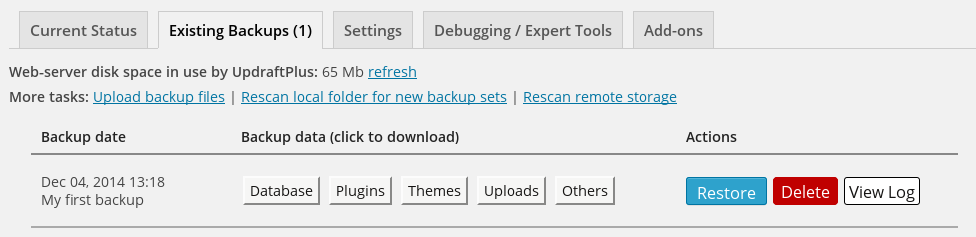
Choose which components to restore
Main dashboard - screenshots are from UpdraftPlus Premium, so may reference some features that are not part of the free version
";}i:2;a:2:{s:3:"src";s:64:"https://ps.w.org/updraftplus/assets/screenshot-2.png?rev=1927660";s:7:"caption";s:31:"Configuring your backups
";}i:3;a:2:{s:3:"src";s:64:"https://ps.w.org/updraftplus/assets/screenshot-3.png?rev=1686200";s:7:"caption";s:20:"Take a backup
";}i:4;a:2:{s:3:"src";s:64:"https://ps.w.org/updraftplus/assets/screenshot-4.png?rev=1686200";s:7:"caption";s:41:"Choose which components to restore
";}}s:4:"tags";a:5:{s:6:"backup";s:6:"backup";s:12:"cloud-backup";s:12:"cloud backup";s:15:"database-backup";s:15:"database backup";s:9:"migration";s:9:"migration";s:16:"wordpress-backup";s:16:"wordpress backup";}s:8:"versions";a:367:{s:5:"0.7.4";s:60:"https://downloads.wordpress.org/plugin/updraftplus.0.7.4.zip";s:5:"0.7.7";s:60:"https://downloads.wordpress.org/plugin/updraftplus.0.7.7.zip";s:6:"0.8.28";s:61:"https://downloads.wordpress.org/plugin/updraftplus.0.8.28.zip";s:6:"0.8.29";s:61:"https://downloads.wordpress.org/plugin/updraftplus.0.8.29.zip";s:6:"0.8.30";s:61:"https://downloads.wordpress.org/plugin/updraftplus.0.8.30.zip";s:6:"0.8.31";s:61:"https://downloads.wordpress.org/plugin/updraftplus.0.8.31.zip";s:6:"0.8.32";s:61:"https://downloads.wordpress.org/plugin/updraftplus.0.8.32.zip";s:6:"0.8.33";s:61:"https://downloads.wordpress.org/plugin/updraftplus.0.8.33.zip";s:6:"0.8.36";s:61:"https://downloads.wordpress.org/plugin/updraftplus.0.8.36.zip";s:6:"0.8.37";s:61:"https://downloads.wordpress.org/plugin/updraftplus.0.8.37.zip";s:6:"0.8.50";s:61:"https://downloads.wordpress.org/plugin/updraftplus.0.8.50.zip";s:6:"0.8.51";s:61:"https://downloads.wordpress.org/plugin/updraftplus.0.8.51.zip";s:5:"0.9.1";s:60:"https://downloads.wordpress.org/plugin/updraftplus.0.9.1.zip";s:6:"0.9.10";s:61:"https://downloads.wordpress.org/plugin/updraftplus.0.9.10.zip";s:6:"0.9.11";s:61:"https://downloads.wordpress.org/plugin/updraftplus.0.9.11.zip";s:6:"0.9.12";s:61:"https://downloads.wordpress.org/plugin/updraftplus.0.9.12.zip";s:5:"0.9.2";s:60:"https://downloads.wordpress.org/plugin/updraftplus.0.9.2.zip";s:6:"0.9.20";s:61:"https://downloads.wordpress.org/plugin/updraftplus.0.9.20.zip";s:6:"0.9.21";s:61:"https://downloads.wordpress.org/plugin/updraftplus.0.9.21.zip";s:6:"0.9.22";s:61:"https://downloads.wordpress.org/plugin/updraftplus.0.9.22.zip";s:6:"1.0.10";s:61:"https://downloads.wordpress.org/plugin/updraftplus.1.0.10.zip";s:6:"1.0.11";s:61:"https://downloads.wordpress.org/plugin/updraftplus.1.0.11.zip";s:6:"1.0.12";s:61:"https://downloads.wordpress.org/plugin/updraftplus.1.0.12.zip";s:6:"1.0.15";s:61:"https://downloads.wordpress.org/plugin/updraftplus.1.0.15.zip";s:6:"1.0.16";s:61:"https://downloads.wordpress.org/plugin/updraftplus.1.0.16.zip";s:6:"1.0.18";s:61:"https://downloads.wordpress.org/plugin/updraftplus.1.0.18.zip";s:6:"1.0.20";s:61:"https://downloads.wordpress.org/plugin/updraftplus.1.0.20.zip";s:5:"1.0.3";s:60:"https://downloads.wordpress.org/plugin/updraftplus.1.0.3.zip";s:5:"1.0.4";s:60:"https://downloads.wordpress.org/plugin/updraftplus.1.0.4.zip";s:5:"1.0.5";s:60:"https://downloads.wordpress.org/plugin/updraftplus.1.0.5.zip";s:5:"1.0.6";s:60:"https://downloads.wordpress.org/plugin/updraftplus.1.0.6.zip";s:5:"1.0.7";s:60:"https://downloads.wordpress.org/plugin/updraftplus.1.0.7.zip";s:5:"1.0.8";s:60:"https://downloads.wordpress.org/plugin/updraftplus.1.0.8.zip";s:5:"1.0.9";s:60:"https://downloads.wordpress.org/plugin/updraftplus.1.0.9.zip";s:5:"1.1.0";s:60:"https://downloads.wordpress.org/plugin/updraftplus.1.1.0.zip";s:6:"1.1.10";s:61:"https://downloads.wordpress.org/plugin/updraftplus.1.1.10.zip";s:6:"1.1.11";s:61:"https://downloads.wordpress.org/plugin/updraftplus.1.1.11.zip";s:6:"1.1.12";s:61:"https://downloads.wordpress.org/plugin/updraftplus.1.1.12.zip";s:6:"1.1.13";s:61:"https://downloads.wordpress.org/plugin/updraftplus.1.1.13.zip";s:6:"1.1.14";s:61:"https://downloads.wordpress.org/plugin/updraftplus.1.1.14.zip";s:6:"1.1.15";s:61:"https://downloads.wordpress.org/plugin/updraftplus.1.1.15.zip";s:6:"1.1.16";s:61:"https://downloads.wordpress.org/plugin/updraftplus.1.1.16.zip";s:6:"1.1.17";s:61:"https://downloads.wordpress.org/plugin/updraftplus.1.1.17.zip";s:5:"1.1.2";s:60:"https://downloads.wordpress.org/plugin/updraftplus.1.1.2.zip";s:5:"1.1.3";s:60:"https://downloads.wordpress.org/plugin/updraftplus.1.1.3.zip";s:5:"1.1.5";s:60:"https://downloads.wordpress.org/plugin/updraftplus.1.1.5.zip";s:5:"1.1.6";s:60:"https://downloads.wordpress.org/plugin/updraftplus.1.1.6.zip";s:5:"1.1.8";s:60:"https://downloads.wordpress.org/plugin/updraftplus.1.1.8.zip";s:5:"1.1.9";s:60:"https://downloads.wordpress.org/plugin/updraftplus.1.1.9.zip";s:6:"1.10.1";s:61:"https://downloads.wordpress.org/plugin/updraftplus.1.10.1.zip";s:6:"1.10.3";s:61:"https://downloads.wordpress.org/plugin/updraftplus.1.10.3.zip";s:6:"1.11.1";s:61:"https://downloads.wordpress.org/plugin/updraftplus.1.11.1.zip";s:7:"1.11.12";s:62:"https://downloads.wordpress.org/plugin/updraftplus.1.11.12.zip";s:7:"1.11.15";s:62:"https://downloads.wordpress.org/plugin/updraftplus.1.11.15.zip";s:7:"1.11.17";s:62:"https://downloads.wordpress.org/plugin/updraftplus.1.11.17.zip";s:7:"1.11.18";s:62:"https://downloads.wordpress.org/plugin/updraftplus.1.11.18.zip";s:6:"1.11.2";s:61:"https://downloads.wordpress.org/plugin/updraftplus.1.11.2.zip";s:7:"1.11.20";s:62:"https://downloads.wordpress.org/plugin/updraftplus.1.11.20.zip";s:7:"1.11.23";s:62:"https://downloads.wordpress.org/plugin/updraftplus.1.11.23.zip";s:7:"1.11.24";s:62:"https://downloads.wordpress.org/plugin/updraftplus.1.11.24.zip";s:7:"1.11.25";s:62:"https://downloads.wordpress.org/plugin/updraftplus.1.11.25.zip";s:7:"1.11.26";s:62:"https://downloads.wordpress.org/plugin/updraftplus.1.11.26.zip";s:7:"1.11.27";s:62:"https://downloads.wordpress.org/plugin/updraftplus.1.11.27.zip";s:7:"1.11.28";s:62:"https://downloads.wordpress.org/plugin/updraftplus.1.11.28.zip";s:6:"1.11.3";s:61:"https://downloads.wordpress.org/plugin/updraftplus.1.11.3.zip";s:6:"1.11.4";s:61:"https://downloads.wordpress.org/plugin/updraftplus.1.11.4.zip";s:6:"1.11.5";s:61:"https://downloads.wordpress.org/plugin/updraftplus.1.11.5.zip";s:6:"1.11.8";s:61:"https://downloads.wordpress.org/plugin/updraftplus.1.11.8.zip";s:6:"1.11.9";s:61:"https://downloads.wordpress.org/plugin/updraftplus.1.11.9.zip";s:6:"1.12.0";s:61:"https://downloads.wordpress.org/plugin/updraftplus.1.12.0.zip";s:6:"1.12.1";s:61:"https://downloads.wordpress.org/plugin/updraftplus.1.12.1.zip";s:7:"1.12.12";s:62:"https://downloads.wordpress.org/plugin/updraftplus.1.12.12.zip";s:7:"1.12.13";s:62:"https://downloads.wordpress.org/plugin/updraftplus.1.12.13.zip";s:7:"1.12.15";s:62:"https://downloads.wordpress.org/plugin/updraftplus.1.12.15.zip";s:7:"1.12.17";s:62:"https://downloads.wordpress.org/plugin/updraftplus.1.12.17.zip";s:6:"1.12.2";s:61:"https://downloads.wordpress.org/plugin/updraftplus.1.12.2.zip";s:7:"1.12.20";s:62:"https://downloads.wordpress.org/plugin/updraftplus.1.12.20.zip";s:7:"1.12.23";s:62:"https://downloads.wordpress.org/plugin/updraftplus.1.12.23.zip";s:7:"1.12.24";s:62:"https://downloads.wordpress.org/plugin/updraftplus.1.12.24.zip";s:7:"1.12.25";s:62:"https://downloads.wordpress.org/plugin/updraftplus.1.12.25.zip";s:7:"1.12.28";s:62:"https://downloads.wordpress.org/plugin/updraftplus.1.12.28.zip";s:7:"1.12.29";s:62:"https://downloads.wordpress.org/plugin/updraftplus.1.12.29.zip";s:7:"1.12.30";s:62:"https://downloads.wordpress.org/plugin/updraftplus.1.12.30.zip";s:7:"1.12.32";s:62:"https://downloads.wordpress.org/plugin/updraftplus.1.12.32.zip";s:7:"1.12.34";s:62:"https://downloads.wordpress.org/plugin/updraftplus.1.12.34.zip";s:7:"1.12.35";s:62:"https://downloads.wordpress.org/plugin/updraftplus.1.12.35.zip";s:7:"1.12.37";s:62:"https://downloads.wordpress.org/plugin/updraftplus.1.12.37.zip";s:7:"1.12.39";s:62:"https://downloads.wordpress.org/plugin/updraftplus.1.12.39.zip";s:6:"1.12.4";s:61:"https://downloads.wordpress.org/plugin/updraftplus.1.12.4.zip";s:7:"1.12.40";s:62:"https://downloads.wordpress.org/plugin/updraftplus.1.12.40.zip";s:6:"1.12.6";s:61:"https://downloads.wordpress.org/plugin/updraftplus.1.12.6.zip";s:6:"1.13.1";s:61:"https://downloads.wordpress.org/plugin/updraftplus.1.13.1.zip";s:7:"1.13.11";s:62:"https://downloads.wordpress.org/plugin/updraftplus.1.13.11.zip";s:7:"1.13.12";s:62:"https://downloads.wordpress.org/plugin/updraftplus.1.13.12.zip";s:7:"1.13.15";s:62:"https://downloads.wordpress.org/plugin/updraftplus.1.13.15.zip";s:7:"1.13.16";s:62:"https://downloads.wordpress.org/plugin/updraftplus.1.13.16.zip";s:6:"1.13.2";s:61:"https://downloads.wordpress.org/plugin/updraftplus.1.13.2.zip";s:6:"1.13.3";s:61:"https://downloads.wordpress.org/plugin/updraftplus.1.13.3.zip";s:6:"1.13.4";s:61:"https://downloads.wordpress.org/plugin/updraftplus.1.13.4.zip";s:6:"1.13.5";s:61:"https://downloads.wordpress.org/plugin/updraftplus.1.13.5.zip";s:6:"1.13.6";s:61:"https://downloads.wordpress.org/plugin/updraftplus.1.13.6.zip";s:6:"1.13.7";s:61:"https://downloads.wordpress.org/plugin/updraftplus.1.13.7.zip";s:6:"1.13.8";s:61:"https://downloads.wordpress.org/plugin/updraftplus.1.13.8.zip";s:6:"1.13.9";s:61:"https://downloads.wordpress.org/plugin/updraftplus.1.13.9.zip";s:7:"1.14.10";s:62:"https://downloads.wordpress.org/plugin/updraftplus.1.14.10.zip";s:7:"1.14.11";s:62:"https://downloads.wordpress.org/plugin/updraftplus.1.14.11.zip";s:7:"1.14.12";s:62:"https://downloads.wordpress.org/plugin/updraftplus.1.14.12.zip";s:7:"1.14.13";s:62:"https://downloads.wordpress.org/plugin/updraftplus.1.14.13.zip";s:6:"1.14.2";s:61:"https://downloads.wordpress.org/plugin/updraftplus.1.14.2.zip";s:6:"1.14.3";s:61:"https://downloads.wordpress.org/plugin/updraftplus.1.14.3.zip";s:6:"1.14.4";s:61:"https://downloads.wordpress.org/plugin/updraftplus.1.14.4.zip";s:6:"1.14.5";s:61:"https://downloads.wordpress.org/plugin/updraftplus.1.14.5.zip";s:6:"1.14.7";s:61:"https://downloads.wordpress.org/plugin/updraftplus.1.14.7.zip";s:6:"1.14.9";s:61:"https://downloads.wordpress.org/plugin/updraftplus.1.14.9.zip";s:6:"1.15.0";s:61:"https://downloads.wordpress.org/plugin/updraftplus.1.15.0.zip";s:6:"1.15.2";s:61:"https://downloads.wordpress.org/plugin/updraftplus.1.15.2.zip";s:6:"1.15.3";s:61:"https://downloads.wordpress.org/plugin/updraftplus.1.15.3.zip";s:6:"1.15.5";s:61:"https://downloads.wordpress.org/plugin/updraftplus.1.15.5.zip";s:6:"1.15.6";s:61:"https://downloads.wordpress.org/plugin/updraftplus.1.15.6.zip";s:6:"1.15.7";s:61:"https://downloads.wordpress.org/plugin/updraftplus.1.15.7.zip";s:6:"1.16.0";s:61:"https://downloads.wordpress.org/plugin/updraftplus.1.16.0.zip";s:7:"1.16.10";s:62:"https://downloads.wordpress.org/plugin/updraftplus.1.16.10.zip";s:7:"1.16.11";s:62:"https://downloads.wordpress.org/plugin/updraftplus.1.16.11.zip";s:7:"1.16.12";s:62:"https://downloads.wordpress.org/plugin/updraftplus.1.16.12.zip";s:7:"1.16.13";s:62:"https://downloads.wordpress.org/plugin/updraftplus.1.16.13.zip";s:7:"1.16.14";s:62:"https://downloads.wordpress.org/plugin/updraftplus.1.16.14.zip";s:7:"1.16.15";s:62:"https://downloads.wordpress.org/plugin/updraftplus.1.16.15.zip";s:7:"1.16.16";s:62:"https://downloads.wordpress.org/plugin/updraftplus.1.16.16.zip";s:7:"1.16.17";s:62:"https://downloads.wordpress.org/plugin/updraftplus.1.16.17.zip";s:7:"1.16.20";s:62:"https://downloads.wordpress.org/plugin/updraftplus.1.16.20.zip";s:7:"1.16.21";s:62:"https://downloads.wordpress.org/plugin/updraftplus.1.16.21.zip";s:7:"1.16.22";s:62:"https://downloads.wordpress.org/plugin/updraftplus.1.16.22.zip";s:7:"1.16.23";s:62:"https://downloads.wordpress.org/plugin/updraftplus.1.16.23.zip";s:7:"1.16.24";s:62:"https://downloads.wordpress.org/plugin/updraftplus.1.16.24.zip";s:7:"1.16.25";s:62:"https://downloads.wordpress.org/plugin/updraftplus.1.16.25.zip";s:7:"1.16.26";s:62:"https://downloads.wordpress.org/plugin/updraftplus.1.16.26.zip";s:7:"1.16.28";s:62:"https://downloads.wordpress.org/plugin/updraftplus.1.16.28.zip";s:7:"1.16.29";s:62:"https://downloads.wordpress.org/plugin/updraftplus.1.16.29.zip";s:7:"1.16.32";s:62:"https://downloads.wordpress.org/plugin/updraftplus.1.16.32.zip";s:7:"1.16.34";s:62:"https://downloads.wordpress.org/plugin/updraftplus.1.16.34.zip";s:7:"1.16.35";s:62:"https://downloads.wordpress.org/plugin/updraftplus.1.16.35.zip";s:7:"1.16.36";s:62:"https://downloads.wordpress.org/plugin/updraftplus.1.16.36.zip";s:7:"1.16.37";s:62:"https://downloads.wordpress.org/plugin/updraftplus.1.16.37.zip";s:6:"1.16.4";s:61:"https://downloads.wordpress.org/plugin/updraftplus.1.16.4.zip";s:7:"1.16.40";s:62:"https://downloads.wordpress.org/plugin/updraftplus.1.16.40.zip";s:7:"1.16.41";s:62:"https://downloads.wordpress.org/plugin/updraftplus.1.16.41.zip";s:7:"1.16.42";s:62:"https://downloads.wordpress.org/plugin/updraftplus.1.16.42.zip";s:7:"1.16.43";s:62:"https://downloads.wordpress.org/plugin/updraftplus.1.16.43.zip";s:7:"1.16.44";s:62:"https://downloads.wordpress.org/plugin/updraftplus.1.16.44.zip";s:7:"1.16.45";s:62:"https://downloads.wordpress.org/plugin/updraftplus.1.16.45.zip";s:7:"1.16.46";s:62:"https://downloads.wordpress.org/plugin/updraftplus.1.16.46.zip";s:7:"1.16.47";s:62:"https://downloads.wordpress.org/plugin/updraftplus.1.16.47.zip";s:7:"1.16.48";s:62:"https://downloads.wordpress.org/plugin/updraftplus.1.16.48.zip";s:7:"1.16.49";s:62:"https://downloads.wordpress.org/plugin/updraftplus.1.16.49.zip";s:6:"1.16.5";s:61:"https://downloads.wordpress.org/plugin/updraftplus.1.16.5.zip";s:7:"1.16.50";s:62:"https://downloads.wordpress.org/plugin/updraftplus.1.16.50.zip";s:7:"1.16.51";s:62:"https://downloads.wordpress.org/plugin/updraftplus.1.16.51.zip";s:7:"1.16.53";s:62:"https://downloads.wordpress.org/plugin/updraftplus.1.16.53.zip";s:7:"1.16.55";s:62:"https://downloads.wordpress.org/plugin/updraftplus.1.16.55.zip";s:7:"1.16.56";s:62:"https://downloads.wordpress.org/plugin/updraftplus.1.16.56.zip";s:7:"1.16.59";s:62:"https://downloads.wordpress.org/plugin/updraftplus.1.16.59.zip";s:6:"1.16.6";s:61:"https://downloads.wordpress.org/plugin/updraftplus.1.16.6.zip";s:7:"1.16.60";s:62:"https://downloads.wordpress.org/plugin/updraftplus.1.16.60.zip";s:7:"1.16.61";s:62:"https://downloads.wordpress.org/plugin/updraftplus.1.16.61.zip";s:7:"1.16.62";s:62:"https://downloads.wordpress.org/plugin/updraftplus.1.16.62.zip";s:7:"1.16.63";s:62:"https://downloads.wordpress.org/plugin/updraftplus.1.16.63.zip";s:7:"1.16.64";s:62:"https://downloads.wordpress.org/plugin/updraftplus.1.16.64.zip";s:7:"1.16.65";s:62:"https://downloads.wordpress.org/plugin/updraftplus.1.16.65.zip";s:7:"1.16.66";s:62:"https://downloads.wordpress.org/plugin/updraftplus.1.16.66.zip";s:7:"1.16.67";s:62:"https://downloads.wordpress.org/plugin/updraftplus.1.16.67.zip";s:7:"1.16.68";s:62:"https://downloads.wordpress.org/plugin/updraftplus.1.16.68.zip";s:7:"1.16.69";s:62:"https://downloads.wordpress.org/plugin/updraftplus.1.16.69.zip";s:6:"1.16.7";s:61:"https://downloads.wordpress.org/plugin/updraftplus.1.16.7.zip";s:6:"1.16.8";s:61:"https://downloads.wordpress.org/plugin/updraftplus.1.16.8.zip";s:6:"1.16.9";s:61:"https://downloads.wordpress.org/plugin/updraftplus.1.16.9.zip";s:5:"1.2.0";s:60:"https://downloads.wordpress.org/plugin/updraftplus.1.2.0.zip";s:5:"1.2.1";s:60:"https://downloads.wordpress.org/plugin/updraftplus.1.2.1.zip";s:6:"1.2.10";s:61:"https://downloads.wordpress.org/plugin/updraftplus.1.2.10.zip";s:6:"1.2.11";s:61:"https://downloads.wordpress.org/plugin/updraftplus.1.2.11.zip";s:6:"1.2.12";s:61:"https://downloads.wordpress.org/plugin/updraftplus.1.2.12.zip";s:6:"1.2.14";s:61:"https://downloads.wordpress.org/plugin/updraftplus.1.2.14.zip";s:6:"1.2.15";s:61:"https://downloads.wordpress.org/plugin/updraftplus.1.2.15.zip";s:6:"1.2.16";s:61:"https://downloads.wordpress.org/plugin/updraftplus.1.2.16.zip";s:6:"1.2.17";s:61:"https://downloads.wordpress.org/plugin/updraftplus.1.2.17.zip";s:6:"1.2.19";s:61:"https://downloads.wordpress.org/plugin/updraftplus.1.2.19.zip";s:5:"1.2.2";s:60:"https://downloads.wordpress.org/plugin/updraftplus.1.2.2.zip";s:6:"1.2.20";s:61:"https://downloads.wordpress.org/plugin/updraftplus.1.2.20.zip";s:6:"1.2.24";s:61:"https://downloads.wordpress.org/plugin/updraftplus.1.2.24.zip";s:6:"1.2.25";s:61:"https://downloads.wordpress.org/plugin/updraftplus.1.2.25.zip";s:6:"1.2.26";s:61:"https://downloads.wordpress.org/plugin/updraftplus.1.2.26.zip";s:6:"1.2.27";s:61:"https://downloads.wordpress.org/plugin/updraftplus.1.2.27.zip";s:6:"1.2.28";s:61:"https://downloads.wordpress.org/plugin/updraftplus.1.2.28.zip";s:6:"1.2.29";s:61:"https://downloads.wordpress.org/plugin/updraftplus.1.2.29.zip";s:5:"1.2.3";s:60:"https://downloads.wordpress.org/plugin/updraftplus.1.2.3.zip";s:6:"1.2.30";s:61:"https://downloads.wordpress.org/plugin/updraftplus.1.2.30.zip";s:6:"1.2.31";s:61:"https://downloads.wordpress.org/plugin/updraftplus.1.2.31.zip";s:6:"1.2.33";s:61:"https://downloads.wordpress.org/plugin/updraftplus.1.2.33.zip";s:6:"1.2.35";s:61:"https://downloads.wordpress.org/plugin/updraftplus.1.2.35.zip";s:6:"1.2.36";s:61:"https://downloads.wordpress.org/plugin/updraftplus.1.2.36.zip";s:6:"1.2.38";s:61:"https://downloads.wordpress.org/plugin/updraftplus.1.2.38.zip";s:6:"1.2.39";s:61:"https://downloads.wordpress.org/plugin/updraftplus.1.2.39.zip";s:5:"1.2.4";s:60:"https://downloads.wordpress.org/plugin/updraftplus.1.2.4.zip";s:6:"1.2.40";s:61:"https://downloads.wordpress.org/plugin/updraftplus.1.2.40.zip";s:6:"1.2.41";s:61:"https://downloads.wordpress.org/plugin/updraftplus.1.2.41.zip";s:6:"1.2.42";s:61:"https://downloads.wordpress.org/plugin/updraftplus.1.2.42.zip";s:6:"1.2.43";s:61:"https://downloads.wordpress.org/plugin/updraftplus.1.2.43.zip";s:6:"1.2.44";s:61:"https://downloads.wordpress.org/plugin/updraftplus.1.2.44.zip";s:6:"1.2.45";s:61:"https://downloads.wordpress.org/plugin/updraftplus.1.2.45.zip";s:6:"1.2.46";s:61:"https://downloads.wordpress.org/plugin/updraftplus.1.2.46.zip";s:5:"1.2.5";s:60:"https://downloads.wordpress.org/plugin/updraftplus.1.2.5.zip";s:5:"1.2.7";s:60:"https://downloads.wordpress.org/plugin/updraftplus.1.2.7.zip";s:5:"1.2.8";s:60:"https://downloads.wordpress.org/plugin/updraftplus.1.2.8.zip";s:5:"1.2.9";s:60:"https://downloads.wordpress.org/plugin/updraftplus.1.2.9.zip";s:6:"1.22.1";s:61:"https://downloads.wordpress.org/plugin/updraftplus.1.22.1.zip";s:7:"1.22.10";s:62:"https://downloads.wordpress.org/plugin/updraftplus.1.22.10.zip";s:7:"1.22.11";s:62:"https://downloads.wordpress.org/plugin/updraftplus.1.22.11.zip";s:7:"1.22.12";s:62:"https://downloads.wordpress.org/plugin/updraftplus.1.22.12.zip";s:7:"1.22.14";s:62:"https://downloads.wordpress.org/plugin/updraftplus.1.22.14.zip";s:7:"1.22.15";s:62:"https://downloads.wordpress.org/plugin/updraftplus.1.22.15.zip";s:7:"1.22.16";s:62:"https://downloads.wordpress.org/plugin/updraftplus.1.22.16.zip";s:7:"1.22.17";s:62:"https://downloads.wordpress.org/plugin/updraftplus.1.22.17.zip";s:7:"1.22.18";s:62:"https://downloads.wordpress.org/plugin/updraftplus.1.22.18.zip";s:7:"1.22.19";s:62:"https://downloads.wordpress.org/plugin/updraftplus.1.22.19.zip";s:7:"1.22.20";s:62:"https://downloads.wordpress.org/plugin/updraftplus.1.22.20.zip";s:7:"1.22.21";s:62:"https://downloads.wordpress.org/plugin/updraftplus.1.22.21.zip";s:7:"1.22.22";s:62:"https://downloads.wordpress.org/plugin/updraftplus.1.22.22.zip";s:7:"1.22.23";s:62:"https://downloads.wordpress.org/plugin/updraftplus.1.22.23.zip";s:7:"1.22.24";s:62:"https://downloads.wordpress.org/plugin/updraftplus.1.22.24.zip";s:6:"1.22.3";s:61:"https://downloads.wordpress.org/plugin/updraftplus.1.22.3.zip";s:6:"1.22.4";s:61:"https://downloads.wordpress.org/plugin/updraftplus.1.22.4.zip";s:6:"1.22.5";s:61:"https://downloads.wordpress.org/plugin/updraftplus.1.22.5.zip";s:6:"1.22.6";s:61:"https://downloads.wordpress.org/plugin/updraftplus.1.22.6.zip";s:6:"1.22.7";s:61:"https://downloads.wordpress.org/plugin/updraftplus.1.22.7.zip";s:6:"1.22.8";s:61:"https://downloads.wordpress.org/plugin/updraftplus.1.22.8.zip";s:6:"1.22.9";s:61:"https://downloads.wordpress.org/plugin/updraftplus.1.22.9.zip";s:6:"1.23.1";s:61:"https://downloads.wordpress.org/plugin/updraftplus.1.23.1.zip";s:7:"1.23.10";s:62:"https://downloads.wordpress.org/plugin/updraftplus.1.23.10.zip";s:7:"1.23.11";s:62:"https://downloads.wordpress.org/plugin/updraftplus.1.23.11.zip";s:7:"1.23.12";s:62:"https://downloads.wordpress.org/plugin/updraftplus.1.23.12.zip";s:7:"1.23.13";s:62:"https://downloads.wordpress.org/plugin/updraftplus.1.23.13.zip";s:7:"1.23.15";s:62:"https://downloads.wordpress.org/plugin/updraftplus.1.23.15.zip";s:7:"1.23.16";s:62:"https://downloads.wordpress.org/plugin/updraftplus.1.23.16.zip";s:6:"1.23.2";s:61:"https://downloads.wordpress.org/plugin/updraftplus.1.23.2.zip";s:6:"1.23.3";s:61:"https://downloads.wordpress.org/plugin/updraftplus.1.23.3.zip";s:6:"1.23.4";s:61:"https://downloads.wordpress.org/plugin/updraftplus.1.23.4.zip";s:6:"1.23.5";s:61:"https://downloads.wordpress.org/plugin/updraftplus.1.23.5.zip";s:6:"1.23.6";s:61:"https://downloads.wordpress.org/plugin/updraftplus.1.23.6.zip";s:6:"1.23.7";s:61:"https://downloads.wordpress.org/plugin/updraftplus.1.23.7.zip";s:6:"1.23.8";s:61:"https://downloads.wordpress.org/plugin/updraftplus.1.23.8.zip";s:6:"1.23.9";s:61:"https://downloads.wordpress.org/plugin/updraftplus.1.23.9.zip";s:6:"1.24.1";s:61:"https://downloads.wordpress.org/plugin/updraftplus.1.24.1.zip";s:7:"1.24.10";s:62:"https://downloads.wordpress.org/plugin/updraftplus.1.24.10.zip";s:7:"1.24.11";s:62:"https://downloads.wordpress.org/plugin/updraftplus.1.24.11.zip";s:7:"1.24.12";s:62:"https://downloads.wordpress.org/plugin/updraftplus.1.24.12.zip";s:6:"1.24.2";s:61:"https://downloads.wordpress.org/plugin/updraftplus.1.24.2.zip";s:6:"1.24.3";s:61:"https://downloads.wordpress.org/plugin/updraftplus.1.24.3.zip";s:6:"1.24.4";s:61:"https://downloads.wordpress.org/plugin/updraftplus.1.24.4.zip";s:6:"1.24.5";s:61:"https://downloads.wordpress.org/plugin/updraftplus.1.24.5.zip";s:6:"1.24.6";s:61:"https://downloads.wordpress.org/plugin/updraftplus.1.24.6.zip";s:6:"1.24.7";s:61:"https://downloads.wordpress.org/plugin/updraftplus.1.24.7.zip";s:6:"1.24.8";s:61:"https://downloads.wordpress.org/plugin/updraftplus.1.24.8.zip";s:6:"1.24.9";s:61:"https://downloads.wordpress.org/plugin/updraftplus.1.24.9.zip";s:6:"1.25.1";s:61:"https://downloads.wordpress.org/plugin/updraftplus.1.25.1.zip";s:6:"1.25.2";s:61:"https://downloads.wordpress.org/plugin/updraftplus.1.25.2.zip";s:6:"1.25.3";s:61:"https://downloads.wordpress.org/plugin/updraftplus.1.25.3.zip";s:6:"1.25.5";s:61:"https://downloads.wordpress.org/plugin/updraftplus.1.25.5.zip";s:6:"1.25.6";s:61:"https://downloads.wordpress.org/plugin/updraftplus.1.25.6.zip";s:6:"1.25.7";s:61:"https://downloads.wordpress.org/plugin/updraftplus.1.25.7.zip";s:6:"1.25.8";s:61:"https://downloads.wordpress.org/plugin/updraftplus.1.25.8.zip";s:6:"1.25.9";s:61:"https://downloads.wordpress.org/plugin/updraftplus.1.25.9.zip";s:6:"1.26.1";s:61:"https://downloads.wordpress.org/plugin/updraftplus.1.26.1.zip";s:6:"1.26.2";s:61:"https://downloads.wordpress.org/plugin/updraftplus.1.26.2.zip";s:6:"1.26.3";s:61:"https://downloads.wordpress.org/plugin/updraftplus.1.26.3.zip";s:6:"1.3.10";s:61:"https://downloads.wordpress.org/plugin/updraftplus.1.3.10.zip";s:6:"1.3.12";s:61:"https://downloads.wordpress.org/plugin/updraftplus.1.3.12.zip";s:6:"1.3.14";s:61:"https://downloads.wordpress.org/plugin/updraftplus.1.3.14.zip";s:6:"1.3.15";s:61:"https://downloads.wordpress.org/plugin/updraftplus.1.3.15.zip";s:6:"1.3.17";s:61:"https://downloads.wordpress.org/plugin/updraftplus.1.3.17.zip";s:6:"1.3.18";s:61:"https://downloads.wordpress.org/plugin/updraftplus.1.3.18.zip";s:6:"1.3.19";s:61:"https://downloads.wordpress.org/plugin/updraftplus.1.3.19.zip";s:5:"1.3.2";s:60:"https://downloads.wordpress.org/plugin/updraftplus.1.3.2.zip";s:6:"1.3.20";s:61:"https://downloads.wordpress.org/plugin/updraftplus.1.3.20.zip";s:6:"1.3.22";s:61:"https://downloads.wordpress.org/plugin/updraftplus.1.3.22.zip";s:6:"1.3.23";s:61:"https://downloads.wordpress.org/plugin/updraftplus.1.3.23.zip";s:6:"1.3.24";s:61:"https://downloads.wordpress.org/plugin/updraftplus.1.3.24.zip";s:6:"1.3.25";s:61:"https://downloads.wordpress.org/plugin/updraftplus.1.3.25.zip";s:5:"1.3.3";s:60:"https://downloads.wordpress.org/plugin/updraftplus.1.3.3.zip";s:5:"1.3.4";s:60:"https://downloads.wordpress.org/plugin/updraftplus.1.3.4.zip";s:5:"1.3.6";s:60:"https://downloads.wordpress.org/plugin/updraftplus.1.3.6.zip";s:5:"1.3.7";s:60:"https://downloads.wordpress.org/plugin/updraftplus.1.3.7.zip";s:5:"1.3.8";s:60:"https://downloads.wordpress.org/plugin/updraftplus.1.3.8.zip";s:5:"1.3.9";s:60:"https://downloads.wordpress.org/plugin/updraftplus.1.3.9.zip";s:5:"1.4.0";s:60:"https://downloads.wordpress.org/plugin/updraftplus.1.4.0.zip";s:6:"1.4.10";s:61:"https://downloads.wordpress.org/plugin/updraftplus.1.4.10.zip";s:6:"1.4.11";s:61:"https://downloads.wordpress.org/plugin/updraftplus.1.4.11.zip";s:6:"1.4.12";s:61:"https://downloads.wordpress.org/plugin/updraftplus.1.4.12.zip";s:6:"1.4.13";s:61:"https://downloads.wordpress.org/plugin/updraftplus.1.4.13.zip";s:6:"1.4.14";s:61:"https://downloads.wordpress.org/plugin/updraftplus.1.4.14.zip";s:6:"1.4.15";s:61:"https://downloads.wordpress.org/plugin/updraftplus.1.4.15.zip";s:5:"1.4.2";s:60:"https://downloads.wordpress.org/plugin/updraftplus.1.4.2.zip";s:6:"1.4.27";s:61:"https://downloads.wordpress.org/plugin/updraftplus.1.4.27.zip";s:6:"1.4.28";s:61:"https://downloads.wordpress.org/plugin/updraftplus.1.4.28.zip";s:6:"1.4.29";s:61:"https://downloads.wordpress.org/plugin/updraftplus.1.4.29.zip";s:6:"1.4.30";s:61:"https://downloads.wordpress.org/plugin/updraftplus.1.4.30.zip";s:5:"1.4.4";s:60:"https://downloads.wordpress.org/plugin/updraftplus.1.4.4.zip";s:6:"1.4.48";s:61:"https://downloads.wordpress.org/plugin/updraftplus.1.4.48.zip";s:5:"1.4.5";s:60:"https://downloads.wordpress.org/plugin/updraftplus.1.4.5.zip";s:5:"1.4.6";s:60:"https://downloads.wordpress.org/plugin/updraftplus.1.4.6.zip";s:5:"1.4.7";s:60:"https://downloads.wordpress.org/plugin/updraftplus.1.4.7.zip";s:5:"1.4.8";s:60:"https://downloads.wordpress.org/plugin/updraftplus.1.4.8.zip";s:5:"1.4.9";s:60:"https://downloads.wordpress.org/plugin/updraftplus.1.4.9.zip";s:6:"1.5.16";s:61:"https://downloads.wordpress.org/plugin/updraftplus.1.5.16.zip";s:6:"1.5.20";s:61:"https://downloads.wordpress.org/plugin/updraftplus.1.5.20.zip";s:6:"1.5.21";s:61:"https://downloads.wordpress.org/plugin/updraftplus.1.5.21.zip";s:6:"1.5.22";s:61:"https://downloads.wordpress.org/plugin/updraftplus.1.5.22.zip";s:5:"1.5.5";s:60:"https://downloads.wordpress.org/plugin/updraftplus.1.5.5.zip";s:5:"1.5.6";s:60:"https://downloads.wordpress.org/plugin/updraftplus.1.5.6.zip";s:5:"1.5.7";s:60:"https://downloads.wordpress.org/plugin/updraftplus.1.5.7.zip";s:5:"1.5.8";s:60:"https://downloads.wordpress.org/plugin/updraftplus.1.5.8.zip";s:5:"1.5.9";s:60:"https://downloads.wordpress.org/plugin/updraftplus.1.5.9.zip";s:5:"1.6.1";s:60:"https://downloads.wordpress.org/plugin/updraftplus.1.6.1.zip";s:6:"1.6.17";s:61:"https://downloads.wordpress.org/plugin/updraftplus.1.6.17.zip";s:5:"1.6.2";s:60:"https://downloads.wordpress.org/plugin/updraftplus.1.6.2.zip";s:6:"1.6.46";s:61:"https://downloads.wordpress.org/plugin/updraftplus.1.6.46.zip";s:5:"1.7.0";s:60:"https://downloads.wordpress.org/plugin/updraftplus.1.7.0.zip";s:5:"1.7.1";s:60:"https://downloads.wordpress.org/plugin/updraftplus.1.7.1.zip";s:6:"1.7.18";s:61:"https://downloads.wordpress.org/plugin/updraftplus.1.7.18.zip";s:6:"1.7.20";s:61:"https://downloads.wordpress.org/plugin/updraftplus.1.7.20.zip";s:5:"1.7.3";s:60:"https://downloads.wordpress.org/plugin/updraftplus.1.7.3.zip";s:6:"1.7.34";s:61:"https://downloads.wordpress.org/plugin/updraftplus.1.7.34.zip";s:6:"1.7.35";s:61:"https://downloads.wordpress.org/plugin/updraftplus.1.7.35.zip";s:6:"1.7.39";s:61:"https://downloads.wordpress.org/plugin/updraftplus.1.7.39.zip";s:6:"1.7.40";s:61:"https://downloads.wordpress.org/plugin/updraftplus.1.7.40.zip";s:6:"1.7.41";s:61:"https://downloads.wordpress.org/plugin/updraftplus.1.7.41.zip";s:5:"1.8.1";s:60:"https://downloads.wordpress.org/plugin/updraftplus.1.8.1.zip";s:6:"1.8.11";s:61:"https://downloads.wordpress.org/plugin/updraftplus.1.8.11.zip";s:6:"1.8.12";s:61:"https://downloads.wordpress.org/plugin/updraftplus.1.8.12.zip";s:6:"1.8.13";s:61:"https://downloads.wordpress.org/plugin/updraftplus.1.8.13.zip";s:5:"1.8.2";s:60:"https://downloads.wordpress.org/plugin/updraftplus.1.8.2.zip";s:5:"1.8.5";s:60:"https://downloads.wordpress.org/plugin/updraftplus.1.8.5.zip";s:5:"1.8.8";s:60:"https://downloads.wordpress.org/plugin/updraftplus.1.8.8.zip";s:5:"1.9.0";s:60:"https://downloads.wordpress.org/plugin/updraftplus.1.9.0.zip";s:6:"1.9.13";s:61:"https://downloads.wordpress.org/plugin/updraftplus.1.9.13.zip";s:6:"1.9.15";s:61:"https://downloads.wordpress.org/plugin/updraftplus.1.9.15.zip";s:6:"1.9.17";s:61:"https://downloads.wordpress.org/plugin/updraftplus.1.9.17.zip";s:6:"1.9.19";s:61:"https://downloads.wordpress.org/plugin/updraftplus.1.9.19.zip";s:6:"1.9.25";s:61:"https://downloads.wordpress.org/plugin/updraftplus.1.9.25.zip";s:6:"1.9.26";s:61:"https://downloads.wordpress.org/plugin/updraftplus.1.9.26.zip";s:6:"1.9.30";s:61:"https://downloads.wordpress.org/plugin/updraftplus.1.9.30.zip";s:6:"1.9.31";s:61:"https://downloads.wordpress.org/plugin/updraftplus.1.9.31.zip";s:6:"1.9.32";s:61:"https://downloads.wordpress.org/plugin/updraftplus.1.9.32.zip";s:5:"1.9.4";s:60:"https://downloads.wordpress.org/plugin/updraftplus.1.9.4.zip";s:6:"1.9.40";s:61:"https://downloads.wordpress.org/plugin/updraftplus.1.9.40.zip";s:6:"1.9.41";s:61:"https://downloads.wordpress.org/plugin/updraftplus.1.9.41.zip";s:6:"1.9.42";s:61:"https://downloads.wordpress.org/plugin/updraftplus.1.9.42.zip";s:6:"1.9.43";s:61:"https://downloads.wordpress.org/plugin/updraftplus.1.9.43.zip";s:6:"1.9.44";s:61:"https://downloads.wordpress.org/plugin/updraftplus.1.9.44.zip";s:6:"1.9.45";s:61:"https://downloads.wordpress.org/plugin/updraftplus.1.9.45.zip";s:6:"1.9.46";s:61:"https://downloads.wordpress.org/plugin/updraftplus.1.9.46.zip";s:5:"1.9.5";s:60:"https://downloads.wordpress.org/plugin/updraftplus.1.9.5.zip";s:6:"1.9.50";s:61:"https://downloads.wordpress.org/plugin/updraftplus.1.9.50.zip";s:6:"1.9.51";s:61:"https://downloads.wordpress.org/plugin/updraftplus.1.9.51.zip";s:6:"1.9.60";s:61:"https://downloads.wordpress.org/plugin/updraftplus.1.9.60.zip";s:6:"1.9.62";s:61:"https://downloads.wordpress.org/plugin/updraftplus.1.9.62.zip";s:6:"1.9.63";s:61:"https://downloads.wordpress.org/plugin/updraftplus.1.9.63.zip";s:6:"1.9.64";s:61:"https://downloads.wordpress.org/plugin/updraftplus.1.9.64.zip";s:5:"trunk";s:54:"https://downloads.wordpress.org/plugin/updraftplus.zip";}s:11:"donate_link";s:42:"https://david.dw-perspective.org.uk/donate";s:5:"icons";a:2:{s:2:"1x";s:64:"https://ps.w.org/updraftplus/assets/icon-128x128.jpg?rev=1686200";s:2:"2x";s:64:"https://ps.w.org/updraftplus/assets/icon-256x256.jpg?rev=1686200";}s:12:"contributors";a:6:{s:23:"backup-with-updraftplus";s:55:"https://profiles.wordpress.org/backup-with-updraftplus/";s:13:"davidanderson";s:45:"https://profiles.wordpress.org/davidanderson/";s:8:"pmbaldha";s:40:"https://profiles.wordpress.org/pmbaldha/";s:10:"dnutbourne";s:42:"https://profiles.wordpress.org/dnutbourne/";s:7:"aporter";s:39:"https://profiles.wordpress.org/aporter/";s:7:"bcrodua";s:39:"https://profiles.wordpress.org/bcrodua/";}}s:11:"wp-optimize";O:8:"stdClass":27:{s:4:"name";s:105:"WP-Optimize – Cache, Compress images, Minify & Clean database to boost page speed & performance";s:4:"slug";s:11:"wp-optimize";s:7:"version";s:5:"4.5.2";s:6:"author";s:89:"David Anderson / Team Updraft";s:14:"author_profile";s:45:"https://profiles.wordpress.org/davidanderson/";s:8:"requires";s:3:"4.9";s:6:"tested";s:3:"7.0";s:12:"requires_php";s:3:"7.2";s:16:"requires_plugins";a:0:{}s:6:"rating";i:96;s:7:"ratings";a:5:{i:5;i:2356;i:4;i:78;i:3;i:25;i:2;i:26;i:1;i:87;}s:11:"num_ratings";i:2572;s:15:"support_threads";i:28;s:24:"support_threads_resolved";i:22;s:10:"downloaded";i:55796670;s:12:"last_updated";s:21:"2026-04-21 4:53pm GMT";s:5:"added";s:10:"2009-01-21";s:8:"homepage";s:35:"https://teamupdraft.com/wp-optimize";s:8:"sections";a:5:{s:11:"description";s:11642:"MORE THAN A CACHING PLUGIN
WP-Optimize is trusted by more than 1 million WordPress website owners to boost performance and reduce page load times to improve your site’s user experiences and SERP rankings in Google.
It does this in four clever ways:
1. It caches your site
Caching is the process of storing a temporary HTML version of your site on the server so it can be retrieved more quickly for the user.
It’s a sure-fire way to ensure web pages load at lightning-fast speed. Turn it on in just one click.
2. It compresses images
Large images can really impact page speed load times. WP-Optimize makes it easy to identify and compress images to your preferred lossy / lossless settings in a couple of clicks.
3. It cleans the database
Your WordPress database stores everything that you need, plus some things that you don’t. WP-Optimize cleans and optimizes the database to speed up your site and save server resources.
4. It minifies
On top of its three main features, WP-Optimize Cache also has the more advanced minification feature.
Together with caching, minification dramatically improves performance and page speed load time.
1. CACHE YOUR SITE
Turn on caching in just one click:
WP-Optimize automatically and optimally configures itself for your WordPress site. Turn it on in one-click or refine its settings if you prefer.
More cache features:
-
Cache preloading: This feature emulates a visit to your site, meaning cached files are served straight away, speeding up your site from the very first visit.
-
GZIP Compression: When the server isn’t configured to do so, WP-Optimize delivers HTML, CSS and JS files to the user’s browser as smaller, compressed files, reducing the size of pages and style sheets by up to 90%!
-
Preload key requests: Recommended by Google to improve page speed times. Critical resources (things like font files) get loaded first, so the page loads much faster [Premium].
Use cache settings to:
-
Serve cached content to logged in users: Turn this on if content stays the same for logged in users (or turn on and exclude URLs where content does change e.g. my account areas).
-
Exclude content from cache: Exclude by URL, conditional tags, browser agent strings or list cookies that should prevent caching when set (advanced user settings).
-
Deliver device-specific cache: Serve separate cache files to desktop and mobile devices . This ensures that responsive features e.g. desktop and mobile menus are cached separately and served correctly.
-
User per role cache: Useful if your website delivers different content to different user roles. e.g. an e-commerce site that displays different content to resellers or consumers [Premium].
-
User specific cache: Serves separate cache files to individual users. Useful for websites with personalised content e.g. Learning management systems [Premium].
-
Cache purging permissions: Select which user roles are allowed to purge the cache e.g. admin only or perhaps a ‘teacher’ role in an LMS setting only [Premium].
2. COMPRESS IMAGES
-
Lossy or lossless compression options: Choose between maximum space saving, best image quality or somewhere in-between.
-
WebP conversion: Recommended by Google, WebP can achieve up to 34% smaller file sizes compared to JPEG and up to 26% compared to PNG.
-
Auto-compress: Check a box and every new image you upload will automatically be compressed to your preferred lossy / lossless settings.
-
Bulk compression: Compress every existing image on your site with the press of a button.
-
Restore original: Gone too far? Revert images back to their original in one click.
-
Retain EXIF image data: Check a box to retain EXIF image data during compression.
-
Lazy Load: Webpages load much faster by loading web parts gradually, when they’re needed vs simultaneous loading of everything, all at once [Premium].
-
Delete orphaned images: Identify and delete unused images from your WordPress website, saving disk space [Premium].
-
Delete unused image sizes: WordPress creates multiple sizes for every uploaded image causing the uploads folder to become bloated. Scan for image sizes not in use and remove them to save further disk space [Premium].
3. CLEAN AND OPTIMIZE THE DATABASE
Cleans-up database tables, post revisions, auto draft posts, trashed posts, spam, trashed comments and more. Choose what to optimize or it’s one click to clean out the lot.
-
Schedule clean-ups: So you can set and forget. Choose from daily, weekly, fortnightly or monthly.
-
Flexible clean-up schedules: You may wish to optimize database tables more frequently than you remove unapproved comments (for example). Choose the specific time and day when tasks should run [Premium].
-
Retain a set number of weeks’ data during clean-ups: Just in case you need to retrieve something.
-
Back up before clean-ups: If you delete something you shouldn’t, restore it in a couple of clicks with UpdraftPlus.
-
Power tweak – Turbo boost for WooCommerce: Unique to WP-Optimize, this power tweak boosts performance by replacing a slow query in WooCommerce with two much more efficient queries. E-commerce sites transacting high numbers of orders stand to gain here [Premium].
-
Power tweak – Boost performance by indexing the postmeta table: This unique power tweak works by allowing the WordPress postmeta table to be indexed, improving performance [Premium].
4. MINIFY AND COMBINE HTML, CSS AND JAVASCRIPT
-
Minify in just one click: Minifies HTML, JavaScript and CSS. Toggle on or off or customise each one under ‘settings’.
-
Customise minification: Minify only (removing unnecessary code e.g line breaks and white spacing) or minify and merge. Apply the same or different settings to HTML, CSS and JavaScript.
-
Asynchronous loading: Choose non-critical CSS and JavaScript files to load in the background and independently of other resources e.g. analytics or pixel scripts. Loading asynchronously eliminates render blocking and improves page speed.
-
Exclude files from being minified: Specify CSS and JavaScript files to exclude from minification.
-
Optimize fonts: Optimize Font Awesome and Google Fonts. Inline the font files, inherit from CSS settings or load CSS / Javascript asynchronously instead.
-
Preload assets: WP-Optimize visits each web page on your site so the code is minified and preloaded for real life users, right from their very first visit.
-
Preload key requests: Recommended by Google to improve page speed times. Critical resources (things like font files) get loaded first, so the page loads much faster.
WHY WP-OPTIMIZE?
- It’s brought to you by TeamUpdraft, the team behind the world’s most trusted backup, migration and restoration plugin.
- It’s easy to use.
- It packs a punch for a free plugin.
WP-Optimize brings the best cache and optimization technology together into one single, seamless plugin to make your WordPress site fast, lean and efficient.
PREMIUM FEATURES AT A GLANCE
Our free version of WP-Optimize Cache is great, but we also have an even more powerful Premium version with extra features that offer the ultimate in freedom and flexibility:
- Multisite Support: extends database optimisations so they function for multiple WordPress sites at a time. If you manage more than one website, you will need WP-Optimize Cache Premium.
- Flexibility and Control: gives you the power to optimize select individual tables or a particular combination of tables on one or more WordPress websites, rather than having to optimize all database tables.
- Deleting unused and unwanted images: removes orphaned images from your WordPress site, plus images of a certain, pre-defined size.
- Sophisticated Scheduling: offers a wide range of options for scheduling automatic optimization. Specify an exact time and run clean-ups daily, weekly, fortnightly or monthly and perform any number of additional once off optimizations.
- Seamless Graphical User Interface: for superb clarity in scheduling and managing of multi-site optimizations.
- WP-CLI support: provides a way to manage optimizations from command-line interface if you have lots of sites
- Lazy Loading: load only the images and part of a web-page when it is visible to the user so they can see something very quickly.
- Optimization Preview: gives users the ability to preview, select and remove data and records available for optimization from the database.
- Preload key requests: preload assets such as web fonts and icon fonts, as recommended by Google PageSpeed Insights.
- Premium support – caching is one of the most complex things you can do for a website, so premium support offers you peace of mind there’s someone to talk quickly to if you need any technical answers or help configuring the optimizations of cache settings for your website.
Translations
Translators are welcome to contribute to the plugin. Please use the WordPress translation website.
";s:12:"installation";s:1171:"There are 3 different ways to install WP-Optimize Cache, as with any other wordpress.org plugin.
Using the WordPress dashboard
- Navigate to the ‘Add New’ in the plugins dashboard
- Search for ‘WP-Optimize’
- Click ‘Install Now’
- Activate the plugin on the Plugin dashboard
Uploading in WordPress Dashboard
- Download the latest version of this plugin from https://wordpress.org/plugins/wp-optimize/
- Navigate to the ‘Add New’ in the plugins dashboard
- Navigate to the ‘Upload’ area
- Select the zip file (from step 1.) from your computer
- Click ‘Install Now’
- Activate the plugin in the Plugin dashboard
Using FTP
- Download the latest version of this plugin from https://wordpress.org/plugins/wp-optimize/
- Unzip the zip file, which will extract the wp-optimize directory to your computer
- Upload the wp-optimize directory to the /wp-content/plugins/ directory in your web space
- Activate the plugin in the Plugin dashboard
We’ve built WP-Optimize Cache around the most advanced and powerful caching technology. Our caching tests and feedback from real-world users show that the caching feature alone can make your site faster than any other cache plugin or optimization. See these speed test results.
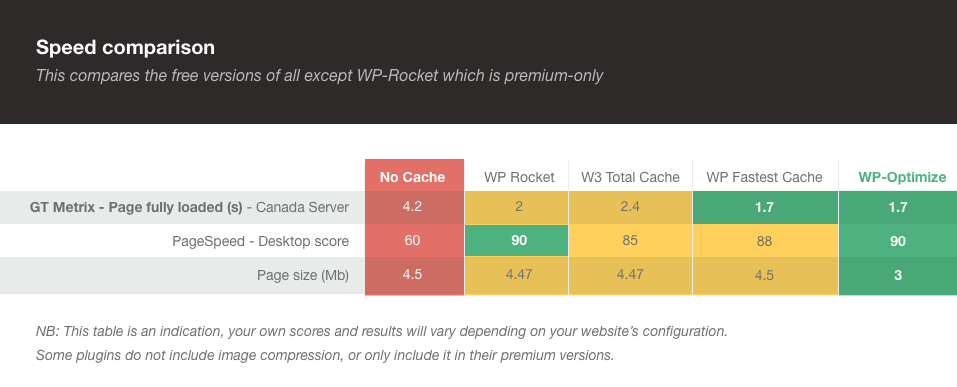
Yes; optimizing does not involve any “tricks” or poking around in dangerous ways. It involves running routine clean-up operations using well-defined, common MySQL commands. Nevertheless, we always recommend backups, which cover every possibility; not just database malfunctions, but hackers, human errors, etc. We recommend UpdraftPlus.
This is a “how long is string?” sort of question. It depends completely on your site – how big it is, how many users interact on it, how long it has been running, and when you last optimised it. However, the savings and speed-ups can be substantial; it is always worth making sure that your database is optimised.
In our support forum, here: https://wordpress.org/support/plugin/wp-optimize/
This is rare; it’s probably because you’re with a shared web hosting company that doesn’t allow scripts to run an optimize command via SQL statements (SQL “OPTIMIZE” instruction). Please consult your web hosting company on this matter.
Yes – WP-Optimize Cache is WordPress’s #1 most-installed optimisation plugin, with over 800,000 users and a pedigree going back over 8 years.
WP-Optimize will disable some features if it detects InnoDB tables. Optimization of the database tables on-disk is not available, but other clean up features would work.
Not unless you have an existing backup. Please ensure that you make a backup of your entire database before using WP-Optimize for the first time, and when you upgrade to a major new version of it. We recommend UpdraftPlus.
The plugin is an ongoing work; that means that it is impossible to rule out unforeseen situations and bugs. So I would recommend you to test it out on your local system or make a backup of your database (just to be extra careful).
When WordPress uses a particular transient, that specific transient is re-created automatically. So, it’s normally for ones which are in active use to gradually re-appear. The best way to keep things optimal is to clear the transient options on a scheduled basis. For example, WordPress may create 50 transient option in a week. If you schedule WP-Optimize Cache to clear these options on a weekly basis, you’ll have far fewer building up.
Please check your database for corrupted tables. That can happen, usually your web hosting company can run the repair command on the db.
To use all features in the plugin, a minimum of version WordPress 4.9 with PHP 7.2 are required. But we do recommend to use the latest version of WordPress. Using PHP 7.2+ is also highly recommended, as our caching feature will work even faster.
This depends on your setup (theme, number and quality of plugins used, etc…), but generally, caching will make the biggest visible difference to your website’s performance. Indeed, the cache functionality bypasses most of WordPress code to serve your pre-optimised cached pages directly to your visitor, significantly increasing the speed.
“Caching”, from Wikipedia: “In computing, a cache is a hardware or software component that stores data so that future requests for that data can be served faster; the data stored in a cache might be the result of an earlier computation or a copy of data stored elsewhere. A cache hit occurs when the requested data can be found in a cache, while a cache miss occurs when it cannot.” — WP-Optimize cache does this by saving the page computed by WordPress on the disk. When a user visits a page, WP-Optimize will serve the cached page before WordPress is loaded. If the page wasn’t cached before, it will be computed by WordPress, and WP-Optimize will then save the result to the cache.
You think your site is fast without caching? A caching plugin will make your website even faster. A faster cached website will increase SEO, it will improve your visitors experience. Caching will also save your server’s resources.
Yes, your Gutenberg pages will be cached, as well as those created with page builder plugins such as Elementor.
If cache is enabled, and in order to see if your page is cached, use the “View Source” function in your web browser to view the page source. To find caching information, scroll down to the bottom, and you should see a line added by the cache: <!-- Cached by WP Optimize - https://teamupdraft.com/wp-optimize/ - Last modified: Sat, 20 Jul 2019 21:17:19 GMT ->
However, note that if you are using a further service that minifies HTML (e.g. Cloudflare), then this line may have been removed. Another method is to inspect the contents of the directory wpo-cache inside your wp-content directory. <a href=”https://teamupdraft.com/documentation/wp-optimize/topics/caching/faqs/how-do-i-know-my-webpage-is-being-cached/>Further information can be read here
Also note that if you do not preload the cache, a page or post will have to be visited once for the cache file to be generated.
Go to WP-Optimize -> Cache and enable caching. For most people, that will be enough. If you run an e-commerce, have a custom login page or any page that has dynamic content, you might want to exclude certain urls from the cache. Visit documentation for help.
Yes, caching with WP-Optimize Cache allows you to safely cache your products, with plugins like WooCommerce or Easy Digital Downloads, or any e-commerce that uses DONOTCACHEPAGE to exclude sensitive pages from caching (e.g. my account, cart or checkout pages).
Yes, WP-Optimize works with popular multilingual plugins like WPML or Polylang. However, it’s important to note that when using WP-Optimize with multilingual plugins, the URL format for different languages should not include any query parameters, for example https://example.com/?lang=en. Instead, it should be in a pretty permalink format, such as https://example.com/en.
No, if WordPress works properly, WP-Optimize will be able to cache your pages and posts.
No, because both cache plugins would need to use the drop-in plugin advanced-cache.php. If you turn off caching on WP-Optimize Cache, you can use any other caching plugin and still use the other features of WP-Optimize. But we do recommend using our caching solution.
Yes! No special cache configuration is needed. Page caching on the WP site (that done by WP-Optimize Cache) is independent of proxy caching (e.g. Cloudflare) – you can use both, or neither, and they will complement each other and not interfere.
Just one thing to note – Cloudflare will strip out the special HTML comment at the bottom of the source of a page that is helpful to confirm that page caching is working, so, don’t be confused by that – it’s absence doesn’t indicate the cache is not working.
Yes, you can trigger a cache purge action using WP-Optimize Cache public functions. If you want to clear the whole cache, use the function wpo_cache_flush(). If you want to clear the cache files for a specific page or post, use WPO_Page_Cache::delete_single_post_cache($post_id);. Those cache options are available after WP action plugins_loaded.
Yes, when using WordPress’ commenting system, your users will still be able to post comments. Every time a comment is approved, the cache for that page or post will be cleared, allowing the next visitor to see an up to date list of comments.
Usually, a page is cached when a user visits it. So the first user visiting won’t be served a cached version of the page, and will wait longer than the next users. The cache preloading functionality will go through all your pages and posts, and simulate a visit by a user, allowing WP-Optimize to cache the pages before anyone visits them. Your first visitor will thus be served a cached version of the page, increasing its performance.
Choosing a frequency for the cache preloading schedule will depend on factors such as the frequency at which the website content is updated, the number of pages in the cache, the resources of the server and more.
For example a site with hundreds of pages will require more resources to preload its cache. So choosing a high frequency will mean that the cache will be recreated often, and the resource usage will be higher.
On a website where updates aren’t as frequent, you can even disable the cache preloading schedule, or set a high cache lifespan and set the cache preloading schedule to follow it.
Add /.+ to the cache option “URLs to exclude from cache” on the advanced settings tab.
To prevent a page from being cached, you can add the URL to the field “URLs to exclude from cache” in the cache “Advanced settings” tab. If you are developing a plugin and want to prevent a page from being cached, you can define the “DONOTCACHEPAGE” constant on the pages you need. Any request where “DONOTCACHEPAGE” is defined will not be cached.
Yes the caching feature is free. You will always be able to cache your website for free using WP-Optimize and we are constantly working on improving the existing cache feature. We will add more caching options to the free version and develop more specific caching options in the premium version to enable you to taylor the caching functionality to your needs.
The cached files are stored in the common “wp-content/cache” folder, inside a “wpo-cache” folder. Removing the “cache” folder will delete all of WP-Optimize’s cache, as well as those from other plugins.
Deleting the “cache” folder is generally safe, as those cached files will be regenerated.
Go to WP-Optimize settings > Cache and toggle the “Enable page caching” option to on/off.
No, caching will actually reduce the load on your server, by reducing the amount of PHP and mysql used. You might see a peak in resource usage when using the cache preloader, as this functionality will create the cache files for all your pages in a short amount of time. But once this is done, performance should increase and the load on your server will decrease. Every single major site uses caching to serve cached pages faster by using fewer resources.
The cached page is sent to the user before most of WordPress was loaded. The plugins aren’t loaded yet, making it impossible for them to change the cached content at every request.
So at the moment if you want to keep parts of your page dynamic (e.g. adverts, widgets, shopping cart…) AND keep it cached, you will have to use custom solutions using javascript and AJAX to fetch those dynamic parts from the server.
WP-Optimize Cache will remove the “WP_CACHE” constant from wp-config.php when you disable page caching, or when you deactivate the cache plugin. If you need to remove it manually, you can use FTP to edit wp-config.php and delete the line define (‘WP_CACHE’, true );
If page caching is still enabled in the settings, WP-Optimize Cache will attempt to add the line again, as it is required for the caching functionality to work.
WP-Optimize caching feature needs write access to the ‘wp-content/cache’ folder, as this is where the cache files will be stored. It also needs to define the constant ‘WP_CACHE’ in ‘wp-config.php’, it will need access once to ‘wp-content/advanced-cache.php’, as well as to the folder ‘wp-content/wpo-cache’ to write the cache settings.
If you need to change file permissions to enable caching, you can follow the instructions on this page https://wordpress.org/support/article/changing-file-permissions/
There is no limit to the number of pages you can cache. The only limit is the space on your server and the maximum number of subdirectories allowed by your server, as caching will write files in subdirectories following the permalink structure.
If you were to reach a caching limit, it probably means that your server is not fit for the size of your website and caching needs.
You can generate a separate cache by selecting “Generate separate files for mobile devices” in the page cache settings. This cache setting is only necessary if you use a specific theme for mobile devices, or for certain AMP plugins.
Yes, the cache feature works with Nginx. Should you want to enable browser caching or GZIP compression, you will have to do this yourself directly on the server settings.
Yes, the cache feature works with IIS. As with Nginx, if you need to enable browser caching or GZIP compression, you will have to do this yourself on the server.
No. It’s necessary to have pretty permalinks of the type http://xxxxx.com/my-post/ rather than http://xxxxx.com/?p=1234 for cache to work. Pretty permalinks are the WordPress default setting, and there is no good reason to turn them off, so you should not have a problem with this.
Note that cache will work with permalinks including /index.php/. It is only those based upon query parameters (?…) where cache won’t work.
- When you publish new content or update/edit existing content, the cache for that post/page will be cleared.
- Changing/updating current themes and parent themes (of child themes) will purge the cache.
- When turning off the cache feature in WP-Optimize
No, WP dashboard pages are not cached. The cache functionality is only meant to cache frontend pages.
The cache lifespan is the time a cached file will be kept before being regenerated.
One of the main reason for setting a lifespan to your cache is that some plugins and themes use nonces, which are printed in the source code of the page (Read more about nonces here). These nonces cannot be reused and are valid for 12 hours by default (developers can change that value). The cache plugin will store the nonce in the page, and this one will become invalid after that perdiod of time, which can affect certain functionalities of your plugins and themes. Setting a cache lifespan to under 10 hours ensures the cache is flushed automatically before the nonce expires. This way you can use WP-Optimize’s cache feature on sites which use nonces.
An other reason is that you may want your pages to reflect some changes without having to clear the whole cache. Indeed if you have many pages and posts, you might not want to clear every cache file with every change, but rather set an interval at which they will expire and be regenerated.
A lower cache lifespan value will result in more frequent cache update activity on your server, and thus more preload processes, if activated.
If your site does not use nonces, and your site’s cache doesn’t need to be updated often, you can set the cache lifespan to a high value or to 0 to give it an infinite lifespan.
The cache lifespan option is set to 10 hours by default, but you may go down to 8 or even less.
If you notice any issues due to high server load, set a higher interval for the preloader.
Yes, the newly added Minify enables you to minify JavaScript and CSS. It also enables you to minify HTML.
WP-Optimize Cache’s Minify feature is all about increasing the speed of your WordPress site for your users.
One way Minify does this is by reducing the size of your HTML, CSS and JavaScript files by removing unnecessary spaces and lines from the files and shortening long names internally within the code.
Another way is that your files are merged into as few files as possible. This reduces the amount of load on your web server and can be quicker to load fewer files.
You can also defer the loading of any CSS or JavaScript file. This means any large or extraneous CSS or JavaScript file can be loaded independently from the core of your WordPress site; giving your users quicker access to your site.
Pressing the “Reset the minified files” does:
* delete the temporary files used when generating the minified assets
* delete old minified files (more than 30 days old)
* add a folder for the new minified files, which will be generated when visiting a page
The previously minified CSS files will remain on the server until they expire, or until they’re deleted using the button “Delete all the files generated by minify”.
Yes, the newly added minification feature (a.k.a. Minify) allows you to defer parsing of JavaScript and CSS.
Leveraging the font-display CSS feature is currently possible when using Google Fonts. The default parameter is “swap”, but can be changed using the WordPress filter “wpo_minify_gfont_display_type”.
This usually means one or more of your CSS files are incompatible with the minification or merging process. It can also be caused by errors in the CSS’s syntax.
You can check the CSS’s syntax by using an online CSS syntax checker such as csslint.net.
If your syntax is not causing the issue, or you cannot change the file with an issue, you can either exclude the problematic CSS files from the minification and merging process.
To exclude individual CSS files from the minification and merging process, you can go to WP-Optimize > Minify > CSS and go to the “Exclude the following CSS files from processing” section.
This usually means one or more of your JavaScript files are incompatible with the minification or merging process. It can also be caused by errors in the JavaScript’s syntax.
The first thing to try is to enable the setting “Contain each included file in its own block” in the JavaScript options (WP-Optimize > Minify > Javascript > JavaScript options). This could “catch” an error, and prevent the rest of the code to be broken.
If the first option didn’t work, try disabling merging of JavaScript files.
If none of the above works, disable processing of JavaScript files in the minify settings, and open a support thread with details about your issue. We’ll do our best to help you troubleshoot the issue.
4.5.2 – 20/Apr/2026
- FIX: Bug preg_match() fails on wildcard * patterns in browser agents exclusion list
- FIX: Cache – purge the cache when a plugin is auto-updated
- FIX: Ensure page caching is fully disabled by updating internal cache configuration to prevent constant-related errors in logs
- FIX: Premium – Unused images – Fixed an issue where multiple unused images were displayed for an edited image on setups where images are not stored in /yyyy/mm folders
- FIX: Minify – The cron job to purge old cache files is not created
- REFACTOR: Instead of nested output buffering, code make use of single buffer using Page Optimizer class
- REFACTOR: Refactor Updraft_Smush_Manager::update_smush_options() method
- REFACTOR: Using ABSPATH to prevent direct access instead of plugin constants to comply with PCP
- TWEAK: Added a safety check to remove scheduled table optimization cron jobs when the server does not allow table optimization
- TWEAK: Enhanced database table detection by marking the KD Submissions database table as used by Elementor Pro
- TWEAK: Fixed a UI issue with WebP conversion in the Media Library
- TWEAK: Handle WP_Error in WPO_Page_Cache::enable() callers
- TWEAK: Initialize Heartbeat only on admin pages
- TWEAK: Premium – Preload only selected URLs in the “Cache Specific URLs Only” setting
- TWEAK: Premium – Smush – Improved PHP 8.5 compatibility by replacing deprecated $http_response_header usage
- TWEAK: Updated user agent for the cache preloader
4.5.1 – 23/Mar/2026
- FIX: Fixed compatibility issue with WP Remote
- FIX: Notice: Function _load_textdomain_just_in_time was called incorrectly
- FIX: Resolved weekly cron not running on WordPress < 5.4 by switching to the wpo_weekly schedule
- FIX: Database table error when upgrading from free to premium version
- REFACTOR: Improved WebP conversion flow by separating capability checks from configuration changes
- REFACTOR: Improved auto-optimization handling by correcting static method usage
- REFACTOR: Introduced
WP_Optimize_Server_Compatibilityclass to centralize all server environment checks - REFACTOR: Removed separate
get_schedule_types()method in premium version - SECURITY: Enforced capability checks and allowed-command validation for Smush actions triggered via Heartbeat API. Thanks to WordFence for the responsible disclosure
- TWEAK: Display the
Enable the caching menu in the admin baroption only when Cache or Minify is enabled - TWEAK: Improved detection of LearnDash plugin tables
- TWEAK: Improved onboarding wizard RTL support and eliminated dependency on the PHP Reflection class
- TWEAK: Improved robustness of
uploads/wpodirectory removal during plugin uninstallation - TWEAK: Minify – Don’t remove the version query argument when the source is not processed by Minify
- TWEAK: Premium – Unused Images – Enhanced detection of edited WordPress images
- TWEAK: Prevent deprecation notices in PHP 8.5
- TWEAK: Add a notice when
.htaccessfile is not available or renamed in Apache servers
4.5.0 – 11/Feb/2026
- FEATURE: Premium – Cache – Added ability to cache only selected URLs
- FEATURE: Premium – Minify – Host Google Fonts locally
- FEATURE: Premium – Option to enhance page performance by applying Capo.js rules
- FIX: Cache – fixed sitemap caching issue
- FIX: Improved compatibility with WordPress versions earlier than 6.1
- FIX: Reset WebP conversion failure no longer appears in the popup
- FIX: Resolved issues with detecting WebP conversion availability
- FIX: Smush – Fixed missing tooltip in the ‘Compress’ pop-up in Media Library
- FIX: Stop initialization of page optimizer for non-HTML requests
- FIX: Remove marcusschwarz/lessc lib from autoload
- TWEAK: Added support for bypassing WPO features via a URL query parameter defined by the WPO_DISABLE_MODE_URL_PARAM constant
- TWEAK: Allow some database records cleanup for Kinsta users
- TWEAK: Clear cache of archived pages when a related post is updated
- TWEAK: Disabled CSS/JS merging by default.
- TWEAK: Enhanced 404 detector compatibility with plain permalinks
- TWEAK: WP_Optimize_Options::auto_option_settings() is not called in Premium version
- TWEAK: Improved timestamp handling to prevent fatal errors on WordPress 4.9
- TWEAK: Improved Minify settings UI so JavaScript options correctly show/hide when JS minification is enabled/disabled
4.4.1 – 08/Jan/2026
- FIX: Onboarding wizard RTL issue
- FIX: Prevented plugin table JSON data in the uploads directory from being updated on every WP-Optimize admin page load
4.4.0 – 12/Dec/2025
- FEATURE: Added Onboarding Wizard
- FIX: Ensured old cache purging cron job is scheduled successfully
- FIX: Fixed a potential fatal error in the WPO_Page_Optimizer class
- TWEAK: Fixed the ability to disable caching menu in admin bar
- TWEAK: Updated file permissions for wpo-plugins-tables-list.json
4.3.1 – 14/Nov/2025
- FIX: Prevent PHP fatal error occurring when cache is enabled and the “Aelia Currency Switcher for WooCommerce” plugin is active
- FIX: Cache – Fixed compatibility issue
- FIX: Database – Table Usage – Fixed the issue with incorrect table name detection in certain cases
- FIX: Fixed UI Issue – Content cut off in “Review Actions” modal under WP-Optimize > Database
- FIX: Fixed _load_textdomain_just_in_time trigger too early
- FIX: Premium – Unused images – Fixed an issue with clearing the cache of unused images
- FIX: Smush – Compressing an image larger than the reSmush.it service limit freezes the popup in the Media Library
- FIX: Smush – Fixed issue with multiple images compression action
- FIX: Undefined property: stdClass::$plugin_status bug fixed
- REFACTOR: Database – Table Usage – enhanced variable names
- REFACTOR: Using strict comparison throughout the codebase
- TWEAK: Improve detection of cloudflare handling browser cache
- TWEAK: Added validation for AJAX commands in the Premium version
- TWEAK: Convert already compressed images to webp format when possible
- TWEAK: Fix the compatibility issue with ALTCHA when using the ASE Pro Plugin
- TWEAK: Improve browser caching by adding max-age option
- TWEAK: Premium – Cache – Do not process the cache when the user cannot be identified
- TWEAK: Premium – Database – Tables usage report shows data only for active plugins
- TWEAK: Premium – Unused Images – Enhanced detection for Revolution Slider
- TWEAK: Premium – Unused Images – Improved detection of unused images in Oxygen Builder
- TWEAK: Premium – Unused Images – Recognize Oxygen 6 images
- TWEAK: Premium – Prevent PHP warnings from Table Usage feature
- TWEAK: Remove unused jQuery 1.12.4 dependency
- TWEAK: Run database table optimization last
- TWEAK: Updated links
- TWEAK: Various tweaks and improvements to code
4.3.0 – 22/Sep/2025
- FEATURE: Premium – Cache – Cache REST API requests
- FEATURE: Premium – Further reduce CSS files sizes by removing unused CSS rules
- FIX: Added backward compatibility for timezone and datetime functions and improved status report support for older WordPress versions like 4.9.
- FIX: PHP Warning file_exists(): open_basedir restriction in effect
- FIX: Prevented buffer initialization during wp-cron when HTML DOM is unavailable.
- REFACTOR: Database – Table Usage – Refactored execute_query_analysis() function
- TWEAK: Added new UpdraftCentral endpoints
- TWEAK: Enhanced multisite support: added performance widget to Network Dashboard and fixed sub-site widgets to show only site-specific 404 request counts.
- TWEAK: Fix external loading of Gtag analytics script
- TWEAK: Moved the tooltip tag outside the tag
- TWEAK: Performance – 404 Detector (Not Found Requests) added a button to clear all logs.
- TWEAK: Publishing a post or custom post type (CPT) no longer clears the cache of all posts of the same type.
- TWEAK: Removed return statements from constructors and added checks at the point of class instantiation.
- TWEAK: Smush – Enhanced compatibility and performance with EWWW Image Optimizer installed
- TWEAK: Premium – Added cache support for Nelio A/B Testing plugin
- TWEAK: Added a hook to trigger custom code when a page is not cached
4.2.4 – 30/Jul/2025
- FIX: Potential PHP fatal error when no site is selected during database optimization in multisite
- FIX: Issue where the database optimization spinner remained indefinitely active
- FIX: PHP 8.4 compatibility warnings
- FIX: Minify default exclusions fatal error
- FIX: Premium – Potential PHP fatal error – type hinting error in the database table usage feature
- FIX: Premium – Page cache and lazy load meta boxes no longer display on post edit screen when their respective options are disabled
- FIX: Only purge relevant files when a published post is saved; also purge the author archive cache upon post save
- FIX: Premium – Fixed compatibility of Table usage with WordPress versions earlier than 5.3
- REFACTOR: Premium – Database – Table Usage – added missed translation functions
- TWEAK: Purged content will preload only when cache is enabled, and the user-agent has been updated to a modern browser and OS version
- TWEAK: Update seasonal advert banner logos, texts and links
- TWEAK: Update plugin readme text and links
- TWEAK: Premium – Cache – Add UI element to ignore query variables
- TWEAK: Premium – Database – Table Usage – replaced loading state with native modal
- TWEAK: Removed seasonal discount ads except Black Friday
4.2.3 – 15/Jul/2025
- FIX: Cache – Resolved PHP warning caused by excessively long cache file names
- FIX: Corrected typo from
meta datatometadata - FIX: Cron reschedule event error for hook
wpo_prune_404_logwhenis_minimum_requirement_metisfalse - FIX: Premium – Fixed a rare PHP warning that could occur when saving a post
- FIX: Unused image – incorrect image filtering in multisite
- FIX: WP Remote sync conflict caused in v4.2.1 and v4.2.2 By replacing wp_salt with core PHP functions
- FIX: YouTube lazy-load – Thumbnail image now falls back to JPG if browser doesn’t support WebP
- FIX: WebP images were not being served in Firefox on certain environments
- TWEAK: 404 detector logs URLs on mobile screens goes out of viewport fixed.
- TWEAK: CSS Improvements, better font size handling, remove duplication, and SASS instead of import
- TWEAK: Delay YouTube preview image cache purging
- TWEAK: Display notice when server does not allow database optimizations
- TWEAK: Enhanced database optimization compatibility with jQuery 4
- TWEAK: Fixed incorrect transients count in database optimizations UI
- TWEAK: Improved sanitization of incoming data in
Updraft_Smush_Manager_Commands - TWEAK: Minify – Improved compatibility with Divi theme’s dynamically generated assets
- TWEAK: Multisite corrected site count in database optimizations UI.
- TWEAK: Preserve EXIF data is set to false by default in all places at codebase level.
- TWEAK: Update URLs of links and images to point to https://teamupdraft.com
4.2.2 – 02/June/2025
- FIX: Cache – Resolved unwanted output in WP-CLI and fatal error related to WooCommerce’s country-specific files, introduced in v4.2.0
- TWEAK: Premium – Cache – Compatibility with WordPress 6.8
4.2.1 – 05/May/2025
- FIX: Cache – Compatibility issue with other plugins due to late start of output buffering
- TWEAK: Improved array handling in
get_active_plugins(), potentially avoiding edge-case fatal error
4.2.0 – 01/May/2025
- SECURITY: On multisite installs (only), a logged-in site administrator could use an unsanitised parameter to inject unwanted content into SQL queries. Thanks to Marc Montpas for the responsible disclosure.
- FEATURE: Premium – Replace YouTube Iframes with preview images to improve page speed
- FIX: Fix conflict with the WPML plugin
- FIX: Smush – Fixed PHP warning on the Media Library page
- FIX: Smush – Fixed issue where the Smush popup would freeze
- FIX: WebP images not served after WP-Optimize reactivation
- REFACTOR: Smush option removed from media upload modal
- TWEAK: Update advert banner logos, texts and links
- TWEAK: Add missing separator between compression items in media library
- TWEAK: Avoid PHP warning thrown by Page Speed Ninja plugin
- TWEAK: Cache – Start caching after plugins loaded
- TWEAK: Fix PHP deprecation warning in PHPSQLParser for PHP 8.4
- TWEAK: Fix deprecation warning in Updraft_Logger class for PHP 8.4
- TWEAK: Fixes absence of checkbox to remove all transients
- TWEAK: Premium – Support and feedback links in Help tab now point to getwpo.com
4.1.1 – 05/Mar/2025
- FIX: Page builders not working with Delay JS option enabled
4.1.0 – 03/Mar/2025
- FEATURE: Premium – Improve performance by caching Gravatar images locally.
- FIX: Premium – Unused images – Fixed warnings when moving non existing image to trash
4.0.1 – 17/Feb/2025
- FIX: File system usage issue
4.0.0 – 10/Feb/2025
- FEATURE: Delay JavaScript execution
- FIX: Cache – Fixed PHP warning “Cannot modify header information”
- FIX: Minify – Unusual behavior occurs when the “Disable Google Fonts processing” option is enabled
- FIX: Smush – Fixed image compression actions in Media Library
- REFACTOR: Replacing jQuery Tablesorter with ‘sortable-tablesort’ package
- TWEAK: Cache – Enhance ActivityPub compatibility
- TWEAK: Fix PHP notice caused by subscriben plugin advert
- TWEAK: Minimum requirements were updated to PHP version 7.2 and WordPress version 4.9
- TWEAK: Remove uses of
unserializewithout restriction of allowed_classes - TWEAK: Recognise Independent Analytics Pro plugin tables in database optimization
3.8.0 – 09/Dec/2024
- FEATURE: Added a system status page
- FEATURE: Logs frequent and highly recurrent 404 requests; introduces a new Performance tab.
- FIX: Cache – Legacy Widgets visibility issue with WP-Optimize Cache enabled
- FIX: Cache – UI issue: Preload “Cancel” option is gone after reloading the WPO settings page instantly
- FIX: Database – optimizing any item also changes the status of other items
- REFACTOR: Minify – Removal of the WPO_MINIFY_PHP_VERSION_MET constant
- TWEAK: Add a warning message before deleting post metadata or orphaned relationship data.
- TWEAK: Bailout early if the minimum PHP version is not met
- TWEAK: Introduced logging for cache purge operations, available under
uploads/wpo/logs/cache-*.log - TWEAK: Open CRON overdue guide in new tab
- TWEAK: Persist Analytics Tab when minification is disabled
- TWEAK: Premium – Unused Images – Improved detection of images not present in the Media Library, marking them as used
- TWEAK: UI improvements in Analytics section
- TWEAK: Wrapped checkboxes inside
labeltags in the confirmation popup that appears when clicking the “Remove” button on the Database > Tables tab.
3.7.1 – 20/Nov/2024
- TWEAK: Resolved a PHP notice caused by translation loading too early when caching is enabled, introduced in WordPress 6.7
3.7.0 – 21/Oct/2024
- FEATURE: Added an option to automatically preload URLs immediately after cache content is purged
- FEATURE: Premium – Gather data about table usage by filtering
queryevent - FIX: Cache – Scheduled preloading wasn’t working
- FIX: Inconsistency in
smush_manager_send_commandfunction - REFACTOR: Smush – Popup styles, remove unused code
- TWEAK: Fix fatal implode error when updating to v3.5.0
- TWEAK: Image compression – Issue with cancelling smush image compression
- TWEAK: Improve module minification logic
- TWEAK: Premium – Unused images – Fixed popup when moving images to or restoring images from the trash
- TWEAK: Premium – Unused images – Placeholder images in unused images section
- TWEAK: Added
security.mdfile with information to report security issues
3.6.0 – 12/Sep/2024
- FEATURE: Premium – Auto-detect images lacking dimension attributes and add them to improve CLS
- FIX: Fixed the issue that disabled WebP conversion due to checking all shell commands for WebP compression
- FIX: Premium – Unused Images – The unused image size deletion functionality does not work when images are not in the /yyyy/mm/ folder
- REFACTOR: Removed unnecessary static methods in WebP class
- TWEAK: Image compression – Rolled back to using popup error notices as in versions prior to 3.4.0
- TWEAK: Added a more descriptive error with resolution proposals for failed gzip compression and browser cache tests
- TWEAK: Fix broken unused image list thumbnails and download as csv link in Multisite
- TWEAK: Fix the singleton pattern in Heartbeat class
- TWEAK: Image compression functionality added to the Media Library page
- TWEAK: Premium – Cache – Added support for Aelia Currency Switcher plugin
- TWEAK: Premium – Unused images – improve clarity in UI for images in post revisions
- TWEAK: Added additional checks to the
implode()function to mitigate the risk of fatal errors on certain instances
3.5.0 – 14/Aug/2024
- FEATURE: Premium – Host Google and minimal analytics scripts locally
- FIX: Premium – Cache – Single page cache purge/preload feature isn’t working
- TWEAK: Add logging for the WebP feature
- TWEAK: Allow minification of script modules
- TWEAK: Cache – Purge the cache when the site is migrated
- TWEAK: Improvements to asset minification cache logic
- TWEAK: Improvements to reSmushIt curl error message
- TWEAK: Minify – Added an option to disable Google Fonts processing when it causes conflicts with other plugins
- TWEAK: Move all WPO files from the
uploadsfolder touploads/wpo - TWEAK: Style improvement of the loading modals
3.4.2 – 03/Jul/2024
- FIX: Removes unnecessary heartbeat calls for retrieving information about images
3.4.1 – 26/Jun/2024
- FIX: Issue with bulk editing on the posts and pages edit screen
3.4.0 – 25/Jun/2024
- FEATURE: Premium – Smush – Bulk compress / restore from media library
- FIX: Deactivate the form for minifying JS/CSS settings when the corresponding option is disabled
- REFACTOR: The functionality for the ‘Unused Images’ feature in ACF has been moved to a separate class
- TWEAK: Add UpdraftCentral commands for the latest WP-Optimize features
- TWEAK: Adjusted the scheduled preload time for improved performance
- TWEAK: Auto-update advanced-cache.php settings during site migration
- TWEAK: Cache – Human-readable file names for the cache directory
- TWEAK: Caching related cron jobs are activated even though cache is disabled
- TWEAK: Image compression – Updated message for restoring images action
- TWEAK: Implement Heartbeat API for image compression progress updates
- TWEAK: Improving vendor autoload
- TWEAK: Introduces a hook (
wpo_force_webp_serve_using_altered_html) for changing WebP serving method - TWEAK: Minify – Exclude .min files from minification
- TWEAK: Minify – Improve list of processed files UI
- TWEAK: Optimization of the get_uncompressed_image query
- TWEAK: Persist script loading strategy when minifying JS files
- TWEAK: Premium – Compatibility with Curcy WooCommerce multi currency plugin
- TWEAK: Premium – Unused Images – Added an option to delete original images when scaled versions exist
3.3.2 – 16/Apr/2024
- FIX: Ensure the admin bar is not cached when caching is enabled for both logged-in and guest users
- REFACTOR: Remove unused code
- TWEAK: Cache – Prevent sitemaps being cached
- TWEAK: Display a notice when static browser cache is enabled but not working
- TWEAK: Premium – Added “Lost your password?” link on plugin’s page
- TWEAK: Premium – Unused images – Detect Elementor’s ‘Video’ widget’s image
- TWEAK: Recognise Rank Math plugin tables as used in database optimization
- TWEAK: Reduce .htaccess file write operations when WebP is enabled
- TWEAK: Seasonal notice content update for 2024
- TWEAK: Unused Images – Unused tab displays multiple images for compressed images with WebP Conversion
- TWEAK: Prevent multiple AJAX requests being generated by repeated clicks on the “Purge Cache” button
- TWEAK: Call the
litespeed_finish_request()function when attempting to close browser connection on LiteSpeed servers
3.3.1 – 06/Mar/2024
- FIX: Cache – Compatibility issue with Jetpack’s infinity scroll feature
- FIX: Cache – Don’t cache activity stream (ActivityPub plugin compatibility)
- FIX: Cache – Page not cached comment is added to
robots.txt - TWEAK: Fix PHP warnings when server variables are not available
- TWEAK: Fix Unexpected response alert and PHP warning when cache preloading is triggered manually
- TWEAK: Migrate from setInterval to WP heartbeat API to refresh information about backend tasks
- TWEAK: Optimization of the WebP Implementation
- TWEAK: Update dashboard notice to include all of our plugins
- TWEAK: Update the footer review prompt
3.3.0 – 31/Jan/2024
- FEATURE: Premium – Ability to preload and purge caches from individual post/page
- FIX: Premium – Unused Images – Recognise Elementor’s Container, and Section widget background images
- FIX: Avoid having repeated minified scripts in the same bundle, it breaks the code in some specific cases
- FIX: Cache – TranslatePress compatibility – Post updates purges cache for all related translated languages
- FIX: Only try to parse canonical URLs if there is a path or querystring, needed for WPML with multi-domain compatibility
- TWEAK: Add cron de-scheduling of all wpo_* events during plugin uninstall
- TWEAK: Cache – Always add source code comment about page not being cached, but only add details when WP_DEBUG is ON
- TWEAK: Cache – Fix issue with excluding encoded (non-latin) URLs
- TWEAK: Do not attempt to close browser connection when the context is not an AJAX action
- TWEAK: Minify – Logging more information about why minify static assets cache gets invalidated and regenerated
- TWEAK: Revert to the original
matthiasmullie/minifyrepository after confirming resolution of previous issues - TWEAK: Setup Cron job to clear failed smush tasks from DB
- TWEAK: Using clear text user agent strings instead of regular expressions to identify web browsers for improved clarity
- TWEAK: Updater library in the Premium version updated to the current release series
3.2.22 – 23/Nov/2023
- TWEAK: Cache – Show a notice in the admin if the config file is missing and caching is enabled
- TWEAK: Added support for new emoji styles related hooks introduced in WordPress 6.4
- TWEAK: Database – Fix “Optimize database tables” stuck loading state
- TWEAK: Premium – Cache – Style improvement for the select2 box from advanced cache settings
- TWEAK: Premium – Images – Fix issues with avif images in the unused images feature
- REFACTOR: Wrapping most of the external links in the WPO settings pages with the appropriate function
- REFACTOR: Remove unused code
3.2.21 – 18/Oct/2023
- FIX: Prevent PHP fatal error when updating from older versions of WP-Optimize
3.2.20 – 16/Oct/2023
- FIX: WebP – Performance issue because of possible infinite loop
- FIX: Cache purging occurred prior to the cache lifespan expiration
- FIX: Premium – Smush – Do not consider images in trashed posts as unused
- TWEAK – Remove extra slash from plugin asset urls and paths
- TWEAK: Image – Add a tooltip next to the restore button on the edit media screen
- TWEAK: Premium – Prevent PHP deprecated warning when generating variations from attributes for new WooCommerce variable products
- TWEAK: Premium – Purge cache when the
Variation Swatches for WooCommerceplugin settings get updated - TWEAK: Premium – Settings – Style improvement for the
Purge cache permissionsselect2 box - TWEAK: Recognise LearnDash plugin tables in database optimization
- TWEAK: Remove empty
uploads/.htaccessfile and remaining cron events - TWEAK: Smush – Disable server info in smush logs by default
- TWEAK: Smush – Resolve double log entries when compressing a single image from the media library metabox
- TWEAK: Prevent unwanted PHP notice upon update
3.2.19 – 15/Sep/2023
- FIX: Cache – Relevant caches are now purged upon updating homepage display settings and posts per page settings
- FIX: Minify – Multiline content inside textareas break after exporting and importing settings
- FIX: Smush – Images are not compressed with default (image quality = 100) settings
- FIX: Premium – Cache – Caching stops working when WordPress salt keys contain backslash () character
- FIX: Premium – User per role cache not working when tables do not have
wpprefix - FIX: Premium – When lazy loading is enabled, the picture tag in initial viewport is not visible
- TWEAK: Fixed date format and timezone in the cache last modification comment according to the site configuration
- TWEAK: Fixed spelling errors in the repository
- TWEAK: Minify – The process of purging cache for 3rd party caching solutions now works properly when multiple other solutions are present
- TWEAK: Premium – Lazy load – Added Jetpack, Optimole, Rocket Lazy Load, and Smush (WPMU Dev) plugins to the incompatibility notice
- TWEAK: Prevent PHP warning upon installing themes from the WordPress repository
- TWEAK: Update the composer package yahnis-elsts/plugin-update-checker for PHP 8.2 compatibility
3.2.18 – 11/Aug/2023
- FIX: A bug in the v3.2.17 release that caused certain database optimization buttons to be disabled has been fixed
- TWEAK: Reset WebP serving method upon updating to version 3.2.18
3.2.17 – 08/Aug/2023
- FIX: Automatically compress newly-added images feature now works on multisite in case of attachment ID is the same in both sites
- FIX: Minify – No separate try-catch blocks for same handle
- FIX: Premium – Unused Images – Recognise Elementor Carousel, Slides, Flip Box, and Site logo widget images
- FIX: Premium – Prevent memory exhausted PHP fatal error when using unused images feature with Elementor
- TWEAK: External links will open in new tab/window
- TWEAK: Remove
htaccess-capability-testerdependency - TWEAK: Remove residue folders in
uploads/wpo
3.2.16 – 06/Jul/2023
- FIX: HTML minify should not remove
titletag added by AIOSEO - FIX: Premium – Fetching unused images data is incorrect when previous task queue is not properly unlocked
- FIX: Premium – Unused Images – Recognise Elementor background images
- TWEAK: Premium – Prevent conflicts between the minify feature and the
YITH Point of Sale for WooCommerceplugin - TWEAK: Premium – Compatibility issue with Smart Slider 3
- TWEAK: Suppress PHP warnings caused by WebP converter
- TWEAK: Database optimization – Prevent duplicate AJAX requests, minor code improvements
- TWEAK: Smush – Add a cron job to run pending image compressions, ensuring completion of the process even if bulk image compression encounters interruptions or failures
- TWEAK: Clean up files on uninstall
- TWEAK: Added compatibility for
Custom Permalinksplugin - TWEAK: If minifying is enabled, then check that the purge cron event exists (not only upon plugin activation)
- REFACTOR: Premium – Unused Images – Separate classes for Beaver Builder, Estatik, and Yoast SEO plugins
- FIX: Premium – WP CLI commands permission issues solved
See changelog for all versions.
";s:11:"screenshots";s:1403:"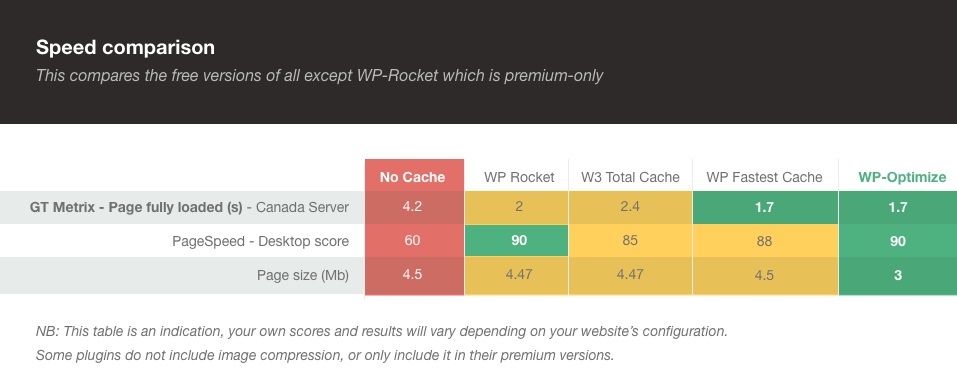
Cache - plugins comparison benchmark
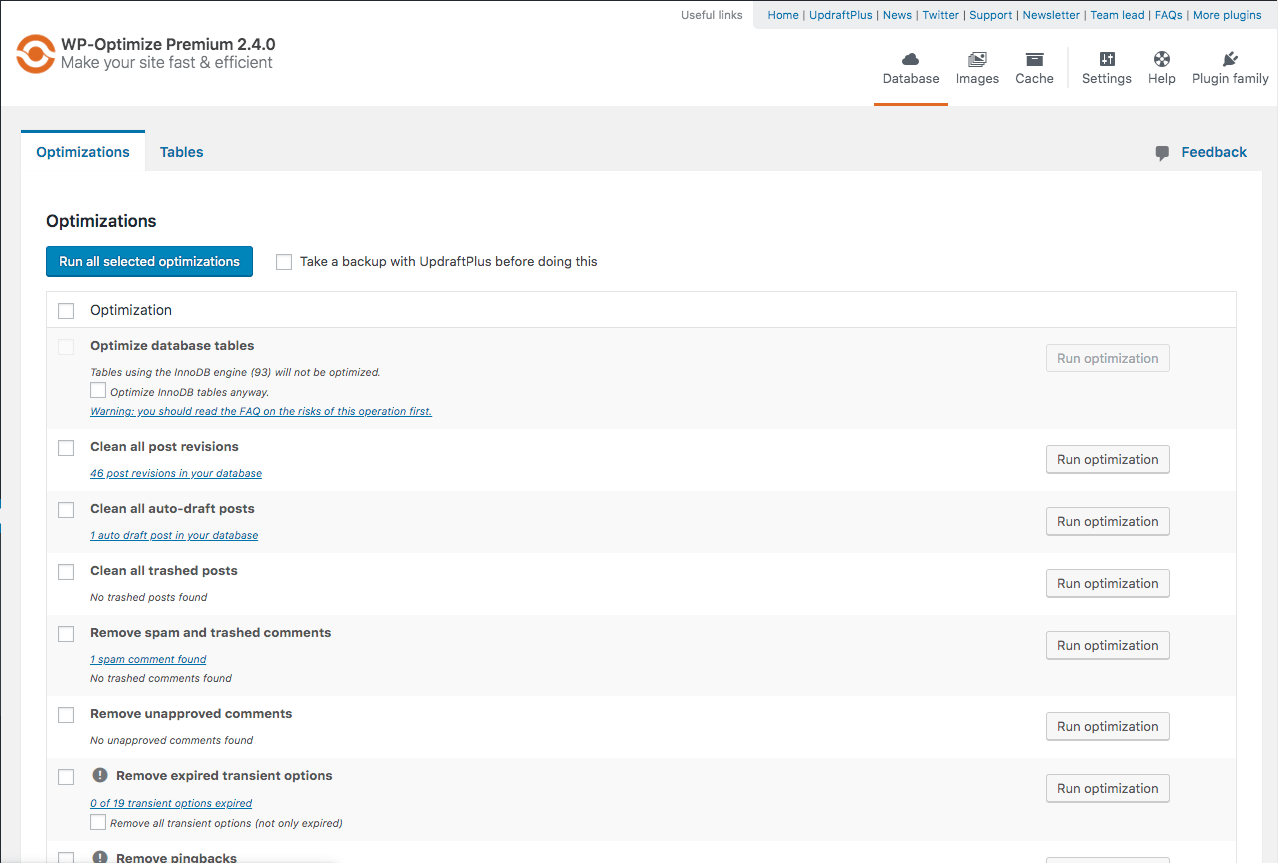
Database optimization
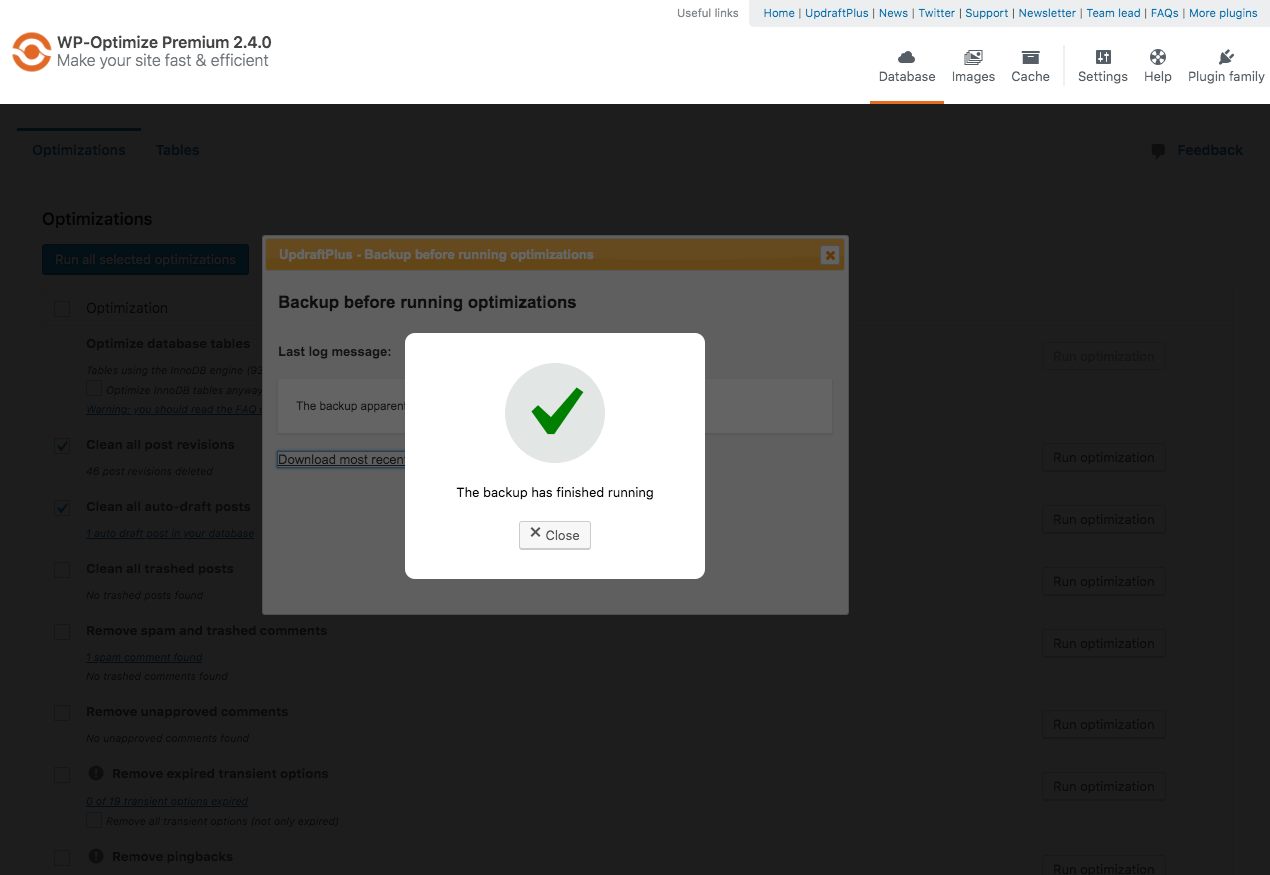
UpdraftPlus running a backup before an optimization proceeds
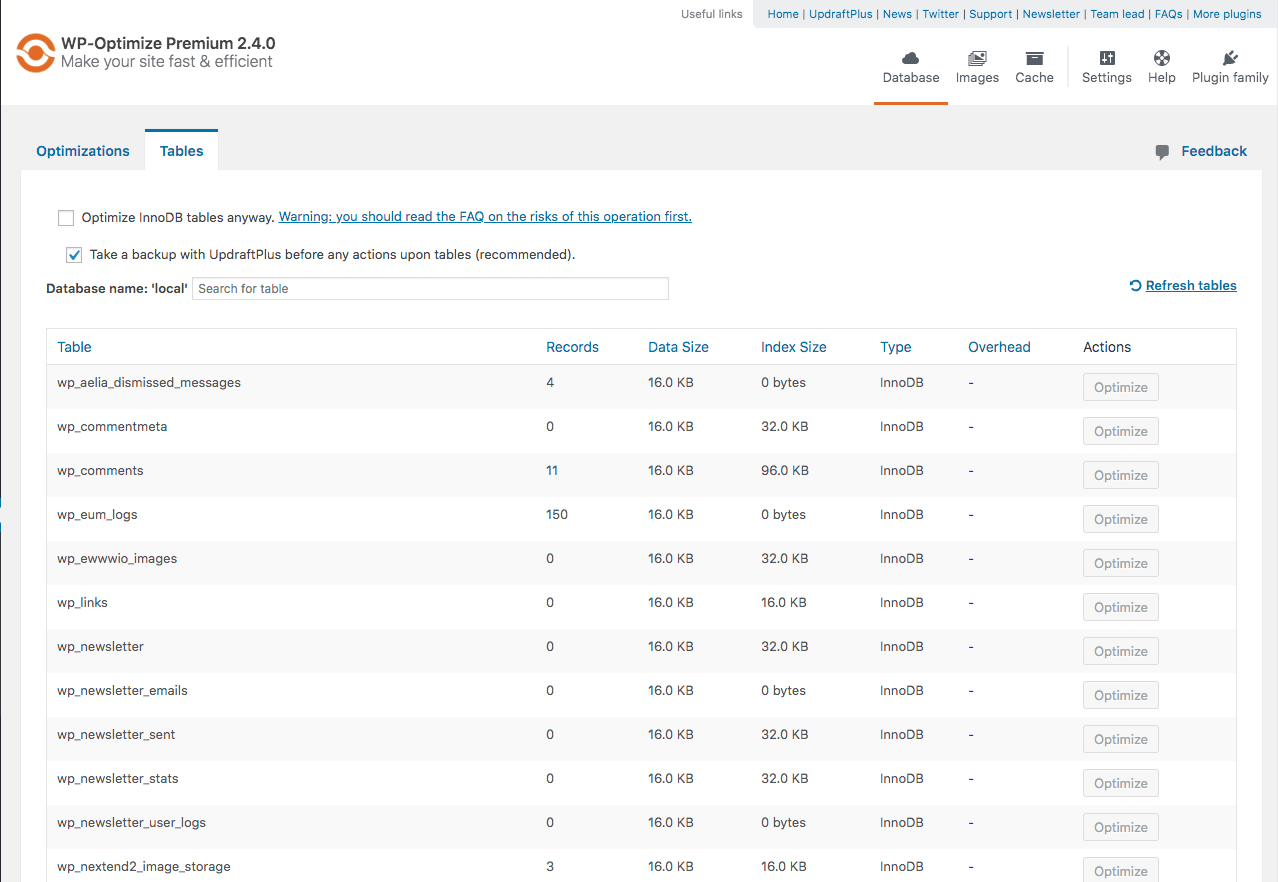
Table Report

Image compression
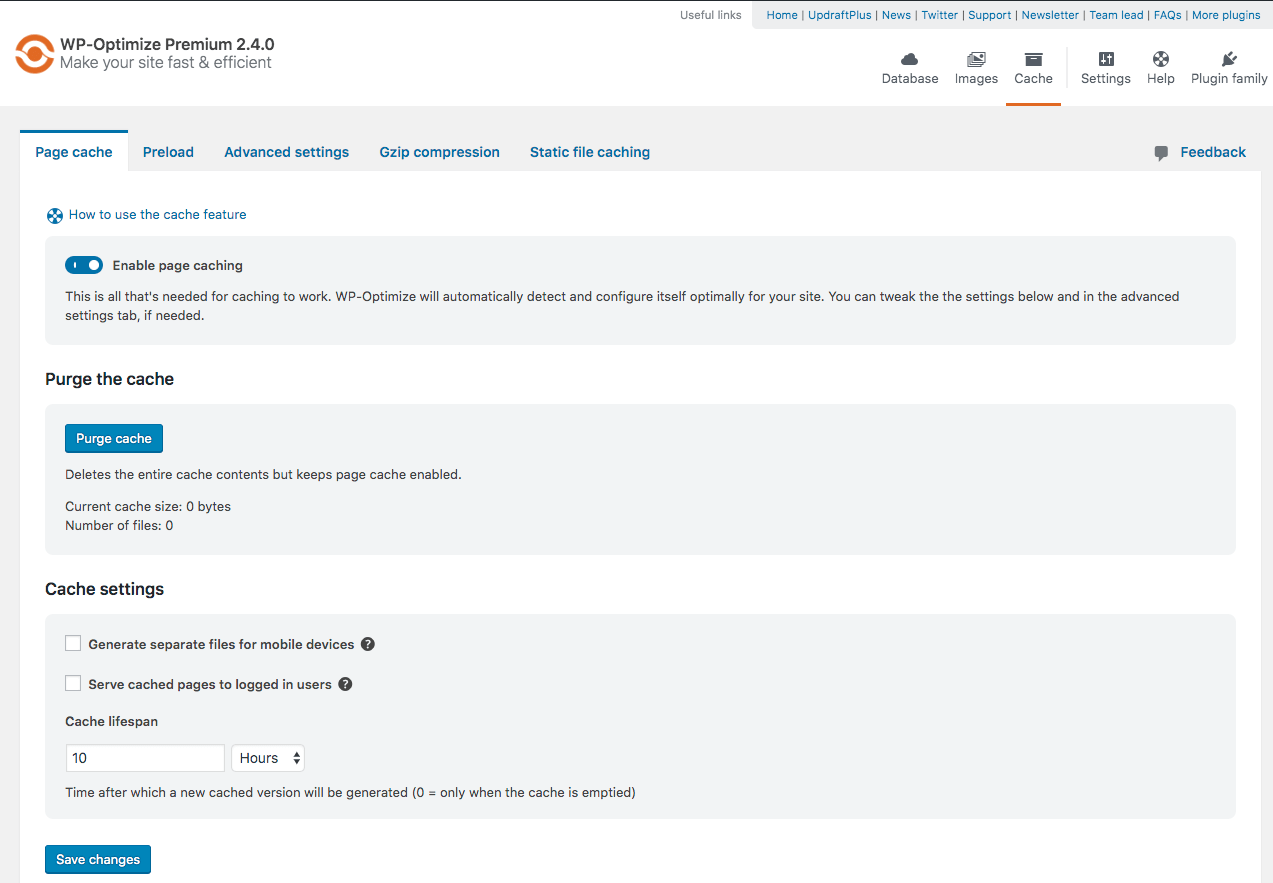
Main cache screen
Add an SVG image captcha and honeypot to your Contact Form 7 or WPForms form. Based on our interpretation this CAPTCHA plugin is GDPR compliant because the images are inline SVGs and no download of external resources happens, in addition no cookies or other storing mechanisms are used on the user’s device, this plugin will not slow down your site with additional header requests like Google’s ReCAPTCHA and respects your users privacy.
Directions [PLEASE READ]
Contact Form 7:
Add the shortcode [cf7ic] to the form editor where you want the CAPTCHA to appear.
You can hide the CAPTCHA until a user interacts with the form, by adding “toggle” to the shortcode: [cf7ic “toggle”]
WPForms:
Just activate the CAPTCHA for WPForms on the plugin’s settings page.
Like the plugin?
Please consider leaving a review.
As of version 3.2.0, Contact Form 7 Conditional Fields is now fully supported! You no longer need to add [hidden kc_captcha "kc_human"] to forms that do not include the [cf7ic] shortcode.
Go Pro!
Get even better spam protection with the All-in-one Image CAPTCHA Pro version of this plugin which includes additional options to improve spam protection, options to control the look and style of the CAPTCHA and messages, additional forms support including login screens, gravity forms, WooCommerce and more.
PRO Demo
See the Pro version in action on my contact page.
Check out our pro version for more details.
PRO Features:
- GDPR compliant
- ADA/a11y/WCAG compliant
- Gravity Forms support
- WooCommerce support for login, registration and checkout forms (optional)
- WordPress login/registration form support (optional)
- Default WordPress comment support
- Customize the look of the WordPress login/registration screen and form
- CAPTCHA refreshes on submit to make it harder for automated spammers
- Reverse honeypot which checks if you are human through form engagement
- Stronger security with hashed answers to make it harder for automated spammers to read the answers
- Add additional icons to increase the chances of a random guess getting through. You can increase it from a 1 and 3 chance all the way up to a 1 in 10 chance!
- Select which icons you wish to use
- Add additional icons from Font Awesome 4.7
- Add your own custom SVG icons
- Customize the icon titles
- Change the captcha message
- Change the captcha errors
- Change the box color and border
- Change font and icon color and size independently
- Change the selected icon appearance
- Change where the icons appear
- Change the box from full width to content width
- jQuery free on the front end
- Upload contents to the
/wp-content/plugins/directory - Activate the plugin through the ‘Plugins’ menu in WordPress
- Place
[cf7ic]to your contact form 7 forms
If either only parts of the CAPTCHA text is translated, or everything is displayed in English, please read through the following possible causes and how to fix them.
1 Translation missing
All plugins within the wordpress.org repository are translated by the translate.wordpress.org community.
Maybe your language set is not fully translated or not translated at all.
In this case, you have the following options:
1. Contribute to the translate.wordpress.org community and translate your language
2. Use another plugin to create your own local translation
3. Purchase the Image CAPTCHA PRO plugin which offers the possibility to choose your own messages without relying on any external translation – Go Pro!
2 Update WordPress translations
You might face the situation that your language pack is completely translated on translate.wordpress.org but the translation still might not work as expected.
In this case, you have the following options:
1. Update your language packs via: WP Admin > Dashboard > Updates > Translations > Update Translations
3 Contact Form 7 language settings
Contact Form 7 saves a meta variable for the language of each respective form and this is being done when you FIRST save the form.
In this case, you have the following options:
1. Change the variable via the WordPress database directly (look for the post ID of the respective form in the postmeta table and there’ll be a “_locale” option).
2. Make sure to change the language in your WordPress backend to your desired target language and then simply re-create the CF7 form.
Yes, both the free and pro versions support WPML.
In fact, there is an active partnership between WPML and Image CAPTCHA for seamless integration.
Please follow those steps:
1. Install CF7 and our plugin
2. Install WPML plugin and the CF7 Multilingual addon
3. WP admin backend: Choose your desired language, via flag at the top menu e.g. German (see screenshot)
4. WP admin backend: Choose Contact > Contact Forms > Add New
5. CF7: Translate the labels
6. CF7: In the right white sidebar, choose Translations to e.g. English (see screenshot)
7. WPML: Translate the strings into e.g. English
8. WPML: When finished click the green button: “Complete Translation”
9. WP admin backend: Choose Pages > Add New Page
10. WP page: Set the e.g. German title “Kontaktformular” and insert the Contact Form 7 shortcode
11. WP page: Save as draft or publish page
12. WP page: On the right, click: e.g. English + Translate (see screenshot)


Simply add this shortcode [cf7ic] to your contact form.
To make it so the CAPTCHA only shows when the form is being filled out, add “toggle” to the shortcode [cf7ic "toggle"] in your contact form.
The most likely reason the toggle is not working is because the double quotes around the word toggle has been changed to “smart quotes”, meaning that they are opening and closing quotation marks and not the verticle lines.
To fix, simply delete the quotes and re-add them with your keyboard – do not copy and paste.
If the Image CAPTCHA does not appear, please confirm that you are running PHP version 7 or higher.
If the styling does not look right, you may need to clear your browser cache. If you have any caching plugins or speed optimization plugins installed, you may need to clear your site cache as well.
";s:9:"changelog";s:9323:"3.3.28 [12/10/2025]
- Rename plugin
3.3.27 [12/05/2025]
- Tested up to 6.9
3.3.26 [06/05/2025]
- Same size for icons
3.3.25 [06/04/2025]
- Fix CSS issue
3.3.24 [06/03/2025]
- Fix CSS issue
3.3.23 [04/18/2025]
- Tested up to 6.8
3.3.22 [11/14/2024]
- Tested up to 6.7
3.3.21 [11/09/2024]
- Fix CF7 warning: ‘Deprecated: WPCF7_TagGenerator::add(): Use of tag generator instances older than version 2 is deprecated. Version 1 instance (WP Image CAPTCHA) detected.’
3.3.20 [10/20/2024]
- Add aria-labels + style WP Forms captcha
3.3.19 [09/11/2024]
- Clean up
3.3.18 [09/09/2024]
- Remove unused function
3.3.17 [08/09/2024]
- Update FAQ
3.3.16 [08/09/2024]
- Update FAQ and tested up to 6.6
3.3.15 [05/28/2024]
- Update FAQ
3.3.14 [04/21/2024]
- Update tested up to
3.3.13 [02/14/2024]
- Fix CSS bug in toggle logic
3.3.12 [11/13/2023]
- Language changes
3.3.11 [11/10/2023]
- Fix CF7 toggle function side effects for WPBakery
3.3.10 [10/29/2023]
- Fix table creation bug + fix function name bug when pro plugin activated
3.3.9 [10/17/2023]
- Language changes
3.3.8 [09/28/2023]
- Add Danish language files
3.3.7 [09/22/2023]
- Display WP Admin menu, add WPForms functionality, update languages
3.3.6 [09/04/2023]
- Change URLs to new plugin website and change author etc.
3.3.5 [01/26/2023]
- Added additional changes to the plugin’s internationalization settings to fix issues with translations not working correctly on some sites.
3.3.4 [01/26/2023]
- Fixed bug introduced by Contact Form 7 version 5.7.3 which prevented the CAPTCHA from rendering. Thanks @patrick1994 for providing the fix.
3.3.3 [12/27/2022]
- Updated the name of the languages folder to correct issues with translations not working on some sites.
3.3.2 [11/23/2022]
- Added Finnish translation
3.3.1 [11/16/2022]
- Fixed SVG validation error
- Fixed an issue with the toggle only working on one form on a page
3.3.0 [11/15/2022]
- No more jQuery! Changed jQuery toggle function to JavaScript
- Re-added localized language files due to issues with translate.wordpress.org working correctly
3.2.6 [09/01/2022]
- Fixed issue where validation errors were not showing due to the Contact Form 7 version 5.6 update
- Removed localized language files in favor of using translate.wordpress.org
3.2.5 [03/08/2022]
- Fixed iPhone bug where icon would not show focus state when touched
- Removed some unused styling to help reduce the stylesheet file size
3.2.4 [09/20/2021]
- Minor update to styling to force icons to align horizontally, to fix an issue where the styling of some themes was causing the icons to stack vertically.
3.2.3 [06/08/2021]
- Changed all http links to https
- Compressed SVG’s to help improve load time
3.2.2 [04/15/2021]
- Fixed double tap and partial border iPhone bug
3.2.1 [08/11/2020]
- Added Croatian translation
3.2.0 [08/11/2020]
- NEW: Full compatability for “Contact Form 7 Conditional Fields” by Jules Colle. Conditional Fields had been an ongoing issue for this plugin for a while now due to how the Conditional Fields plugin performed form validations, however I was finally able to come up with a solution that will allow this plugin to function normally with Conditional Fields installed. You no longer need to include [hidden kc_captcha “kc_human”] to your forms if the [cf7ic] shortcode is not included.
3.1.4
- Updated German (de) translation
3.1.3
- Updated Spanish (es) MO file
3.1.2
- Updated toggle so only the CAPTCHA on the form focused on will show. Previously if multiple forms with toggle were on a page, all of the CAPTCHA’s would show.
- Updated toggle to hide CAPTCHA again once form has been successfully submitted.
- Added Dutch translation
- Added Portuguese (Portugal) translation
3.1.1
- Added additional css to prevent themes from changing the layout of the icons in the CAPTCHA
3.1.0
- Fixed issue where you needed to add
[hidden kc_captcha "kc_human"]to forms you Did NOT want the CAPTCHA to be on. You now ONLY need to add the hidden field to your forms with no CAPTCHA, IF you have Contact Form 7 Conditional Fields installed.
3.0.3
- Fixed use of depricated WPCF7_Shortcode in favor or WPCF7_FormTag function
- Updated readme file to bring more attention to adding the hidden field to forms you DO NOT want the CAPTCHA on.
3.0.2
- Added width and height to inline SVG to account for sizing issues some users have experienced
3.0.1
- Updated stylesheet version number to help clear old stylesheet from cache
3.0.0
- Icons have been changed to SVG’s to help fix font loading issues on some sites
- Italian language file has been updated to fix “heart” entry – thanks valesilve
- Improved inclusion of JavaScript when toggle is active using wp_footer
- Made CAPTCHA keyboard accessible
2.4.7
- Added Russian translation
2.4.6
- Now compatible with “Smart Grid-Layout Design for Contact Form 7” by Aurovrata V.
2.4.5
- Added fallback styling in the event a theme or plugin changes the icons from a webfont to SVG’s
2.4.4
- Now compatible with “Contact Form 7 Conditional Fields” by Jules Colle
2.4.3
- Made additional fix to spacing issue with German language
2.4.2
- Fixed spacing issue with German language
2.4.1
- Fixed PHP notice “Undefined offset: 0”
- Fixed PHP notice for another deprecated tag
2.4
- Added the ability to hide the CAPTCHA until the user interacts with the form, simply add “toggle” to the shortcode: [cf7ic “toggle”]
- Fixed deprecation notice “wpcf7_add_shortcode is deprecated since Contact Form 7 version 4.6! Use wpcf7_add_form_tag instead.”
2.3
- Updated FontAwesome library to version 4.7
- Fixed use of depricated wpcf7_add_shortcode in favor or wpcf7_add_form_tag function
- Added new toggle attribute (optional) [cf7ic “toggle”] which hides CAPTCHA until user interacts with the form
2.3
- Added code that allows me to add custom update messages in preparation for a future release that will make this plugin require Contact Form 7 version 4.6 to run due to CF7 making WPCF7_Shortcode and wpcf7_add_shortcode() deprecated, the replacement function and class are not supported by older versions of CF7.
- Updated text domain to meet new requirements for internationalization
2.2
- Removed unnecessary code that checked if image captcha existed in the Form
- Added Italian translation (Thanks Mauro Giuliani)
- Added Persian translation (Thanks Ava Darabi)
- Added Spanish (ES) translation (Thanks Erick Carbo)
2.1
- Added a tag generator button to the contact form 7 form controls so you do not have to manually type in the shortcode into the form. The pro version will eventually include the image captcha styling options.
2.0
- Refactored code
- Improved method to include style sheet so its only included when plugin is in use.
- Fixed validation message, you will now see “Please select an icon.” when icon is not selected on submit and “Please select the correct icon.” when the wrong icon was selected on submit.
1.5
- Added Spanish (MX) translation
1.4
- Updated German translation (Thanks bkmh)
- Added pro plugin details and link
1.3
- Added Bulgarian translation (Thanks Plamen Petkov)
1.2
- Improved German translation (Thanks Te-Punkt)
1.1
- Updated files and folder name
- Added German translation
- Added French translation (Thanks deuns26)
1.0
- Initial Release
CAPTCHA for Contact Form 7
CAPTCHA for WPForms
PRO plugin
Backup, Restore, Staging, Cloning & Migration for WordPress
WP STAGING is an all-in-one backup & restore, duplicator, staging, and migration plugin for WordPress, built for professional workflows with 100% unit-tested code coverage, thousands of automated tests, and extensive end-to-end testing across supported PHP versions.
Create a full backup or an exact clone of your website in minutes. Use it to test plugin and theme updates safely, restore your site when needed, migrate WordPress to another server, or build a staging copy before making changes.
WP STAGING is developed in Germany and designed for agencies, developers, and businesses that need reliable WordPress backup, staging, restore, and migration workflows.
WP STAGING | PRO also includes advanced workflows such as Remote Sync, which lets you pull a WordPress site securely from one server to another using an API key, and WP STAGING CLI, which can turn a WP STAGING backup into a local Docker-based development site.
All data stays on your server unless you choose a transfer or remote storage workflow. WP STAGING is designed for speed, reliability, and low-resource environments, including shared hosting.
WP STAGING automatically performs search and replace for links and paths during cloning, backup, restore, and migration workflows.
This staging and backup plugin can clone your website quickly and efficiently, even if it is running on a weak shared hosting server.
WP STAGING FREE – BACKUP & STAGING FEATURES
- Clone the entire production site into a subdirectory like example.com/staging-site.
- High-performance backup and cloning, even for websites with very large databases.
- Backup scheduling with automatic daily backups.
- Easy to use: create a clone or backup in one click.
- Efficient background processing without slowing down your website.
- No Software as a Service and no external account required.
- All your data stays on your server. Your data belongs to you only.
- No server timeouts on huge websites or weak servers.
- Fast backup, clone, and restore workflows depending on site size and server resources.
- Use the clone as part of your backup and update strategy.
- Only administrators can access the cloned or backup website.
- SEO-friendly staging sites with login protection and no-index handling.
- The admin bar on the staging / backup website is orange colored and shows when you work on the staging site.
- Extensive logging features.
- Supports Apache, Nginx, Microsoft IIS, and LiteSpeed Server.
- Every release passes extensive automated tests to keep the plugin robust, reliable, and fast.
- Fast and professional support team.
WP STAGING | PRO – BACKUP & STAGING FEATURES
The features below are available in WP STAGING | PRO.
- Remote Sync – Pull a WordPress site securely from one server to another.
- WP STAGING CLI – Turn a backup into a local Docker-based development site.
- Migrate and transfer WordPress to another host or domain.
- Push a staging website including plugins, themes, and media files to production with one click.
- Clone a backup or staging site to a separate database.
- Choose a custom directory for a backup or cloned site.
- Select a custom subdomain destination like dev.example.com.
- Define user roles for accessing the clone or backup site. This can be clients or external developers.
- Multisite support for migration, backup, and cloning.
- Schedule recurring backups by time and interval.
- Download and upload backups to another server for migration and transfer.
- Backup retention settings.
- Custom backup names.
- Email notifications if a backup cannot be created.
- Backup for WordPress multisites.
- Backup to Google Drive.
- Backup to Amazon S3.
- Backup to (S)FTP.
- Backup to Dropbox.
- Custom backup folder destinations for cloud storage providers.
- Priority support.
DOCUMENTATION
How to Backup and Restore WordPress
Backup and Restore WordPress
Backup & Transfer WordPress Site to Another Host
How to Migrate Your WordPress Site to a New Host
Remote Sync
Pull a WordPress Site from One Server to Another
Local Docker Development with WP STAGING CLI
WP STAGING CLI – Upgrade Now
All Backup Guides
All Backup Guides
Working with Staging Sites
Working with Staging Sites
FAQ for Backup & Cloning
FAQ for Backup & Cloning
Troubleshooting Backup & Cloning
Troubleshooting Backup & Cloning
WP STAGING BACKUP & CLONING TECHNICAL REQUIREMENTS & INFORMATION
- Works on latest version of WordPress
- Minimum Supported WordPress Version 3.8
- Cloning and Backup work on all webhosts
- No extra libraries required
- Backup & cloning supports huge websites
- Custom backup format is much faster and smaller than any tar or zip compression
- Backup & cloning works in low memory & shared hosting environments
SUPPORT
";s:12:"installation";s:871:"Installation via admin plugin search
- Go to Plugins > Add new. Select “Author” from the dropdown near search input.
- Search for “WP STAGING”.
- Find “WP STAGING – WordPress Backup, Restore & Migration” and click the “Install Now” button.
- Activate the plugin.
- The plugin should be shown below settings menu.
Admin Installer via zip
- Visit the Add New plugin screen and click the “Upload Plugin” button.
- Click the “Browse…” button and select the zip file of our plugin.
- Click “Install Now” button.
- Once uploading is done, activate WP STAGING – WordPress Backup, Restore & Migration.
- The plugin should be shown below the settings menu.
Plugin updates, theme changes, and custom code should be tested before they reach your live site. A staging workflow lets you clone your production website, test changes safely, and keep a working backup ready in case something goes wrong.
Usually, it is best to run the staging site on an environment as close as possible to the production server. That is the best way to catch compatibility issues before they affect your live site.
WP STAGING combines backup, restore, staging, and migration in one workflow, so you can protect your live website, reduce downtime risk, and ship changes with more confidence.
Yes. WP STAGING started as a staging plugin and evolved into a full backup, restore, staging, and migration solution for WordPress.
Even the free version lets you create backups and restore them when needed. WP STAGING | PRO adds more advanced backup workflows, cloud storage destinations, migration tools, and developer-focused features.
WP STAGING combines backup, restore, staging, cloning, and migration in one workflow. While many backup plugins focus mainly on archive-based backups or simple migration, WP STAGING also helps you create a working staging copy, test updates safely, and restore your site when needed.
Some backup plugins focus mainly on creating backup archives, while WP STAGING also creates working staging copies for safer testing and rollback workflows. This is especially useful when you want production-like validation before pushing changes live.
Some backup plugins may not fully support custom tables in all scenarios. WP STAGING is designed to work reliably with staging workflows and custom table prefixes used by its own cloned environments.
WP STAGING | PRO also includes advanced workflows such as Remote Sync and WP STAGING CLI, which can turn a backup into a local Docker-based development site. That makes WP STAGING especially attractive for developers, agencies, and site owners who want more than a basic backup plugin.
After installing WP STAGING, go to the backup section in the plugin and create a full-site backup. You can then restore that backup if a plugin update, theme change, deployment, or unexpected issue breaks your site.
WP STAGING is designed to make backup and restore simple, even on shared hosting and large WordPress installations.
Remote Sync is a Pro feature that lets you pull a WordPress site securely from one server to another using an API key. Instead of manually exporting databases and copying files, you connect the two sites and start the sync from inside WP STAGING.
This is especially useful for agencies, developers, and site owners who want a faster and more reliable workflow for moving content between WordPress installs.
Learn more:
Remote Sync: Pull a WordPress Site from One Server to Another
WP STAGING | PRO includes access to WP STAGING CLI, which can turn a WP STAGING backup into a local Docker-based WordPress site with one command.
This is ideal for debugging, QA, development, and reproducing client issues locally. It helps you create repeatable local environments without building custom Docker setups for every project.
Learn more:
WP STAGING CLI – Upgrade Now
WP STAGING | PRO includes migration workflows that help you move a WordPress website to another host, domain, or server.
If you want a guided step-by-step walkthrough, see:
How to Migrate Your WordPress Site to a New Host
Consistent website backups are the foundation of a robust disaster recovery strategy. They protect your website against failed updates, user mistakes, malware cleanup, hosting issues, hardware failures, software malfunctions, and data loss.
Backups should include website files, databases, user data, and configuration data. A combination of full backups and incremental backups can improve storage efficiency while keeping restore points current.
If your website generates leads, sales, traffic, or customer trust, regular backups are not optional. A reliable backup and restore workflow can save hours of downtime and expensive recovery work.
Permalinks are disabled on the staging site after the first cloning process.
Read this guide to activate permalinks on your staging site:
Activate Permalinks on the Staging Site
If you use a security plugin such as Wordfence, iThemes Security, All In One WP Security & Firewall, or a plugin that hides the default WordPress login URL, make sure you are running the latest version of WP STAGING.
If you still cannot log in, go to WP STAGING > Settings and disable WP STAGING extra authentication. Your admin dashboard will still remain protected.
You can always test your website locally, but if your local hardware and software environment is not an exact clone of your production server, there is no guarantee that every aspect of your local copy will behave the same way.
Differences in PHP version, server stack, memory, CPU performance, and filesystem behavior can all lead to unexpected results on production. That is why staging on infrastructure close to production remains valuable.
WP STAGING | PRO also gives you a more advanced local workflow through WP STAGING CLI, which can turn a backup into a local Docker-based development site.
Yes. WP STAGING is available in multiple languages, and several translations are already complete or nearly complete.
You can view translated plugin pages here:
English
French
German
Spanish
Croatian
Dutch
Finnish
Greek
Hungarian
Indonesian
Italian
Persian
Polish
Portuguese (Brazil)
Russian
Turkish
Vietnamese
If you want to help improve translations, please get in touch with us through the support forum.
Yes. If something does not work as expected, please open a support request and describe the issue in as much detail as possible.
We continuously improve WP STAGING based on user feedback, real-world hosting environments, and developer use cases.
Open support:
WP STAGING Support Forum
4.7.3
- Enh: Add new UI components: custom dropdown select, input groups with inline prefix, callout notifications, and card primitives. #4830
- Enh: Add responsive settings layout with auto-collapsing grid for general settings cards and email notification fields. #4830
- Enh: Add storage provider tab navigation with gradient hover effects matching the main menu. #4830
- Enh: Add two-column sidebar navigation layout for the settings page replacing horizontal tab navigation. #4830
- Enh: Improve maintenance process logging with dedicated entries for clone update/reset, backup extraction and remote sync, and skip scheduled backup completion entries. #4877
- Enh: Redesign FTP/SFTP settings with SSH key file upload, FTPS certificate support, and server host key fingerprint verification. #4830
- Enh: Redesign all storage provider settings with card-based layouts and consistent dark mode styling. #4830
- Enh: Redesign dark mode with cohesive bluish palette, updated header gradient colors, and CSS custom properties. #4830
- Enh: Redesign staging, backup modal, license, restorer, system info, and temporary login pages with new design system. #4830
- Enh: Replace .checksum-dist CI cache key with GitHub Actions hashFiles() on source files for more reliable cache invalidation. #4830
- Enh: Show more precise error messages when user account synchronization fails. (Pro) #3334
- Enh: Standardize page headers across all settings tabs with consistent typography and spacing. #4830
- Fix: Apply filters and actions for hooks starting with “wpstg_” as well as “wpstg.”. #4982
- Fix: Disallow spaces in remote storage backup location field for all providers. (Pro) #5019
- Fix: Fix broken privacy policy links in storage provider settings where translators embedded HTML in placeholder strings. #4830
- Fix: Fix duplicate HTML IDs from CLI integration modal being rendered multiple times per page. #4830
- Fix: Fix empty changelog in GitHub release descriptions created by release tag workflow. #4986
- Fix: Fix main navigation header bottom border not visible due to zero-width border declaration. #4830
- Fix: Fix temporary login actions dropdown clipped by overflow hidden on settings content area. #4830
- Fix: Fix wrong translations for “Email as HTML”, “Remove Google Drive Settings”, “Customize these settings”, and “Restore in Progress” across all 11 languages. #4830
- Fix: Improved input handling in
Google Drivesettings to prevent empty submissions and enhance validation. (Pro) #5019 - Fix: Issue where the apostrophe in the Backup Browser upsell modal title was displayed incorrectly. #5047
- Fix: Prevent PHP 8.1+ undefined variable warnings when detecting REST requests. #5036
- Fix: Prevent backup restore issues caused by temporary WPForms data by skipping this cache data in database backups. #4956
- Fix: Prevent importing or downloading backups from unsafe internal addresses. #4277
- Fix: Prevent path traversal in directory listing endpoint. #5032
- Fix: Resolved incorrect display of SSH private key UI after switching connection types and reloading saved settings. (Pro) #5042
- Fix: Show HTTP status code and error response when uploading a backup via form fails. #4619
- Fix: Show Logs link layout in backup restore success modal. #5050
- Fix: Show validation error when backup folder path is empty in remote storage settings. (Pro) #5019
- Fix: Simplify sanitizeString by removing the redundant shouldUrlDecode parameter. #4936
- Fix: Skip float memory_limit test on PHP 8.3+ to prevent CI failure from invalid INI value warning. #4994
- UX: Improve button alignment and spacing consistency in advanced settings. #5043
- Dev: Add cleanup folder support for pCloud, OneDrive, Google Drive, and Dropbox integration tests. #4978
- Dev: Add custom wpstg_settings database table with CRUD operations, WordPress object cache integration, reusable CustomTable base class, and SettingsTable facade for static access. #5027
- Dev: Add unit tests for backup schedule email and Slack notification methods. #4778
- Dev: Make fast tests label-triggered instead of auto-run on every push. #4989
- Dev: Migrate all Linux CI workflows to Blacksmith runners. #4991
- Dev: Remove Playwright keyword from Make targets and workflow commands, add run-mode support to pro workflows, restructure release test suite for parallel execution, remove Selenium dependencies, and upgrade primary CI PHP version to 8.3. #5004
- Dev: Remove obsolete dist checksum step from CI release pipeline. #5056
- Dev: UI options and CLI support for Refactored Staging and Push feature. #4825
WP STAGING Backup & Cloning | Full changelog:
https://wp-staging.com/wp-staging-changelog
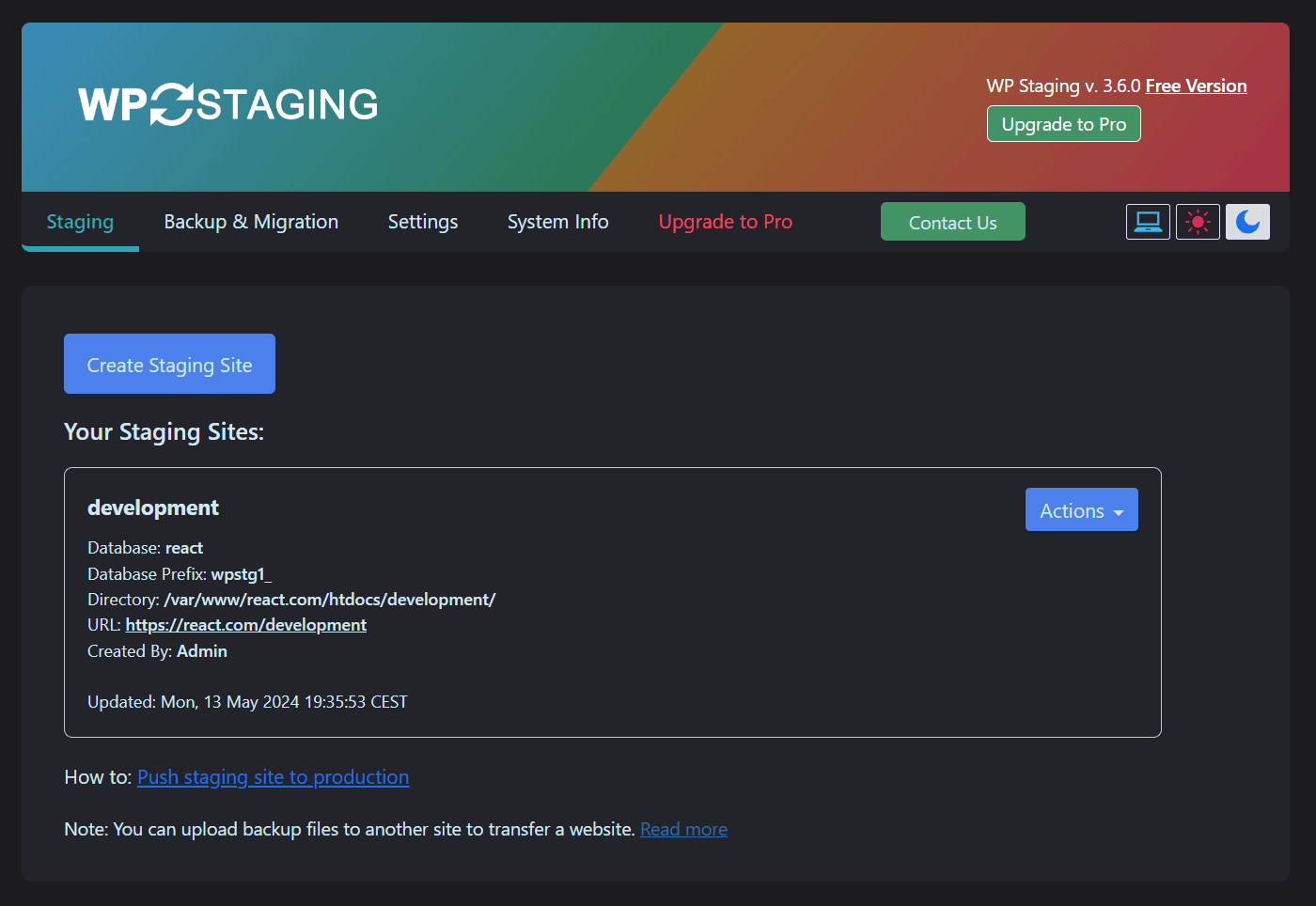
Create new WordPress staging / backup site (Dark Mode)
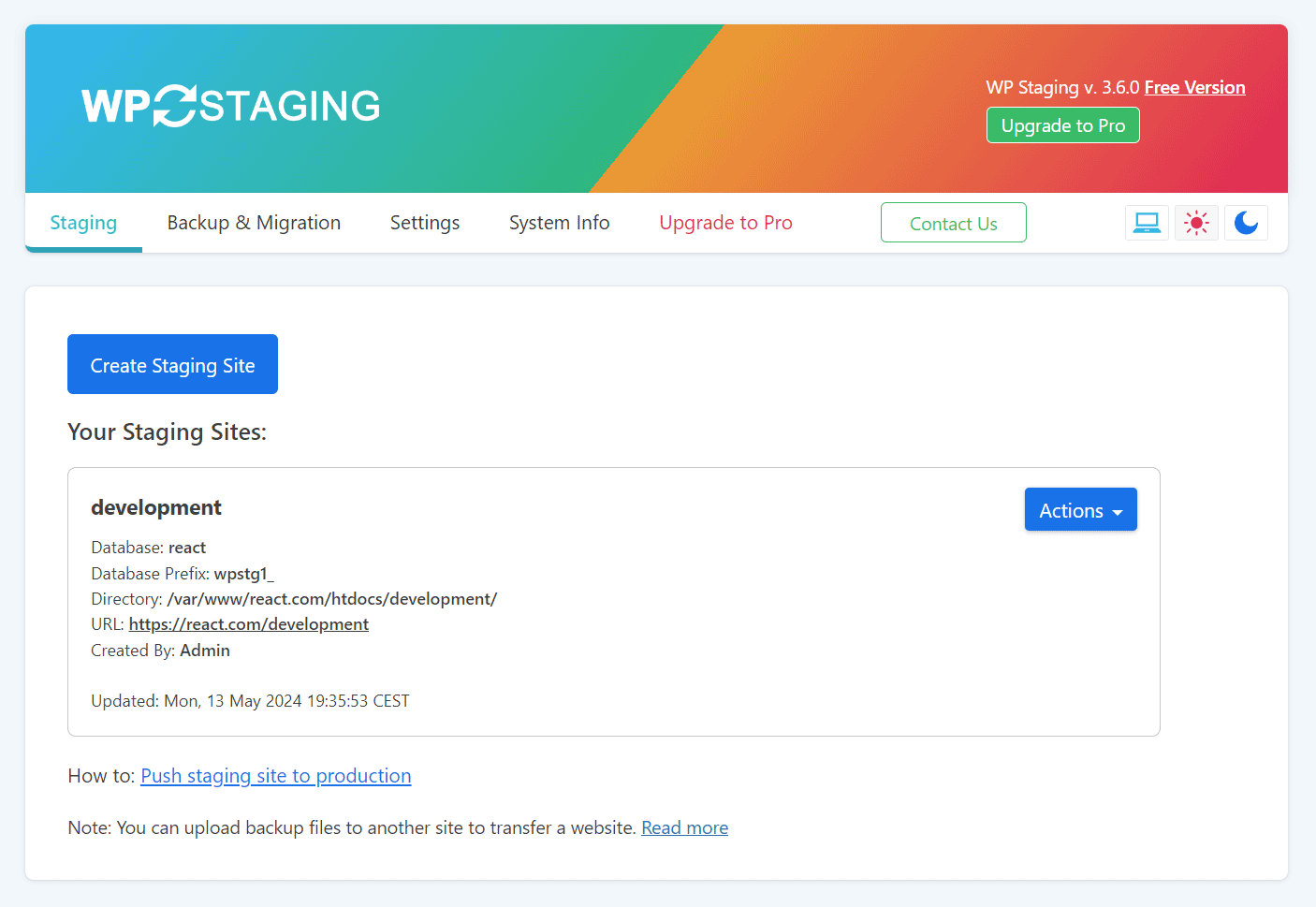
Create new WordPress staging / backup site (Lite Mode)
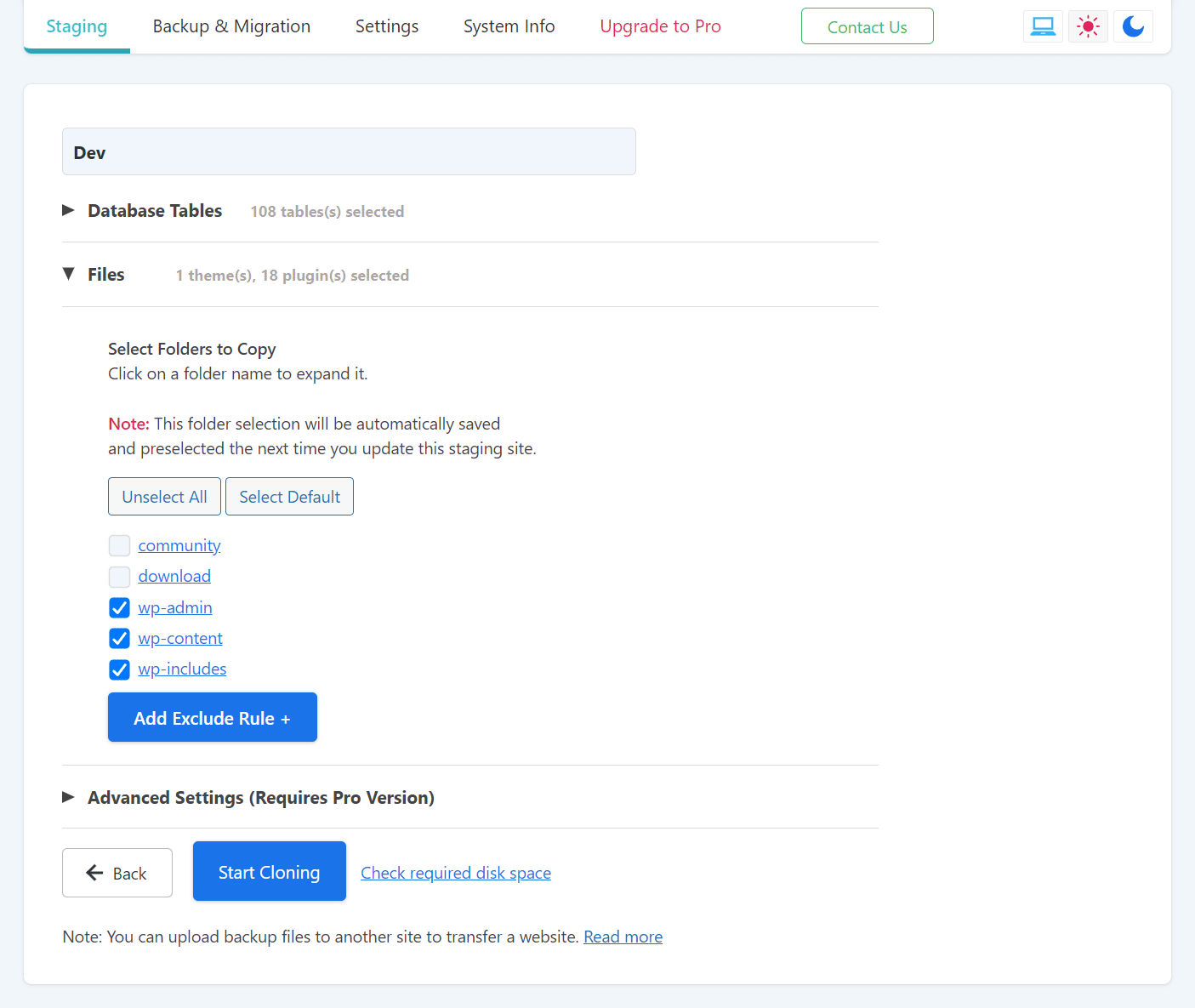
Select name for staging / backup site (Lite Mode)
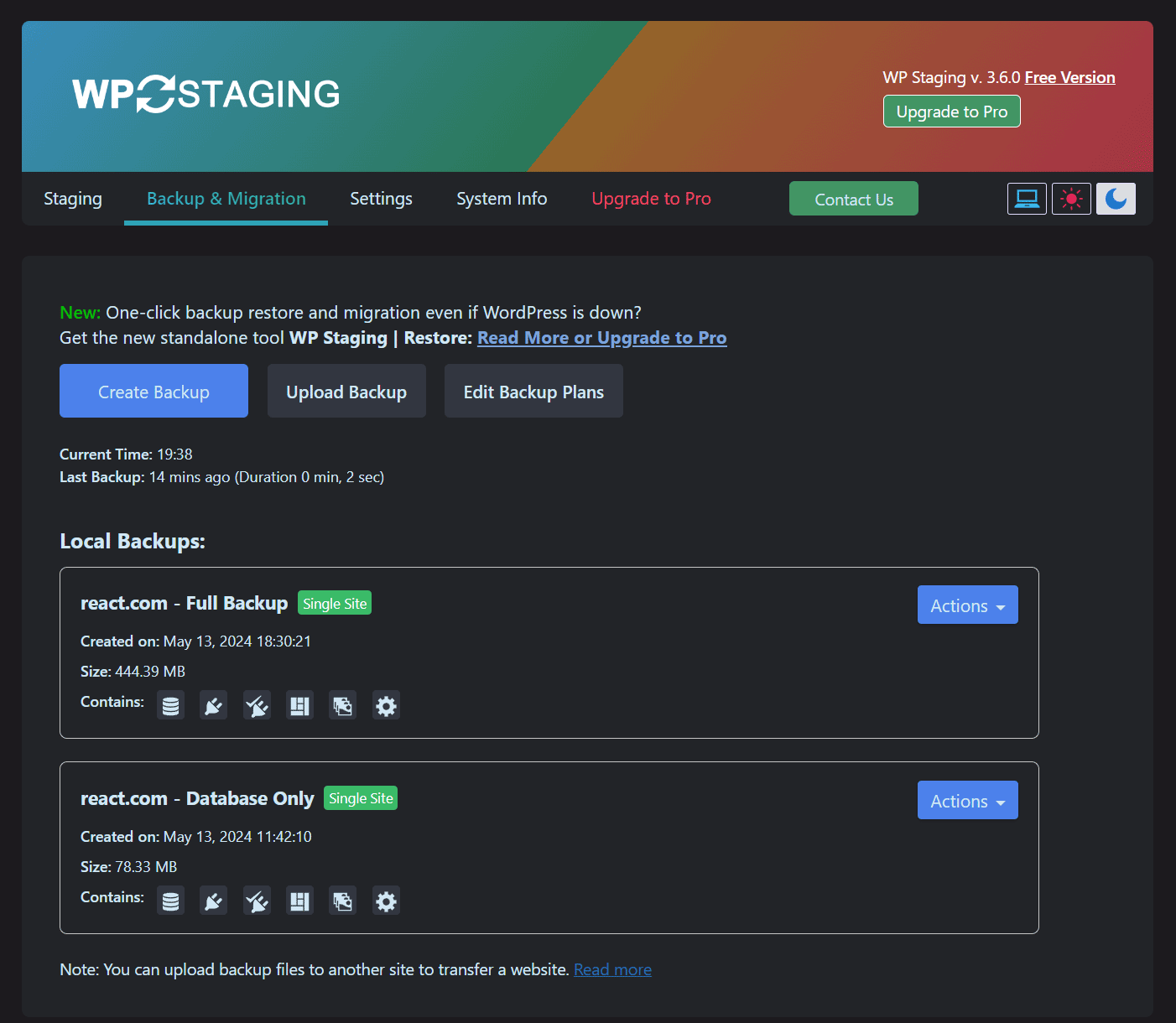
Create Full Site Backup (Dark Mode)
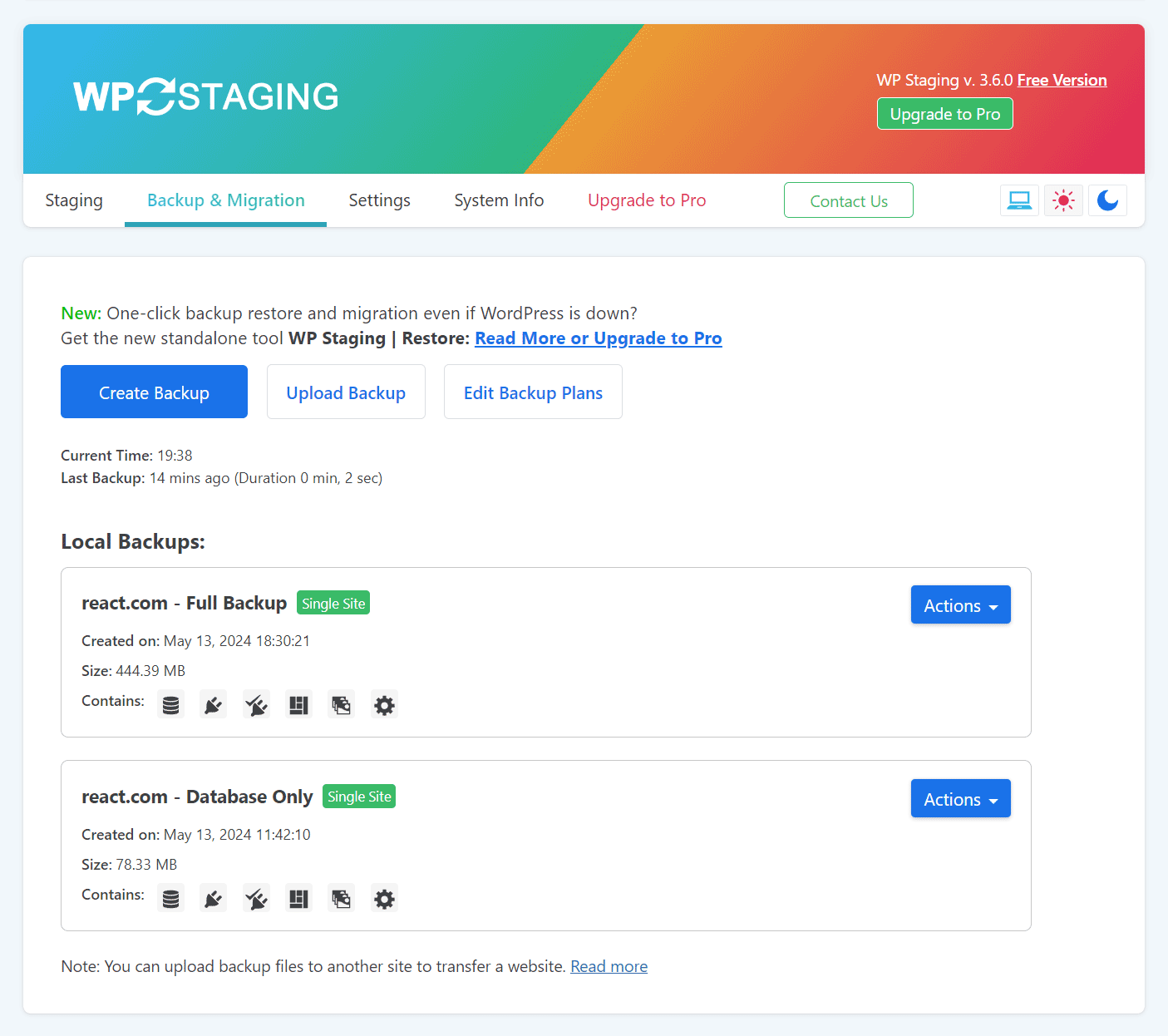
Create Full Site Backup (Lite Mode)
Cloning / backup processing (Dark Mode)
Backup Complete (Dark Mode)
Login to staging site

Staging demo site
Generate XML and HTML sitemaps for your website with ease using the XML Sitemap Generator for Google. This plugin enables you to improve your SEO rankings by creating page, image, news, video, HTML, and RSS sitemaps. It also supports custom post types and taxonomies, allowing you to ensure that all of your content is being indexed by search engines. With a user-friendly interface, you can easily configure the plugin to suit your needs and generate sitemaps in just a few clicks. Keep your website up-to-date and make sure that search engines are aware of all of your content by using the XML Sitemap Generator for Google.
The plugin supports all kinds of WordPress generated pages as well as custom URLs. Additionally it notifies all major search engines every time you create a post about the new content.
Supported for more than a decade and rated among the best, it will do exactly what it’s supposed to do – providing a complete XML sitemap for search engines!
If you like the plugin, feel free to rate it! 🙂
Related Links:
License
Good news, this plugin is free for everyone! Since it’s released under the GPL, you can use it free of charge on your personal or commercial site.
Translations
The plugin comes with various translations, please refer to the WordPress Codex for more information about activating the translation. If you want to help to translate the plugin to your language, please have a look at the sitemap.pot file which contains all definitions and may be used with a gettext editor like Poedit (Windows).
";s:12:"installation";s:581:"- Deactivate or disable other sitemap generators.
- Install the plugin like you always install plugins, either by uploading it via FTP or by using the “Add Plugin” function of WordPress.
- Activate the plugin on the plugin administration page
- If you want: Open the plugin configuration page, which is located under Settings -> XML-Sitemap and customize settings like priorities and change frequencies.
- The plugin will automatically update your sitemap if you publish new content, so there is nothing more to do 🙂
To generate a sitemap for your website, follow these steps:
- Install and activate the XML Sitemap Generator for Google plugin on your WordPress site.
- Once activated, the plugin will automatically generate a sitemap.xml file for your website.
- You can access the sitemap by appending
/sitemap.xmlto your website’s URL (e.g., https://example.com/sitemap.xml). - Submit your sitemap to search engines like Google, Bing, Yandex, and Baidu to ensure that your site is indexed and crawled properly.
- Go to the Google Search Console and sign in with your Google account.
- Click on the “Sitemaps” tab and enter the URL of your sitemap.xml file (e.g., https://example.com/sitemap.xml).
- Click on “Submit” to submit your sitemap to Google.
- Repeat the process for other search engines like Bing, Yandex, and Baidu.
It’s recommended that you update your sitemap whenever you make significant changes to your website’s content or structure. This will ensure that search engines are aware of any new pages or changes to existing pages on your site.
The XML Sitemap Generator for Google plugin can generate sitemaps in XML, HTML, RSS formats and in various types, including: Pages/Posts, Google News, Video, Image, Mobile, and more! Note: Some formats and types are only available to subscribers.
Yes, you can include images and videos in your sitemap using the Google XML Sitemap Generator plugin. This will help search engines like Google and Bing to crawl and index your media files more efficiently.
The XML Sitemap Generator for Google plugin is compatible with WooCommerce and can generate sitemaps for your online store’s product pages, categories, and tags. This will help search engines to index your products and improve your store’s visibility in search results.
Yes, you can customize the robots.txt file using the Google XML Sitemap Generator for Google plugin. This will allow you to control which pages and directories search engines can crawl and index on your site.
Yes, the XML Sitemap Generator for Google plugin is compatible with the Google Site Kit. This will allow you to track your site’s performance in Google Search Console and Google Analytics directly from your WordPress dashboard.
Yes, the XML Sitemap Generator for Google plugin supports schema markup, which can help improve your site’s visibility in search results by providing more information about your content to search engines.
It is under Settings > XML-Sitemap. I know nowadays many plugins add top-level menu items, but in most of the cases it is just not necessary. I’ve seen WP installations which looked like an Internet Explorer ten years ago with 20 toolbars installed. 😉
Not anymore. Since version 4, these files are dynamically generated just like any other WordPress content.
Please disable automatic priority calculation and define a static priority for posts.
No, only if you want to. Default values are ok for most sites.
Please post your question at the WordPress support forum.
";s:9:"changelog";s:28652:"4.1.22 (2026-02-09)
- Improved security further for unauthenticated users from modifying plugin settings by enforcing proper permission and security‑token checks. CVE-2025-64632
4.1.22 (2025-12-23)
- Fixed preventing unauthenticated users from modifying plugin settings by enforcing proper permission and security‑token checks.
4.1.21 (2024-04-21)
- Fixed a regression with saving post/page exclusions.
- Fixed an issue with post/tag priority settings.
4.1.20 (2024-04-14)
- Fixed empty ping error
- Fixed response code issue with index sitemap
- Fixed interoperability with existing robots.txt file
- Fixed URL for guest authors
- Fixed uninstalled plugin error
- Fixed sitemap indexation
- Fixed “Trying to access array offset on value of type bool…” warning
- Fixed setting of custom taxonomy change frequency and priority
- Fixed missing custom taxonomies issue
- Fixed issue with hierarchical taxonomies
- Fixed missing categories issue
- Fixed sort order of URLs (changed from descending to ascending)
- Improved WooCommerce support (added products sitemap)
- Improved multisite support
- Improved SEO plugin interoperability
- Improved Nginx configuration
- Improved sitemap generation performance for large sites
- Added filter support for behavior/settings customization
- Added latest Microsoft Bing API Key to settings page
4.1.19 (2024-01-31)
- Fixed “Links per page” bug causing sitemaps to not include all posts depending on the setting. Following Search Engine guidance is minimum links per sitemap is 1,000 pages.
- Fixed Google Search Console errors including “Fetch error” and “noindex” header
- Fixed the issue with “null” sitemaps
- Fixed sitemap generation for tags, categories, etc for large sites
- Improved performance by optimizing queries
- Improved IndexNow implementation
- Added WordPress’ sitemap to the list of detected sitemaps for deactivation
4.1.18 (2024-01-12)
- Resolved functionality regressions since v4.1.13
- Improved IndexNow Protocol implementation
- Improved WooCommerce support
- Improved WPML support
- Fixed sitemap 404 issues (for Single and Multisite modes)
- Fixed auto update rewrite rule
- Fixed rewrite issues during plugin upgrade
- Fixed invalid XML syntax (cause of parsing issues in Google Search Console)
4.1.17 (2024-01-05)
- Fixed sitemap URL issue in robots.txt etc
- Improved LastMod syntax for better support for indexation by Google
- Improved Network mode support
- Improved localization plugin support
- Improved custom taxonomy support
- Added IndexNow Protocol support for Microsoft Bing. Deprecated Sitemap Ping Protocol
- Added JetPack sitemap generator conflict detection
4.1.16 (2023-12-18)
- Fixed a syntax error causing fatal errors for some users.
4.1.15 (2023-12-14)
- Improved security by adding capability check via the current_user_can() calls
- Changed the text domain from “sitemap” to “google-sitemap-generator”
4.1.14 (2023-12-05)
- Improved security with authentication and plugin management anchors
- Fixed an error in sitemap file name conventions
- Fixed an issue with disabling conflicting sitemap generators
- Added last modified date to category sitemaps
- Added min and max option for number of posts per sitemap
- Added support for local links in sitemap for different languages
4.1.13 (2023-08-04)
- Fixed warning error displayed when Yoast SEO is not installed/active
4.1.12 (2023-08-02)
- Improved various UI elements and notifications
- Fixed browser console errors
- Fixed null value in set_time_limit
4.1.11 (2023-05-19)
- Fixed version compatibility thresholds
- Improved user interface
4.1.10 (2023-04-24)
- Added support for automatic updates
4.1.9 (2023-04-12)
- Improved beta program notifications and workflow to comply with guidelines
- Improved various UI elements
4.1.8 (2023-03-31)
- Added Beta testing program
- Added check for disabled PHP functions
- Fixed handling of taxonomies containing hyphens
4.1.7 (2022-11-24)
- Fixed custom taxonomy unit generation issue
- Fixed plugin deactivation notice
4.1.6 (2022-11-23)
- Fixed mishandling of empty categories
- Fixed _url undefined notice error
- Fixed error when build_taxonomies throws a fatal error when accessing sub-sitemap without pagination
- Improved handling of line breaks e.g. showing
tag without escaping HTML - Improved handling of the Google TID field optional to ping Google
- Improved documentation, given some renaming of the methods
- Added support for paginated sitemap posts, pages, and product links
- Added conditional statements to prevent rewrite rules from being checked every time the sitemap loads
4.1.5 (2022-06-14)
- Fixed code regressions moving from git to svn (preventing recent fixes from being available)
4.1.4 (2022-06-06)
- Fixed the issue of PHP warnings
- Fixed links per page issue
- Improved WordPress 6.0 compatibility
4.1.3 (2022-05-31)
- Added backward compatibility settings
- Changed Google Tracking ID field to optional
- Fixed PHP warnings
4.1.2 (2022-04-15)
- Fixed security issue related to Cross-Site Scripting attacks on debug page
- Fixed HTTP error while generating sitemap (because of conflict of www and now www site)
- Fixed handling WordPress core sitemap entry from robots.txt
- Added option to flush database rewrite on plugin deactivation
- Added option to split the custom categories into multiple sitemaps by custom taxonomy
- Added option to omit the posts specified as disallow in robots.txt
- Added option to set links per page for tags and categories
- Added option to set a custom filename for the sitemap
- Added option to list custom post in the archive sitemap
4.1.1 (2022-04-07)
- fix security issue related to Cross-Site Scripting attacks on debug page
- fix HTTP error while generating sitemap (because of conflict of www and now www site)
- fix handles the removal of WordPress native sitemap entry from robots.txt
- added option for flush database rewrite on deactivate plugin
- added options for split the custom categories into multiple sitemap by custom taxonomy
- added options to omit the posts which added in robots.txt to disallow
- added option to set links per page for tags and categories
- added option for provide the custom name for the sitemap.xml file
- added option for custom post type’s list into the archive sitemap
- added support of manage priorities and frequencies for products category
4.1.0 (2018-12-18)
- Fixed security issue related to escaping external URLs
- Fixed security issue related to option tags in forms
4.0.9 (2017-07-24)
- Fixed security issue related to donation functionality.
4.0.8 (2014-11-15)
- Fixed bug regarding the exclude categories feature, thanks to Claus Schöffel!
4.0.7.1 (2014-09-02)
- Sorry, no new features this time… This release only updates the Compatibility-Tag to WordPress 4.0. Unfortunately there is no way to do this anymore without a new version
4.0.7 (2014-06-23)
- Better compatibility with GoDaddy managed WP hosting
- Better compatibility with QuickCache
- Removed WordPress version from the sitemap
- Corrected link to WordPress privacy settings (if search engines are blocked)
- Changed hook which is being used for sitemap pings to avoid pings on draft edit
4.0.6 (2014-06-03)
- Added option to disable automatic gzipping
- Fixed bug with duplicated external sitemap entries
- Don’t gzip if behind Varnish since Varnish can do that
4.0.5 (2014-05-18)
- Added function to manually start ping for main-sitemap or all sub-sitemaps
- Added support for changing the base of the sitemap URL to another URL (for WP installations in sub-folders)
- Fixed issue with empty post sitemaps (related to GMT/local time offset)
- Fixed some timing issues in archives
- Improved check for possible problems before gzipping
- Fixed empty archives and author sitemaps in case there were no posts
- Fixed bug which caused the Priority Provider to disappear in recent PHP versions
- Plugin will also ping with the corresponding sub-sitemap in case a post was modified
- Better checking for empty external urls
- Changed text in XSL template to be more clear about sitemap-index and sub-sitemaps
- Changed content type to text/xml to improve compatibility with caching plugins
- Changed query parameters to is_feed=true to improve compatibility with caching plugins
- Switched from using WP_Query to load posts to a custom SQL statement to avoid problems with other plugin filters
- Added caching of some SQL statements
- Added support feed for more help topics
- Added link to new help page
- Cleaned up code and renamed variables to be more readable
- Updated Japanese Translation, thanks to Daisuke Takahashi
4.0.4 (2014-04-19)
- Removed deprecated get_page call
- Changed last modification time of sub-sitemaps to the last modification date of the posts instead of the publish date
- Removed information window if the statistic option has not been activated
- Added link regarding new sitemap format
- Updated Portuguese translation, thanks to Pedro Martinho
- Updated German translation
4.0.3 (2014-04-13)
- Fixed compression if an gzlib handler was already active
- Help regarding permalinks for Nginx users
- Fix with gzip compression in case there was other output before already
- Return 404 for HTML sitemaps if the option has been disabled
- Updated translations
4.0.2 (2014-04-01)
- Fixed warning if an gzip handler is already active
4.0.1 (2014-03-31)
- Fixed bug with custom post types including a “-“
- Fixed some 404 Not Found Errors
4.0 (2014-03-30)
- No static files anymore, sitemap is created on the fly!
- Sitemap is split-up into sub-sitemaps by month, allowing up to 50.000 posts per month! More information
- Support for custom post types and custom taxonomis!
- 100% Multisite compatible, including by-blog and network activation.
- Reduced server resource usage due to less content per request.
- New API allows other plugins to add their own, separate sitemaps.
- Note: PHP 5.1 and WordPress 3.3 is required! The plugin will not work with lower versions!
- Note: This version will try to rename your old sitemap files to *-old.xml. If that doesn’t work, please delete them manually since no static files are needed anymore!
3.4.1 (2014-04-10)
- Compatibility with mysqli
Version 3.4 (2013-11-24)
- Fixed deprecation warnings in PHP 5.4, thanks to Dion Hulse!
3.3 (2013-09-28)
- Fixed problem with file permission checking
- Filter out hashs (#) in URLs
3.2.9 (2013-01-11)
- Fixed security issue with change frequencies and filename of sitemap file. Exploit was only possible with admin account.
3.2.8 (2012-08-08)
- Fixed wrong custom taxonomy URLs, thanks to ramon fincken of the wordpress.org forum!
- Removed ASK ping since they shut down their service.
- Exclude post_format taxonomy from custom taxonomy list
3.2.7 (2012-04-24)
- Fixed custom post types, thanks to clearsite of the wordpress.org forum!
- Fixed broken admin layout on WP 3.4
3.2.6 (2011-09-19)
- Removed YAHOO ping since YAHOO uses bing now
- Removed deprecated function call
3.2.5 (2011-07-11)
- Backported Bing ping success fix from beta
- Added friendly hint to try out the new beta
3.2.4 (2010-05-29)
- Added (GMT) to date column in sitemap xslt template to avoid confusion with different time zones
- Fixed wrong SQL statement for author pages, thanks to twoenoug
- Fixed several deprecated function calls
- Note: This release does not support the new multisite feature of WordPress yet and will not be active when multisite is enabled.
3.2.3 (2010-04-02)
- Fixed that all pages were missing in the sitemap if the “Uncategorized” category was excluded
3.2.2 (2009-12-19)
- Updated compatibility tag to WordPress 2.9
- Fixed PHP4 problems
3.2.1 (2009-12-16)
- Notes and update messages at the top of the admin page could interfere with the manual build function
- Help links in the WP contextual help were not shown anymore since the last update
- IE 7 sometimes displayed a cached admin page
- Removed invalid link to config page from the plugin description (The link lead to a “Not enough permission error”)
- Improved performance of getting the current plugin version by caching
- Updated Spanish language files
3.2 (2009-11-23)
- Added function to show the actual results of a ping instead of only linking to the url
- Added new hook (sm_rebuild) for third party plugins to start building the sitemap
- Fixed bug which showed the wrong URL for the latest Google ping result
- Added some missing documentation
- Removed hardcoded php name for sitemap file in admin urls
- Uses KSES for showing ping test results
- Ping test fixed for WP < 2.3
3.1.9 (2009-11-13)
- Fixed MySQL Error if author pages were included
3.1.8 (2009-11-07)
- Improved custom taxonomy handling and fixed wrong last modification date
- Fixed fatal error in WordPress versions lower than 2.3
- Fixed Update Notice for WordPress 2.8 and higher
- Added warning if blog privacy is activated
- Fixed priorities of additional pages were shown as 0 instead of 1
3.1.7 (2009-10-21)
- Added support for custom taxonomies. Thanks to Lee!
3.1.6 (2009-08-31)
- Fixed PHP error “Only variables can be passed by reference”
- Fixed wrong URLS of multi-page posts (Thanks artstorm!)
- Updated many language files
3.1.5 (2009-08-24)
- Added option to completely disable the last modification time
- Fixed problem with HTTPS url for the XSL stylesheet if the sitemap was build via the admin panel
- Improved handling of homepage entry if a single page was set for it
- Fixed mktime warning which appeared sometimes
- Fixed bug which caused inf. reloads after rebuilding the sitemap via the admin panel
- Improved handling of missing sitemaps files if WP was moved to another location
3.1.4 (2009-06-22)
- Fixed bug which broke all pings in WP older than 2.7
- Added more output in debug mode if pings fail
- Moved global post variable so other plugins can use it in get_permalink()
- Added small icon for ozh admin menu
- Added more help links in UI
3.1.3 (2009-06-07)
- Changed MSN Live Search to Bing
- Exclude categories also now exludes the category itself and not only the posts
- Pings now use the new WordPress HTTP API instead of Snoopy
- Fixed bug that in localized WP installations priorities could not be saved
- The sitemap cron job is now cleared after a manual rebuild or after changing the config
- Adjusted style of admin area for WP 2.8 and refreshed icons
- Disabled the “Exclude categories” feature for WP 2.5.1, since it doesn’t have the required functions yet
3.1.2 (2008-12-26)
- Changed the way the stylesheet is saved (default / custom stylesheet)
- Sitemap is now rebuild when a page is published
- Removed support for static robots.txt files, this is now handled via WordPress functions
- Added compat. exceptions for WP 2.0 and WP 2.1
3.1.1 (2008-12-21)
- Fixed redirect issue if wp-admin is rewritten via mod_rewrite, thanks to macjoost
- Fixed wrong path to assets, thanks PozHonks
- Fixed wrong plugin URL if wp-content was renamed / redirected, thanks to wnorris
- Updated WP User Interface for 2.7
- Various other small things
3.1.0.1 (2008-05-27)
- Extracted UI JS to external file
- Enabled the option to include following pages of multi-page posts
- Script tries to raise memory and time limit if active
3.1 (2008-05-22)
- Marked as stable
3.1b3 (2008-05-19)
- Cleaned up plugin directory and moved img files to subfolders
- Fixed background building bug in WP 2.1
- Removed auto-update plugin link for WP < 2.5
3.1b2 (2008-05-18)
- Fixed critical bug with the build in background option
- Added notification if a build is scheduled
3.1b1 (2008-05-08)
- Splitted plugin in loader, generator and user interface to save memory
- Generator and UI will only be loaded when needed
- Secured all admin actions with nonces
- Improved WP 2.5 handling
- New “Suggest a Feature” link
3.0.3.3 (2008-04-29)
- Fixed author pages
- Enhanced background building and increased delay to 15 seconds
- Enabled background building by default
3.0.3.2 (2008-04-28)
- Improved WP 2.5 handling (fixes blank screens and timeouts)
3.0.3.1 (2008-03-30)
- Added compatibility CSS for WP 2.5
3.0.3 (2007-12-30)
- Added option to ping MSN Live Search
- Removed some WordPress hooks (the sitemap isn’t updates with every comment anymore)
3.0.2.1 (2007-11-28)
- Fixed wrong XML Schema Location (Thanks to Emanuele Tessore)
- Added Russian Language files by Sergey http://ryvkin.ru
3.0.2 (2007-11-25)
- Fixed bug which caused that some settings were not saved correctly
- Added option to exclude pages or post by ID
- Restored YAHOO ping service with API key since the other one is to unreliable
3.0.1 (2007-11-03)
- Changed HTTP client for ping requests to Snoopy
- Added “safemode” for SQL which doesn’t use unbuffered results
- Added option to run the building process in background using wp-cron
- Added links to test the ping if it failed
3.0 final (2007-09-24)
- Marked as stable
- Removed useless functions
3.0b11 (2007-09-23)
- Changed mysql queries to unbuffered queries
- Uses MUCH less memory
- Option to limit the number of posts
3.0b10 (2007-09-04)
- Added category support for WordPress 2.3
- Fixed bug with empty URLs in sitemap
- Repaired GET building
3.0b9 (2007-09-02)
- Added tag support for WordPress 2.3
- Fixed archive bug with static pages (Thanks to Peter Claus Lamprecht)
- Fixed some missing translation strings, thanks to Kirin Lin
3.0b8 (2007-07-22)
- Fixed bug with empty categories
- Fixed bug with translation plugins
- Added support for robots.txt
- Switched YAHOO ping API from YAHOO Web Services to the “normal” ping service
- Search engines will only be pinged if the sitemap file has changed
3.0b7 (2007-05-17)
- Added Ask.com notification
- Added option to include the author pages like /author/john
- Fixed WP 2.1 / Pre 2.1 post / pages database changes
- Added check to not build the sitemap if importing posts
- Fixed wrong XSLT location (Thanks froosh)
- Small enhancements and bug fixes
3.0b6 (2007-01-23)
- sitemap.xml.gz was not compressed
- YAHOO update-notification was PHP5 only (Thanks to Joseph Abboud!)
- More WP 2.1 optimizations
- Reduced memory usage with PHP5
3.0b5 (2007-01-19)
- WordPress 2 Design
- YAHOO update notification
- New status report, removed ugly logfiles
- Added option to define a XSLT stylesheet and added a default one
- Fixed bug with sub-pages, thanks to Mike, Peter and Glenn
- Improved file handling, thanks to VJTD3
- WP 2.1 improvements
3.0b4 (2006-11-16)
- Fixed some smaller bugs
- Decreased memory usage which should solve timeout and memory problems
- Updated namespace to support YAHOO and MSN
3.0b2 (2006-01-14)
- Fixed several bugs reported by users
3.0b (2005-11-25)
- WordPress 2.0 (Beta, RC1) compatible
- Added different priority calculation modes and introduced an API to create custom ones (Some people didn’t like the way to calculate the post priority based on the count of user comments. This will give you the possibility to develop custom priority providers which fit your needs.)
- Added support to use the Popularity Contest plugin by Alex King to calculate post priority (If you are already using the Popularity Contest plugin, this will be the best way to determine the priority of the posts. Uses to new priority API noted above.)
- Added option to exclude password protected posts (This was one of the most requested features.)
- Posts and pages marked for publish with a date in the future won’t be included
- Added function to start sitemap creation via GET and a secret key (If you are using external software which directly writes into the database without using the WordPress API, you can rebuild the sitemap with a simple HTTP Request. This can be made with a cron job for example.)
- Improved compatibility with other plugins (There should no longer be problems with other plugins now which checked for existence of a specified function to determine if you are in the control panel or not.)
- Recoded plugin architecture which is now fully OOP (The code is now cleaner and better to understand which makes it easier to modify. This should also avoid namespace problems.)
- Improved speed and optimized settings handling (Settings and pages are only loaded if the sitemap generation process starts and not every time a page loads. This saves one MySQL Query on every request.)
- Added Button to restore default configuration (Messed up the config? You’ll need just one click to restore all settings.)
- Added log file to check everything is running (In the new log window you can see when your sitemap was rebuilt or if there was any error.)
- Improved user-interface
- Added several links to homepage and support (This includes the Notify List about new releases and the WordPress support forum.)
2.7 (2005-11-25)
- Added Polish Translation by kuba
2.7 (2005-11-01)
- Added French Translation by Thierry Lanfranchi
2.7 (2005-07-21)
- Fixed bug with incorrect date in additional pages (wrong format)
- Added Swedish Translation by Tobias Bergius
2.6 (2005-07-16)
- Included Chinese (Simplified) language files by june6
2.6 (2005-07-04)
- Added support to store the files at a custom location
- Changed the home URL to have a slash at the end
- Fixed errors with wp-mail
- Added support for other plugins to add content to the sitemap
2.5 (2005-06-15)
- You can include now external pages which aren’t generated by WordPress or are not recognized by this plugin
- You can define a minimum post priority, which will overrride the calculated value if it’s too low
- The plugin will automatically ping Google whenever the sitemap gets regenerated
- Update 1: Included Spanish translations by Cesar Gomez Martin
- Update 2: Included Italian translations by Stefano Aglietti
- Update 3: Included Traditional Chinese translations by Kirin Lin
2.2 (2005-06-08)
- Language file support: Hiromasa from http://hiromasa.zone.ne.jp sent me a japanese version of the user interface and modified the script to support it! Thanks for this! Check the WordPress Codex how to set the language in WordPress.
- Added Japanese user interface by Hiromasa
- Added German user interface by me
2.12 (2005-06-07)
- Changed SQL Statement for categories that it also works on MySQL 3
2.11 (2005-06-07)
- Fixed a hardcoded tablename which made a SQL error
2.1 (2005-06-07)
- Can also generate a gzipped version of the xml file (sitemap.xml.gz)
- Uses correct last modification dates for categories and archives. (Thanks to thx Rodney Shupe for the SQL)
- Supports now different WordPress / Blog directories
- Fixed bug which ignored different post/page priorities (Reported by Brad)
2.01 (2005-06-07)
- Fixed compatibility for PHP installations which are not configured to use short open tags
- Changed Line 147 from _e($i); to _e(strval($i));
- Thanks to Christian Aust for reporting this!

Plugin options page
Sample XML sitemap (with a stylesheet for making it readable)
Sample XML sitemap (without stylesheet)
Starting with Yoast SEO consists of just two steps: installing and setting up the plugin. Yoast SEO is designed to work with your site’s specific needs, so don’t forget to go through the Yoast SEO first-time configuration as explained in the ‘after activation’ step! For the most up-to-date guidance on how to install Yoast SEO products, please visit our help center.
";s:3:"faq";s:6119:"
Having an XML sitemap can be beneficial for SEO, as Google can retrieve essential pages of a website very fast, even if the internal linking of a site isn’t flawless.
The sitemap index and individual sitemaps are updated automatically as you add or remove content and will include the post types you want search engines to index. Post Types marked as noindex will not appear in the sitemap. Learn more about XML Sitemaps.
It is straightforward to add your website to Google Search Console.
1. Create a Google Search Console account and login into your account.
2. Click ‘Add a property’ under the search drop-down.
3. Enter your website URL in the box and click ‘Continue’.
4. Click the arrow next to ‘HTML tag’ to expand the option.
5. Copy the meta tag.
6. Log in to your WordPress website.
7. Click on ‘SEO’ in the dashboard.
8. Click on ‘General’.
9. Click on the ‘Webmaster Tools’ tab.
10. Paste the code in the Google field and click ‘Save Changes’.
11. Go back to Google Search Console and click ‘Verify’.
If you want more details steps, please visit our article on our help center.
The steps below are a temporary solution as manual edits made to theme files may be overwritten with future theme updates. Please contact the theme developer for a permanent solution. We’ve written an article about the importance of breadcrumbs for SEO.
To implement the breadcrumbs function in Yoast SEO, you will have to edit your theme. We recommend that prior to any editing of the theme files, a backup is taken. Your host provider can help you take a backup.
Copy the following code into your theme where you want the breadcrumbs to be. If you are not sure, you will need to experiment with placement:
<?php
if ( function_exists( 'yoast_breadcrumb' ) ) {
    yoast_breadcrumb( '<p id="breadcrumbs">','</p>' );
}
?>
Common places where you could place your breadcrumbs are inside your single.php and/or page.php file just above the page’s title. Another option that makes it really easy in some themes is by just pasting the code in header.php at the very end.
In most non-WooTheme themes, this code snippet should not be added to your functions.php file.
Alternatively, you can manually add the breadcrumb shortcode to individual posts or pages: [wpseo_breadcrumb]
If you need more details or a step by step guide, read our Implementation guide for Yoast SEO breadcrumbs.
Yoast SEO provides multiple options for setting a URL or group of URLs to noindex. Read more about how to do this in this guide.
If you’ve crafted nice meta descriptions for your blog posts, nothing is more annoying than Google showing another description for your site completely in the search result snippet.
Possible causes could be:
1. wrong description in code
2. Google cache is outdated
3. Search term manipulation
4. Google ignored the meta description
You can read more here on how to solve the issue with the wrong description.
Yoast SEO is updated every two weeks. If you want to know why, please read this post on why we release every two weeks!
As our free plugin is used by millions of people worldwide, we cannot offer you all one on one support. If you have trouble with the Yoast SEO for WordPress plugin, you can get help on the support forums here at wordpress.org or by checking out our help center at yoast.com/help/.
The plugins you buy at Yoast are called ‘premium plugins’ (even if Premium isn’t in its name) and include a complete year of free updates and premium support. This means you can contact our support team if you have any questions about that plugin.
Read more on how to get support
This page on yoast.com explains what data we collect to improve Yoast SEO. We only collect data when you explicitly opt in. Read more about how we handle your data in our Privacy Policy.
Your question has most likely been answered on our help center: yoast.com/help/.
";s:9:"changelog";s:2986:"27.4
Release date: 2026-04-14
Yoast SEO 27.4 adds new tasks to the Task List, improves navigation within the editor, and fixes a bug where tasks were displaying in the wrong language. Read the full release post here.
Enhancements
- Adds a “Yoast” tab to the WordPress Plugins screen that groups all installed Yoast plugins when two or more are present. Requires WordPress 7.0+.
- Enhances the task list with a task about customizing meta descriptions in recent content.
- Enhances the task list with a task about deleting the “Sample Page”.
- Improves the UX of completing tasks that require users to go to specific part of the post editor, by redirecting them to the exact spot they need to be.
Bugfixes
- Fixes a bug where alt text changes made via the inline image editor in How-to and FAQ blocks were not being reflected on the frontend. Props to @param-chandarana.
- Fixes a bug where the task list copies were displayed in the site language instead of the user language.
27.3
Release date: 2026-03-31
Yoast SEO 27.3 brings more enhancements and bugfixes. Find more information about our software releases and updates here.
Enhancements
- Adds the highlighting feature to keyphrase in subheadings assessment. Now users can highlight the headings that include the keyphrase or synonyms.
- Introduces a more robust HTML processing approach for the keyphrase in subheadings assessment.
Bugfixes
- Fixes a bug where
Deprecated: strip_tags(): Passing null to parameter #1 ($string) of type string is deprecatednotices appeared on certain actions, like when activating the plugin, or saving a Yoast setting. Props to @sabernhardt. - Fixes a bug where the installation success redirect was incorrectly fired during AJAX, cron, REST API, or JSON requests, breaking integrations such as the Bluehost SSO.
- Fixes a console error in the editor related to AI Generate feature that occurred when the “Enable SEO controls and assessments” option was disabled for a content type.
Other
- Sets the WordPress tested up to version to 7.0.
- Improves security of format_json_encode() by removing JSON_UNESCAPED_SLASHES, which could allow a user to control tags in the schema JSON-LD output. Props to @rob006.
- Updates the completion message and changes the call-to-action button text of the First-time configuration.
Earlier versions
For the changelog of earlier versions, please refer to the changelog on yoast.com.
";s:11:"description";s:13266:"Improve your SEO with real-time feedback, schema, and clear guidance. Upgrade for AI tools, Google Docs integration, and 24/7 support, no hidden fees.
Yoast SEO: The #1 WordPress SEO Plugin
Since 2008, Yoast SEO has helped millions of websites worldwide improve their visibility and SEO performance.
Our mission is SEO for Everyone — from small local businesses to some of the most visited sites on the web.
Yoast SEO gives you everything you need to manage your on-site SEO effectively.
The Yoast SEO Premium plugin and its extensions unlock even more advanced and AI-powered tools.
Handing you the competitive edge
SEO is the most consistent and cost-effective source of website traffic — but it can be complex. Whether you’re just starting out or an advanced user, Yoast SEO helps you handle SEO confidently and efficiently.
Don’t have time to stay on top of AI search and best practices? Keeping Yoast SEO updated means you automatically benefit from ongoing technical improvements, schema updates, and AI advancements — all guided by our signature traffic light approach.
Empower search engines to better understand your website using Schema.org structured data integration, and access in-depth content and readability analysis tools that help you create content designed to perform well in search.
Quick and easy setup
Setting up Yoast SEO is quick and straightforward — no technical background required.
Our step-by-step configuration wizard walks you through essential setup details so Yoast SEO can generate accurate structured data that helps search engines understand your site.
Switching from another SEO plugin like Rank Math or AIOSEO? Migration is seamless.
Import your existing SEO data and settings safely with our built-in import/export tools.
Content and AI features
Unlock your content’s full potential with Yoast SEO’s advanced content analysis and AI-powered tools.
Content optimization features:
– Detailed SEO analysis to guide keyword targeting and site performance.
– Readability analysis for clear, engaging, and user-friendly writing.
– SERP previews for both desktop and mobile results.
– HowTo and FAQ blocks with built-in schema support.
– Breadcrumbs block for improved navigation.
– Inclusive Language Analysis to make your content more considerate and accessible.
– Semrush integration for keyword research directly in Yoast SEO.
– Wincher integration to track keyword performance inside your dashboard.
– Elementor integration for seamless optimization within your favorite builder.
AI features (included in Premium):
– Yoast AI Generate – Instantly create five SEO-friendly titles and meta descriptions, with one-click regeneration for more options.
– Yoast AI Optimize – Improve keyphrase placement (introduction, distribution, density) automatically.
– Yoast AI Summarize (New 2025) – Generate quick content summaries for briefs or social posts.
– All AI tools included – No extra accounts, limits, or hidden costs.
These tools help you craft optimized, helpful content that resonates with readers and performs strongly across search platforms.
Taking care of your technical SEO
Yoast SEO automatically handles much of your site’s technical SEO, freeing you to focus on your content.
Key technical SEO features:
– Automated meta tag optimization right out of the box.
– Canonical URLs to prevent duplicate content issues.
– Advanced XML sitemaps for clear site indexing.
– Best-in-class Schema.org integration to improve search understanding and appearance.
– Complete breadcrumb control for visitors and crawlers.
– Performance improvements that help reduce load times.
– Crawl settings to manage how bots access your site and reduce environmental impact.
– LLMs.txt management to guide how large language models interact with your content.
Every update delivers ongoing technical SEO enhancements automatically.
Keep your website in perfect shape
Whether you’re a creator, business owner, or developer, Yoast SEO helps maintain your website’s SEO health:
- Cornerstone content tools to organize and prioritize key pages.
- Front-end SEO inspector to view and edit titles, descriptions, and schema live.
- SEO roles to delegate plugin access securely across teams.
- Regular 2-week update cycle to ensure compatibility with the latest SEO standards and search engine changes.
Powerful integrations
Yoast SEO works seamlessly with popular WordPress tools to enhance your workflow and results:
- Google Site Kit: Access insights from Search Console, Analytics, and PageSpeed directly inside WordPress.
- Advanced Custom Fields (ACF): Combine with ACF Content Analysis for Yoast SEO for advanced field optimization.
- Elementor: Use full Yoast SEO functionality inside Elementor’s editor.
- Algolia: Enhance internal search accuracy and performance.
- Semrush: Discover and optimize for high-value keywords.
- Wincher: Track keyword positions and trends in Google Search.
- Jetpack: Manage SEO and social previews all in one place.
- Easy Digital Downloads (EDD): Improve digital product visibility with integrated schema.
- Mastodon: Verify your website on Mastodon with Yoast SEO Premium.
- WooCommerce: Optimize ecommerce SEO with the dedicated WooCommerce extension.
Yoast SEO Premium – AI-powered SEO for WordPress
Yoast SEO Premium enhances everything in Yoast SEO with advanced automation, AI tools, and professional support.
Trusted by millions, it helps you optimize efficiently for both traditional and AI-driven search.
Tackle your SEO challenges:
– Keep pace with algorithm and AI search updates.
– Target the right audience effectively.
– Automate redirects, crawl controls, and internal linking.
– Identify orphaned content and improve site structure.
– Get support when you need it.
Premium highlights:
– AI-generated titles and meta descriptions.
– Smart internal linking suggestions.
– Social previews for Facebook and X.
– Redirect Manager with bulk tools and automatic prompts.
– Bot Blocker for AI crawlers (GPTBot, CCBot, Google-Extended).
– IndexNow integration for fast content updates.
– Front-end SEO Inspector for real-time editing.
– SEO Workouts to improve orphaned and cornerstone content.
– Google Docs add-on for seamless SEO writing in Docs.
– 24/7 premium support from SEO specialists.
Includes at no extra cost:
– Yoast Local SEO: Optimize for local audiences and Google Maps.
– Yoast Video SEO: Ensure Google understands your videos with video sitemaps and schema.
– Yoast News SEO: Increase visibility in Google News and Top Stories.
Yoast WooCommerce SEO – Advanced SEO for Online Stores
Yoast WooCommerce SEO builds on Yoast SEO Premium with ecommerce-specific tools to improve your store’s visibility and conversion potential.
Key ecommerce SEO features:
– WooCommerce-specific XML sitemap excluding non-shopping content.
– Product structured data for enhanced rich results (price, reviews, availability).
– Canonical URL management to prevent duplicates.
– Ecommerce-focused content analysis for GTINs, SKUs, and short descriptions.
– AI Generate for ecommerce – Instantly create optimized titles and meta descriptions for product and category pages.
Benefits:
– Improve product visibility with automated structured data.
– Enhance crawl efficiency for large catalogs.
– Save time through metadata templates and automation.
– Increase engagement with AI-optimized ecommerce metadata.
Built for WooCommerce, trusted by thousands of online stores worldwide.
For Developers
Yoast SEO is built with developers in mind. With modern APIs, hooks, and a unified indexables system, you can extend or integrate SEO functionality across custom themes, plugins, or headless setups.
REST API
Retrieve SEO metadata for any post or URL, including meta tags, Open Graph, Twitter Cards, and Schema.org data.
Learn more about the REST API.
Surfaces API
Access SEO data directly in code via YoastSEO()->meta->for_current_page().
Supports titles, descriptions, canonicals, and schema.
Read the Surfaces API documentation.
Metadata API
Use the Metadata API to filter, override, or extend meta tags with WordPress hooks such as wpseo_title, wpseo_metadesc, and wpseo_canonical.
Schema API
The Schema API lets you modify or extend Schema.org graph pieces, including Article, Organization, Person, Breadcrumb, and WebPage entities.
Block Editor compatibility
Yoast SEO integrates directly with the WordPress Block Editor (Gutenberg).
It outputs schema for HowTo and FAQ blocks by default, and developers can extend schema for custom blocks.
Indexables
At the core of Yoast SEO lies the indexables system, unifying all SEO data for faster queries and consistent metadata across outputs.
Ongoing support and education
Yoast is powered by expert developers, testers, and SEO specialists who keep improving the plugin.
We’re committed to helping users grow their SEO skills with resources such as:
- Yoast SEO Academy: Free and premium SEO courses (included in all paid plans).
- Yoast SEO blog, newsletter, and webinars.
- Yoast SEO Update podcast for the latest SEO insights.
- Bug reports on GitHub (for issue tracking, not support).
Yoast SEO — built to make search optimization accessible, reliable, and ready for the future of AI search.
";s:11:"screenshots";s:2478:"
The modern interface makes Yoast SEO easy to work with.
Easily manage how your posts and pages appear in SERPs.
Yoast SEO Premium has extra crawl optimization options.
Yoast SEO integrates with tools like Semrush and Wincher.
The famous SEO and readability analyses in Yoast SEO.
See what your post looks like in Google.
The First-time configuration helps you get started quickly.
The inclusive language analysis in Yoast SEO.